[USG Flex 500H + NWA130BE] - Different speedtest value between LAN and Wifi
All Replies
-
Hi @Zyxel_Judy,
Yes, I've security service applied to LAN_to_WAN policy, but I've also disabled it (all the security service). The speed are invariant between both enabled or disabled.
The EEE/Green Ethernet was disabled, but also in this case, the speed are invariant between enabled or disabled.
I've set:- Advanced EEE: Disabled
- EEE Max Support Speed: 2.5Gbit Full Duplex
- EEE: Disabled
- Green Ethernet: Disabled
- Idle Power Saving: Disabled
- Jumbo Frame: Disabled
But also in this case, the speed don't change
0 -
Hello @PeterUK, @Zyxel_Judy
I've tried the same USB-A Adapter than yesterday (Realtek Gaming 2.5GbE Family Controller) on a Macbook Pro 2017, with same cable as previous tests.Without bridge between LAN_P2 (192.168.2.1/28) and LAN_P3_P12 (192.168.1.1/24):
- Speedtest on Port P2: more or less 1500/1700Mbit (start at 1800 then slow down at 1500/1600)
- Speedtest on Port P4: more or less 2000/2200Mbit
With bridge (P2 and P3_P12 are 192.168.1.1/24):
- Speedtest on Port P2: more or less 1400/1500Mbit
- Speedtest on Port P4: more or less 1900/2000Mbit
So:
- There is something that affect the port P2, because with or without the bridge, the maximum speed are slowest than the other ports;
- There are differences between with or without the bridge at port parity (but this is expected);
Probably now the adapter reach over 2000Mbit because on windows can there is a driver problem (I don't know why).
Anyway, the maximum speed 2500Mbit is not reachable in this way.0 -
because your still testing through FLEX you need a baseline test its unclear if the Adapter is a limiting factor such as USB speed
0 -
Hi Peter,
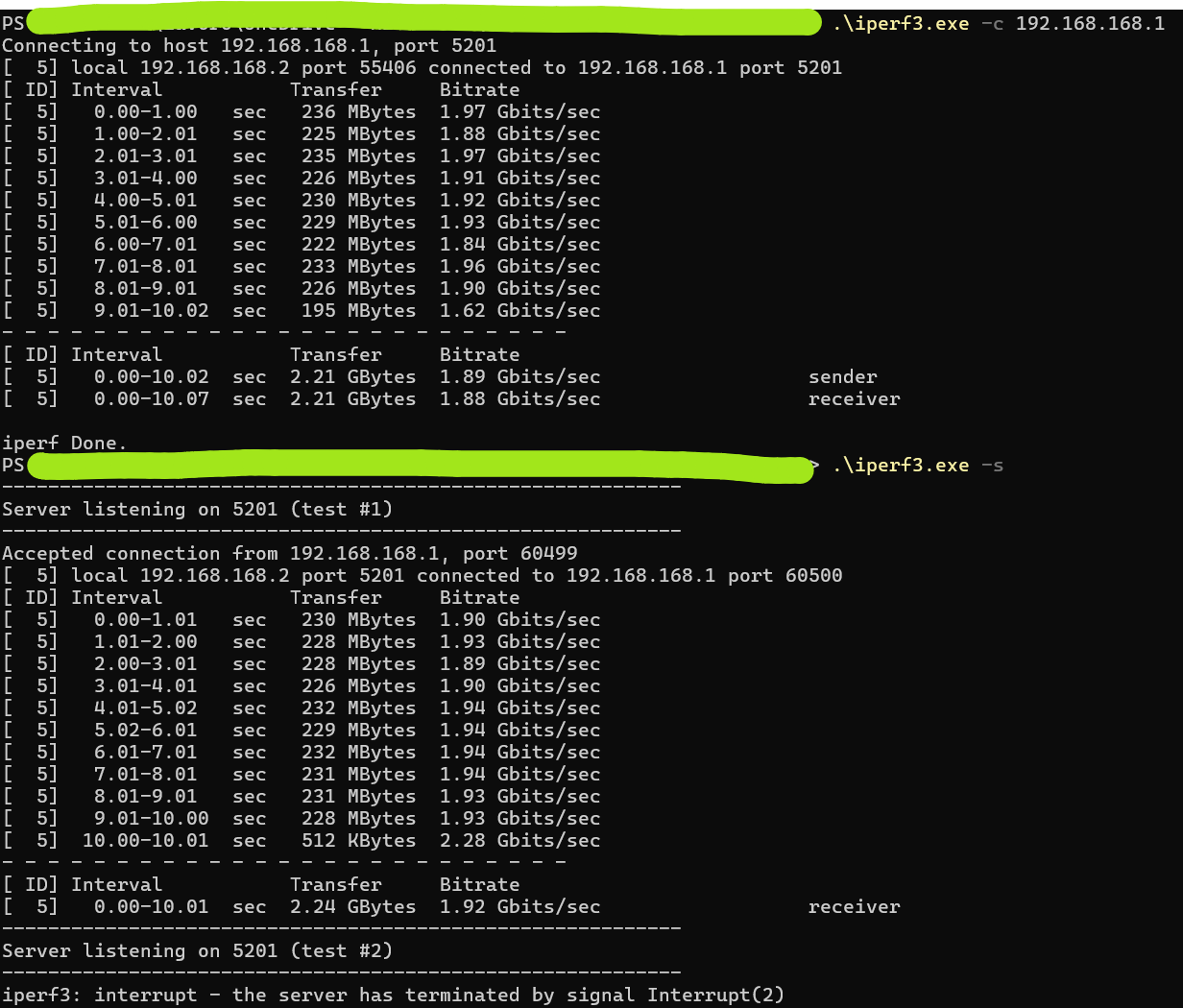
OK, I've done the tests.I used iperf3; on PC I have the docking station attached via USB (Realtek USB 2.5GbE Family Controller) and on Macbook I have the USB-A adapter Realtek Gaming 2.5GbE Family Controller.
This on PC (first as client, second as server):
And this is on MacBook (first as server, second as client):
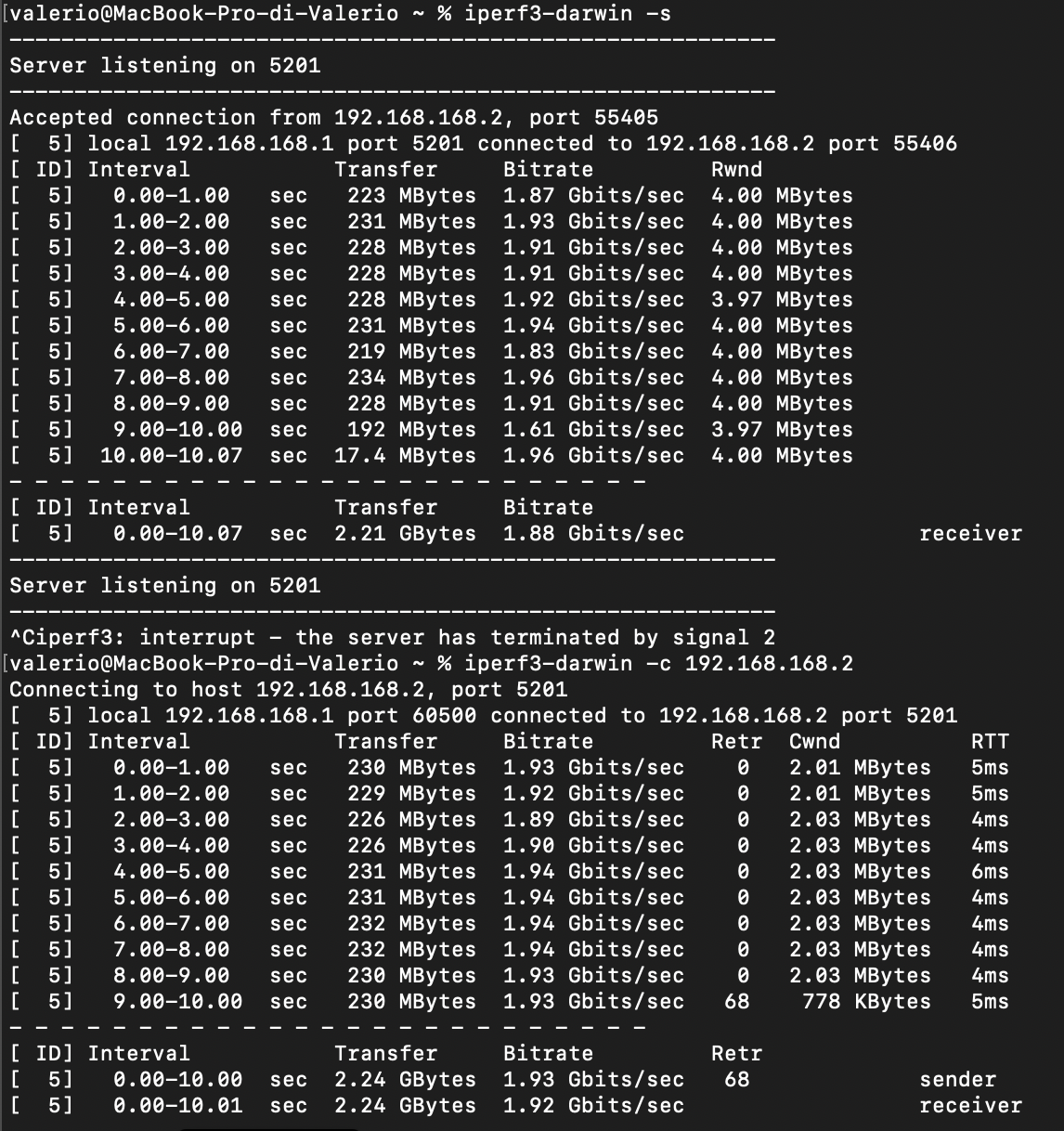
So the bitrate seems up to 2Gbit more or less…
For now, I don't have any other external USB-Ethernet adapter; I've get online an Sabrent 5GbE chipset Realtek, tomorrow I take it and retest.
0 -
But the USB port ON the computer you plug that adapter in could be the limiting thing. its why a PCI-E card could be better depending on the card lanes and PCI-E version plus what the PC supports
0 -
Hi Perer,
I have only notebook without PCI-E card.
0 -
Hi Peter,
after I receive the Sabrent NT-C5GA USB-C adapter, the speedtest between PCs are quite different:
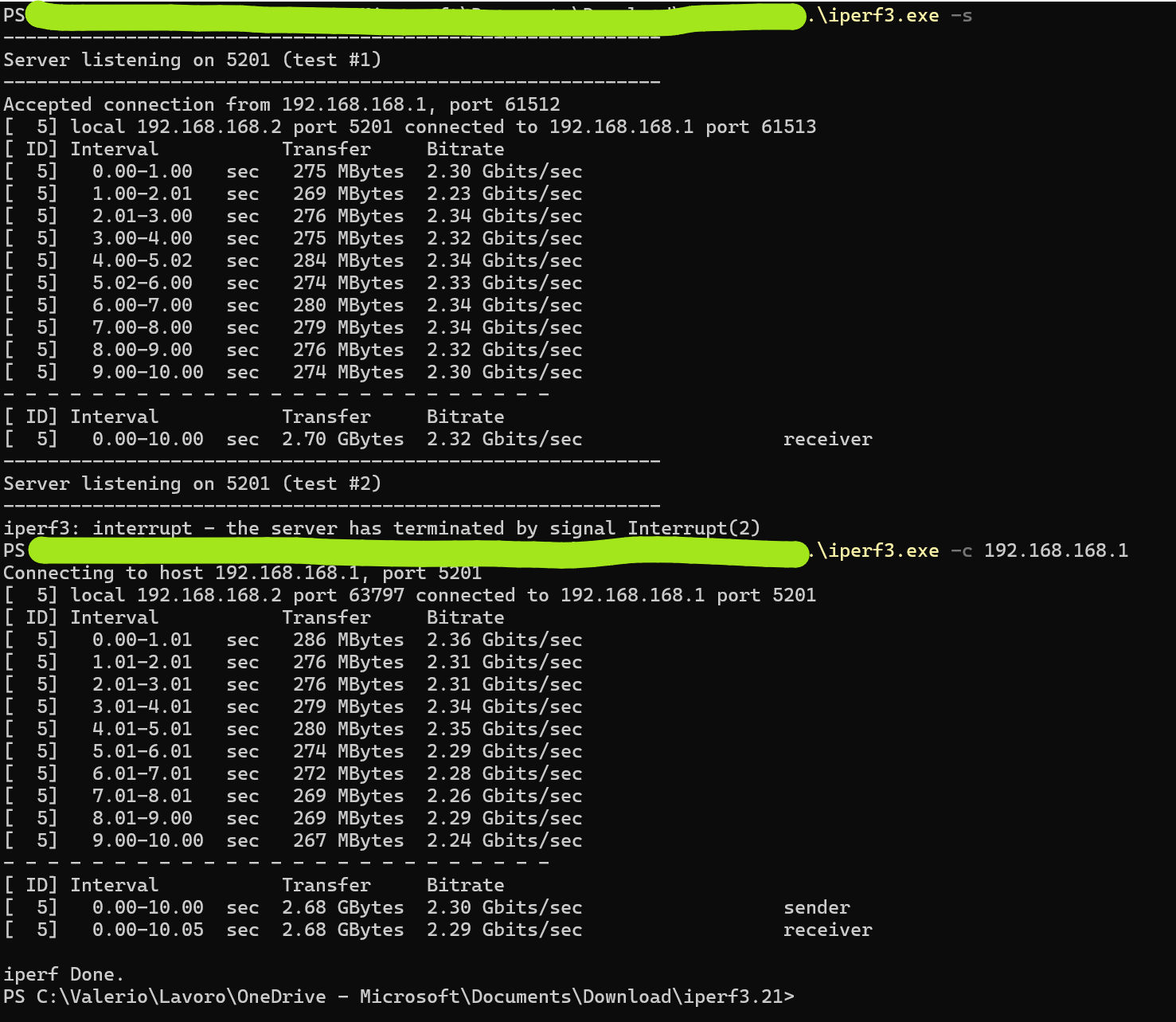
So seems that the internal ethernet on docking station are slowly than the 2.5Gb
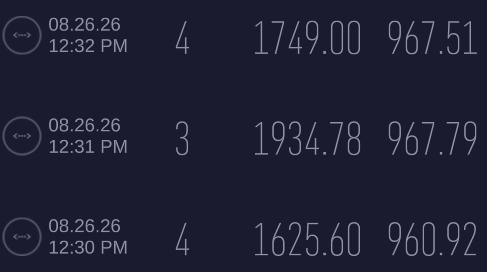
Then this is the speedtest:
- Without bridge on Port P4:
- Without bridge on Port P2:

- With bridge on Port P4:
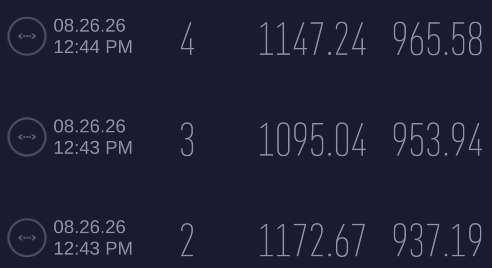
- With bridge on Port P2:
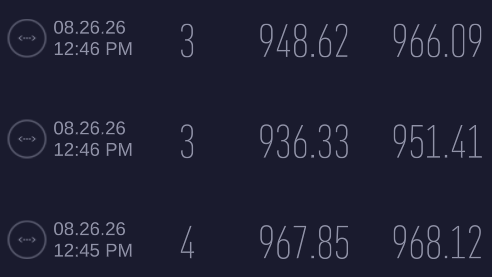
Same hardware, same configuration.
PC ←→ PC the speed are more or less 2.2/2.3Gb
WAN ←→ LAN the speed are less than PC-PC with significant decrease on bridged modeAnyway, in any case:
- The P2 seems more efficient without bridge, probably because the WAN (P1) and the LAN (P2) work on the same ASIC and this not affect the packet transmission between ASICs and CPUs
- The P4 it's more efficient with bridge, probabily because the packet transmission is executed splitting the ASICs chipset.
Anyway…. the pure 2.5Gbit seems to be a dream and mirage
0 -
Hi @Maverick87 ,
Thank you for the extensive testing and data you've shared — it's been very helpful for our internal review.
We've run our own internal test using a similar setup, and our results are actually very close to what you're observing. It looks like the range you're getting is close to the practical achievable throughput for this setup. Factors like USB adapter/controller limitations (as you found with the docking station's internal adapter vs. the Sabrent NT-C5GA), and network protocol overhead, all contribute to the gap from the theoretical 2.5Gb link speed.
Zyxel_Judy
0 -
Hi @Zyxel_Judy,
"nice to hear this", if nothing else the tests are similar :)
Obviously, there is always an adapter with own driver (USB-A/USB-C/Thunderbolt/PCI-Express), it's always an adapter internal or external to the PC. Also, there is always a driver that "translate" the information into human-readable. So can be normal.
But the strage is, that is not close to 2.5Gb but only 1.9/2.0Gb and the very strange result are the difference between port P2 and P4 with same configuration.
Without bridge, the results are better, but seems there are present a difference both P2 and P4 of the 500H; so not only with/without bridge but also different port cause different results.0 -
Hi @Maverick87 ,
As our P3/P4 iperf result (~2.35Gbps, matching P1/P2) confirms the physical ports fully support 2.5G, so this isn't a port issue.
As your test, a external speedtest to WAN has to pass through routing, NAT, and the security inspection engine. To help narrow down the speed difference between P2 and P4, could you check two things on your side:
- Are P2 and P4 currently bound to the same LAN-to-WAN security policy and profile? If they sit in different zones, one could still have an inspection service applied that the other doesn't, even with most services disabled.
- Re-run the external speedtest on both P2 and P4, to the same speedtest server, in the same short time window, with no other devices (especially WiFi clients on the NWA130BE) active on the network.Moreover, there are internet-side variance (server load, ISP routing, etc.), which is common with external speedtest compared to a controlled iperf test.
Zyxel_Judy
0





 Master Member




 Guru Member




 Zyxel Employee
Categories
- All Categories
- 442 Beta Program
- 3.1K Nebula
- 243 Nebula Ideas
- 6.8K Security
- 783 USG FLEX H Series
- 389 Security Ideas
- 1.8K Switch
- 87 Switch Ideas
- 1.5K Wireless
- 58 Wireless Ideas
- 7.2K Consumer Product
- 325 Service & License
- 527 News and Release
- 101 Security Advisories
- 31 Education Center
- 10 [Campaign] Zyxel Network Detective
- 5.3K FAQ
- 34 Documents
- 91 About Community
- 122 Security Highlight


