[USG Flex H Series] - How to block "en-mass" a list of URLs, like an adblocker/tracker list





 Guru Member
Hello everyone,
There is a functionality to block a list of URLs?
For example, I've found a tracker list based on adblock, for blocking advertisement on my Samsung TVs: https://cdn.jsdelivr.net/gh/hagezi/dns-blocklists@latest/adblock/native.samsung.txt
There is a possibility import the file/tracker txt list, and use the Reputation Filter or something else to block all the URLs contained into the file without insert line-by-line the URL into the block list?
There is a possibility to implement an URL blocker based on adblock/tracker file? Also with a scheduled refresh so is possible to maintain the block list up-to-date?
Accepted Solution
-
Hi @Maverick87,
The External Block List in DNS / URL Threat Filter can meet your request.
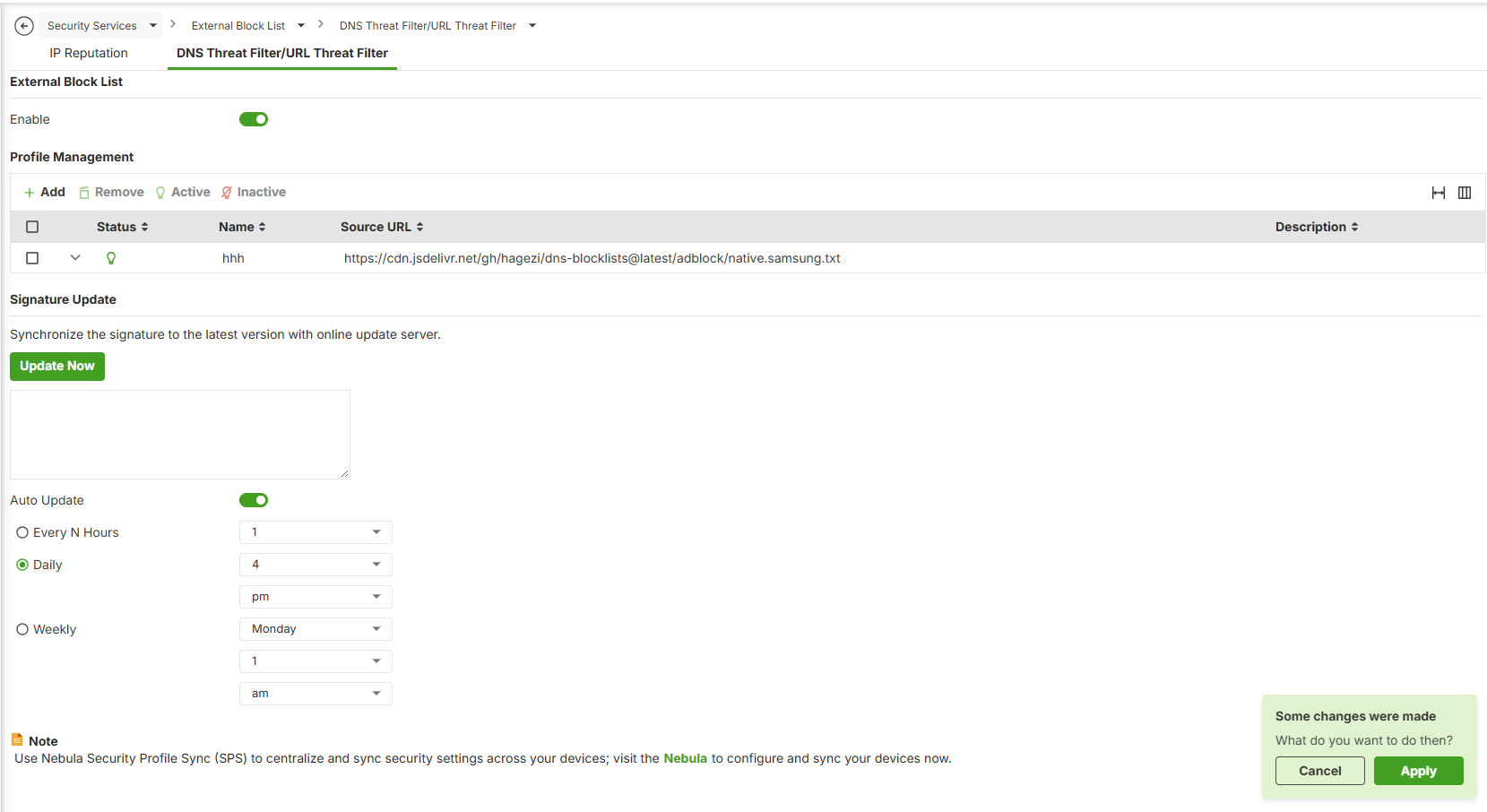
Please refer to pages 464–466 of the User Guide for the configuration steps and the file requirements.
You can also check the Log & Report > Log / Events for any entries containing “Error parsing”.
Zyxel_Judy
0





 Zyxel Employee
All Replies
-
Hi @Maverick87,
The External Block List in DNS / URL Threat Filter can meet your request.
Please refer to pages 464–466 of the User Guide for the configuration steps and the file requirements.
You can also check the Log & Report > Log / Events for any entries containing “Error parsing”.
Zyxel_Judy
0 -
Hi @Zyxel_Judy,
Thank you so much… I've imported the file txt but seems that from line 1 to line 214 there are "Error Parsing". So the whole entire file.Seems that list use the AdBlock format.
It's possible to parse an AnBlock format list to the Zyxel allowed list?Thank you
0 -
Hi @Zyxel_Judy,
I've found two lists (always by HaGeZi, always for Samsung TVs), one for only domains and one for domain and subdomains:- Only domain: https://cdn.jsdelivr.net/gh/hagezi/dns-blocklists@latest/wildcard/native.samsung-onlydomains.txt
- Domain and subdomains: https://cdn.jsdelivr.net/gh/hagezi/dns-blocklists@latest/wildcard/native.samsung.txt
If you see both lists, seems that is equal, and the only difference is on the subdomains that have "*." before the domain. Also the comments are the same on both and are in the same place.
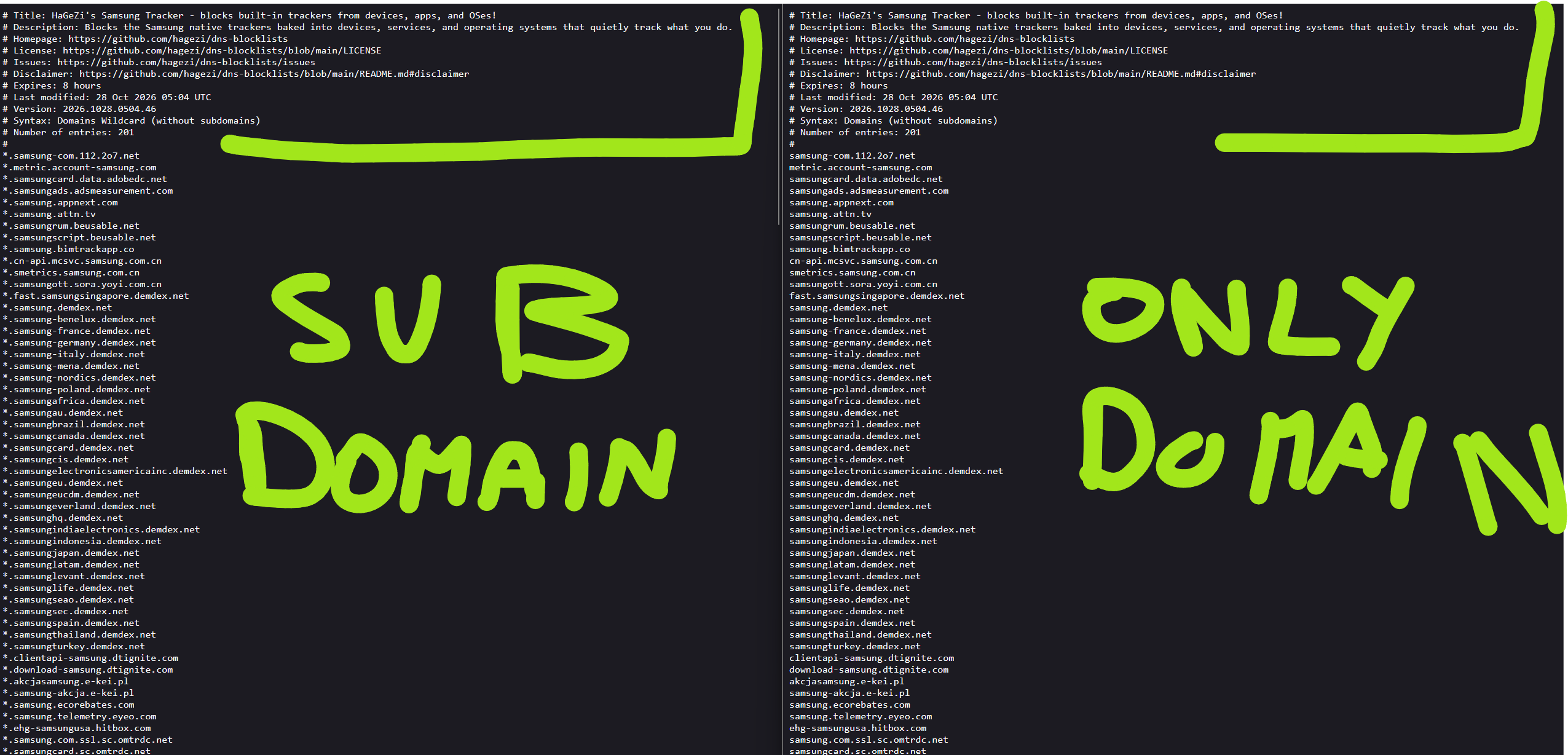
On the left the subdomains list, on the right the only-domain list; as you can see the first lines are the same on both.
But…. When I import both on the flex:

The log reports that only the domains have the right format, and for the subdomains all the lines are wrong (even the first lines of the comments):
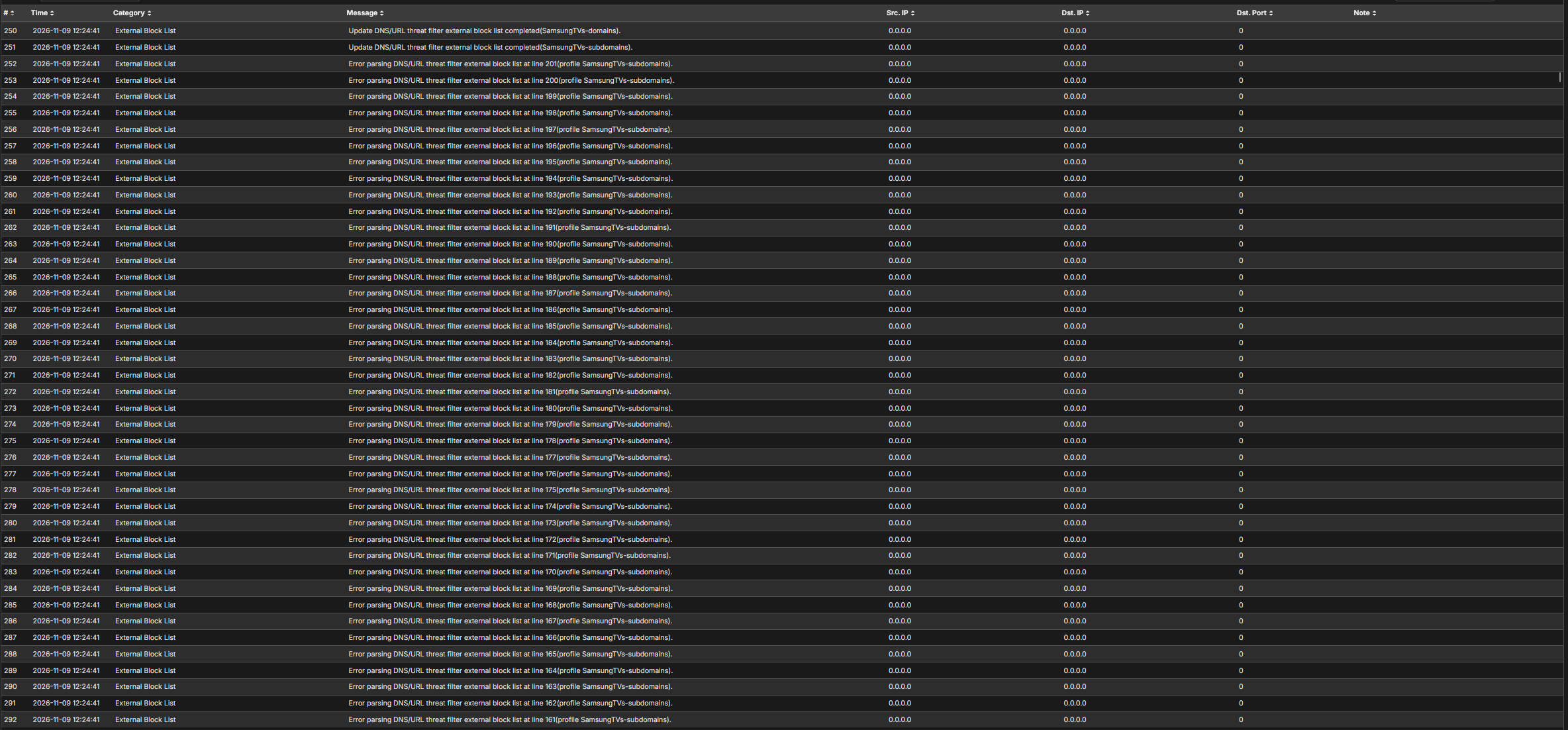
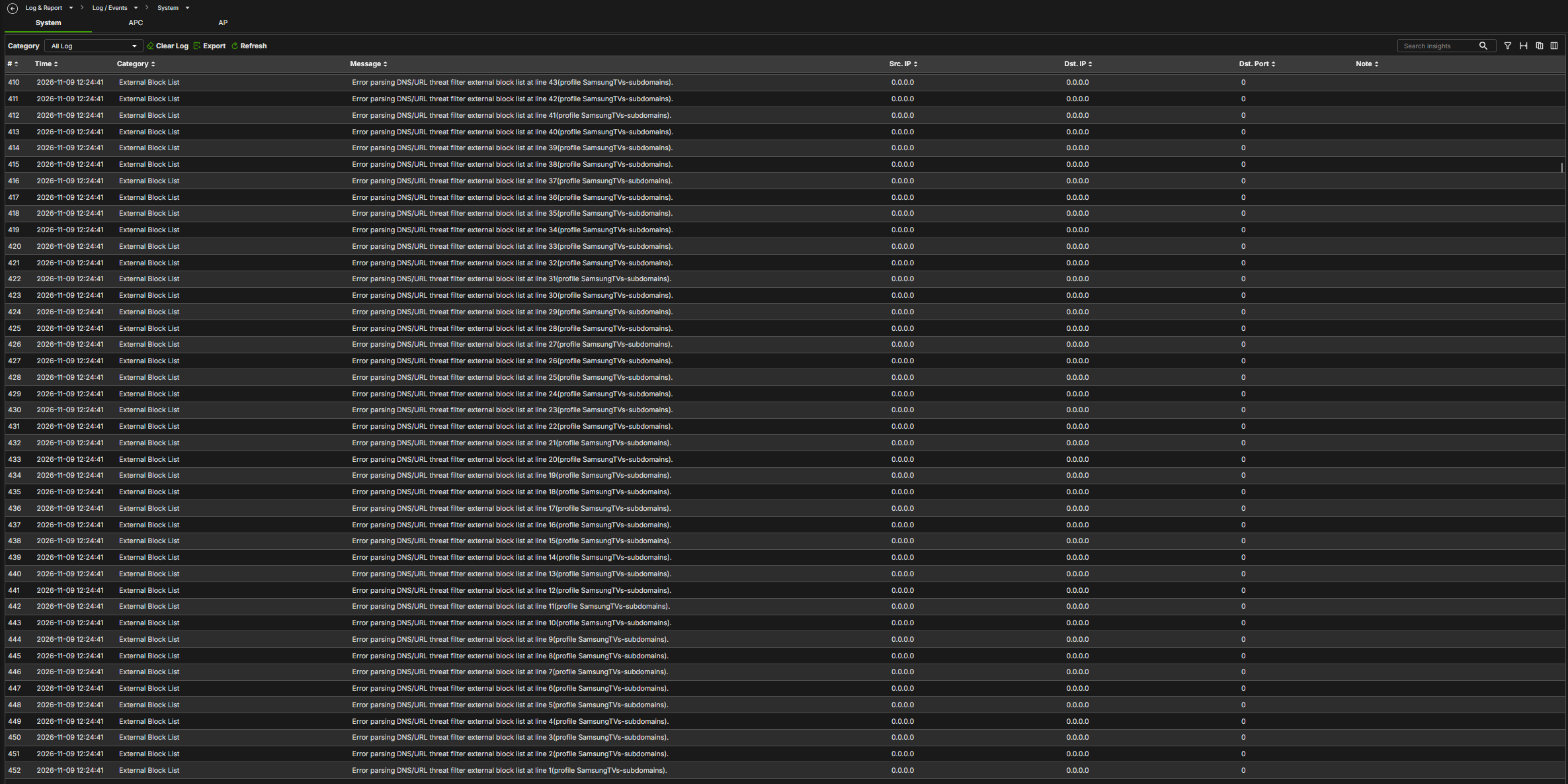
Why are different? There is a bug for the subdomains lists?
I've reproduced locally the problem, creating sample files with/without wildcard
Then, I've imported into the external block list:
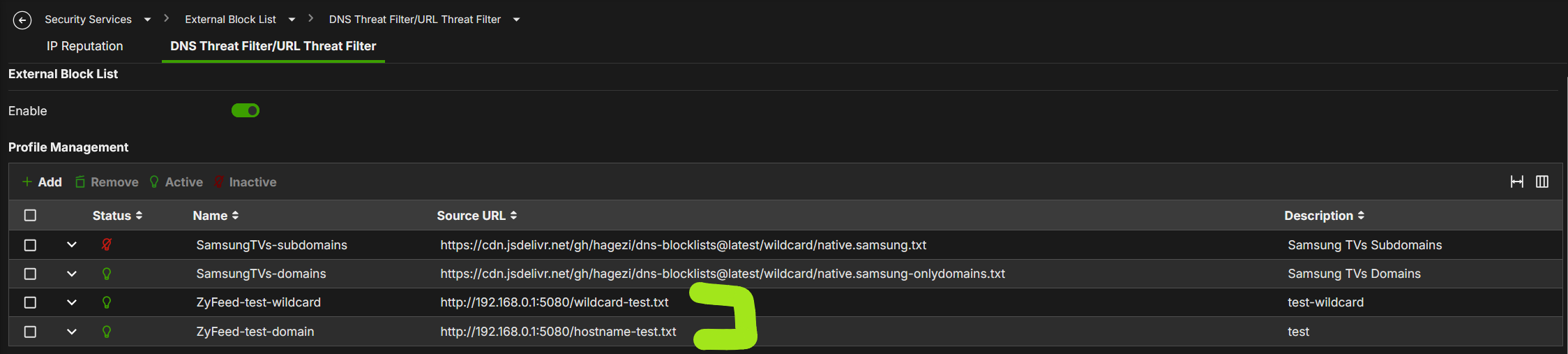
And this is the result:

The test-domain is OK, the test-wildcard fails.

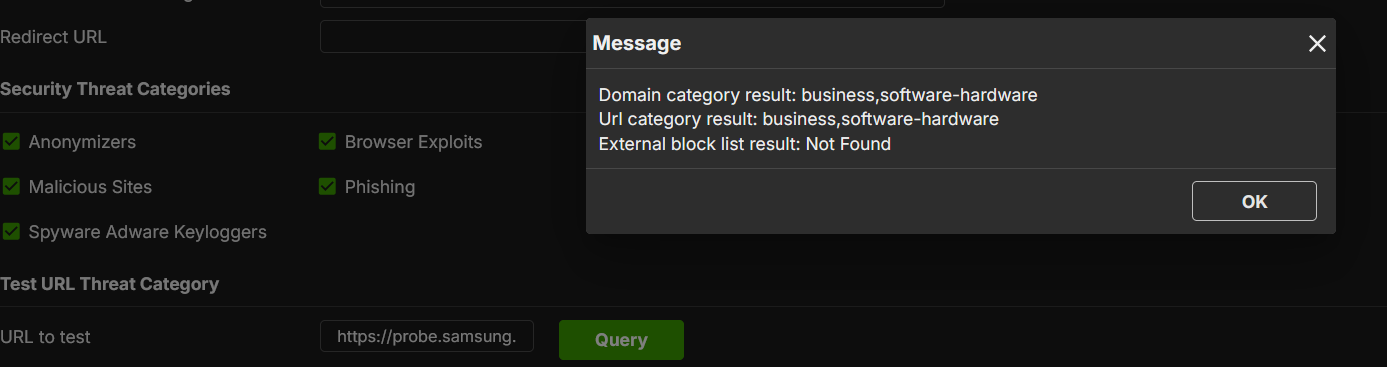
These example works, the files are loaded correctly, but if I use the Reputation Filter to the result the wildcard, not working.

Thank you0 -
Hi @Maverick87,
We are able to reproduce the symptom with this list: https://cdn.jsdelivr.net/gh/hagezi/dns-blocklists@latest/wildcard/native.samsung.txt.
However, the entries are accepted when typed manually under Security Services > Reputation Filter > DNS Threat Filter > Block list, as shown below.
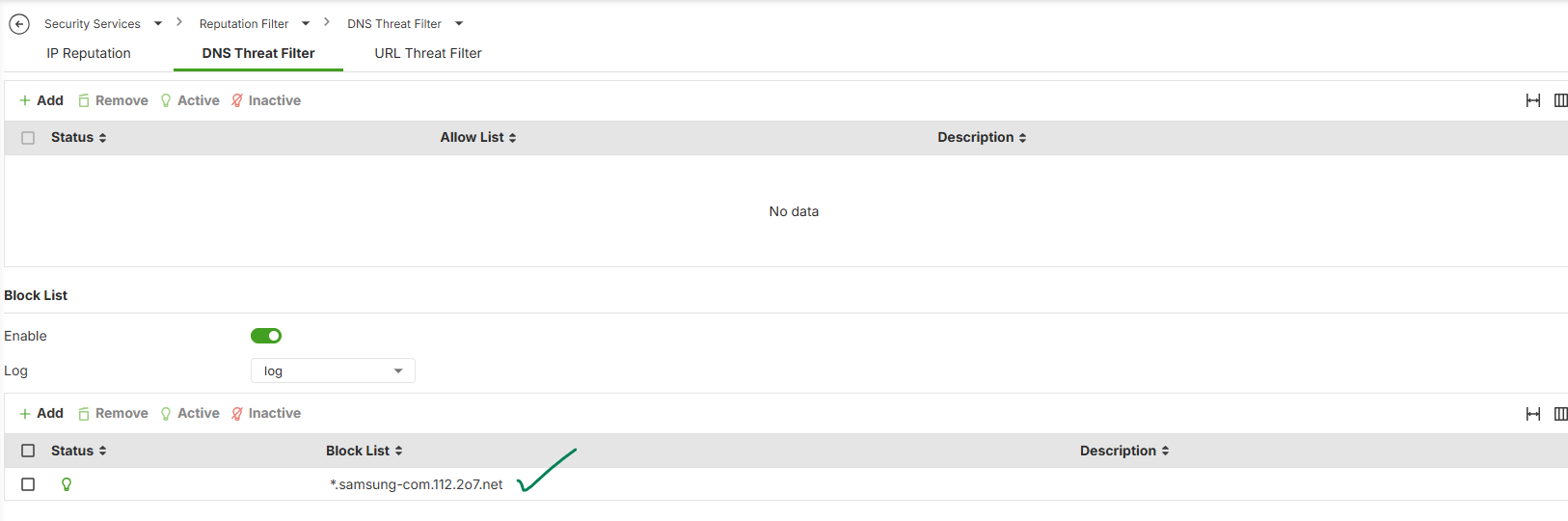
Please allow us some time for further investigation.
Zyxel_Judy
1 -
As a side suggestion, please create a separate comment for each issue so that we can follow up clearly. We are looking into the other two issues in this post.
Zyxel_Judy
0 -
Hi @Zyxel_Judy,
Yes probably the problem is on how work the parser on the External Block List.No problem, please, tell me if you would like to test the bug fix ;)
Thank you
1 -
I think is the same issue, but ok no problem ;) sorry!
Thank you
0 -
These example works, the files are loaded correctly, but if I use the Reputation Filter to the result the wildcard, not working.
It seems that you are using the URL https://probe.samsung.<something>, but the External Block list doesn’t include this URL.
Could you share more details about this issue so that we can check it?
Zyxel_Judy
0 -
Your file includes unsupported characters in URL.
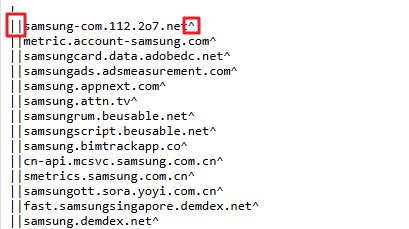
The Block List supports only a fixed URL format, and there is currently no plan to support additional characters in the External Block List (EBL). We recommend editing the URLs in your EBL .txt file manually so that they match a supported format, and then importing the file again.
Zyxel_Judy
0 -
Hi Judy,
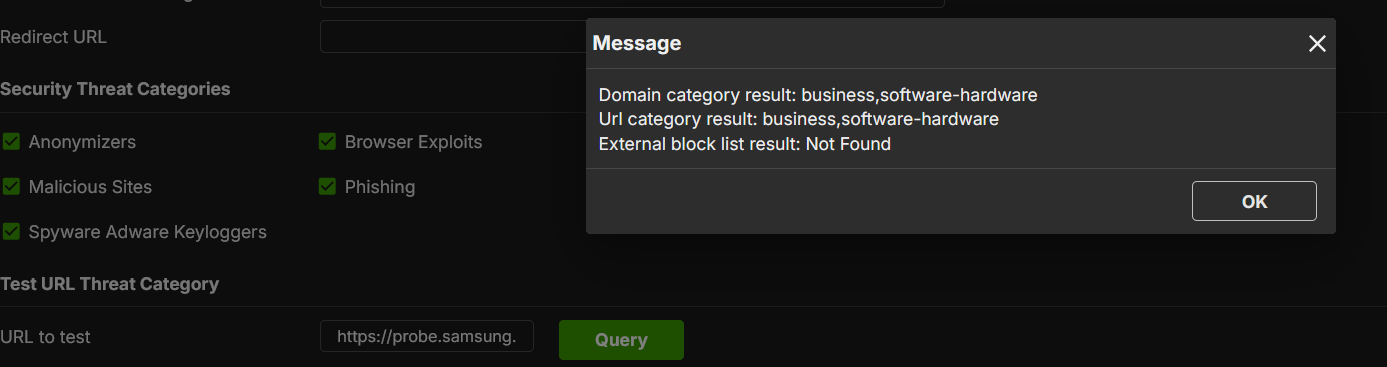
this is the Zyfeed-test-wildcard
If you see, this type of wildcard seems that work on load, but no on the filter
If you see the url to test, is https://probe.samsung.appnext.com that teorically can be "protected" by the "*.samsung.appnext.com" on the wildcard-test.txt file on the EBL.
 0
Categories
- All Categories
- 442 Beta Program
- 3.1K Nebula
- 244 Nebula Ideas
- 6.9K Security
- 800 USG FLEX H Series
- 392 Security Ideas
- 1.8K Switch
- 88 Switch Ideas
- 1.5K Wireless
- 59 Wireless Ideas
- 7.3K Consumer Product
- 328 Service & License
- 532 News and Release
- 104 Security Advisories
- 31 Education Center
- 10 [Campaign] Zyxel Network Detective
- 5.5K FAQ
- 34 Documents
- 91 About Community
- 124 Security Highlight