How do I enable Ethernet WAN on the indoor mobile router?

 Zyxel Employee

The indoor mobile router offers two options for WAN connection, which are through Cellular WAN and Ethernet WAN. If you connect to the internet through an Ethernet connection, you need to connect a broadband modem or router with internet access to the WAN Ethernet port on the Zyxel device. You need to configure the internet settings from the broadband modem or router on the Zyxel device. First, ensure you have internet access through the broadband modem or router by connecting directly to it.
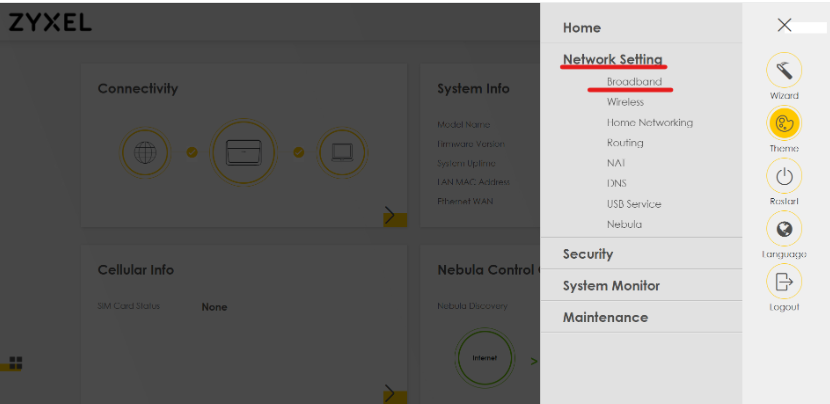
- Log in to the mobile router local web GUI
- Navigate to
Network Setting > Broadband.
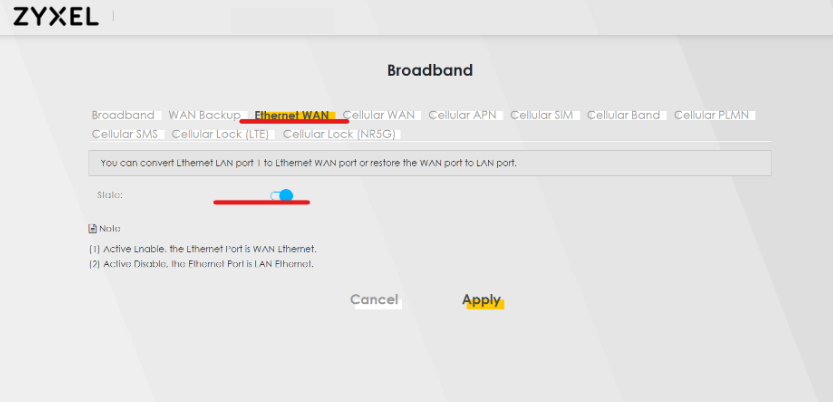
3. Switch to the Ethernet WAN interface, and enable the Ethernet port LAN1/WAN to WAN. By default, this state is disabled and the LAN1/WAN port is WAN.
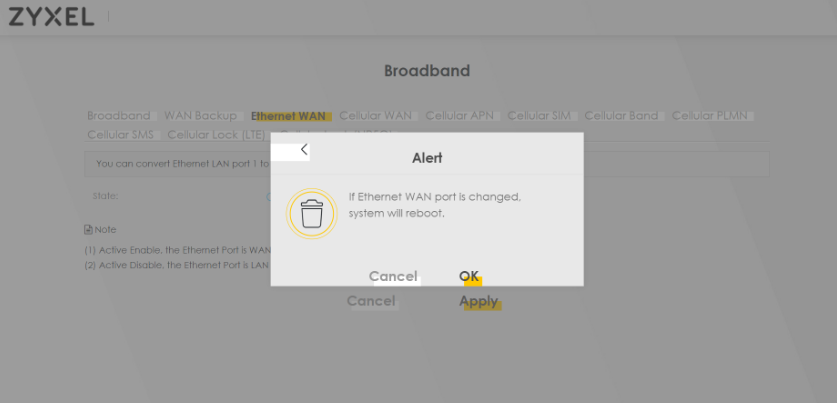
4. Once enabled, the device will reboot
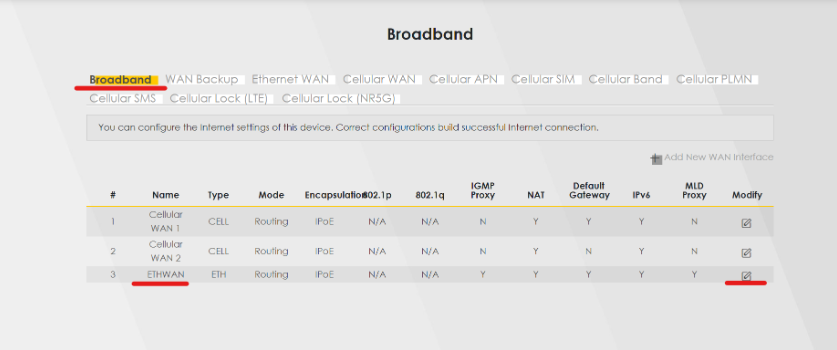
5. After reboot, please navigate to Network Setting > Broadband > Broadband, and modify the ETHWAN
6. In the Edit WAN interface, you may configure the DHCP-Static IP or PPPoE. The default option is DHCP
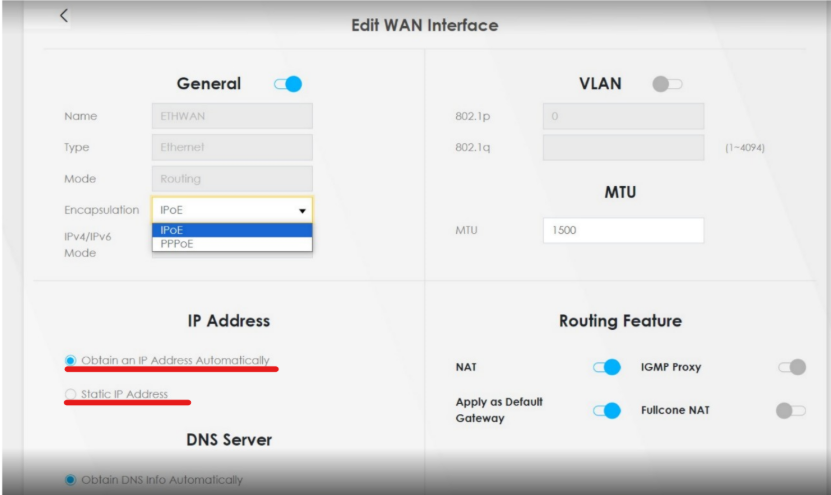
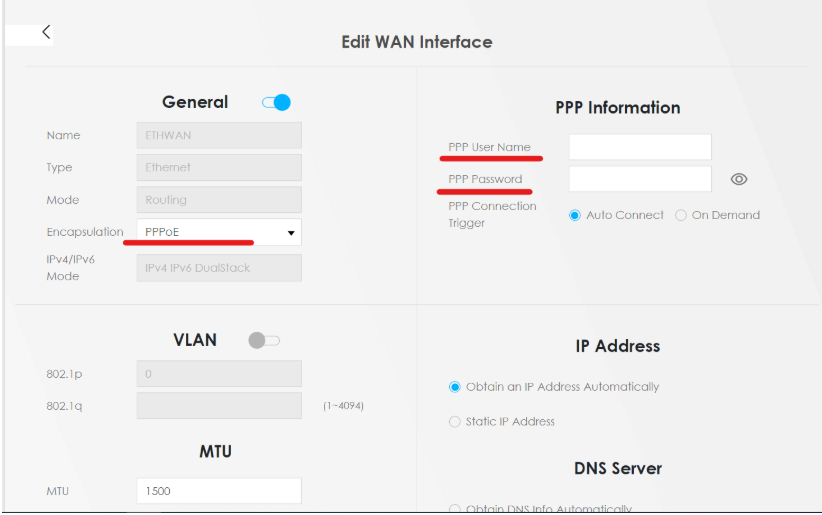
-If you choose PPPoE as your encapsulation, kindly insert your PPPoE account and password properly
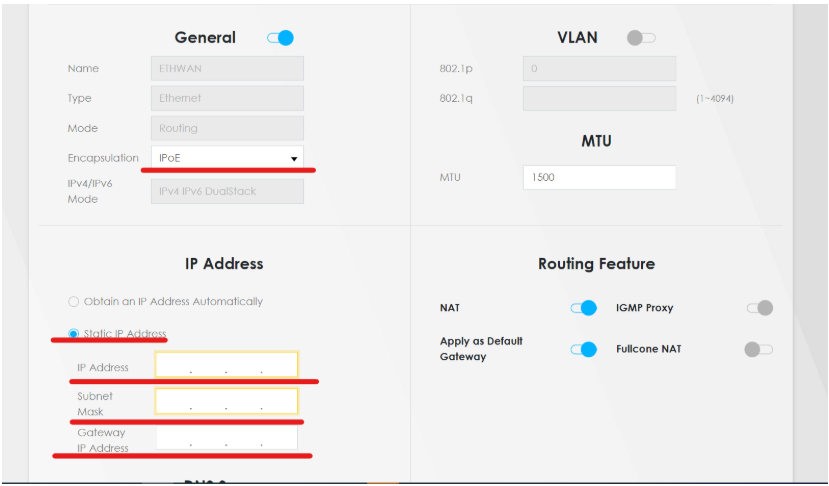
-If you choose IPoE as your encapsulation and are using a Static IP, you have to insert the IP subnet and gateway.
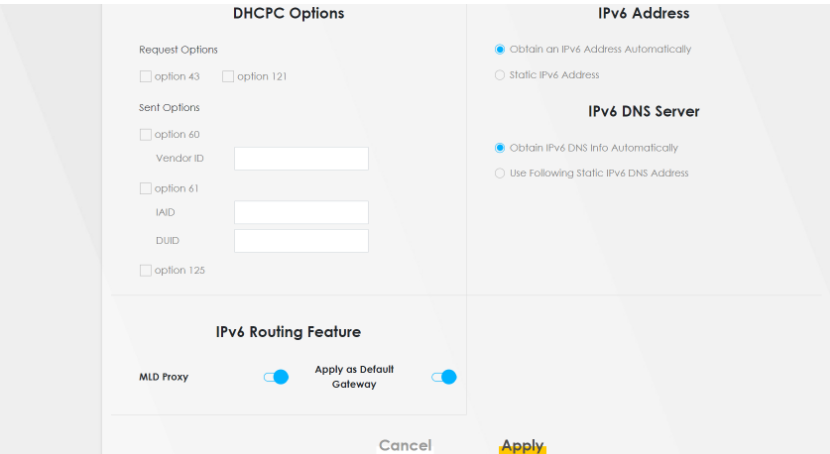
7. Once the settings are done, click Apply to save all the settings
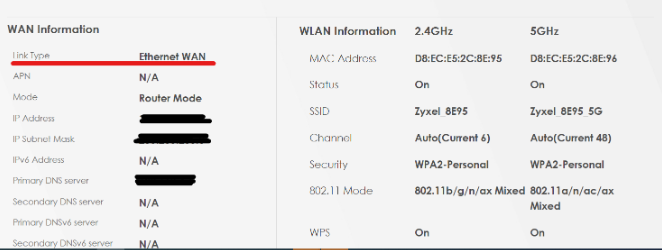
8.Then, you may verify your configuration on the Homepage Dashboard > System Info, the WAN Information Link Type will be Ethernet WAN.
Categories
- All Categories
- 442 Beta Program
- 3K Nebula
- 232 Nebula Ideas
- 132 Nebula Status and Incidents
- 6.7K Security
- 691 USG FLEX H Series
- 365 Security Ideas
- 1.8K Switch
- 87 Switch Ideas
- 1.4K Wireless
- 56 Wireless Ideas
- 7.1K Consumer Product
- 312 Service & License
- 505 News and Release
- 97 Security Advisories
- 31 Education Center
- 10 [Campaign] Zyxel Network Detective
- 5.1K FAQ
- 34 Documents
- 89 About Community
- 112 Security Highlight