[Nebula] What to do if the AP is offline?

 Zyxel Employee

If the AP is registered and added to the site but keeps showing offline on Nebula.
The LED status is flashing in Yellow/Green status after connecting it to the network.
1. The AP gets IP from DHCP server by default, ensure that the AP gets IP address successfully. The ZON utility provides user to scan and check the Zyxel devices status.
How to use ZON to configure Zyxel device basic setting?
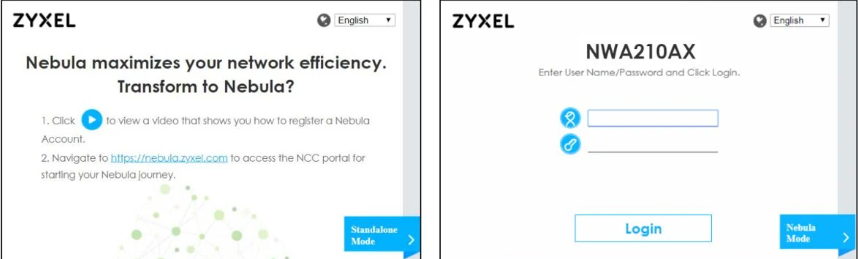
2. Check Nebula connection status on AP’s local GUI. If the AP is not online on Nebula yet and running is standalone mode. You have to enter default account: admin, password: 1234 to login local GUI.
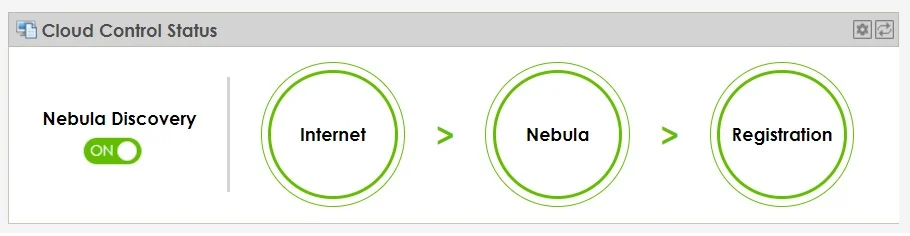
Nebula Discover must have to be turned ONto enable NCC Discovery. The AP will connect to Nebula Control Center and change to cloud mode management if it is connected to the Internet and has been registered on Nebula.
The table displays the description of each circle status.
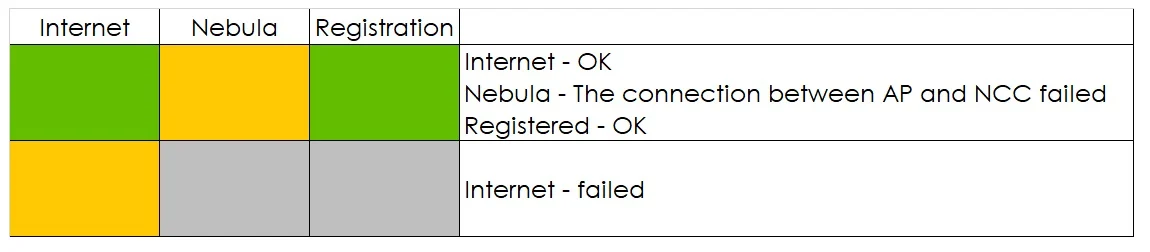
If the device can’t connect to Internet or NCC, move the mouse over the circle to check the error message. According to the hint to check your local network settings.

3. If the AP is running in cloud mode but went offline on NCC
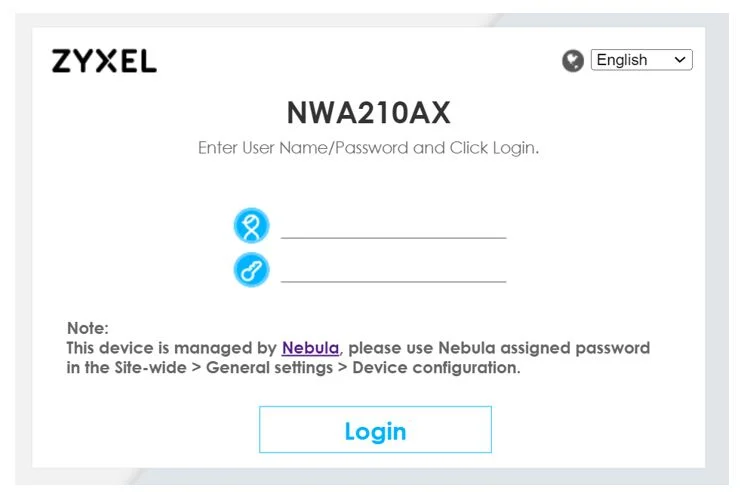
You’ll see the Note with device is managed by Nebula, use credentials (admin/ Nebula site-wide password) to login.
Nebula site-wide password is at Nebula Website Left sidebar Configure > Site settings > Device configuration > Local credentials > Password
a. In the local Web GUI main dashboard, please check the Cloud Control Status.
Nebula Discover always displays ON when device is cloud mode.
If the device can’t connect to Internet or NCC, mouse over the circle to display detailed information and according to the hint to check your local network settings.

The table displays the description of each circle status.
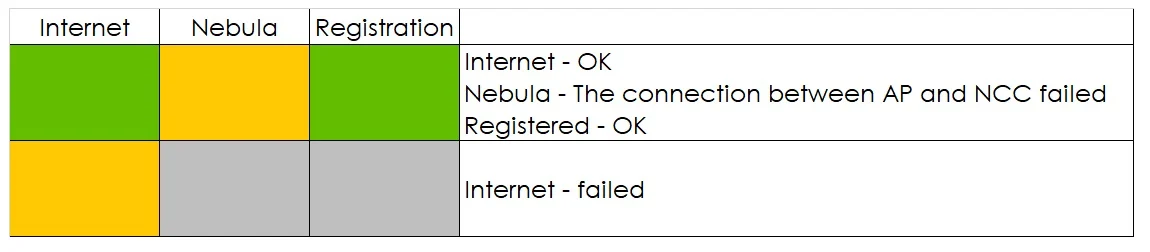
Here are the failed message of Internet and Nebula circles that provides user to rule out the issue in the network settings.
Internet failed cases are:
- Missing default gateway setting
- Can't get an IP from your DHCP server!
- Gateway unreachable
- IP is conflict with (AA:BB:CC:DD:EE:FF), please check!
- NTP DNS query failed
- NTP update failed
Nebula connection failed cases are:
- Certificate problem
- DNS queries failed
- Proxy authentication failed
- TCP port 4335 blocked
b. SSH into the AP and check whether TCP port 4335 is blocked using a command
Router> tcpping d.nebula.zyxel.com port 6667
Router> tcpping d.nebula.zyxel.com port 4335
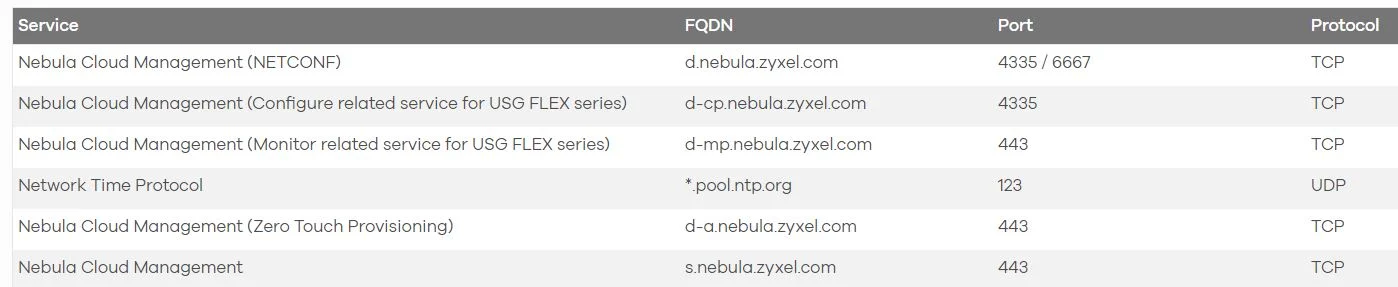
C. In most cases, it’s the TCP/UDP port being blocked by your local firewall or your ISP. This list is intended to help guide you in creating firewall rules for Nebula, please check your firewall or ISP if they’re blocking them. We suggest replacing your AP's first DNS setting with the static IP address "8.8.8.8"
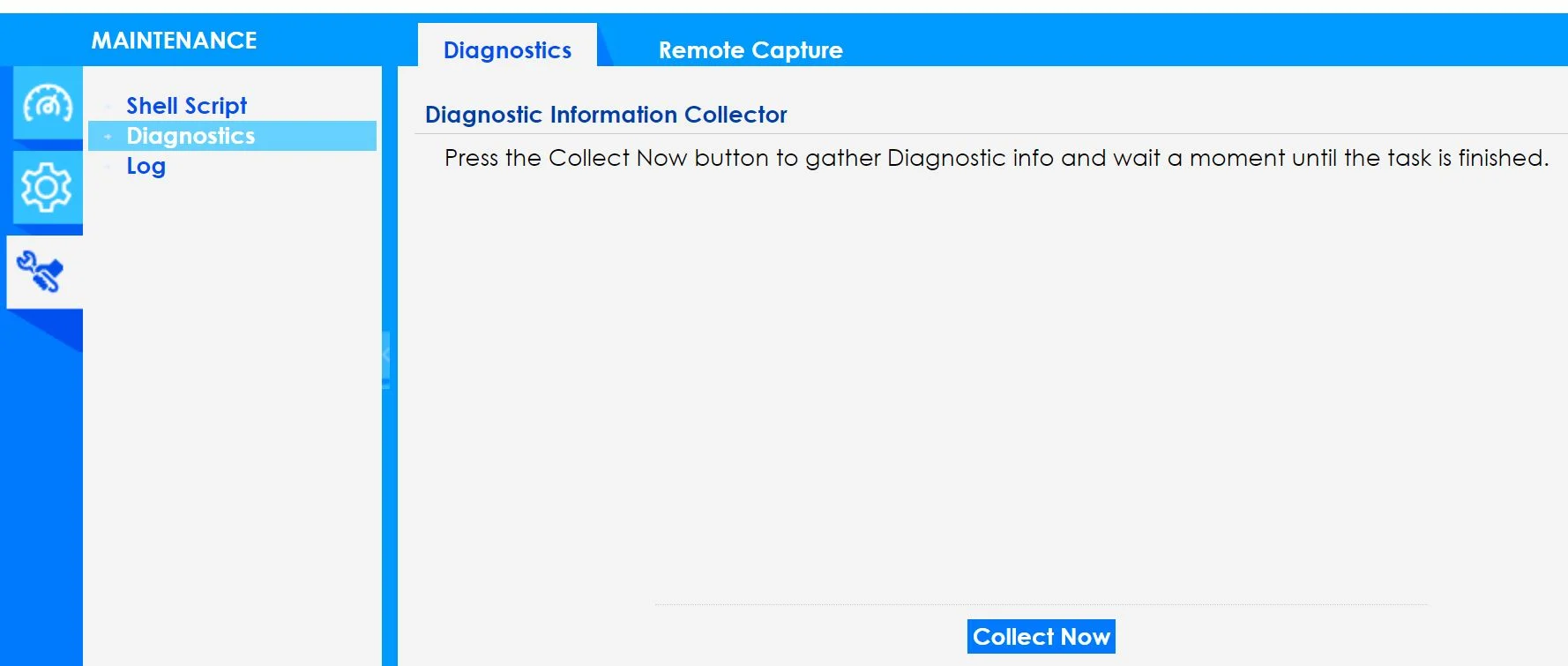
If the AP is still offline after above information confirmed or there is no condition as yours list above, please collect Diagnostics at MAINTENANCE page for Zyxel support.
Please enable the Zyxel support at Help > Support request > Invite Zyxel support as administrator, save the changes for us to check.
[Nebula] How to turn on Zyxel Support Access?
And provide the Org and Site name, thank you.
Categories
- All Categories
- 442 Beta Program
- 3.1K Nebula
- 237 Nebula Ideas
- 6.8K Security
- 746 USG FLEX H Series
- 377 Security Ideas
- 1.8K Switch
- 87 Switch Ideas
- 1.5K Wireless
- 58 Wireless Ideas
- 7.2K Consumer Product
- 319 Service & License
- 512 News and Release
- 99 Security Advisories
- 31 Education Center
- 10 [Campaign] Zyxel Network Detective
- 5.3K FAQ
- 34 Documents
- 91 About Community
- 119 Security Highlight