Set static ip client

 Ally Member



I looked at YouTube -Shawn Rogers - how to set static ip on client.
But when trying to follow his instructions I realise that my Nebula doesn’t look the same.
See below.
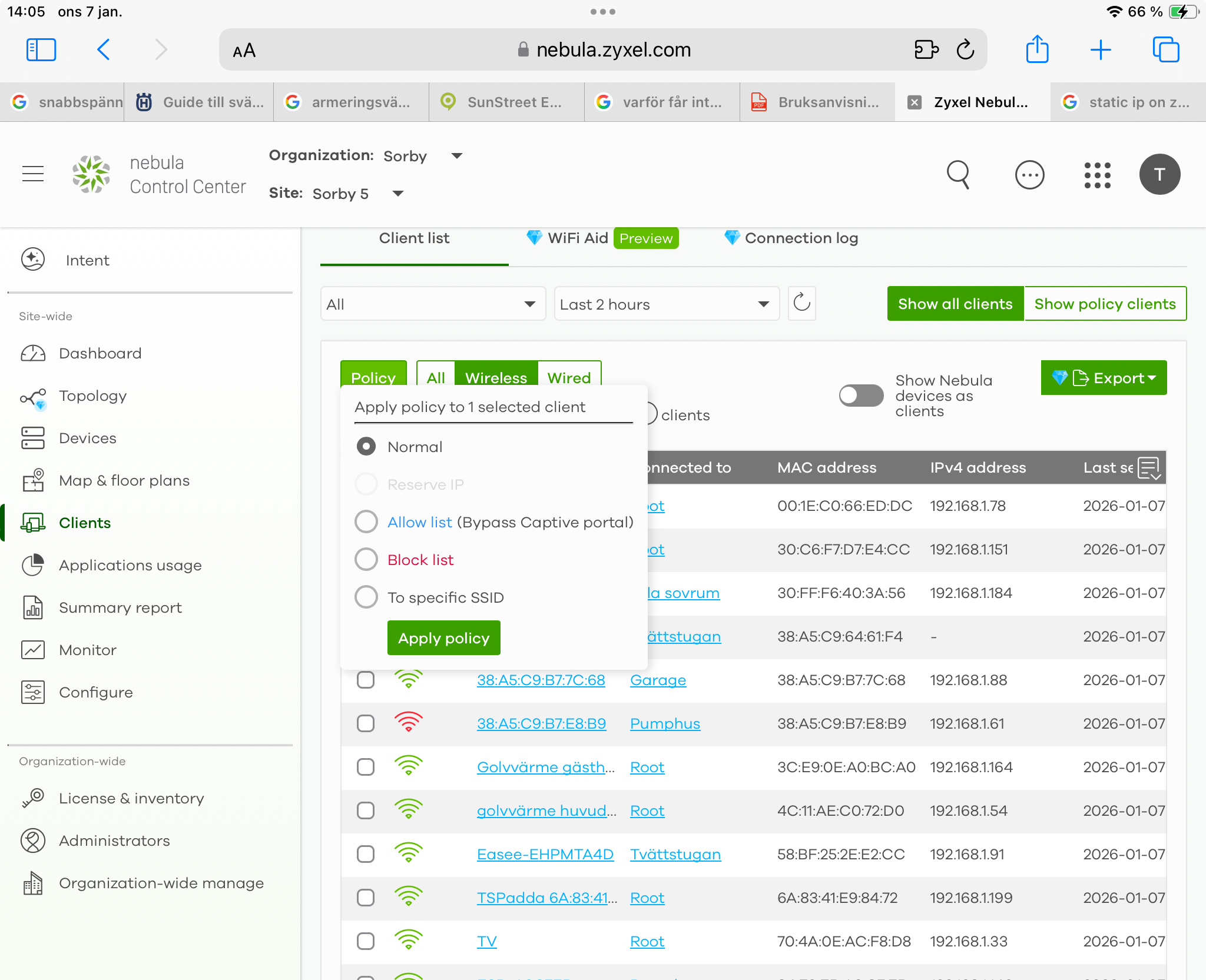
My “reserve ip” is grayed- how to activate.
Below what is it in Roger’s presentation
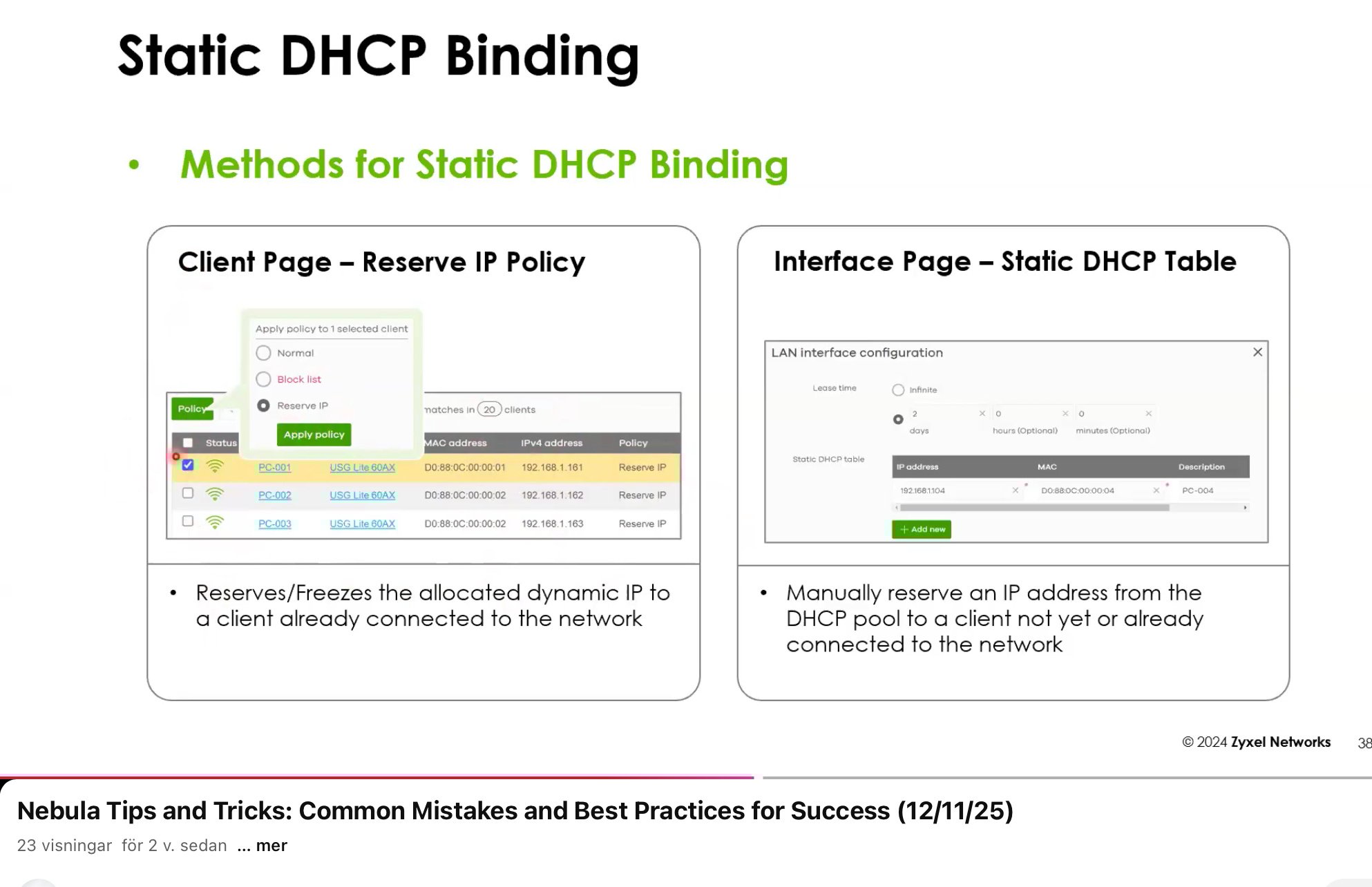
Below what is look like in my Nebula. I want to activate grayed “reserve ip “
Accepted Solution
-
Hi @saltet,
The "Reserve IP" option is associated with a security gateway/firewall that functions as a DHCP server. After checking your org/site, we see no Zyxel firewall present, so this feature is currently unavailable in your network.
Zyxel Tina
0

 Zyxel Employee



All Replies
-
Hi @saltet,
It appears you're encountering an issue where the "Reserve IP" option is grayed out in your Nebula control center, preventing you from setting a static IP for a client. This can happen for a few reasons, but there are clear steps to enable and configure static IP reservations.
Here's a step-by-step guide to reserve an IP for a client in Nebula:
- Navigate to the Client List: In your Nebula Control Center, go to
Site-wide>Clients. - Select the Client: Locate the client device for which you want to reserve an IP address in the
Client list. - Apply Policy: Click on the
Policyoption for the selected client. - Choose "Reserve IP": From the policy options, select
Reserve IP. This will ensure the device consistently receives the same IP address.
If the "Reserve IP" option is still grayed out, it might be due to the specific device type or Nebula firmware version. For Nebula 18.00 and later, both "Client Page (Reserve IP Policy)" and "Interface Page (Static DHCP Table)" methods for static DHCP binding are available across security routers and firewalls.
If you continue to experience issues, please provide the following information to help us investigate further:
- The model of your Zyxel security appliance (e.g., USG FLEX series, ATP series).
- Your current Nebula firmware version.
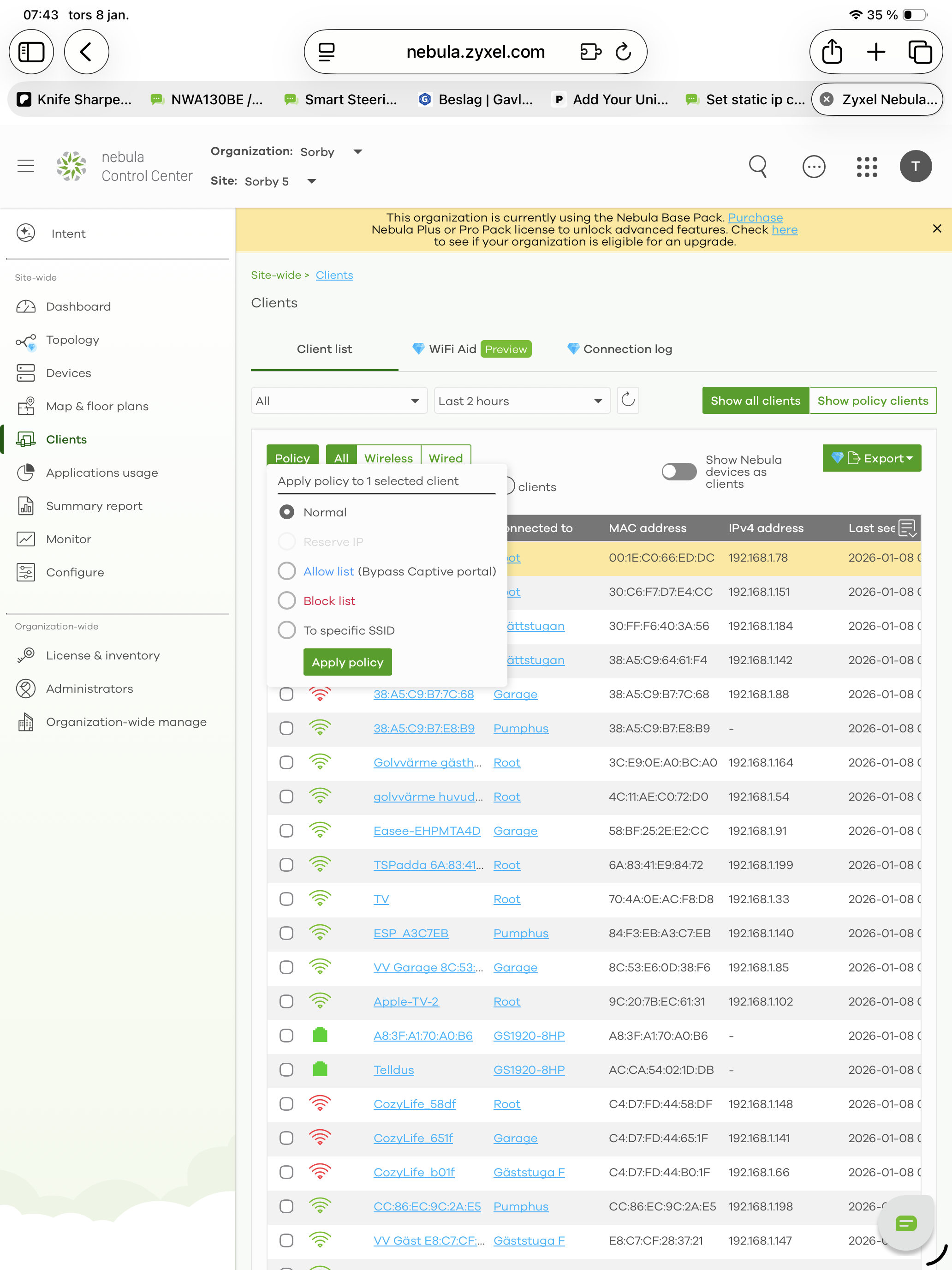
- A screenshot of the
Site-wide>Clientspage where the "Reserve IP" is grayed out, similar to the one you provided. - Your Nebula Organization and Site name.
- Please enable Zyxel Support Access via
Help>Support Requestin your Nebula Control Center. This allows our support team to directly view your cloud environment configuration and greatly expedite troubleshooting.
This AI response aims to provide initial troubleshooting steps and identify information needed for further diagnosis. Feel free to share additional details based on the suggestions above — this will help community members offer more targeted assistance.
If you have feedback or idea about this AI assistant, share them in Community Feedback.0 - Navigate to the Client List: In your Nebula Control Center, go to
-
my set up is as follows.
NR5101 to GS1920-8HP to WAX650S as root in my mesh network with 6 NWA50ax . All ap latest firmware.
nebula firmware 19.2tomas.salzmann@telia.com
Organisation:Sorby 5Site. Sorby
Your access is enabled.
 0
0 -
Also adding I need to have mobile router due to no access to fiber.
0 -
Hi @saltet,
The "Reserve IP" option is associated with a security gateway/firewall that functions as a DHCP server. After checking your org/site, we see no Zyxel firewall present, so this feature is currently unavailable in your network.
Zyxel Tina
0 -
Thanks for your reply.
what firewall do you recommend to me to achive the possibility to get static ip.0 -
Hi @saltet,
Regarding your request, you can check our current firewall offerings here:
Next-Gen Firewall | Zyxel Networks
If you'd like a specific model recommendation, could you share more about your needs? Besides static IP reservations, are there other features you're looking for? Also, could you provide details on your use case or scenario to help us understand better?
Zyxel Tina
0


Categories
- All Categories
- 442 Beta Program
- 3.1K Nebula
- 237 Nebula Ideas
- 6.8K Security
- 747 USG FLEX H Series
- 377 Security Ideas
- 1.8K Switch
- 87 Switch Ideas
- 1.5K Wireless
- 58 Wireless Ideas
- 7.2K Consumer Product
- 319 Service & License
- 512 News and Release
- 99 Security Advisories
- 31 Education Center
- 10 [Campaign] Zyxel Network Detective
- 5.3K FAQ
- 34 Documents
- 90 About Community
- 119 Security Highlight


