MSP-wide Device and License Inventories

 Zyxel Employee



Holistic Overview
The MSP-wide Device and License Inventories tool provides centralized management of all devices and licenses across an MSP's administration via four tabs: Overview, Device, License, and Change Log.
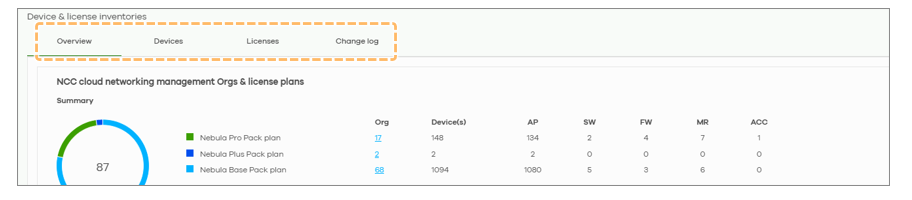
Overview Tab Highlights
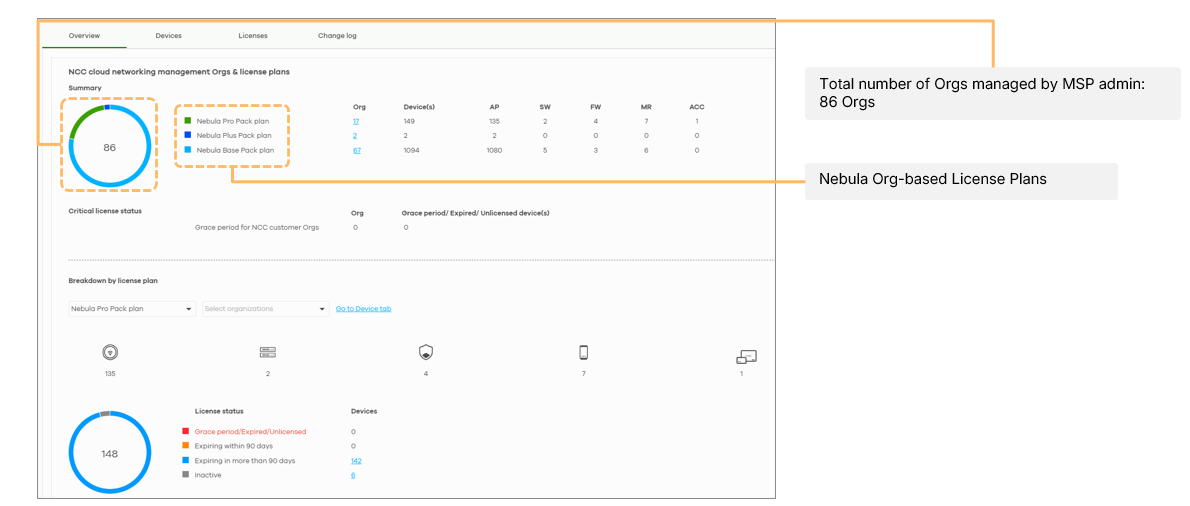
- License Plans: A pie chart displays the total number of organizations and their specific plans (Pro, Plus, or Base).
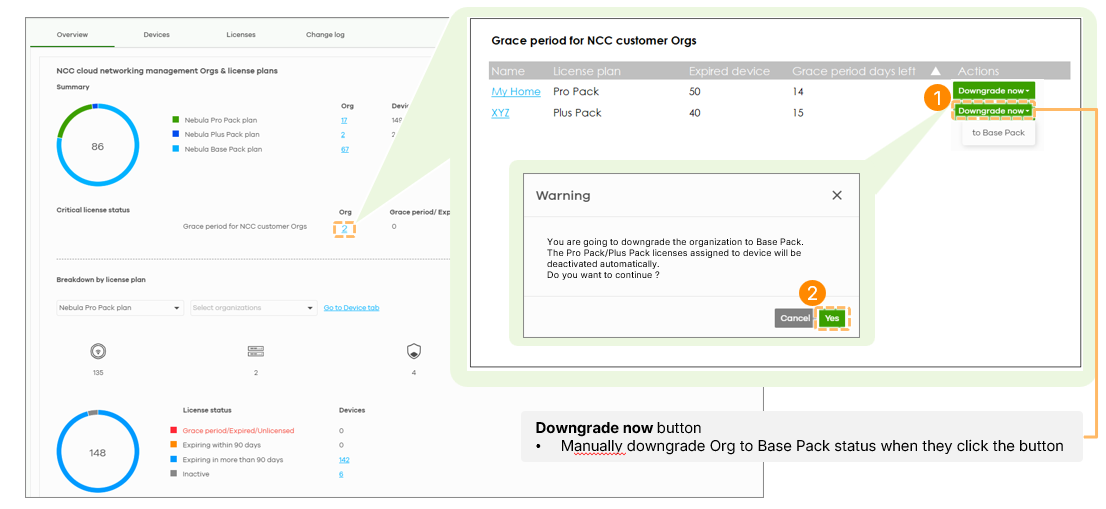
- Grace Period Tracking: Admins can see which organizations are in the 15-day grace period, including a countdown of remaining days.
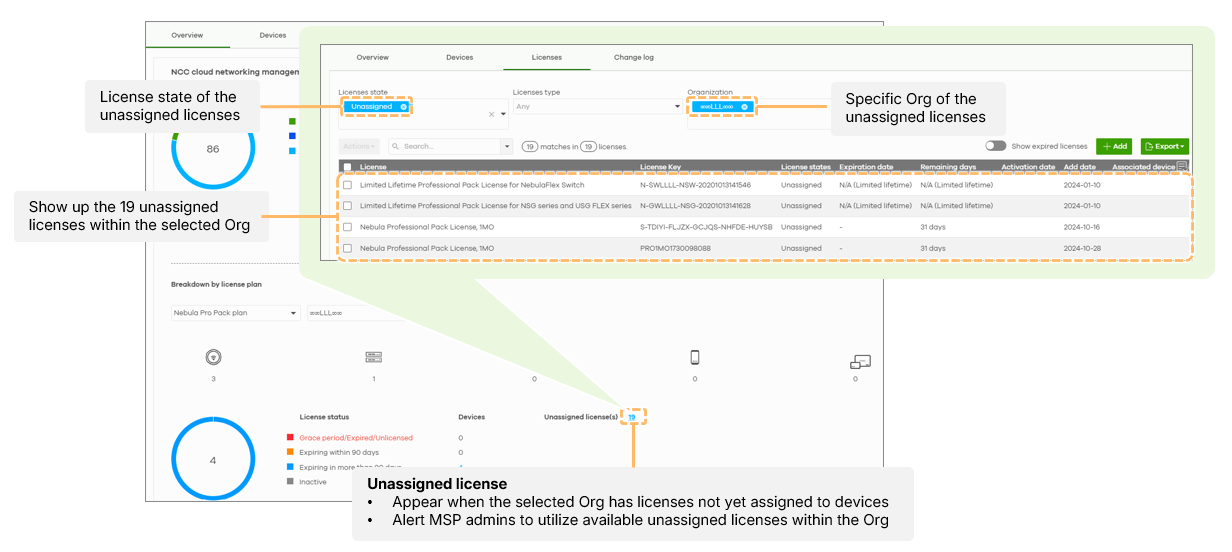
- License Assignment: The system highlights unassigned licenses within organizations to ensure resources are utilized.
Device and License Management
Devices are categorized as Placed (assigned to an org) or Unplaced (owned by the MSP master but not in an org). Unplaced devices are exclusively accessible to MSP Masters and Backups; Sub-admins cannot view them. Reassigning devices or licenses is permitted only between organizations that share the same owner.
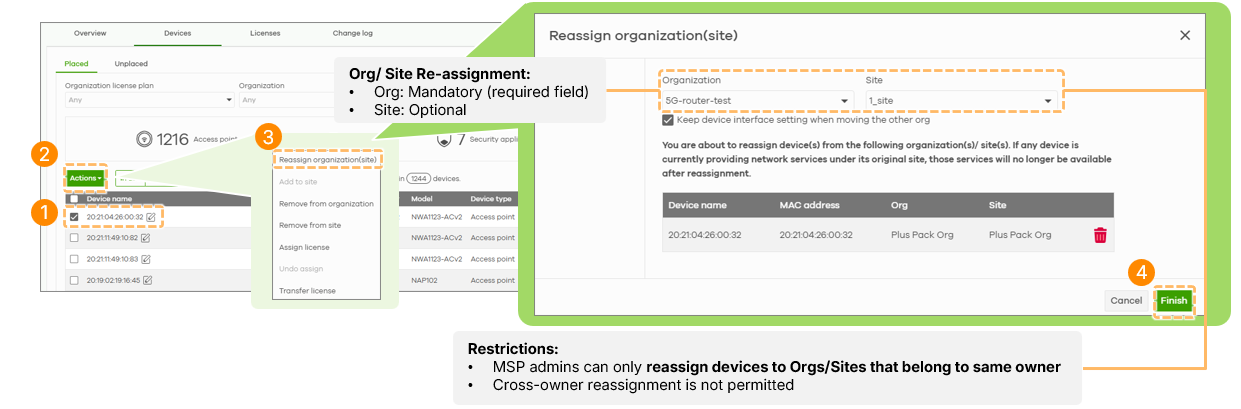
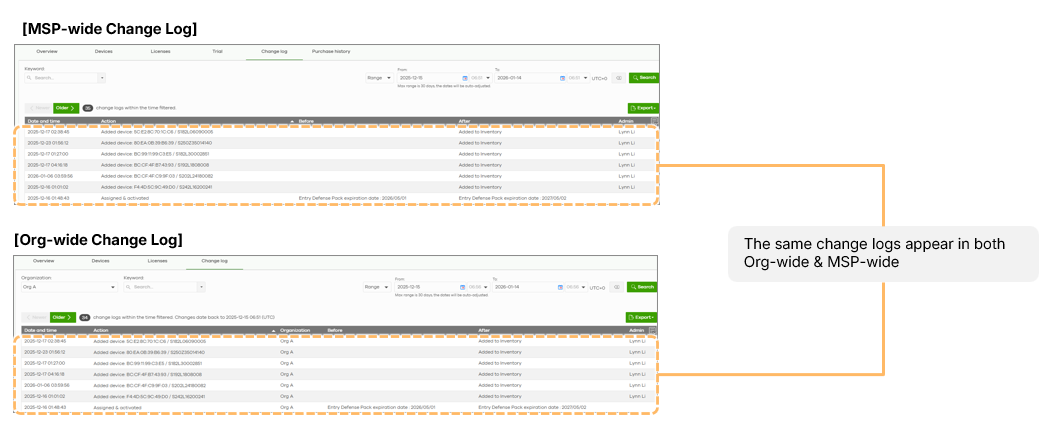
Change Log synchronization
The Change Log Tab provides MSP administrators with comprehensive visibility into all license and inventory activities within their organization. The Change Log Tab offers seamless integration between different organizational levels, as the MSP-wide Change Log in Device & License Inventories automatically synchronizes with the Org-wide Change Log in License & Inventories.
Categories
- All Categories
- 442 Beta Program
- 3K Nebula
- 232 Nebula Ideas
- 132 Nebula Status and Incidents
- 6.7K Security
- 691 USG FLEX H Series
- 365 Security Ideas
- 1.8K Switch
- 87 Switch Ideas
- 1.4K Wireless
- 56 Wireless Ideas
- 7.1K Consumer Product
- 312 Service & License
- 505 News and Release
- 97 Security Advisories
- 31 Education Center
- 10 [Campaign] Zyxel Network Detective
- 5.1K FAQ
- 34 Documents
- 89 About Community
- 112 Security Highlight