Nebula 20.00 - DHCP lease time not working





 Guru Member
Hello everyone,
I setup 6 hours of lease time:
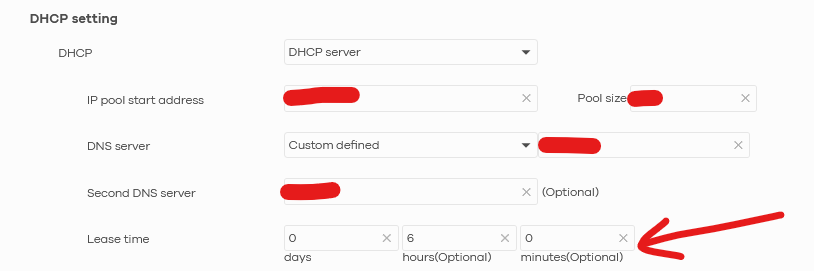
but this setting on my security router it is NOT sent to PCs, as you can see via a PC (cmd ipconfig /all):
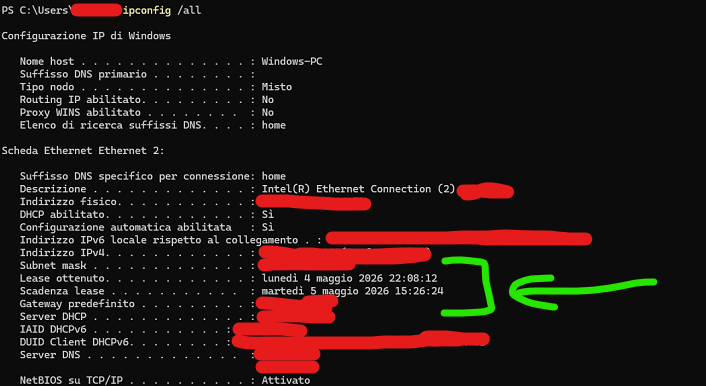
the lease time is 17 hours 18 minutes 12 seconds. Very strange.
1- How can I fix that?
Another question.
2- When I have to renew a local IP via Nebula, so no remote access to the machine on site, how I can push that?
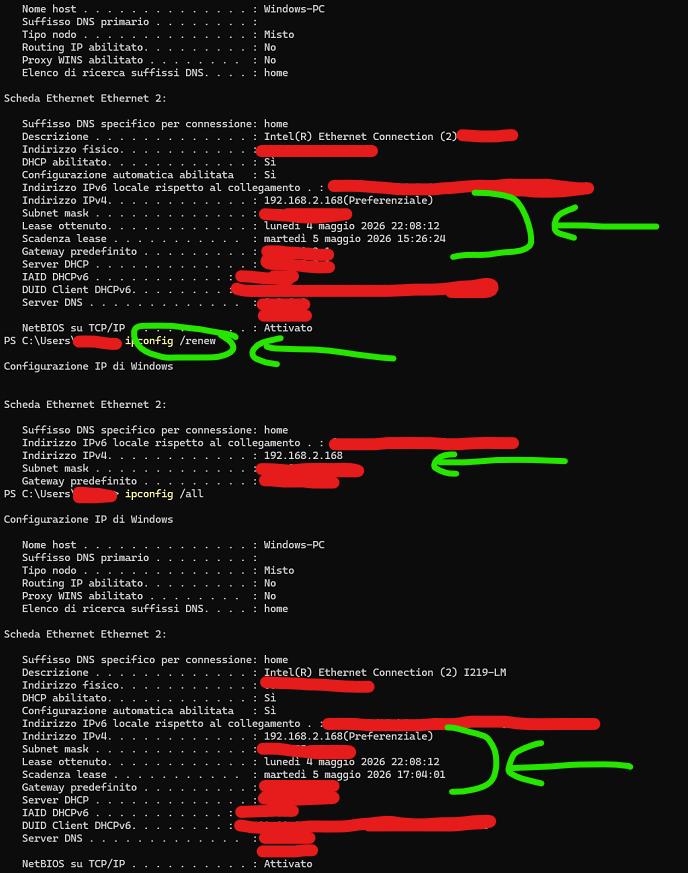
As you can see I executed also a ipconfig /renew but with no correct values (DHCP lease time and MAC/IP reservation from Nebula):
All Replies
-
Hi @GiuseppeR
May I know your model is? SCR50AXE or USG Lite 60AX? I have checked the USG Lite 60AX, its DHCP lease time seems been adjusted correctly in my lab.
For this client's issue, please try to enter ipconfig /release and ipconfig /renew on cmd or PowerShell. Let the client to get a new DHCP inform should resolve this issue.
When I have to renew a local IP via Nebula, so no remote access to the machine on site, how I can push that?
Do you mean you change the static DHCP list and need to renew the client's IP immediately?
Zyxel Melen0 -
Hi @Zyxel_Melen
I have a pair of SCR50AXEs inside an ORG in VPN with an ATP200.
If you want to see the config you have access to that ORG, the same ORG where you fixed 4YR Gold Security license issue. 😎
With those SCR50AXEs when I used ipconfig /release I lost connection on a client (in some days someone is going on site to fix that). So I'm forced, on another site, to use the commands you saw above to force renewing IP. No nenewal.
To answer to your question:
Do you mean you change the static DHCP list and need to renew the client's IP immediately?
Yes, exactly like that, if possible without rebooting the entire network (switches and security router/firewall).
0 -
Hi @Zyxel_Melen
this is an addendum to my previous post but some hours later… I rebooted the entire network right now because the office is closed in this moment:

So I remotely connected on a PC, as you can see the lease time is going worse.
It seems stuck at the time of obtaining:

No result with:
ipconfig /flushdnsor with:
ipconfig /renewOf course I have NOT inherited the MAC/IP reservation made from here:
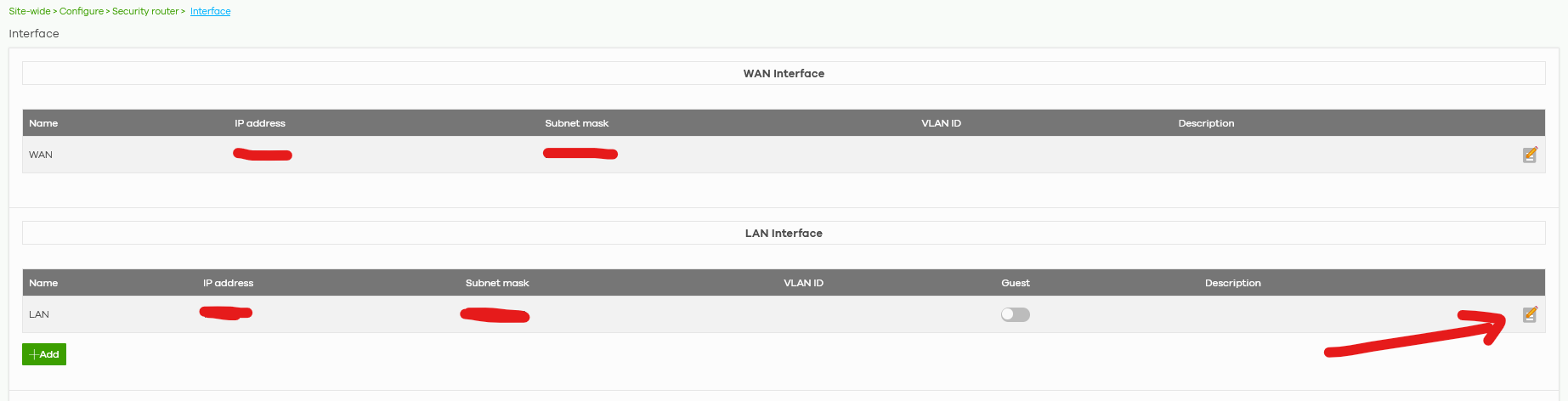
Anyway this problem is related to PC only, because a printer and a pair of switches (that I have inside that site) are able to get the IP reservation from that menu inside Nebula.
0 -
Hi @GiuseppeR
I did a local test with SCR60AXE, and I noticed that when I adjust the DHCP lease time, my laptop renews the DHCP lease expires time correctly.
To check this issue, is it possible to capture the DCHP packet on the PC?
- Install WireShark.
- Open WireShark and enter filter "dhcp".
- Remote PC us ipconfig /renew to renew the DHCP information.

- Stop capture and click File > Export Specified Packets > Displayed.
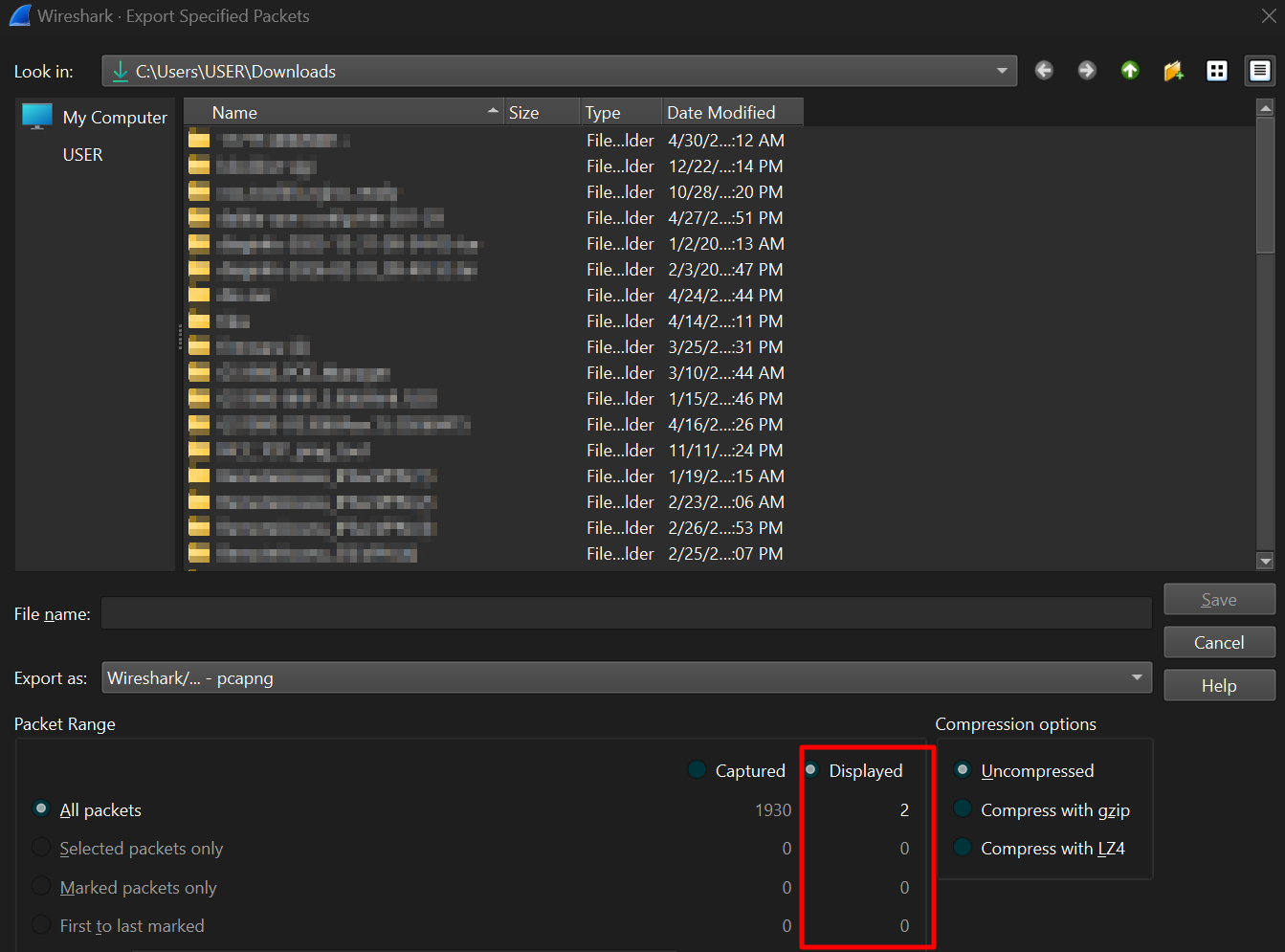
This allows us to check if the SCR50AXE provides the correct DHCP lease time. Thanks!
Zyxel Melen0



 Zyxel Employee
Categories
- All Categories
- 442 Beta Program
- 3.1K Nebula
- 241 Nebula Ideas
- 6.8K Security
- 755 USG FLEX H Series
- 379 Security Ideas
- 1.8K Switch
- 87 Switch Ideas
- 1.5K Wireless
- 58 Wireless Ideas
- 7.2K Consumer Product
- 320 Service & License
- 512 News and Release
- 99 Security Advisories
- 31 Education Center
- 10 [Campaign] Zyxel Network Detective
- 5.3K FAQ
- 34 Documents
- 90 About Community
- 119 Security Highlight


