Nebula USG FLEX 100H remote access vpn


 Freshman Member
The customer has several offices that are connected with USG FLEX 100H firewalls via nebula.
we would like to make a remote access vpn, ike2 windows native client, through which we could also access other offices. this probably requires a policy route, but I haven't gotten it to work properly.
could I get instructions for this
Best Answers
-
it's workin
Thank you
0 -
Hi @MarkoK
IkeV2 split tunnel, please reference this FAQ:
SSLVPN in the latest firmware version support multiple local networks for Split Tunnel mode. You can add the remote subnet directly.
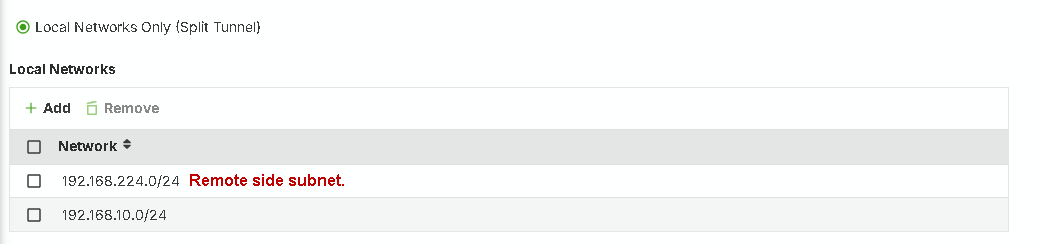
Additionally, the remote site must add static route.
Zyxel Melen0





 Zyxel Employee
All Replies
-
Hi @MarkoK
To better help you on this requirement, could you share the current VPN setting between each site?
Are you using Nebula SD-VPN? Or?
Zyxel Melen0 -
Are you using Nebula SD-VPN?
Nebula SD-VPN used
remote access vpn full tunnel
side a lan 192.168.200.1
side b lan 192.168.150.1
remote access vpn ip pooll 10.10.12.0/24
remote accees connect side a, and i want it can connect also side b lan
0 -
update
remote access connection works side a, but it canot connect side b
0 -
Hi @MarkoK
You need to setup static route on side b, so side b firewall knows where should it send the packet back to remote access vpn client.
Here is the setup steps (side a use test#1 as example, side b use test#2 as example):
- Navigate to Nebula side b > Menu > Monitor > firewall > VPN connection. Find the VTI IP of side a.
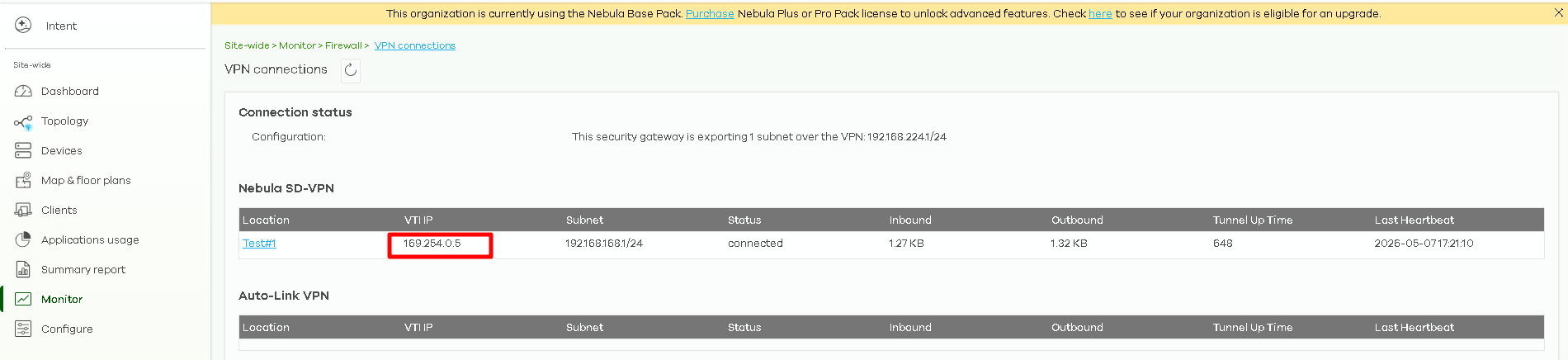
- Navigate to Menu > Site-wide > Configure > Firewall > Routing. Add the static routing rule like below.
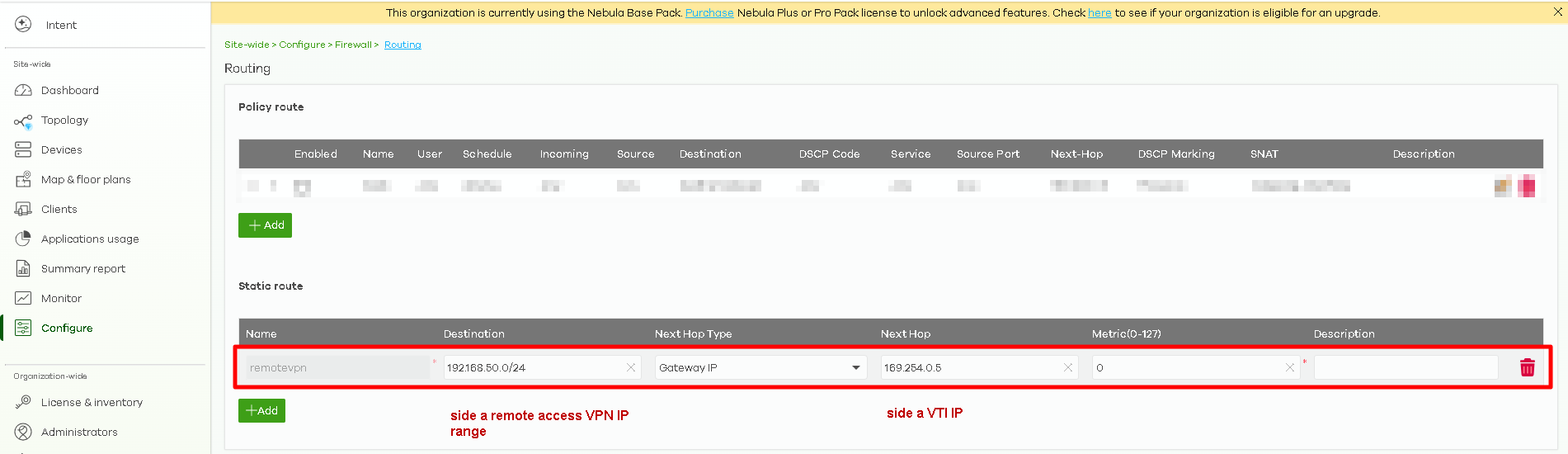
- Connect remote access VPN and ping side b. Test result should be success.
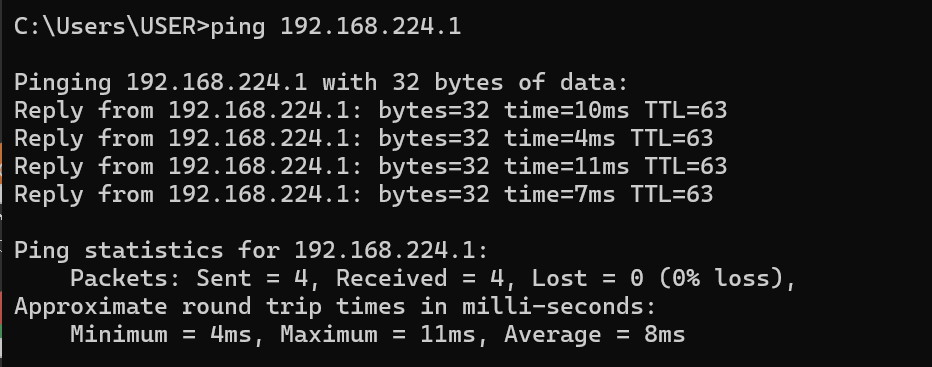
Hope this helps.
Zyxel Melen0 - Navigate to Nebula side b > Menu > Monitor > firewall > VPN connection. Find the VTI IP of side a.
-
it's workin
Thank you
0 -
if we want to use split tunnet (ike2 or sslvpn), is that possible?
0 -
Hi @MarkoK
IkeV2 split tunnel, please reference this FAQ:
SSLVPN in the latest firmware version support multiple local networks for Split Tunnel mode. You can add the remote subnet directly.
Additionally, the remote site must add static route.
Zyxel Melen0 -
Thank you again😍
0
Categories
- All Categories
- 442 Beta Program
- 3.1K Nebula
- 241 Nebula Ideas
- 6.8K Security
- 755 USG FLEX H Series
- 379 Security Ideas
- 1.8K Switch
- 87 Switch Ideas
- 1.5K Wireless
- 58 Wireless Ideas
- 7.2K Consumer Product
- 321 Service & License
- 512 News and Release
- 99 Security Advisories
- 31 Education Center
- 10 [Campaign] Zyxel Network Detective
- 5.3K FAQ
- 34 Documents
- 90 About Community
- 119 Security Highlight


