Nebula 20.00 - Firewall config scheduled backup with Nebula Pro for the entire ORG?





 Guru Member
Hello everyone,
A client of mine has a Gold Security Pack license activated to his firewall, so Nebula Pro included. He has NOT Nebula Pro for the rest of his network.
I went to check the firewall scheduled backup and Nebula says “no license”:
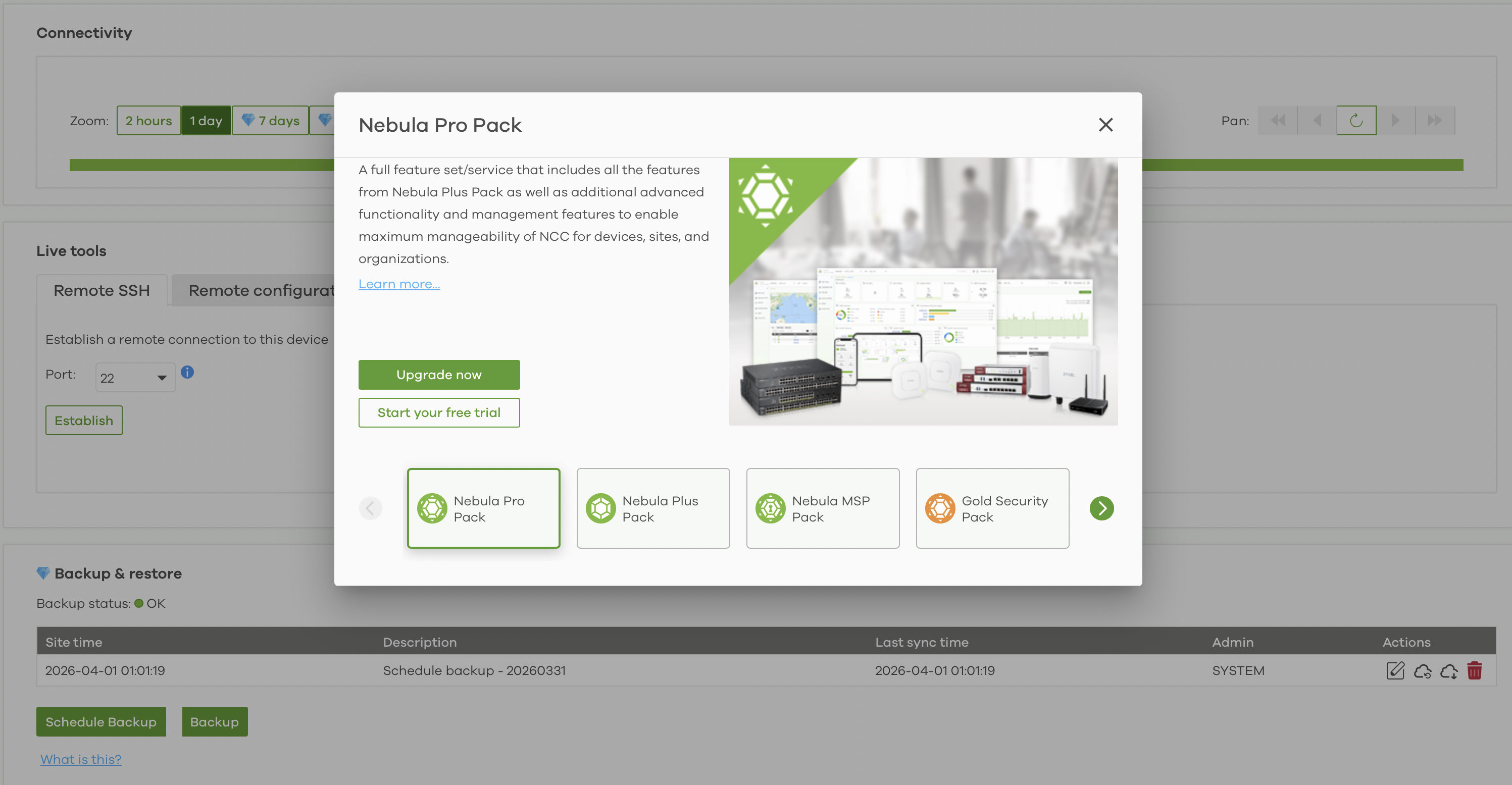
Is it mandatory to have the Nebula Pro Pack also on the APs to backup the config of the firewall?
Best Answers
-
Hi @GiuseppeR ,
To enable features marked with the diamond icon (like Scheduled Backup), the Nebula organization must maintain Nebula Pro status, it means every device registered within that organization must have a valid Nebula Pro Pack license.
Even though your client's firewall has a Gold Security Pack (which includes Nebula Pro), the presence of APs without Pro licenses causes the organization to downgrade to the Base Pack level. This disables Pro-level features across the entire organization, including scheduled backups for the firewall.
There are two solutions:
- [Recommended] Purchase and assign Nebula Pro Pack licenses to each Access Point (AP) as well. This ensures your customer has full access to Pro features across both the firewall and AP.
- Move the firewall to its own dedicated Nebula Organization where it is the only device. Since it has the Gold Security Pack, that specific organization will then reach Pro status, and firewall scheduled backups will become available.
Zyxel_Judy
0 -
Hi @GiuseppeR ,
You may use the Site Replicate feature for this. You can find it at:
MSP > MSP Cross-Org Manage > Config Management > Replicate/ move sites
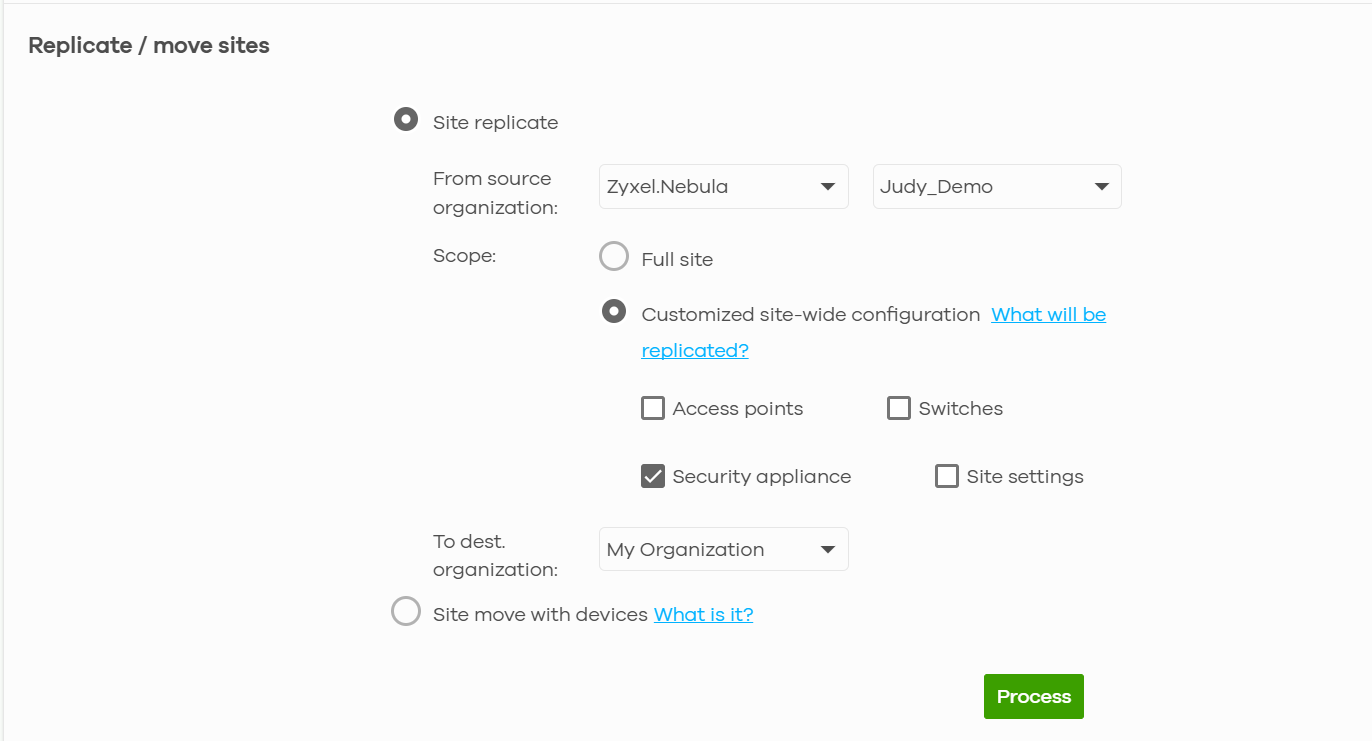
Please note that the configurations available for replication depend on the firewall model of your customer's organization. Please refer to the article below for a full list of supported configurations.
MSP license is required to access this feature.
Zyxel_Judy
0



 Zyxel Employee
All Replies
-
Hi @GiuseppeR ,
To enable features marked with the diamond icon (like Scheduled Backup), the Nebula organization must maintain Nebula Pro status, it means every device registered within that organization must have a valid Nebula Pro Pack license.
Even though your client's firewall has a Gold Security Pack (which includes Nebula Pro), the presence of APs without Pro licenses causes the organization to downgrade to the Base Pack level. This disables Pro-level features across the entire organization, including scheduled backups for the firewall.
There are two solutions:
- [Recommended] Purchase and assign Nebula Pro Pack licenses to each Access Point (AP) as well. This ensures your customer has full access to Pro features across both the firewall and AP.
- Move the firewall to its own dedicated Nebula Organization where it is the only device. Since it has the Gold Security Pack, that specific organization will then reach Pro status, and firewall scheduled backups will become available.
Zyxel_Judy
0 -
Thanks @Zyxel_Judy
for the clarification.
When I move his FW to another ORG to have the full GSP services, is the firewall able to maintain every config like PPPoE connection, DHCP reservation and Security Policies?
0 -
Hi @GiuseppeR ,
You may use the Site Replicate feature for this. You can find it at:
MSP > MSP Cross-Org Manage > Config Management > Replicate/ move sites
Please note that the configurations available for replication depend on the firewall model of your customer's organization. Please refer to the article below for a full list of supported configurations.
MSP license is required to access this feature.
Zyxel_Judy
0
Categories
- All Categories
- 442 Beta Program
- 3.1K Nebula
- 243 Nebula Ideas
- 6.8K Security
- 783 USG FLEX H Series
- 389 Security Ideas
- 1.8K Switch
- 87 Switch Ideas
- 1.5K Wireless
- 58 Wireless Ideas
- 7.2K Consumer Product
- 325 Service & License
- 527 News and Release
- 101 Security Advisories
- 31 Education Center
- 10 [Campaign] Zyxel Network Detective
- 5.3K FAQ
- 34 Documents
- 91 About Community
- 122 Security Highlight


