Zyxel USG Flex100H - IPSec VPN Google Authentication Fail (invalid code)


 Freshman Member
I have configured a IPSec VPN with 2FA (Google Authenticator) and when I connect my user and go to the page for the code, it will say "Authentication Fail (invalid code)". In the device log it will say the user successully authenticated and the remote connection works properly. I have tried device reboots, remove cookies, different browsers and have not been able to resolve this issue. Any idea why the browser says that the code is failing but actually successfully connecting.
All Replies
-
Hi @japavlica,
Welcome to the Zyxel Community!
Regarding the issue you're encountering, we would first like to confirm our understanding of the behavior.
Based on your description, it seems that the IPSec VPN connection itself is actually working properly:
After completing the Google Authenticator 2FA process, the browser displays the message "Authentication Fail (invalid code)", but you are still able to successfully log into the device and the connection is established correctly. You also verified from the device logs that the authentication was successful.
Is our understanding correct?
In addition, could you please let us know which VPN client you are currently using? (e.g., SecuExtender VPN Client, Windows built-in VPN client, etc.)
Could you also provide a screenshot of the error message you have seen?
To help us further investigate the issue, please also:
- If the device is managed via Nebula, please enable Zyxel Support Access and share the organization name and site name with us.
- If the device is managed in standalone mode, please refer to this article to allow access for us.
Zyxel Tina
0 -
Hello Tina,
Yes, your understanding is correct. I am currently using the latest SecuExtender VPN Client. Since I posted, I believe I was able to resolve the issue. I find that the "invalid code" message occurs if I am authenticating against the WAN IP of the Flex 100H. I changed the configuration to authenticate against the LAN IP of the Flex 100H and now I appear to get the "Authentication Success" message. I didn't have this issue on the original Flex 100, but on the 100H it appears to cause this issue for me. If I have further issue I can enable support as suggested through Nebula.
0 -
Hi @japavlica,
Regarding your statement:
“I find that the 'invalid code' message occurs if I am authenticating against the WAN IP of the Flex 100H.”
Could you please confirm whether you configured the WAN interface on the device, as shown in the screenshot below, and then received the “invalid code” message?
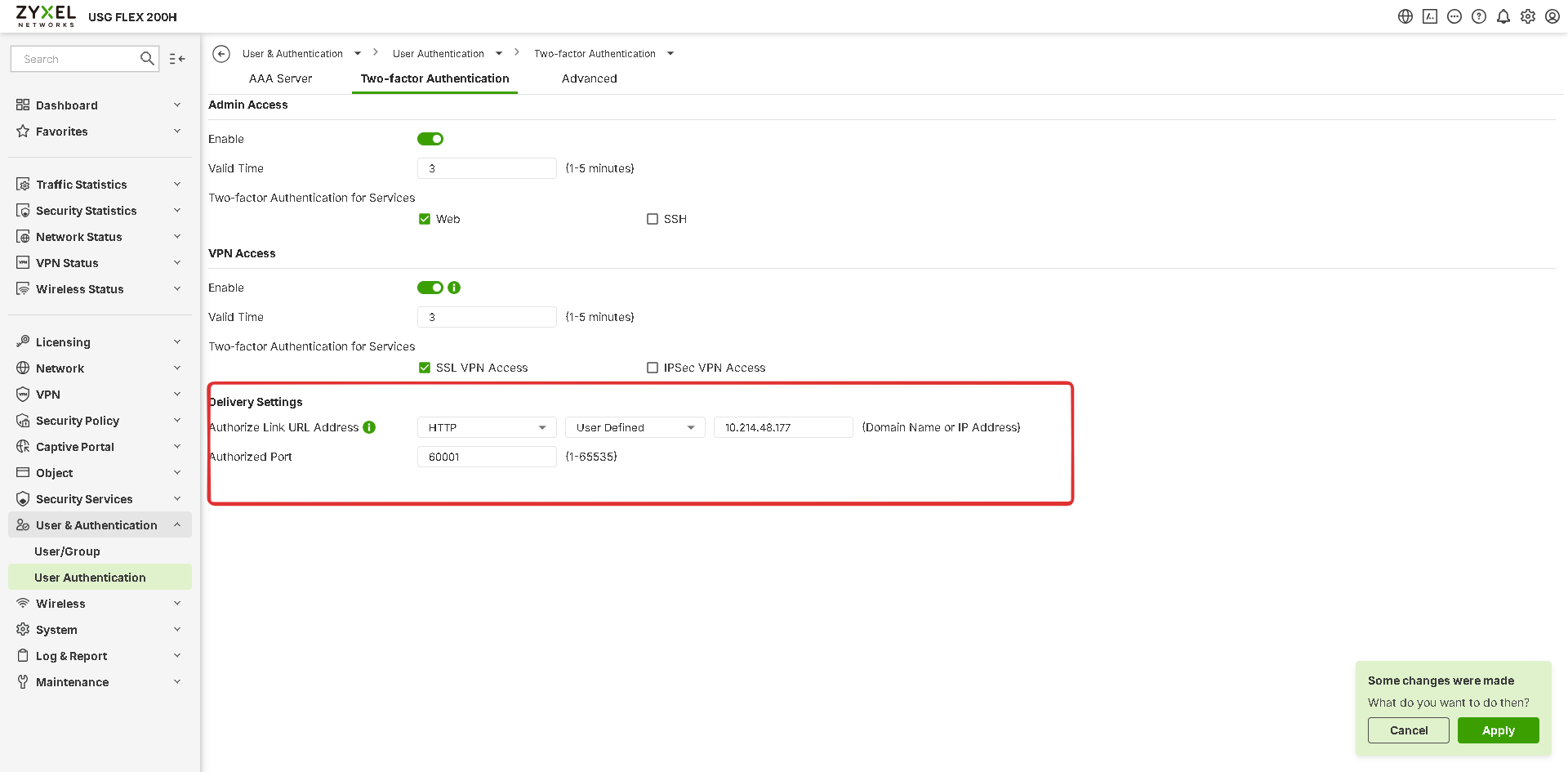
Zyxel Tina
0





 Zyxel Employee
Categories
- All Categories
- 442 Beta Program
- 3.1K Nebula
- 243 Nebula Ideas
- 6.8K Security
- 783 USG FLEX H Series
- 389 Security Ideas
- 1.8K Switch
- 87 Switch Ideas
- 1.5K Wireless
- 58 Wireless Ideas
- 7.2K Consumer Product
- 325 Service & License
- 527 News and Release
- 101 Security Advisories
- 31 Education Center
- 10 [Campaign] Zyxel Network Detective
- 5.3K FAQ
- 34 Documents
- 91 About Community
- 122 Security Highlight


