Nebula 20.00 & SCR50AXE - Difficulties with 2.4 GHz





 Guru Member
Hello everyone,
I had to connect to internet a bridge for an IoT service.
The process is extremely hardworking and slow.
Considering its basic needs, as you can see below, I thought it was easy enough to have 2.4 GHz activated (a part from 5 and 6 GHz) to get it online, but it was impossible to connect that bridge to a SSID with 3x frequencies.
So I had to create a SSID for that device that I need online on a remote network.
I created a specific SSID:

with only 2.4 GHz.
Now I'm sure that bridge is online, because the service for that IoT is online, but I cannot see it inside the list of my Clients:
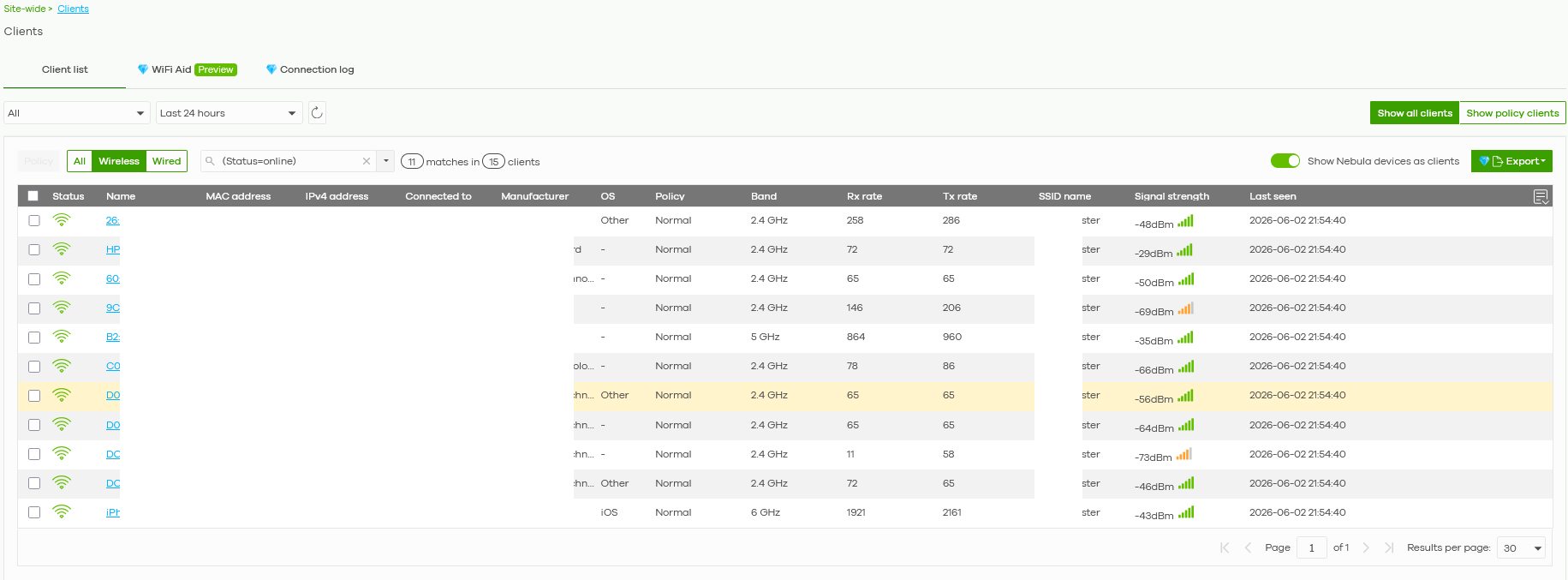
That is really strange, how can I solve it?
All Replies
-
Hi @GiuseppeR ,
Nebula's client list has a standard polling cycle (typically around 3 minutes). If the device recently connected, it may take a few minutes to populate in the Site-wide > Clients list.
By the way, your first screenshot shows the new 2.4 GHz SSID is set to WPA3-Personal. Many IoT bridges and legacy devices do not support WPA3. Even if the device appears "online" to its own service, it may not be fully authenticated or stable on the network. We recommend changing the security to WPA2-Personal for better IoT compatibility.
If the IoT bridge still does not appear in the Clients list, please enable Zyxel Support access and provide the following so we can investigate further:
- IoT bridge MAC address
- Nebula organization & site name
Zyxel_Judy
0 -
Hi @Zyxel_Judy
please consider this issue with WPA2 and/or WPA3 on SCR50AXE:
SCR50AXE - Impossible to connect with SSID in WPA2 but possible in WPA3 — Zyxel Community
So based on that I always setup a WPA3 connection as a first choice but limiting it to a 2.4 GHz and also in this case it worked so this is my standard for the first attempt with troubleshooting SSIDs' issues.
The problem was that I would like to see the MAC address inside the Clients' list to lock it with a specific reserved IP but Nebula did not show me that value: for this reason I asked here.
That IoT bridge is online, because I can see it online on the website of its vendor.
Please consider also that after several hours Nebula does not show anything on my restricted 2.4 GHz SSID:
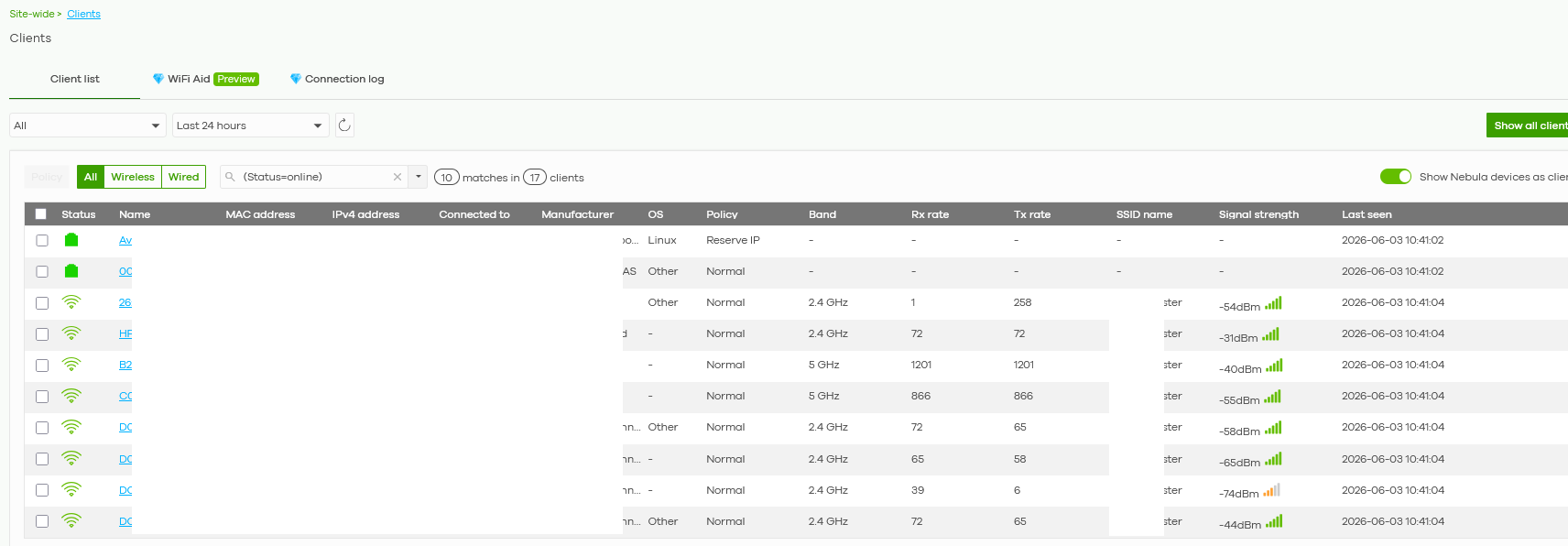 0
0 -
Hi @GiuseppeR ,
Could you clarify the following:
- Are you unable to find the IoT bridge's MAC address from other sources — such as the device box, the label on the device, or the IoT bridge's own admin interface — and are therefore hoping to find it via the Nebula client list?
Zyxel_Judy
0 -
Hi @Zyxel_Judy
exactly, no label on its box. I'm going to ask the customer if it has something printed on its body because it has only 1 physical button.
There is no specific app for that WiFi bridge, only a procedure from the main app of other bluetooth devices to pair the WiFi bridge with them entering manually (!!) also the name of the SSID and not only the SSID's password. It is a terrible thing to be managed, anyway it works making BT devices being reachable from outside the site.
0 -
Hi @GiuseppeR ,
We recommend SSHing into your SCR50AXE and using the CLI to check the full list of connected wireless clients.
show wireless-hal station info
Once you have the list, please compare it with what is shown in Nebula:
- If the SSH client list shows more clients than Nebula — this indicates a display issue in Nebula. In this case, please provide the IoT bridge's MAC address so we can investigate further.
- If both lists match — the IoT bridge may be connected to a different SSID or device than expected.
Zyxel_Judy
0 -
Hi @Zyxel_Judy
is it possibile to SSH into the basic SCR50AXE?
I have no CLI command section in my UI:
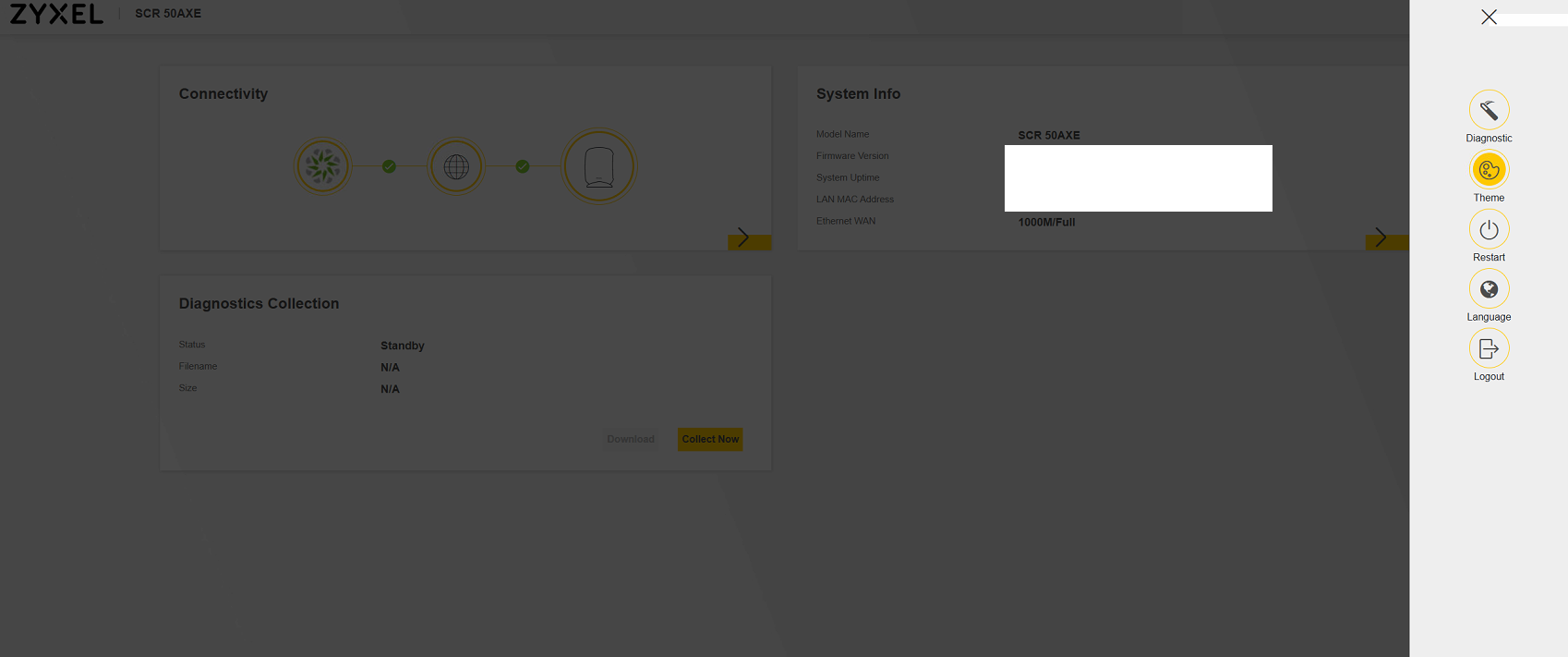 0
0 -
Hi @GiuseppeR ,
Please SSH into the SCR50AXE using TeraTerm, PuTTY, or a similar terminal program.
Zyxel_Judy
0 -
Hi @Zyxel_Judy
I have to go on site, asking the customer, but it will not be so quick.
Same speed and config that I use for USG/ATP series?
0 -
Hi @GiuseppeR ,
We recommend:
- Using SCR50AXE's Live tool: Remote SSH

- OR connecting to the SCR50AXE via its Wi-Fi or LAN port and accessing it through SSH (IP address + port 22)
We don't recommend using the console port, as the console port on the SCR50AXE requires disassembling the unit to access.
Zyxel_Judy
0 -
Hi @Zyxel_Judy
never used that option, I'm on remote connection so I tried to.
Anyway:
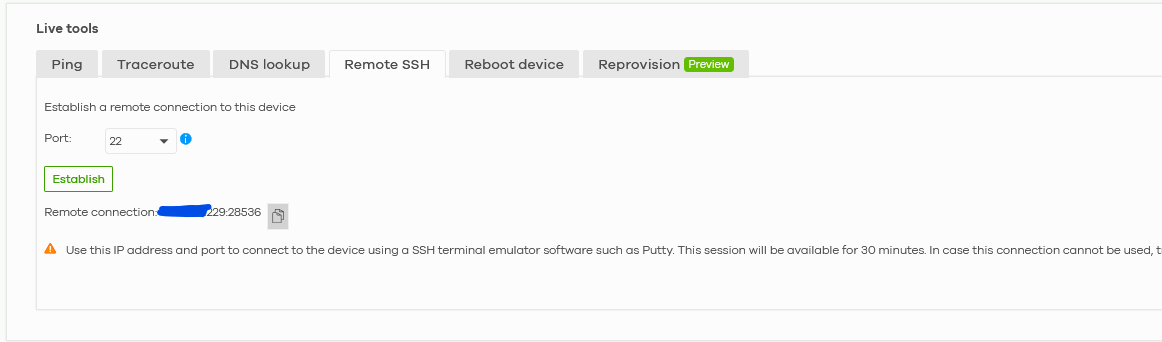
No success on Edge:
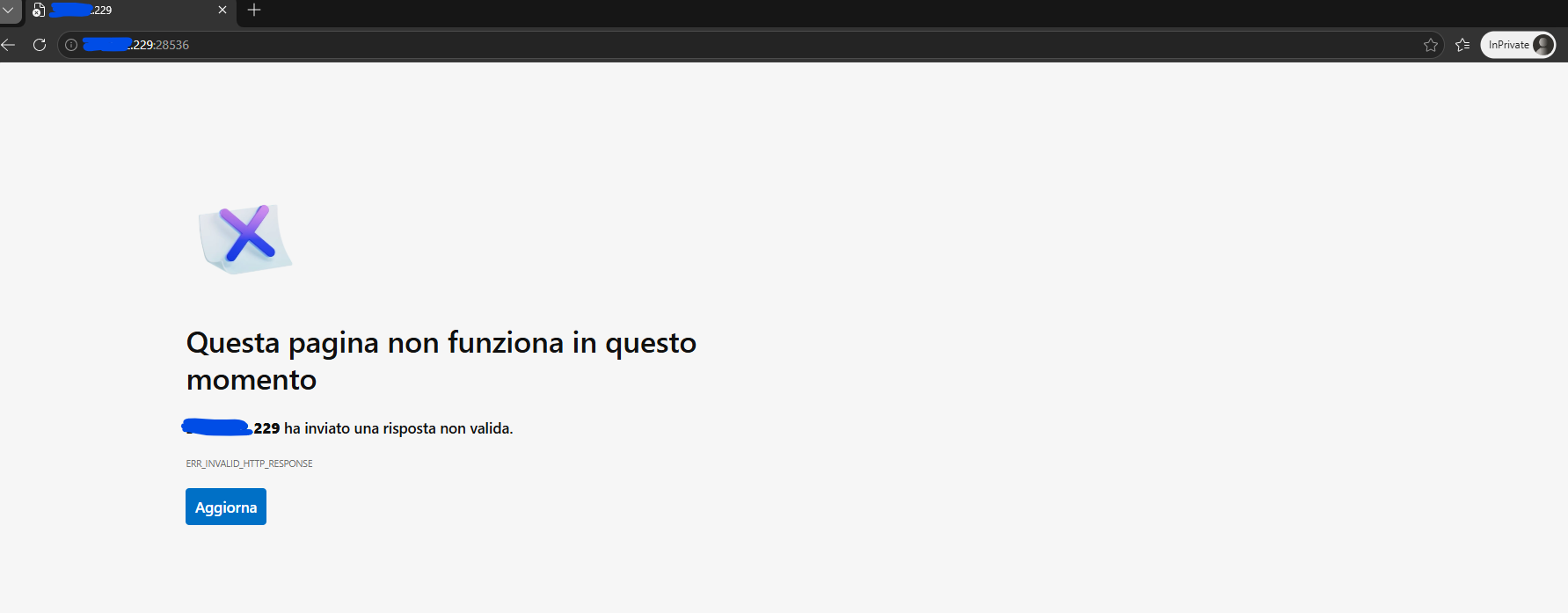
Neither on Firefox:
 0
0



 Zyxel Employee
Categories
- All Categories
- 442 Beta Program
- 3.1K Nebula
- 243 Nebula Ideas
- 6.8K Security
- 783 USG FLEX H Series
- 389 Security Ideas
- 1.8K Switch
- 87 Switch Ideas
- 1.5K Wireless
- 58 Wireless Ideas
- 7.2K Consumer Product
- 325 Service & License
- 527 News and Release
- 101 Security Advisories
- 31 Education Center
- 10 [Campaign] Zyxel Network Detective
- 5.3K FAQ
- 34 Documents
- 91 About Community
- 122 Security Highlight


