FWA515 - 2.4GHz / MLO problems



 Freshman Member
Hi there, my FWA515 has got some problems with 2.4GHz too, some users are complaining about 2.4GHz issues and there's still no firmware update. 2.4GHz drops and all of my 2.4GHz devices (smart home) lose connection and are not functioning till I restart the FWA515. That's unacceptable. A firmware update would be great to address this issue. Thanks.
Accepted Solution
-
[Update]
Regarding the issue previously mentioned in the comments about the Zyxel FWA515 restarting on its own without a scheduled reboot set in the Nebula Control Center:
The customer has confirmed that after updating to the latest firmware version 1.70, this issue no longer occurs.
Zyxel Tina
0





 Zyxel Employee
All Replies
-
Hi @NoTurner,
Welcome to the Zyxel Community!
Regarding the issue you are encountering, we have received similar reports from other users. We are still preparing the new firmware.
As a temporary workaround, if your device's 2.4 GHz channel is currently set to Auto, we recommend manually setting it to channel 1, 6, or 11. After making this change, please monitor the 2.4 GHz connection to see if the issue improves. This is because when the channel is set to a non-standard value (other than 1, 6, or 11), some IoT devices may have difficulty detecting the signal.
Additionally, please try turning the 2.4 GHz radio off and then back on again to see if the connection can be restored, instead of rebooting the entire device.
If the issue persists, please collect the system log when the issue occurs and send it to us via private message by clicking my profile > Message, along with the timestamp for further analysis.
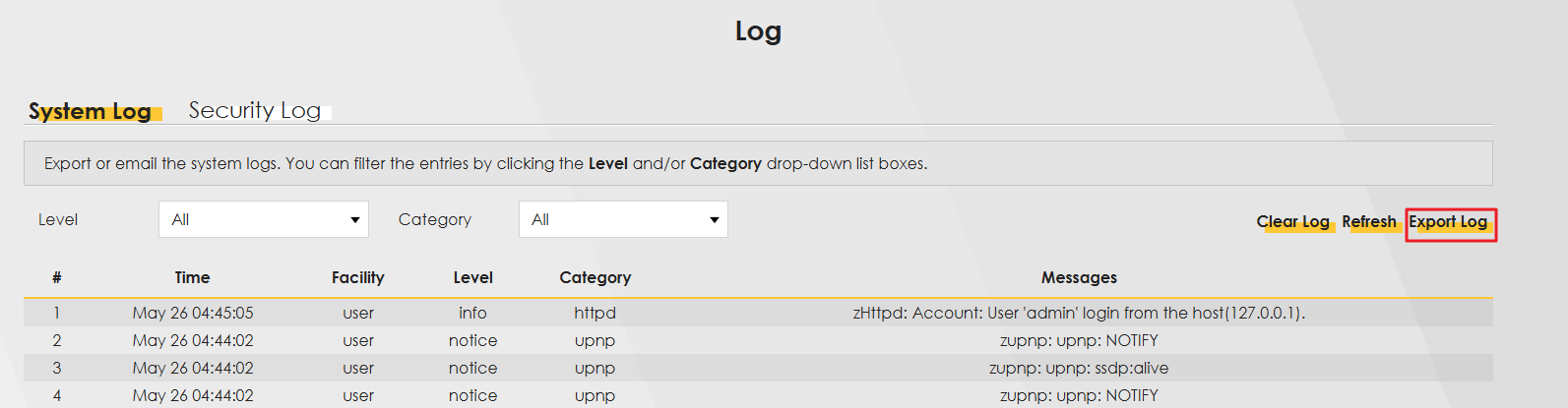
Thank you for your cooperation.
Zyxel Tina
0 -
Hello, for some reason, my Zyxel FWA515 sometimes restarts on its own without setting "Maintenance" (reboot) in Nebula control center. I really don't know why but it's not stable at all. I may end up returning this router, it's having excellent hardware but the software is not really what I expected from Zyxel. Log attached.
(The Zyxel agent has removed the log for security reasons.)
0 -
Hi @NoTurner,
Thank you for providing the log.
This kind of unexpected reboot may also be related to the power supply. Could you please let us know how the device is being powered? Are you using the original Zyxel power adapter? An unstable power source or a non-original adapter may sometimes cause unexpected restarts.
Additionally, please try connecting the device to a different power outlet on its own to see if the issue improves.
If the issue persists after the above troubleshooting, please let us know.
Zyxel Tina
0 -
[Update]
Regarding the issue previously mentioned in the comments about the Zyxel FWA515 restarting on its own without a scheduled reboot set in the Nebula Control Center:
The customer has confirmed that after updating to the latest firmware version 1.70, this issue no longer occurs.
Zyxel Tina
0 -
Hi, yes, 1.70 solved rebooting issues completely. But MLO is still bugged, some devices don't really work reliably. I've got a ZTE MC8520B Snapdragon X72 (+ Qualcomm WiFi chip), all my clients do not have these problems anymore. They stay connected and do not have any connectivity issues I had with my Zyxel FWA515. I miss the FWA515 configuration freedom though.. I really hope that Zyxel fixes these issues.
0 -
Hi @NoTurner,
Following up on our private conversation, if you're able to test the firmware at your convenience, we would appreciate it if you could share your test results with us.
Zyxel Tina
0 -
Hi, I've still got the same issue, there seems to be some kind of incompatibility between some clients and the FWA515.. sent the syslog via PM.
Thanks.
0
Categories
- All Categories
- 442 Beta Program
- 3.1K Nebula
- 243 Nebula Ideas
- 6.8K Security
- 783 USG FLEX H Series
- 389 Security Ideas
- 1.8K Switch
- 87 Switch Ideas
- 1.5K Wireless
- 58 Wireless Ideas
- 7.2K Consumer Product
- 325 Service & License
- 527 News and Release
- 101 Security Advisories
- 31 Education Center
- 10 [Campaign] Zyxel Network Detective
- 5.3K FAQ
- 34 Documents
- 91 About Community
- 122 Security Highlight
