[Release Note] Nebula Control Center - 20.20 software Release!





 Zyxel Employee
Zyxel Nebula Control Center Release Note
Common NCC (Organization,Site-wide,etc.):
- Added MSP custom domain support to enhance branding flexibility. (Nebula MSP Pack license is required)

- PAYG now supports GSP subscription without Pro.
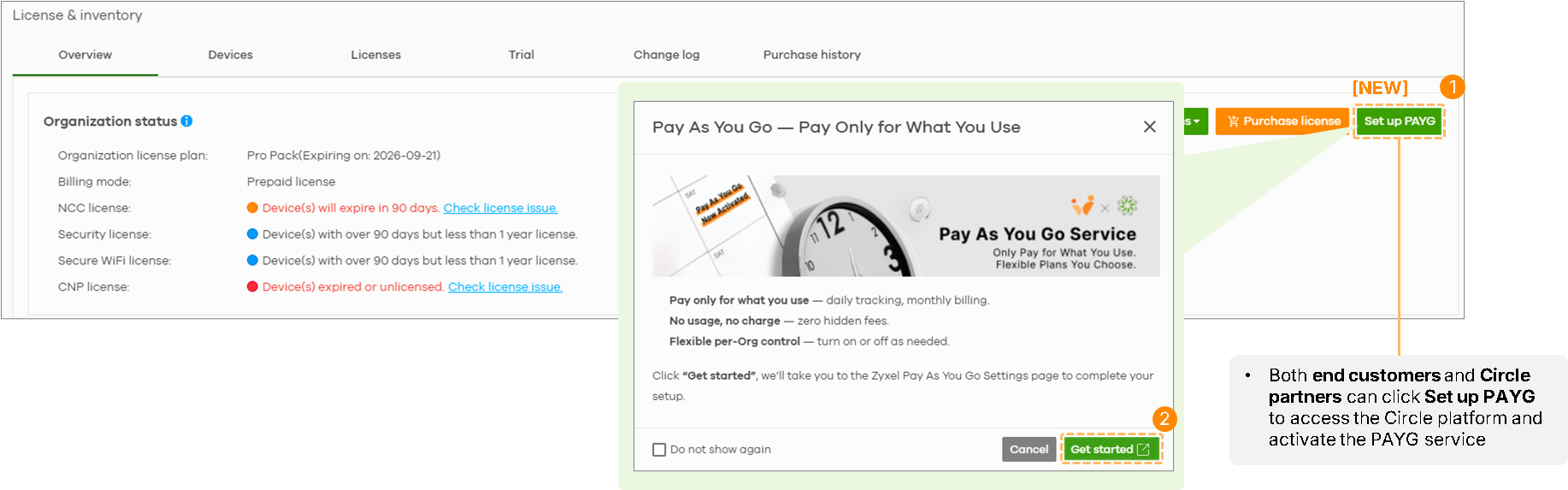
- Administrator now can setup PAYG from License & Inventory page.
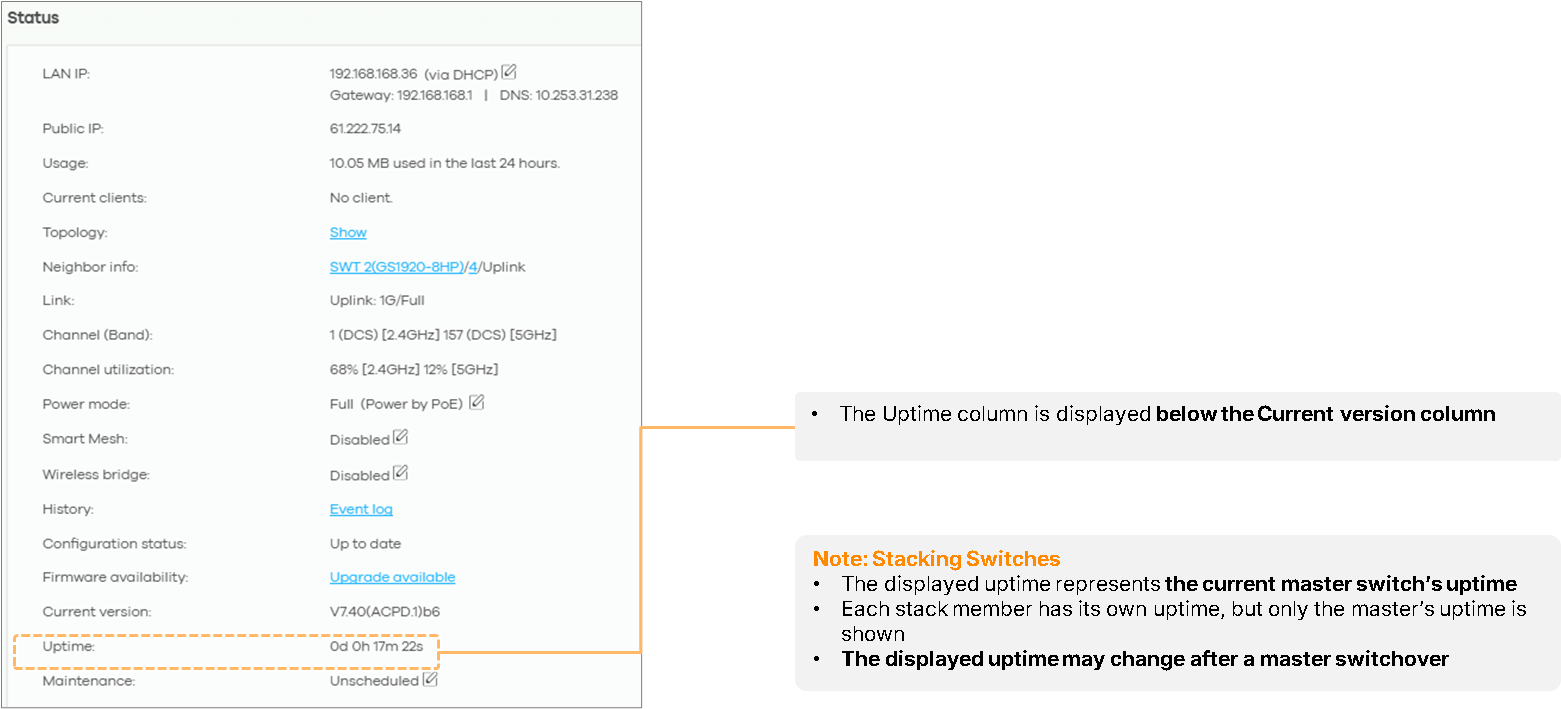
- Added Uptime information in the device detail page.
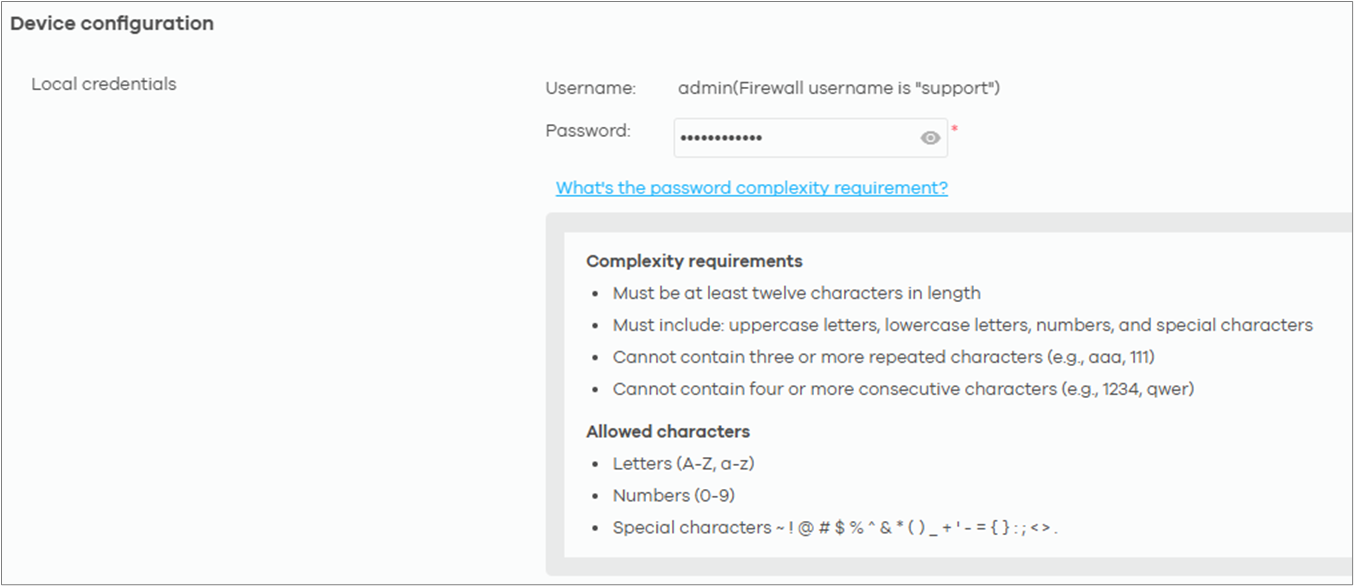
- Password complexity for devices has been strengthened.
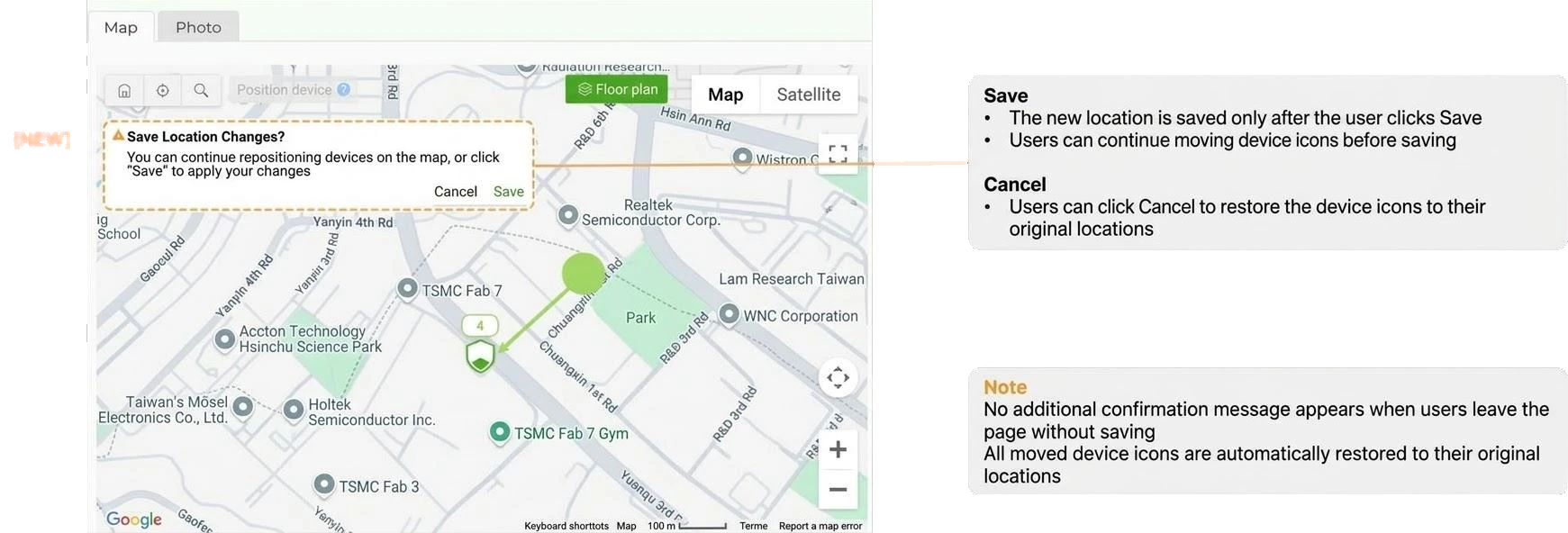
- Enhance UI/UX for changing device's Map location in the device detail page and on Map & Floor Plans.
Wireless LAN (WLAN):
- Add IoT Optimize to SSID settings for one-click IoT-friendly configuration.
Basic mode: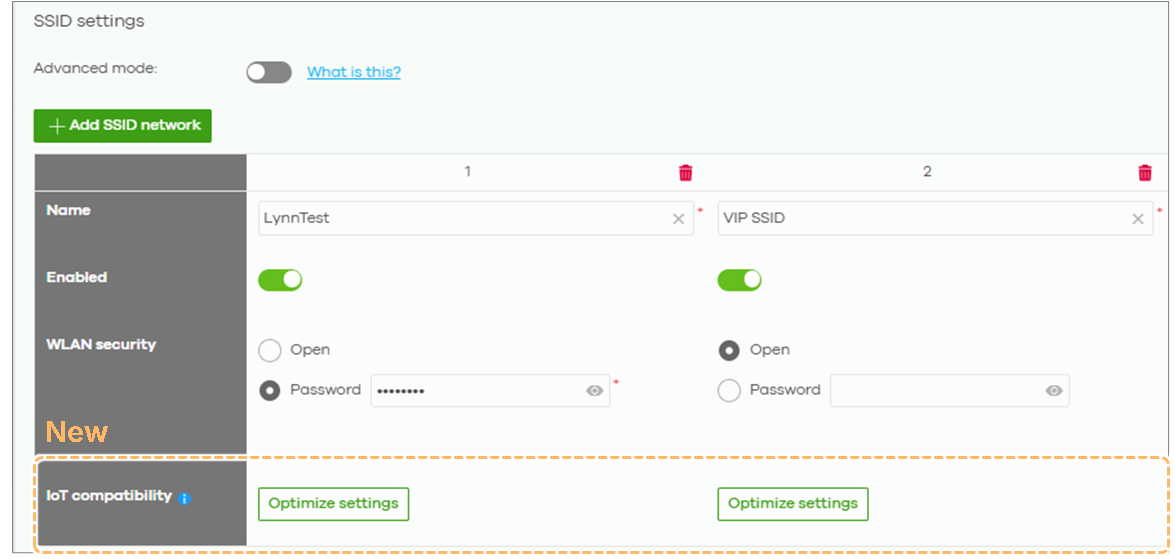
Advanced mode: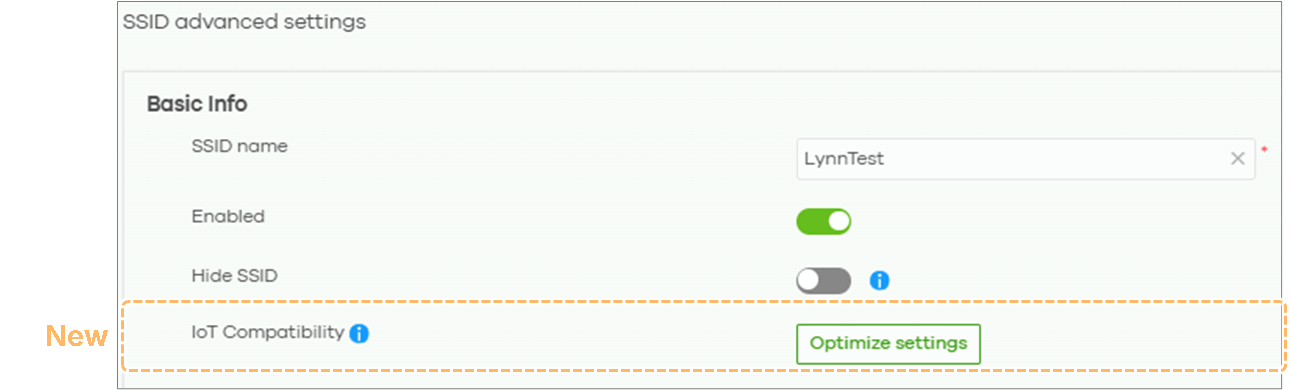
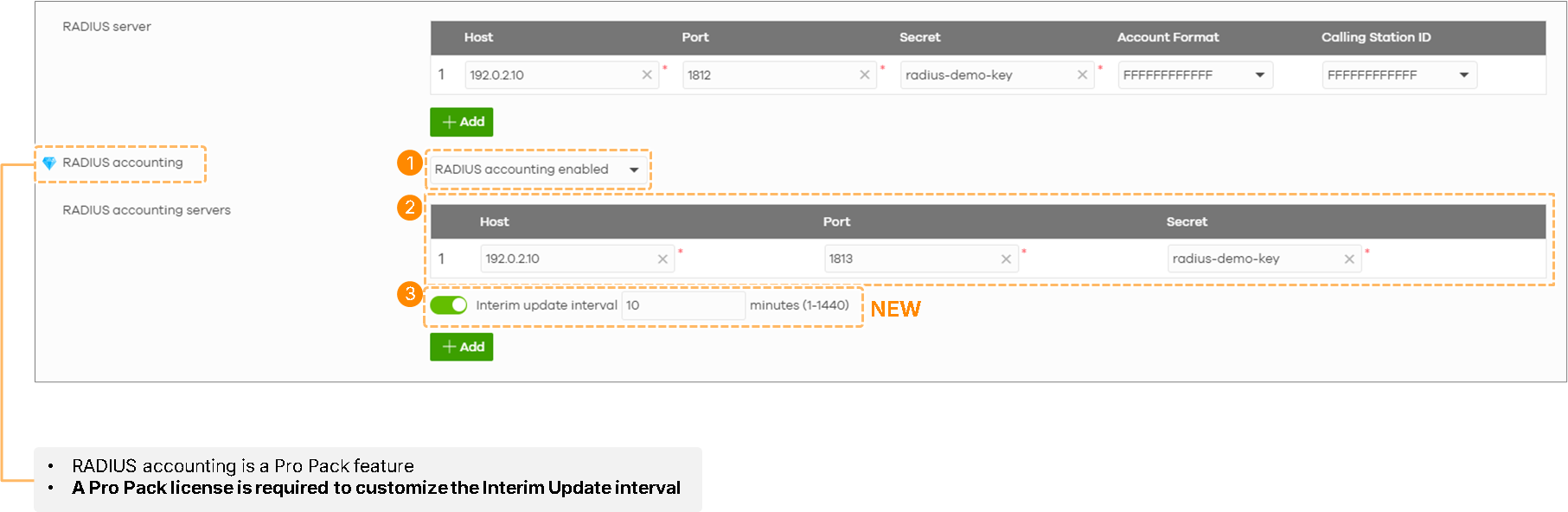
- RADIUS accounting interim update interval can be adjusted.
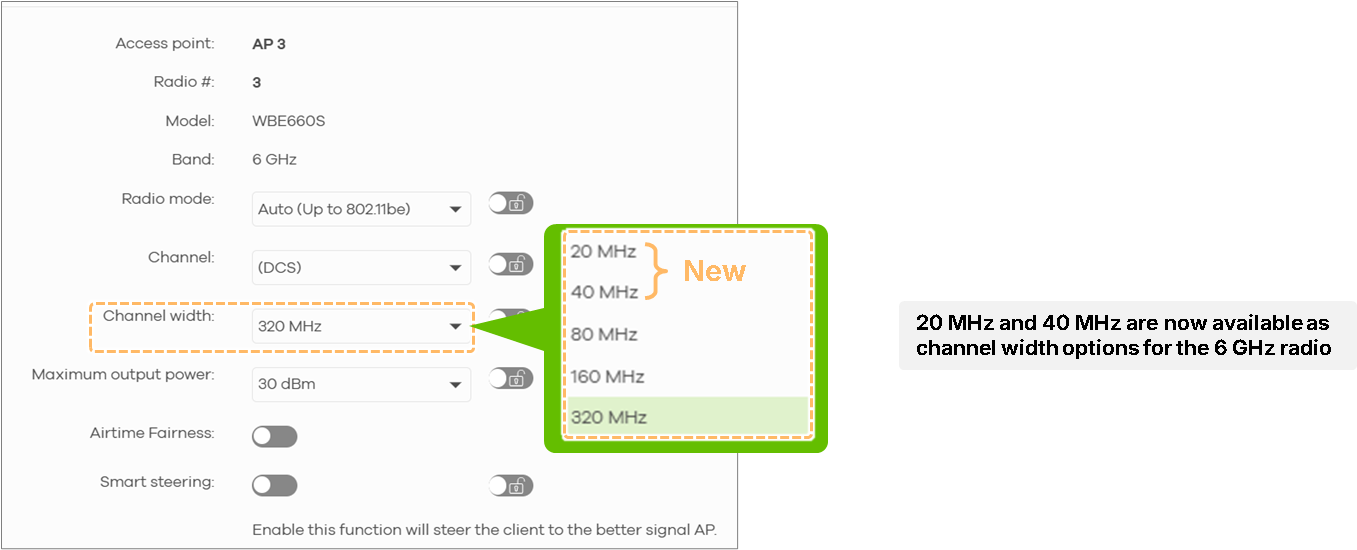
- All WiFi 7 models with 6GHz band support 20/40MHz channel width for 6GHz.
Switching:
- Added DHCP Server support on layer-3 switch series. (initially available on XMG2230 series). (Nebula Pro Pack license is required)
- Added XMG2230 Cloud Stacking support. (Nebula Pro Pack license is required)
- Increased the number of source ports supported for mirroring.

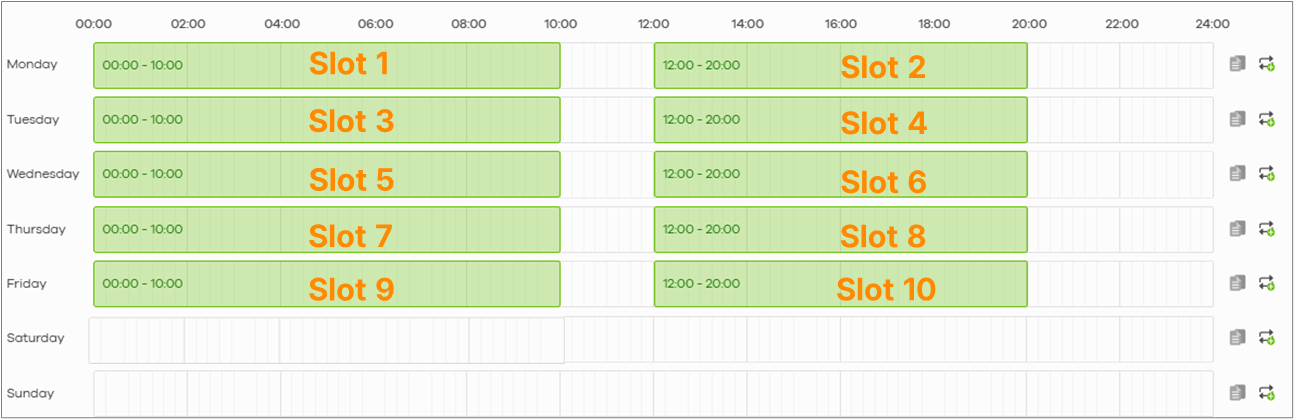
- The PoE schedule now supports a minimum interval of 1 minute between time slots.
Security Firewall:
- Added Secure WiFi support for USG FLEX H series.
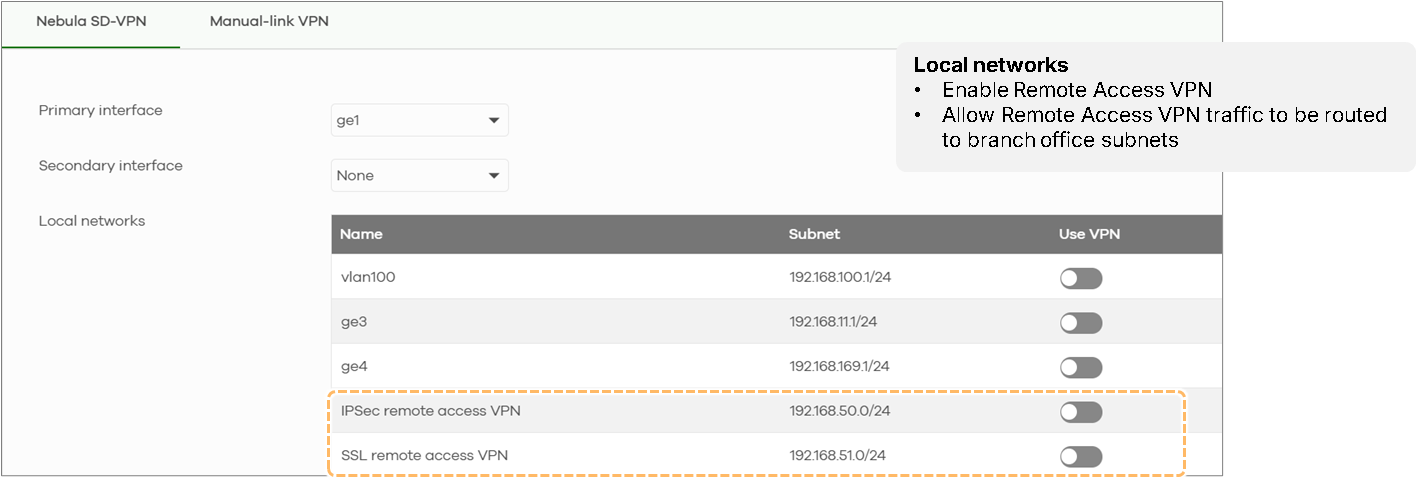
- Added Nebula SD-VPN supports remote access VPN for USG FLEX H series.
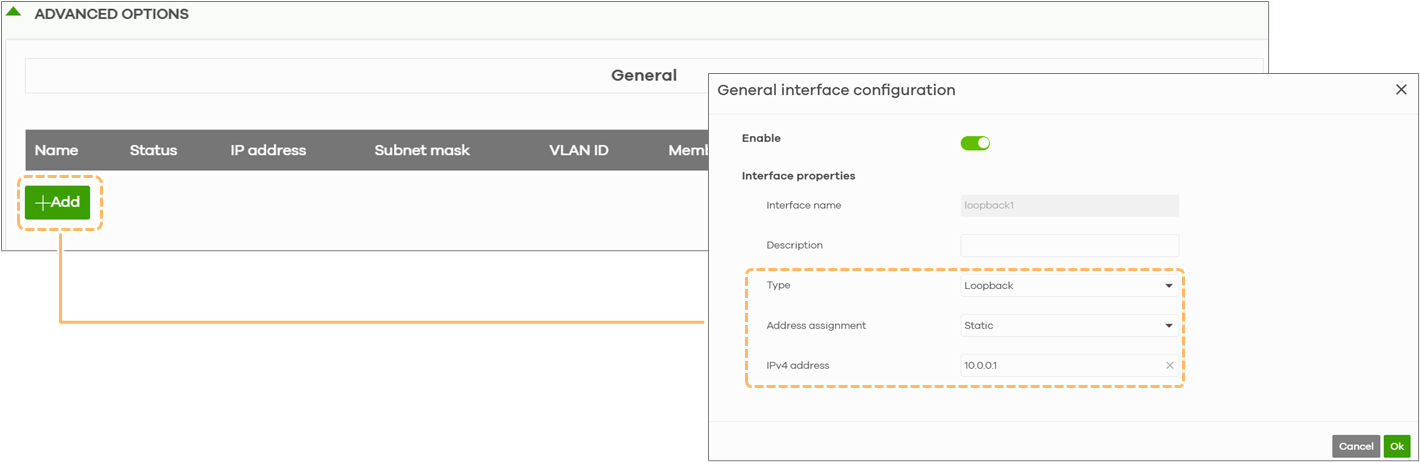
- Added Loopback interface and Local out route to support the Firewall acting as a service endpoint and management client for USG FLEX H series.
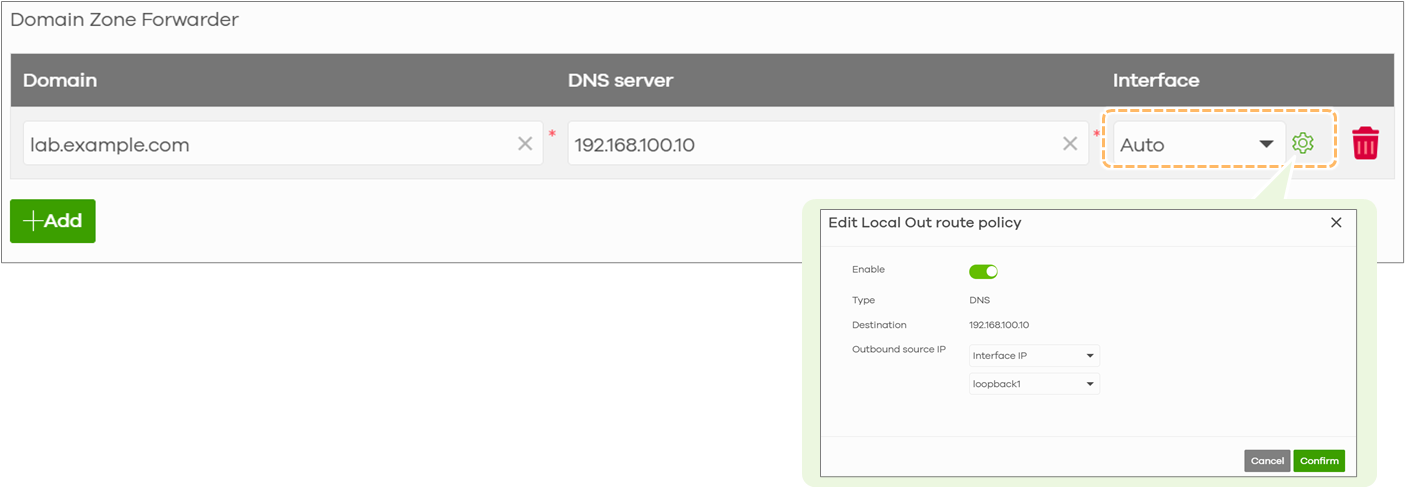
- DNS Domain Zone Forwarder supports "Auto" interface for USG FLEX H series.
- Enhance UI/UX for adding new objects for USG FLEX H series.
Security Router:
- N/A
Broadband Router:
- N/A
Accessory:
- N/A
Zyxel Nebula Support
Comments
-
hello
can you explain what is "Add IoT Optimize to SSID settings for one-click IoT-friendly configuration."
is it included for nebula base pack ?
0 -
Hi @Asgatlat
This option is a base pack feature, which allows network admin to apply IoT Optimize settings to their SSID by one click. It will change:
- Band:
- 2.4 GHz band: Automatically enabled
to ensure the SSID is always available on the 2.4 GHz band
- 2.4 GHz band: Automatically enabled
- Radio Mode:
- Set the 2.4 GHz radio mode to Auto (up to 802.11ax) if the AP is supported WiFi 7 or later generation.
- SSID Security Option:
- Open, WPA2-Personal, DPPSK with WPA2/WPA3, and MAC-based Authentication: Keep original security settings
- Enhanced Open change to Open
- WPA3-Personal change to WPA2-Personal (A pre-shared key must be configured)
- WPA-Enterprise change to WPA2-Personal (A pre-shared key must be configured)
- SSID Sign-in method: Automatically Disabled
- Client Compatibility Settings: Automatically Disabled
For more details, please reference this FAQ:
Best Practice: Optimize an SSID for IoT Device Compatibility — Zyxel Community
Zyxel Melen1 - Band:
-
Hi @Zyxel_Melen,
two question:- For the Wifi IoT Optimized, I think a nice to have is the possibility to know what are the modification that this functionality apply (for example a "question mark" that describe the changes that the functionality do)
- All of those functionality are then applied also to the devices directly?
For example "DNS Domain Zone Forwarder supports "Auto" interface for USG FLEX H series." —> is also applied directly to the USG FLEX H device? Or is only a nebula functionality?
Thank you
0 -
Hi @Maverick87
Thanks for your input.
Q1 I will share to our product team know.Q2. This function will be also applied to the device. Additionally, the USG FLEX H series supports Hybrid Control Mode, which means Nebula features can also be configured through the device’s local GUI.Update:
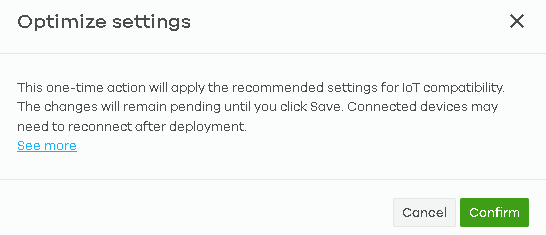
Q1. Just checked with our product team: Before we optimize SSID setting, Nebula will pop out a confirm window. The detail of the optimize can reference this FAQ (Same link as the See more hyperlink).
 Zyxel Melen1
 Ally Member

 Guru Member
Categories
- All Categories
- 442 Beta Program
- 3.1K Nebula
- 243 Nebula Ideas
- 6.9K Security
- 789 USG FLEX H Series
- 391 Security Ideas
- 1.8K Switch
- 88 Switch Ideas
- 1.5K Wireless
- 58 Wireless Ideas
- 7.3K Consumer Product
- 325 Service & License
- 529 News and Release
- 102 Security Advisories
- 31 Education Center
- 10 [Campaign] Zyxel Network Detective
- 5.4K FAQ
- 34 Documents
- 91 About Community
- 122 Security Highlight