DEVICE UNREACHABLE



 Freshman Member
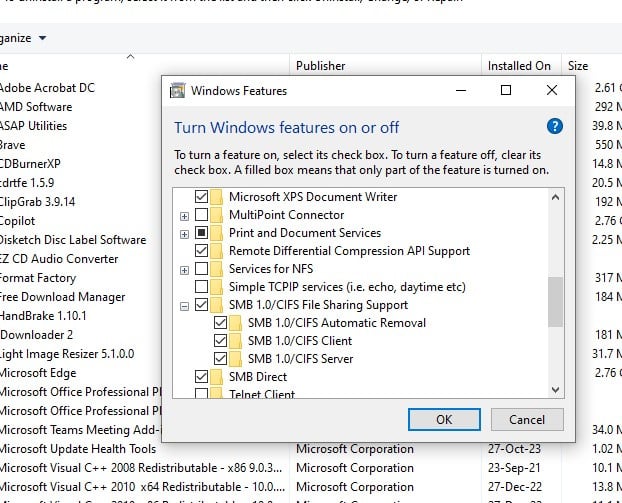
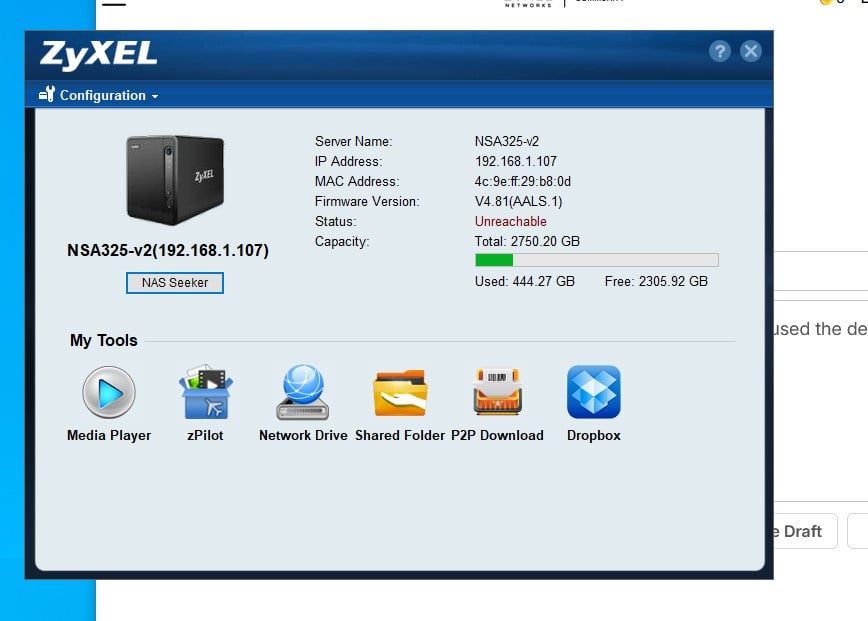
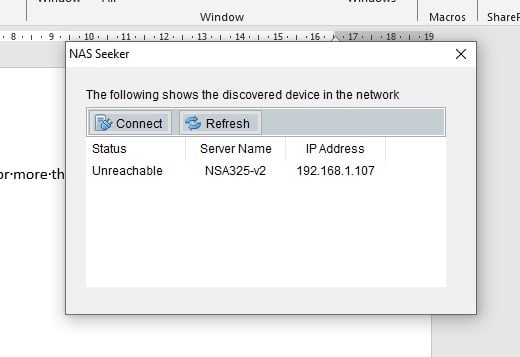
Hi all, it is me again with all the problems and the issues! I am using the NAS periodically, last time had an issue with the pic extensions and thankfully Mijself helped and the issue was resolved! Now when I turned it on I received the message that the device is UNREACHABLE! SMB is enabled, I checked it 2X, yet the device is unreachable! Could someone please be of any help?
With FTP cant connect also, I saw something in another post and tried it but😥!
Thanking U in advance!
with this! Have been used the device for more than 2 months a
All Replies
-
It's not easy to interpret that 'unreachable'. I don't recognize the tool which is saying it. If it talks to the NAS to get it's IP address, the NAS is clearly not fully unreachable. If it is showing some cached value, it can be, and in that case it shouldn't matter if the NAS is switched on or not.
Can you ping it (open a command prompt, and type 'ping 192.168.1.107'). If yes, can your get it's webpage? (Open a browser and type http://192.168.1.107/ in the address bar). If not, are the LED's of the ethernet port on the NAS blinking? Can you see an assigned IP address for the NAS in your routers webpage? (You should be able to identify the NAS in that page by it's MAC address, which is shown in your 2nd screenshot. It should also be printed on a sticker on the NAS)
0




 Guru Member
Categories
- All Categories
- 442 Beta Program
- 3.1K Nebula
- 244 Nebula Ideas
- 6.9K Security
- 805 USG FLEX H Series
- 392 Security Ideas
- 1.8K Switch
- 88 Switch Ideas
- 1.5K Wireless
- 60 Wireless Ideas
- 7.3K Consumer Product
- 333 Service & License
- 540 News and Release
- 106 Security Advisories
- 31 Education Center
- 10 [Campaign] Zyxel Network Detective
- 5.5K FAQ
- 34 Documents
- 89 About Community
- 124 Security Highlight
