Remote Configurator with Nebula and USGFLEX100
Options



 Freshman Member
Hello
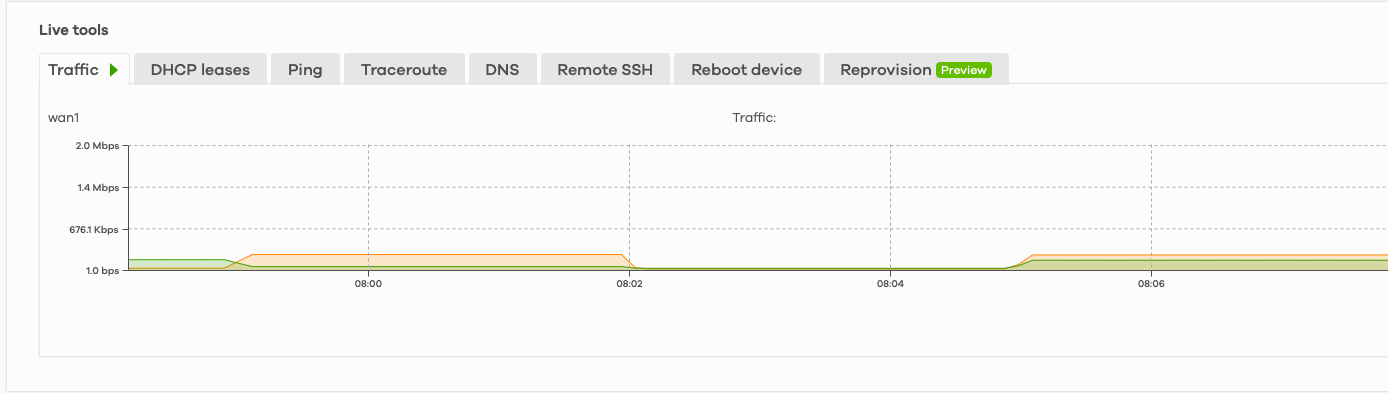
with this firewall I don not found the Remote Configurator tunnel (Live Tools), but with other firewall (H series) it's ok. Someone have an idea where is it? I'm quite sure that sometimes ago it was present on Nebula also for USGFLEX100. Thank you for help
0
All Replies
-
Hi @parinotto ,
The difference in behavior you are seeing between your USG FLEX 100 and the H-series firewall is due to how the two different product lines handle cloud management:
USG FLEX 100 (and other original USG FLEX/ATP series):
- Full Cloud Management Mode: When the USG FLEX 100 is fully managed by Nebula, all configurations are handled entirely via the Nebula Control Center (NCC). Because of this, the local Web GUI is disabled, and the Remote Configurator tool is not available.
- Cloud Monitoring Mode: The Remote Configurator is only available on original USG FLEX devices if they are registered to Nebula in Cloud Monitoring Mode. In this mode, the firewall is monitored by the cloud but configured locally, allowing you to establish a secure tunnel to access its local Web GUI.
USG FLEX H Series:
- The H-series firewalls (running uOS) use a hybrid management architecture. Even when managed by Nebula, some advanced troubleshooting tools and configurations are accessed directly through the local Web GUI. Therefore, the Remote Configurator remains active under Live Tools for the H-series.
Hope this helps!
Zyxel Tina
0



 Zyxel Employee
Categories
- All Categories
- 442 Beta Program
- 3.1K Nebula
- 244 Nebula Ideas
- 6.9K Security
- 804 USG FLEX H Series
- 392 Security Ideas
- 1.8K Switch
- 88 Switch Ideas
- 1.5K Wireless
- 60 Wireless Ideas
- 7.3K Consumer Product
- 330 Service & License
- 537 News and Release
- 106 Security Advisories
- 31 Education Center
- 10 [Campaign] Zyxel Network Detective
- 5.5K FAQ
- 34 Documents
- 91 About Community
- 124 Security Highlight