USG60 - NAS conecntion from Home to Office


 Freshman Member
We have a USG60 Firewall and i want to have access to our NAS from outside.
Without the Firewall it is not a problem I can contacted to the NAS with PPTP and L2tp/IPSec.
I have a config a NAT in the Firewall but this is not working I can’t have access to the NAS, I have no idea what is wrong.


All Replies
-
Hi @Michi155,Here is an example to access HTTPS page (port 50000) of a Zyxel NAS in LAN of USG.Zyxel USG and NAS Series - How to Setup a NAT Rule (Port Forwarding)Your configurations for NAT rule and security policy rule are correct.Make sure the external IP "WANNas_IP" is the USG60's WAN IP.Probably it hits other NAT rule with the same original port 553.Could you show us the all NAT rules in CONFIGURATION > Network > NAT?
 0
0 -
I have try it with the Video but still no access.


0 -
Hi @Michi155,Since there are no problems with the configuration on NAT rules and security policy rules, we need more information for troubleshooting.Required information will be in the private message.0
-
Hi @Michi155,
There is double NAT in your topology.
Internet: 91.x.x.x
Router: 192.168.178.1
USG60:
WAN- 192.168.178.23;
LAN- 192.168.1.22
NAS: 192.168.1.90
Here is an example with double NAT. You need configure NAT and firewall on not only USG60 but also the router.
In the following scenario, the service is RDP (port 3389).
If you NAS is port 8080, make sure there are no other service in router's lan or router itself using the same port 8080.
ISP-----(wan: 10.214.48.39)Router(lan1: 192.168.1.1)-------(wan: 192.168.1.33)USG60(lan1: 192.168.11.1)-----PC(192.168.11.33)
On the router, create a NAT rule and firewall rule.
NAT rule:
External IP: 10.214.48.39
Internal IP: 192.168.1.33
port mapping:
External: 3389
Internal: 3389
Firewall rule:
From any to LAN1, destination: 192.168.1.33, service: 3389
On USG60, create a NAT rule and firewall rule.
NAT rule:
External IP: 192.168.1.33
Internal IP: 192.168.11.33
port mapping:
External: 3389
Internal: 3389
Firewall rule:
From any to LAN1, destination: 192.168.11.33, service: 3389
Test Result
Access PC via RDP via 10.214.48.39:3389 successfully.
0





 Zyxel Employee
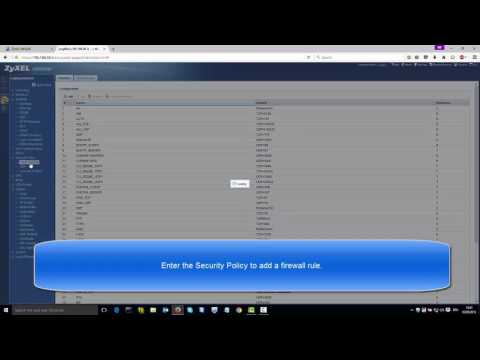 https://www.youtube.com/watch?v=FL-ZZCX51iU
Categories
- All Categories
- 442 Beta Program
- 3.1K Nebula
- 241 Nebula Ideas
- 6.8K Security
- 755 USG FLEX H Series
- 379 Security Ideas
- 1.8K Switch
- 87 Switch Ideas
- 1.5K Wireless
- 58 Wireless Ideas
- 7.2K Consumer Product
- 321 Service & License
- 512 News and Release
- 99 Security Advisories
- 31 Education Center
- 10 [Campaign] Zyxel Network Detective
- 5.3K FAQ
- 34 Documents
- 90 About Community
- 119 Security Highlight


