EX3301-T0: WiFi connected but not working

 Freshman Member
Our ZYXEL router shows connectivity is green on 192.168.1.1 and we’re able to connect our devices to the WiFi but there is no internet. We’ve tried resetting, rebooting, etc but it still doesn’t work. If anyone could provide some help, it would be greatly appreciated. Thanks, Alex
All Replies
-
Does the router obtain the IP from your ISP? If so, maybe you can check the IP range. If not, you need to contact your ISP for assistance.
0 -
Hello @AlexM
Welcome to the forum.
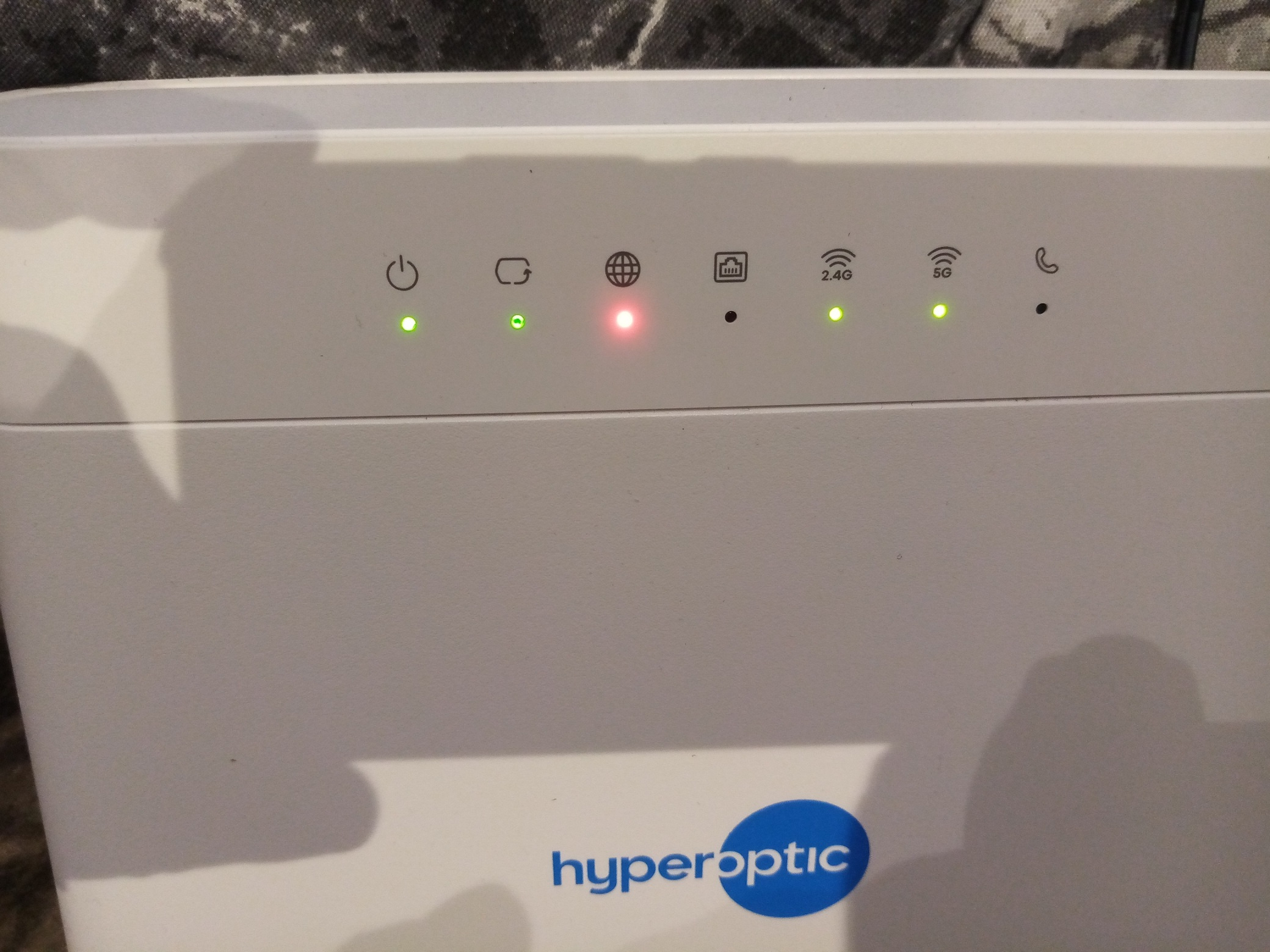
Can you please say more about what colour the LEDs on your EX3301-T0 are?
- There is more than 1.
Looking at the user guide available at https://support.zyxel.eu/hc/en-us/articles/5858783065362-User-Guide-AX-DX-PX-3301-T0-Serie-V5-13-5-50 and the below extract shows the LEDs available.

Are you are able to login to the Web Configurator at all?
If yes, then what does the Connection Status screen look like, see below extract.

Kind regards,
Tony
0 -
Hello Tony,
I have the same problem as Alex.
All LEDs are green except for the internet globe which is solid red.
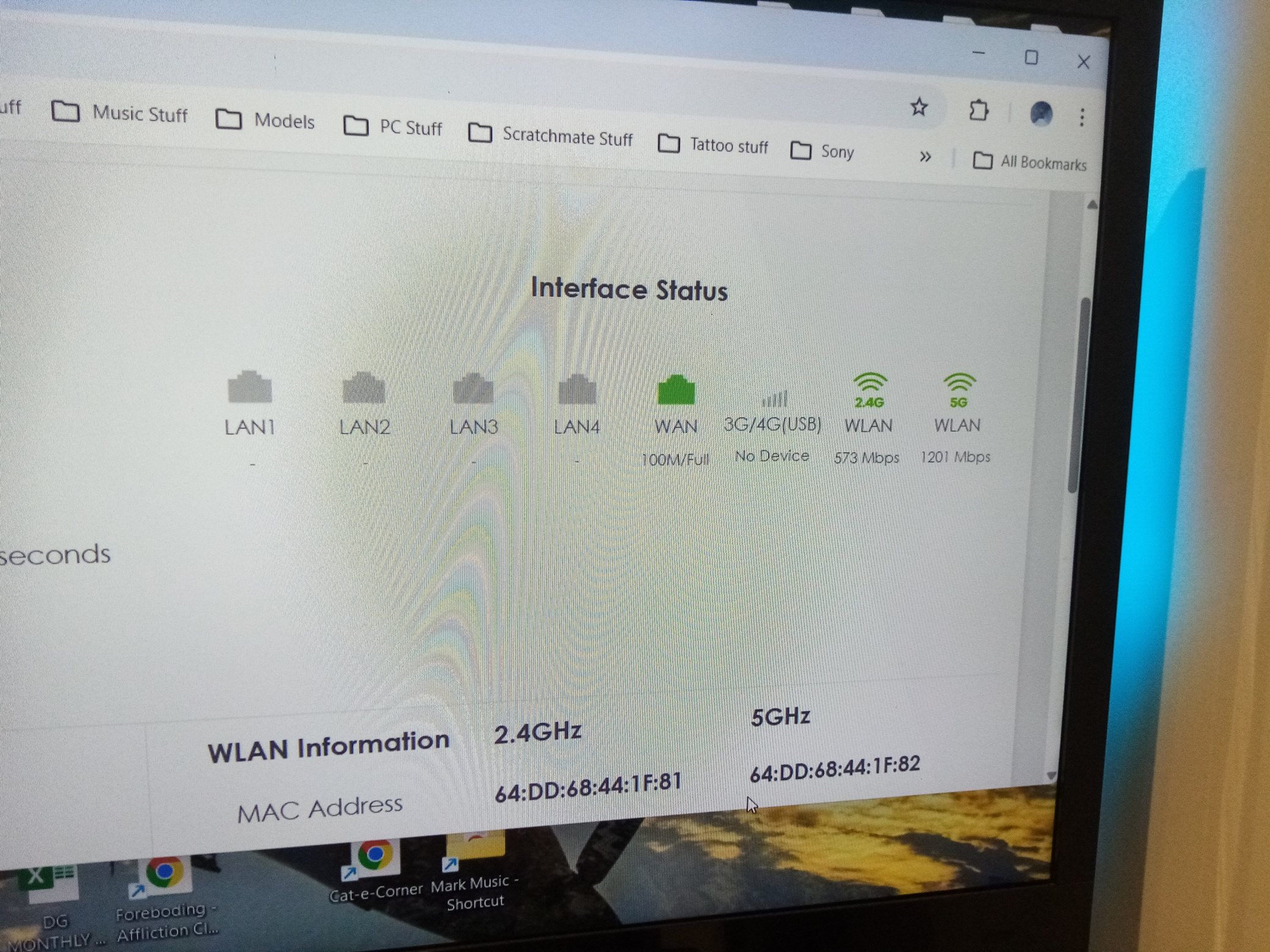
On the interface it shows the WLAN as green plus the wifi in green on both ranges.
But under the connection window is shows the WLAN as "connection down".
I have reset the router multiple times and still cannot get it to give me internet access.
I have also connected my laptop and mobile to the router which worked ok but they say "connected but no internet access".
The LAN connection and cable is fine as I usually plug this straight into my laptop and that works fine and connects to the laptop ok.
I have refreshed/renewed etc the ipconfigs under cmd/adminstrator too and that has not helped either.
I have spent 5 hours+ on this now and am very fed up and out of ideas.
Any ideas on what I am doing wrong???
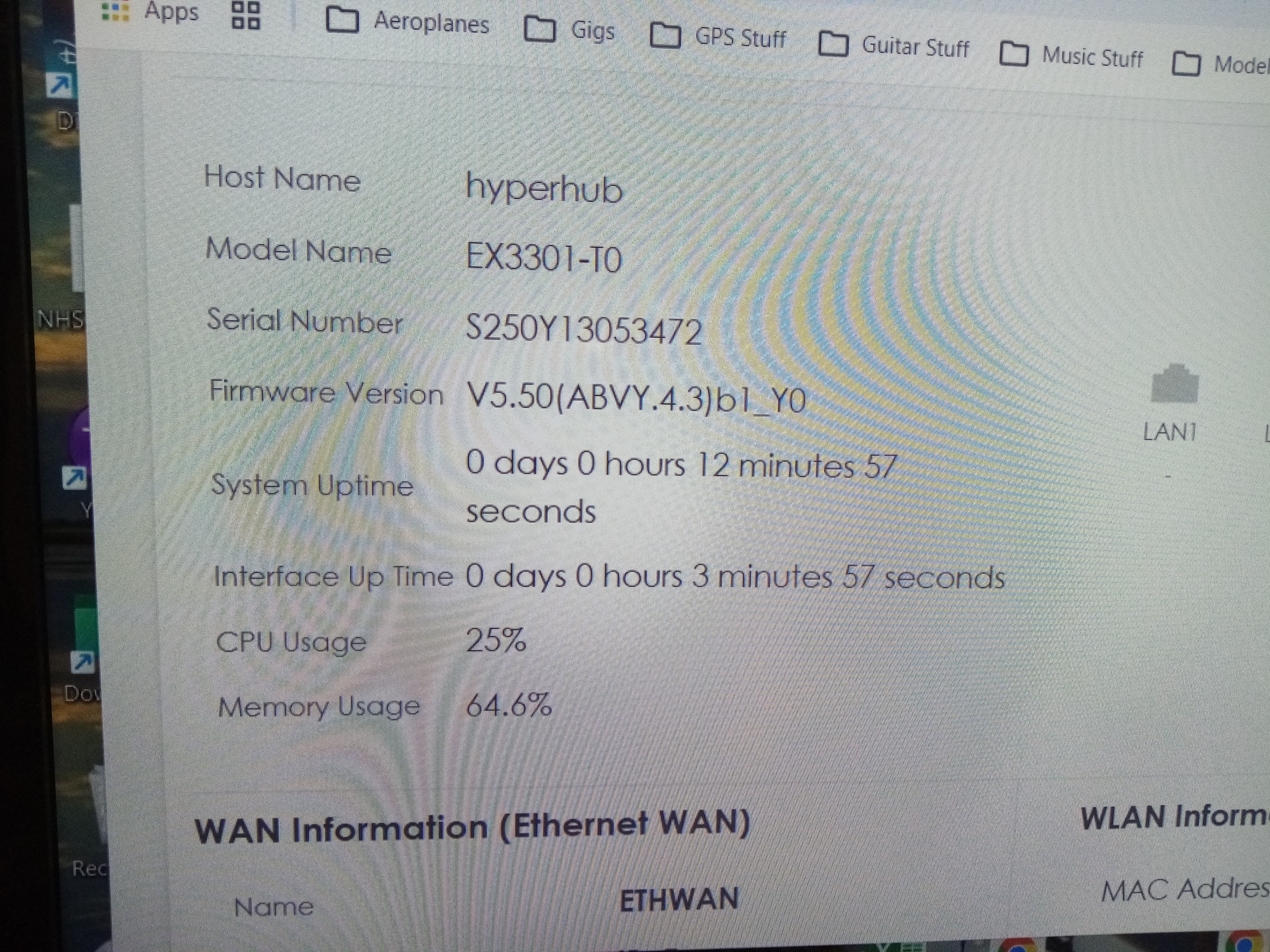
(Please see screenshots attached)
Regards and thanks
Darren
0




 Master Member




 Guru Member
Categories
- All Categories
- 442 Beta Program
- 3.1K Nebula
- 241 Nebula Ideas
- 6.8K Security
- 755 USG FLEX H Series
- 379 Security Ideas
- 1.8K Switch
- 87 Switch Ideas
- 1.5K Wireless
- 58 Wireless Ideas
- 7.2K Consumer Product
- 320 Service & License
- 512 News and Release
- 99 Security Advisories
- 31 Education Center
- 10 [Campaign] Zyxel Network Detective
- 5.3K FAQ
- 34 Documents
- 90 About Community
- 119 Security Highlight