XMG1915-10EP Switch to multiple operating Modes for the Device.
All Replies
-
Hi Melen,
Bruce again 😉
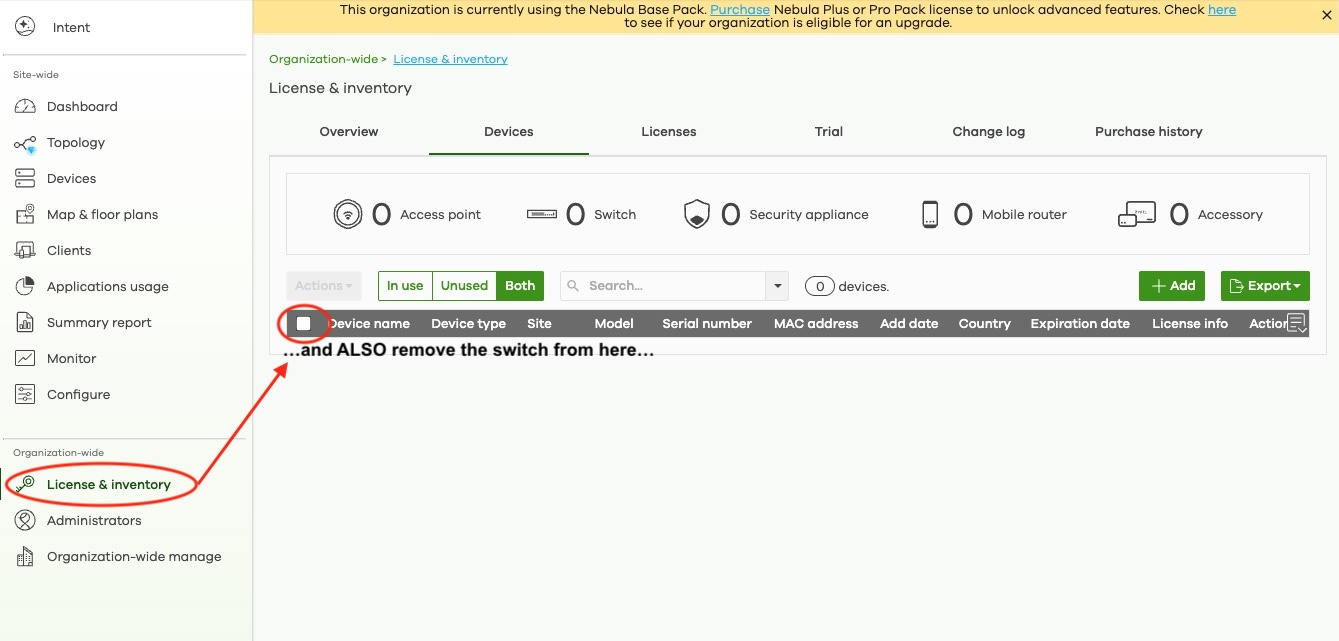
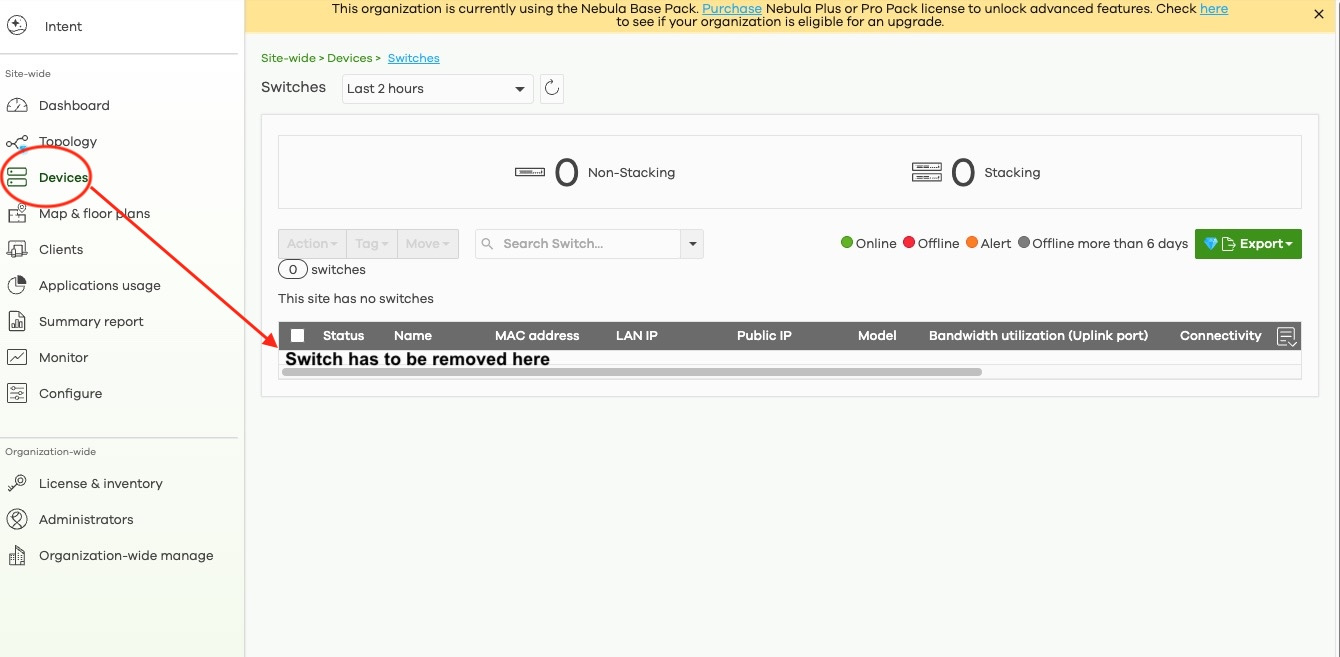
Ok I've missed that part since I've been pulling my hair for the past 3 days. So basically, I had to remove the switch TWICE from two different parts from the menu which is rather confusing. So far, it works, let see what happens next.
@Montland hey man, I'm attaching to screenshots for you. Hope that helps.
Cheers,
PS: Nebula cloud is somewhat a great addition but for me it doesn't apply because:
- paid subscription
- interface sometime slow to load
- unable to REALLY customise the front page UI
- menus and submenus are waaaay to large / deep..
For the average Joe (like me) who likes to use the switch locally, standalone mode is the way to go but that Standalone vs Nebula part was really annoying.
Happy ending but a bit painful.
Thanks again Melen.
 0
0 -
What a story
My advice is the ignore Nebula (turn it off), ignore the Wizard by checking the box not to show (you can get back to the wizard as a top bar icon.
Start by walking through the first menu on the left and they the workflows within each page. There are many detailed screens you will find by clicking on those items in list that are in green.
Good luck with this switch as I've spent an inordinate amount of time working through every screen to learn this GUI.
0

 Freshman Member



Categories
- All Categories
- 442 Beta Program
- 3K Nebula
- 222 Nebula Ideas
- 129 Nebula Status and Incidents
- 6.5K Security
- 619 USG FLEX H Series
- 348 Security Ideas
- 1.7K Switch
- 84 Switch Ideas
- 1.4K Wireless
- 53 Wireless Ideas
- 7K Consumer Product
- 298 Service & License
- 485 News and Release
- 92 Security Advisories
- 31 Education Center
- 10 [Campaign] Zyxel Network Detective
- 4.8K FAQ
- 34 Documents
- 88 About Community
- 105 Security Highlight


