Disconnect after DCS

 Ally Member



I have several NWA 50 ax and they have been working fine for a long time.
But recently some of my WiFi devices have dropped connection after DCS set to 3 in the morning. See below
To get them connected again I need to restart them.
what could have happened.
Nebula mesh network
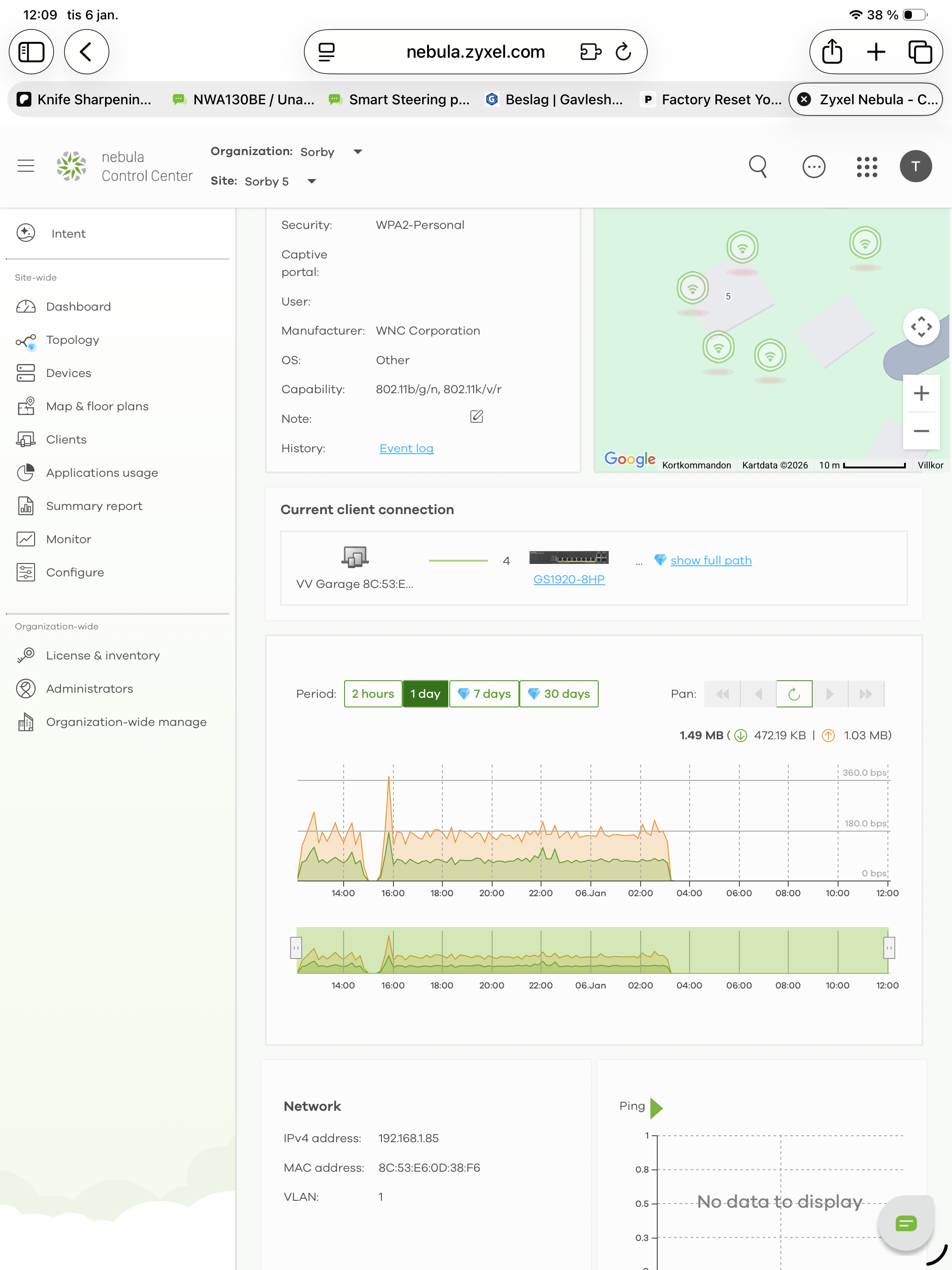
what as well mean the red lines below the green rings ?
Best Answers
-
Hi @saltet,
No need to send via email—private messages are handled securely directly in the community. Here are two ways to message a Zyxel agent:
- (Fastest) Click on the agent's name or profile—it will pop out a window where you can find Message and send us your sensitive info.
- (Alternatively)
- Go to your account profile.
- Click Inbox > New Message.
- Tag the Zyxel agent and post your message.
Both keep your information secure within the platform! 😉
Zyxel Tina
0 -
Hi @saltet,
After reviewing AP’s logs, we confirmed that disconnections occur around 3:00 daily across all four units, triggered by "Station: xx:xx:xx:xx:xx:xx disconnected by Configuration Changed." This is due to configuration changes from the DCS feature.


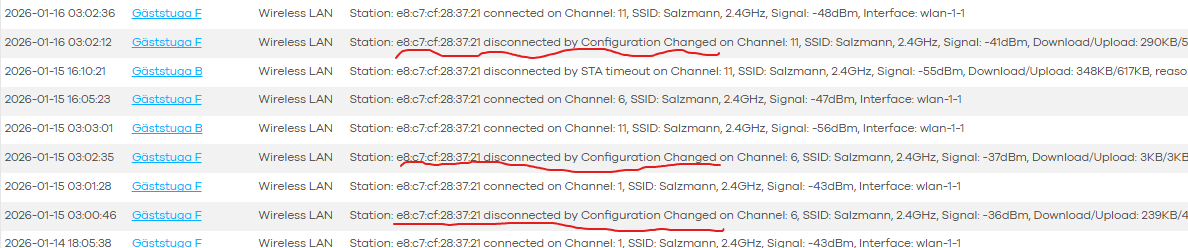
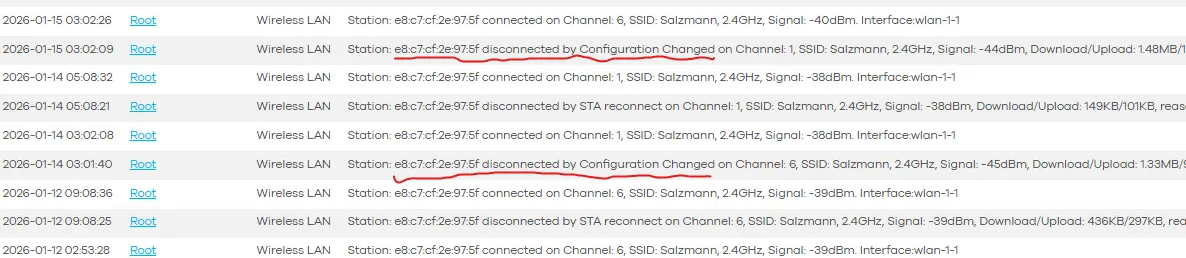
Additionally, as explained earlier, when the root AP's config changes, it briefly interrupts the smart mesh, causing repeater APs (and connected end devices like your heat pumps) to lose connectivity momentarily before recovering.
As these interruptions are disruptive, we recommend disabling DCS to ensure seamless and stable network connectivity.
Zyxel Tina
1

 Zyxel Employee



All Replies
-
Hi @saltet,
The issue you're experiencing with Wi-Fi devices disconnecting after Dynamic Channel Selection (DCS) at 3 AM and the appearance of red lines below the green rings in your Nebula topology map can be addressed with the following steps:
DCS Configuration Review: DCS is designed to optimize wireless performance by automatically selecting the best channel. However, a channel change can temporarily disconnect clients.
- Navigate to
Site-wide > Configure > Access points > Radio settings > DCS settingin the Nebula Control Center. - Consider disabling "DCS Client Aware" as this allows the AP to switch channels even if clients are connected, potentially leading to more stable long-term performance by selecting a clearer channel.
- If disconnections persist, try setting a fixed channel for your APs to see if it stabilizes the connection, then gradually reintroduce DCS with adjusted settings.
- Ensure your NWA50AX has the latest firmware, as updates often include stability improvements. You can check for available firmware on the Zyxel website for your specific model.
- Navigate to
Understand Red Lines in Topology: The red lines below the green rings in the Nebula topology map often indicate a weak or unstable connection to the AP, or a disconnection event. In a mesh network, if a repeater AP is too far from the root AP or experiences interference, it might show this status.
Mesh Network Optimization: Since you mentioned a Nebula mesh network, optimizing its configuration is crucial for stability.
- Ensure proper AP placement to maintain strong uplink signals between mesh nodes.
- Avoid "Auto (High Band Preferred)" mode for Smart Mesh as it can cause frequent band switching and disconnections in unstable environments.
- For repeater APs two hops away from the root AP, consider disabling their downlink capability.
To help us investigate further and provide a more tailored solution, please provide the following:
- Firmware Version: The exact firmware version running on your NWA50AX access points.
- Network Topology: A simple diagram or description of your AP placement and how they are connected (especially in your mesh setup).
- Event Logs: A screenshot or export of any relevant event logs from Nebula that show disconnections around the 3 AM DCS window.
- Zyxel Support Access: Please enable Zyxel Support Access via
Help > Support Requestin your Nebula control panel. This will allow our team to directly view your cloud environment configuration and expedite troubleshooting. Please also provide your Organization and Site name.
This AI response aims to provide initial troubleshooting steps and identify information needed for further diagnosis. Feel free to share additional details based on the suggestions above — this will help community members offer more targeted assistance.
If you have feedback or idea about this AI assistant, share them in Community Feedback.0 -
you have access to my account.
tomas.salzmann@telia.com
The distances between the ap,s are between 20 to 50 metersThey are located in four different houses
The root ap is connected to Zyxel NR 5101
The connection have been working fine at least the latest year The problem started 30 December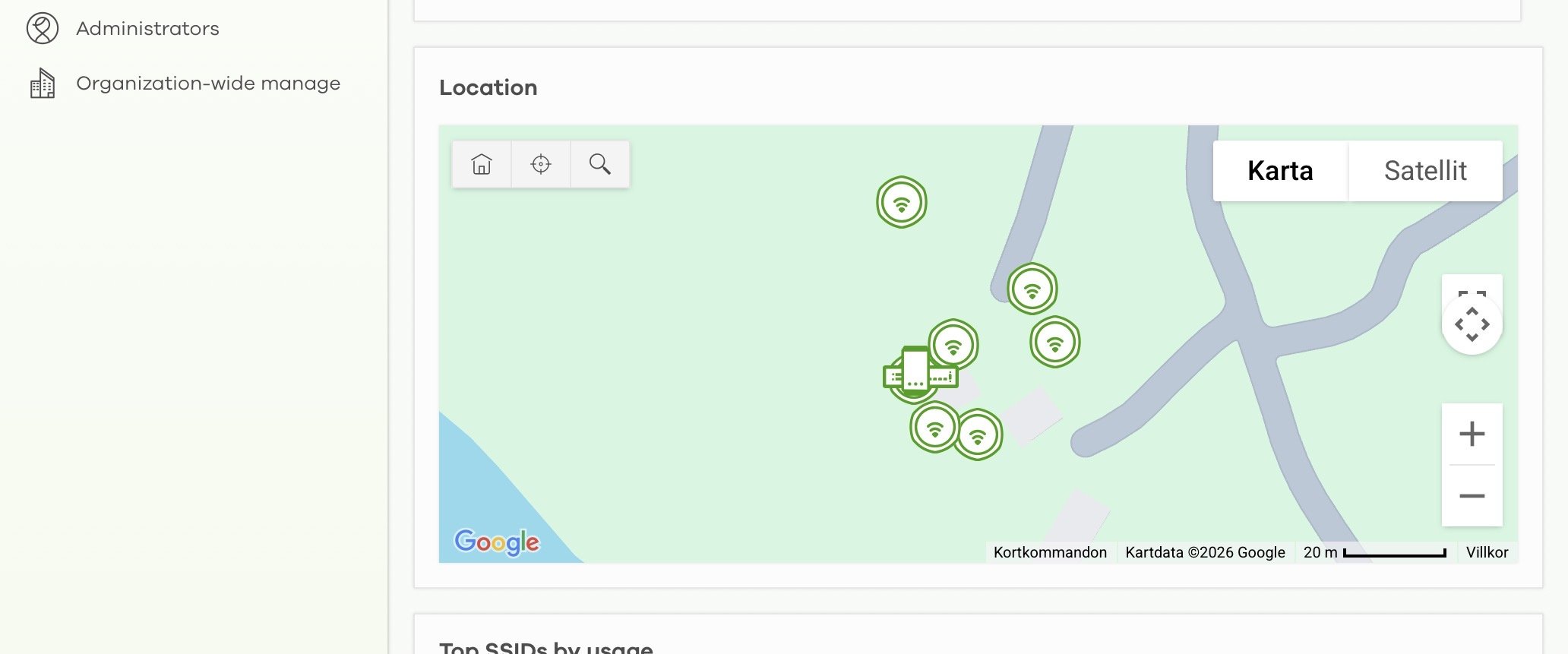
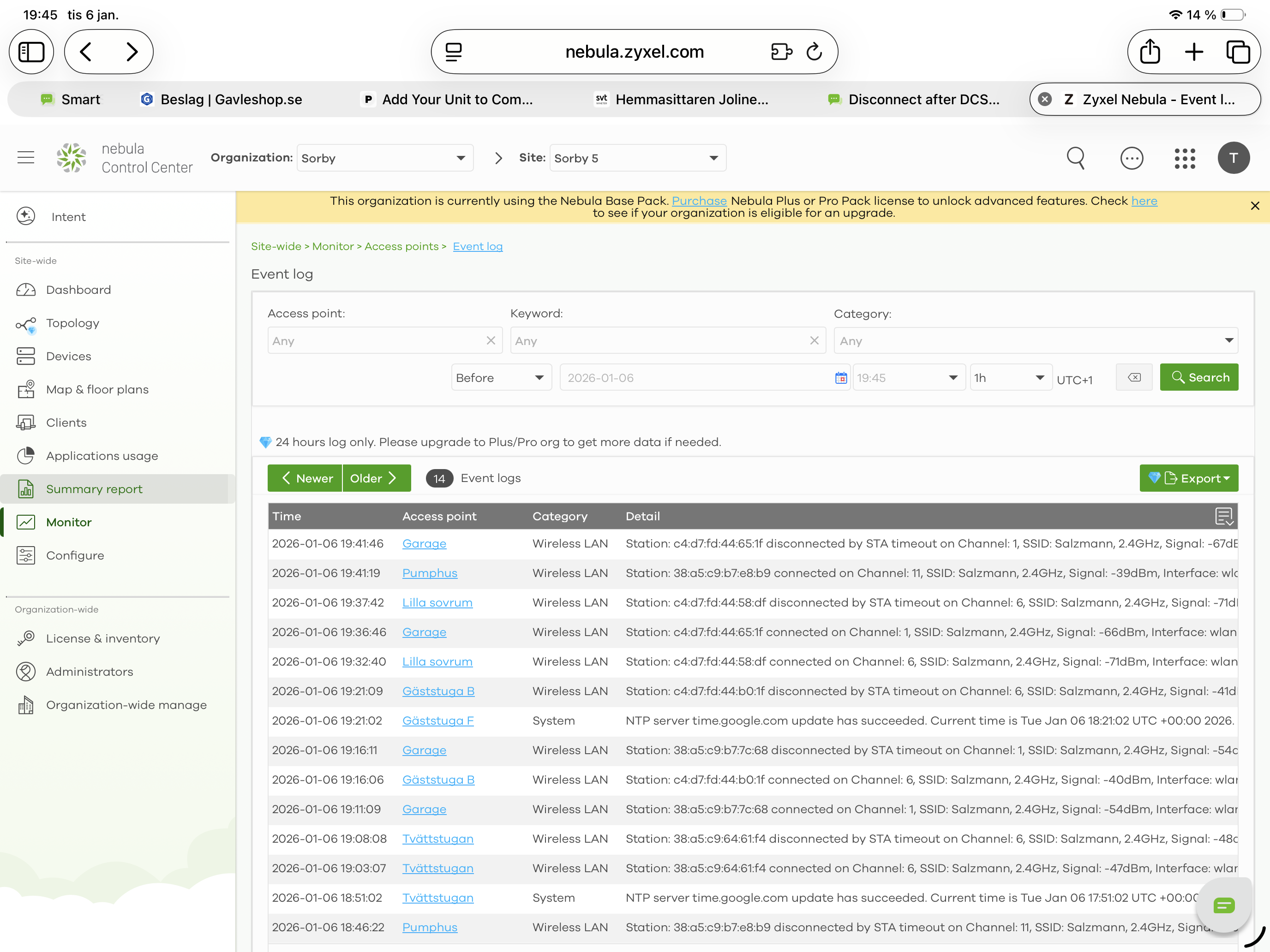
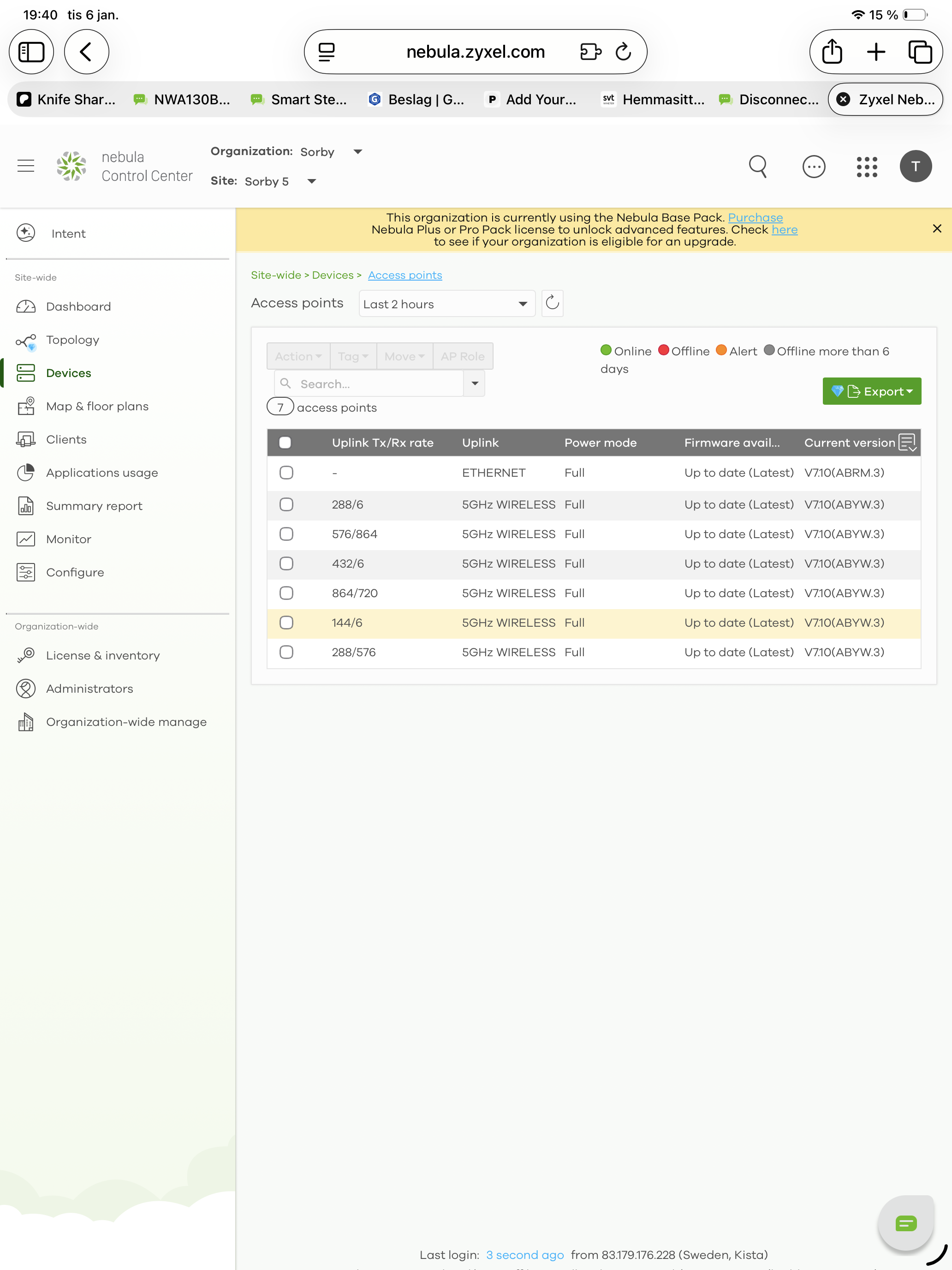
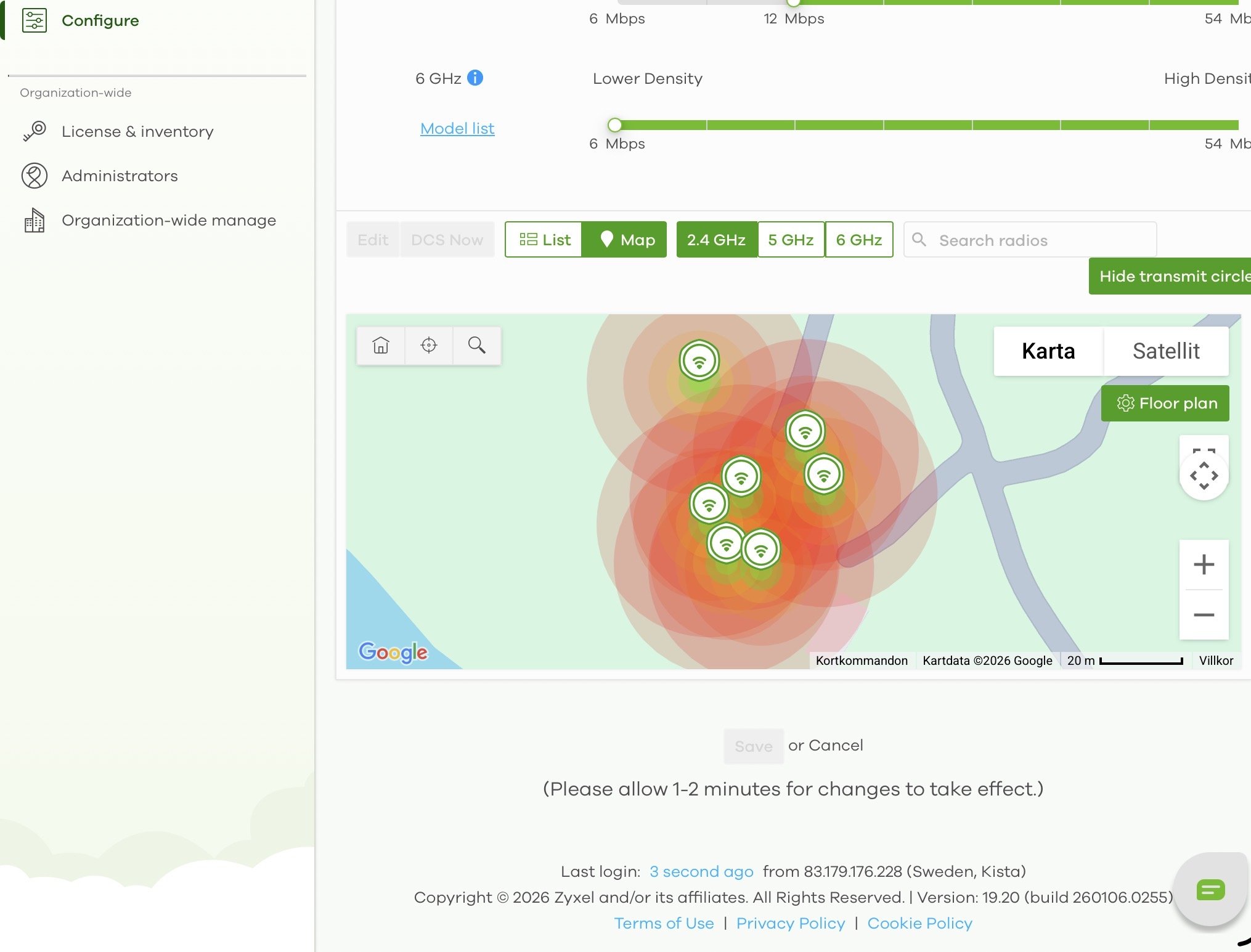 0
0 -
Hi @saltet,
Thank you for the information! We will review it to better understand the issue. If we need any further details during our investigation, we will reach out to you. Meanwhile, please feel free to share any additional observations or questions you may have.
We appreciate your cooperation and patience :)
Zyxel Tina
0 -
Hi @saltet,
Upon an investigation of the AP event logs, we identified "client 8C:53:E6:0D:38:F6 on 12/30 at 03:04:33 disconnected by Configuration Changed." The disconnection events are triggered by configuration changes (such as the DCS schedule you mentioned), which switch channels and interrupt client connections. Additionally, these changes reapply repeater AP settings, causing drops for clients connected to repeater APs.
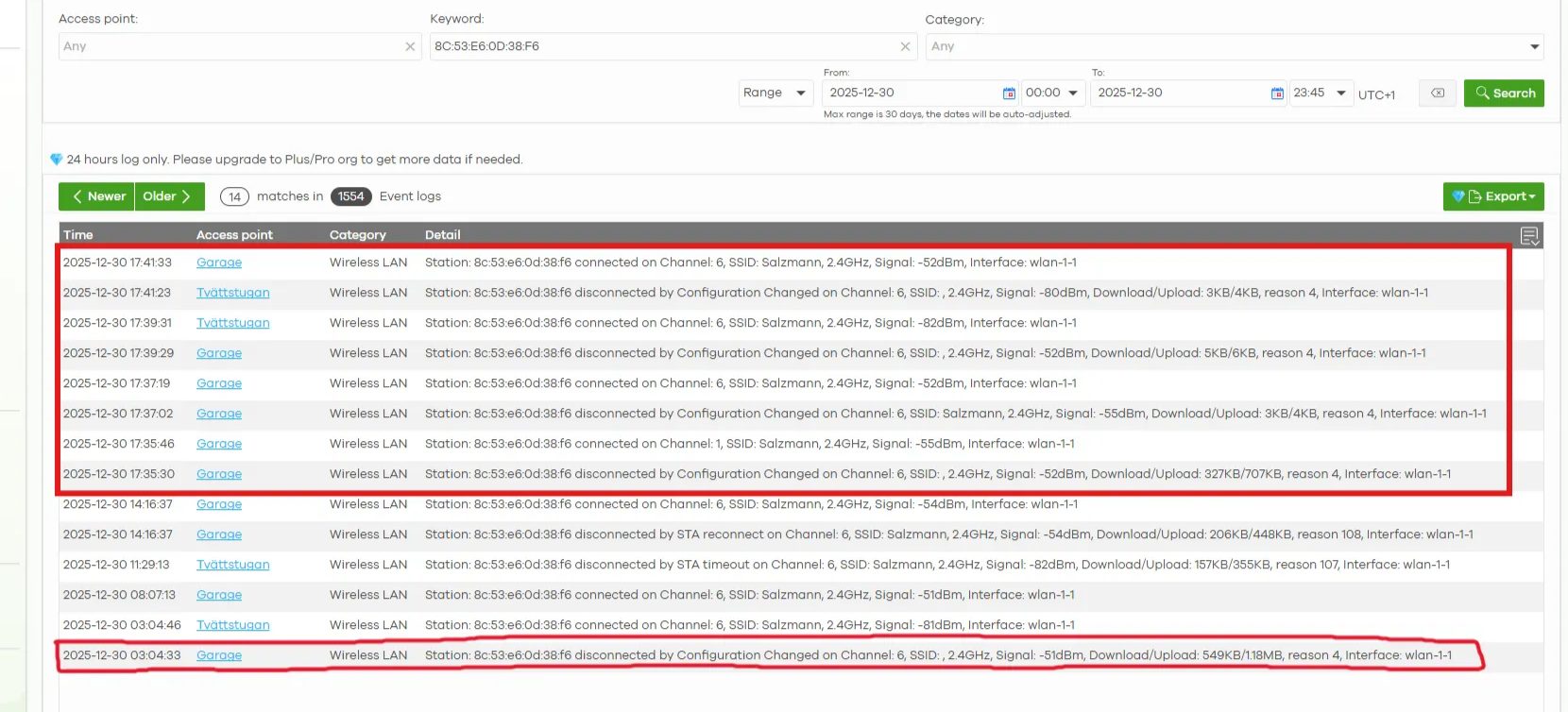
(Mesh link disconnection between Root AP and Repeater APs)
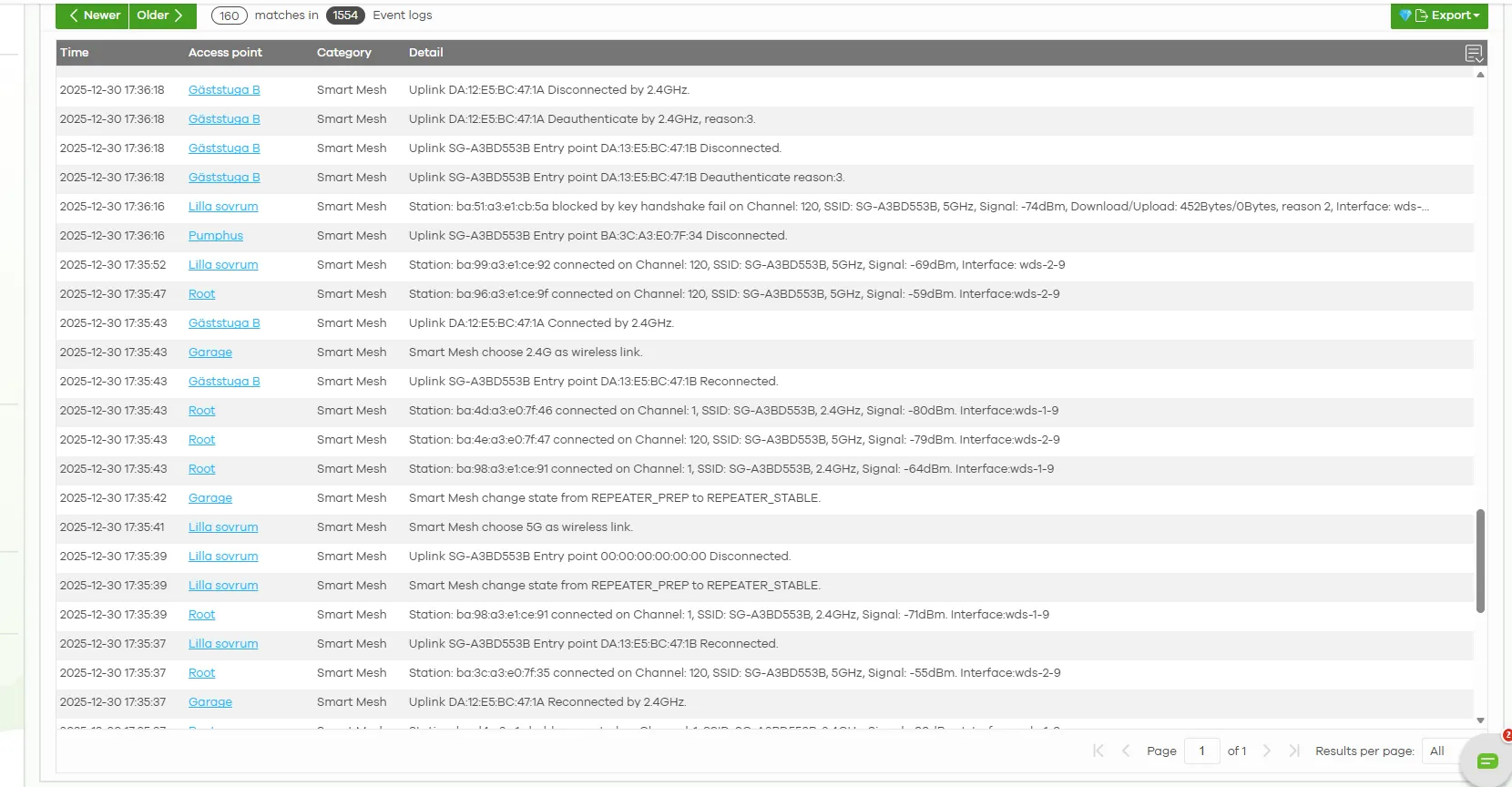
The disconnections observed in the logs thus appear to be normal behavior. To narrow down ongoing disconnection issues more precisely, could you please provide:
- A detailed symptom description (e.g., "Client using [root or specific repeater AP's WiFi] started frequent connect/disconnect cycles around 2 PM on 1/13, without movement or roaming.")
- Affected client MAC address(es)
- Approximate timestamp(s) of the issue
Along with this, please collect and share the diagnostic info file (via private message) from the affected AP when the problem occurs. You may follow this instruction:
This will help us analyze the root cause effectively. Looking forward to your update!
If you'd like to avoid DCS during client connections, we recommend enabling DCS client aware:
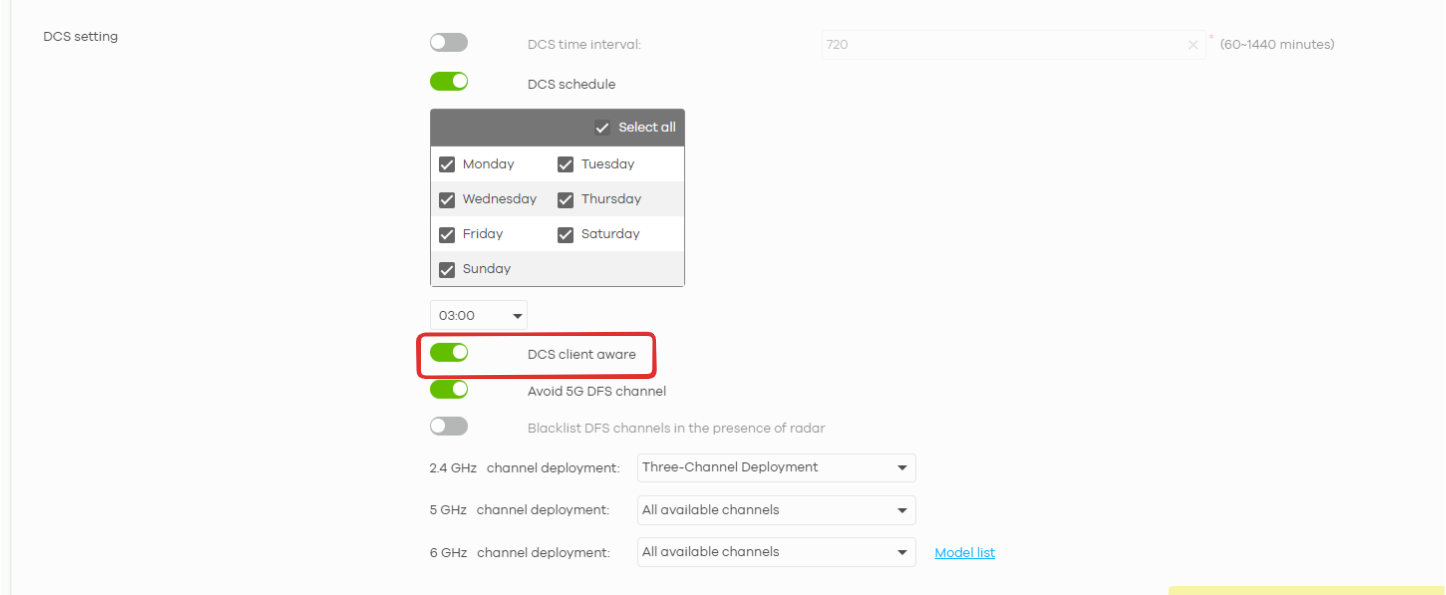
Zyxel Tina
0 -
Hi
I have sent you a private message but not sure if the address is correct.
see below image as copy of the address we’re we’re I send it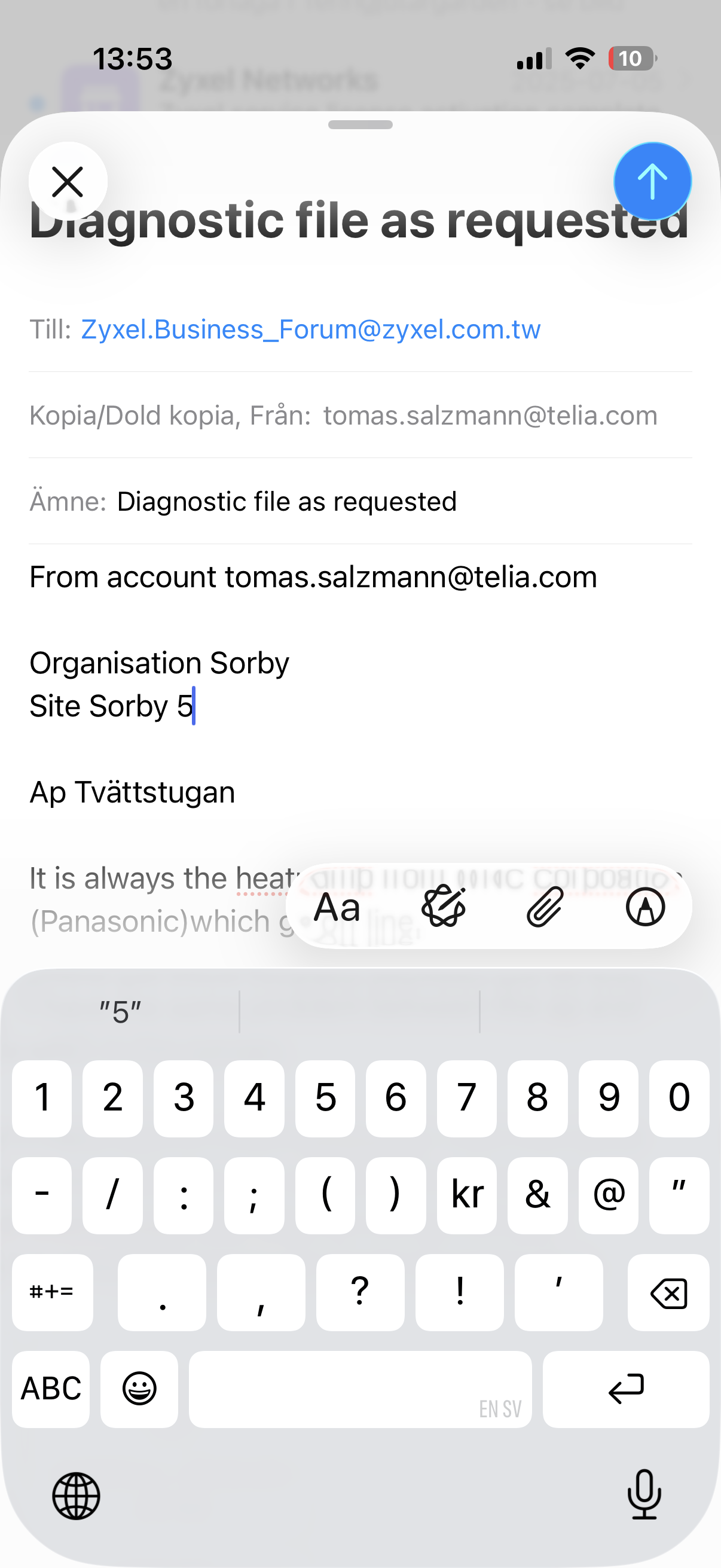 0
0 -
Hi @saltet,
Thank you for providing the diagnostic file. We will review it and inform you of any updates after our investigation.
In addition, we noticed you replied to the system mail to provide the file. Please note that replies to system mail may cause our mail system to mark it as spam, preventing us from receiving it. Just a gentle reminder to share information or files via private message next time.
Zyxel Tina
0 -
Thanks Tina.
But to what adress should I send a private message. From my mail to ?0 -
Hi @saltet,
No need to send via email—private messages are handled securely directly in the community. Here are two ways to message a Zyxel agent:
- (Fastest) Click on the agent's name or profile—it will pop out a window where you can find Message and send us your sensitive info.
- (Alternatively)
- Go to your account profile.
- Click Inbox > New Message.
- Tag the Zyxel agent and post your message.
Both keep your information secure within the platform! 😉
Zyxel Tina
0 -
Hi @saltet,
After reviewing AP’s logs, we confirmed that disconnections occur around 3:00 daily across all four units, triggered by "Station: xx:xx:xx:xx:xx:xx disconnected by Configuration Changed." This is due to configuration changes from the DCS feature.
Additionally, as explained earlier, when the root AP's config changes, it briefly interrupts the smart mesh, causing repeater APs (and connected end devices like your heat pumps) to lose connectivity momentarily before recovering.
As these interruptions are disruptive, we recommend disabling DCS to ensure seamless and stable network connectivity.
Zyxel Tina
1 -
Thanks for your Investigations.
I will disable DCS but will it be possible to correct this disfunctionality. ?0


Categories
- All Categories
- 442 Beta Program
- 3K Nebula
- 222 Nebula Ideas
- 129 Nebula Status and Incidents
- 6.5K Security
- 619 USG FLEX H Series
- 349 Security Ideas
- 1.7K Switch
- 84 Switch Ideas
- 1.4K Wireless
- 53 Wireless Ideas
- 7K Consumer Product
- 298 Service & License
- 485 News and Release
- 92 Security Advisories
- 31 Education Center
- 10 [Campaign] Zyxel Network Detective
- 4.8K FAQ
- 34 Documents
- 88 About Community
- 105 Security Highlight


