Cannot see network usage

 Freshman Member
All Replies
-
Hi @MiroSevo,
Thank you for reaching out to the Zyxel Community. I understand you're experiencing an issue where network usage and the connectivity applet are not visible for your Flex 100H firewall in Nebula, while they are working for your Flex 100.
Here's some information regarding network usage visibility for Zyxel firewalls in Nebula:
Initial Solution
H Series Firewall Application Usage Monitoring: For H Series firewalls like your Flex 100H, application usage monitoring is available directly from the Nebula Control Center (NCC) dashboard since Nebula 19.00. This includes viewing top applications by bandwidth usage, identifying active clients, and monitoring network trends.
- Navigate to your Nebula Dashboard for your H Series firewall.
- Look for the "Application Usage" widget.
- Click on a segment of the ring chart (e.g., Zoom, YouTube, Office365) to be redirected to the detailed usage view, showing application traffic stats, bandwidth graphs, and top usage breakdowns.
- You can also click on a MAC address or client name to open the Client Details page, which shows traffic history, connection timeline, and interface information.
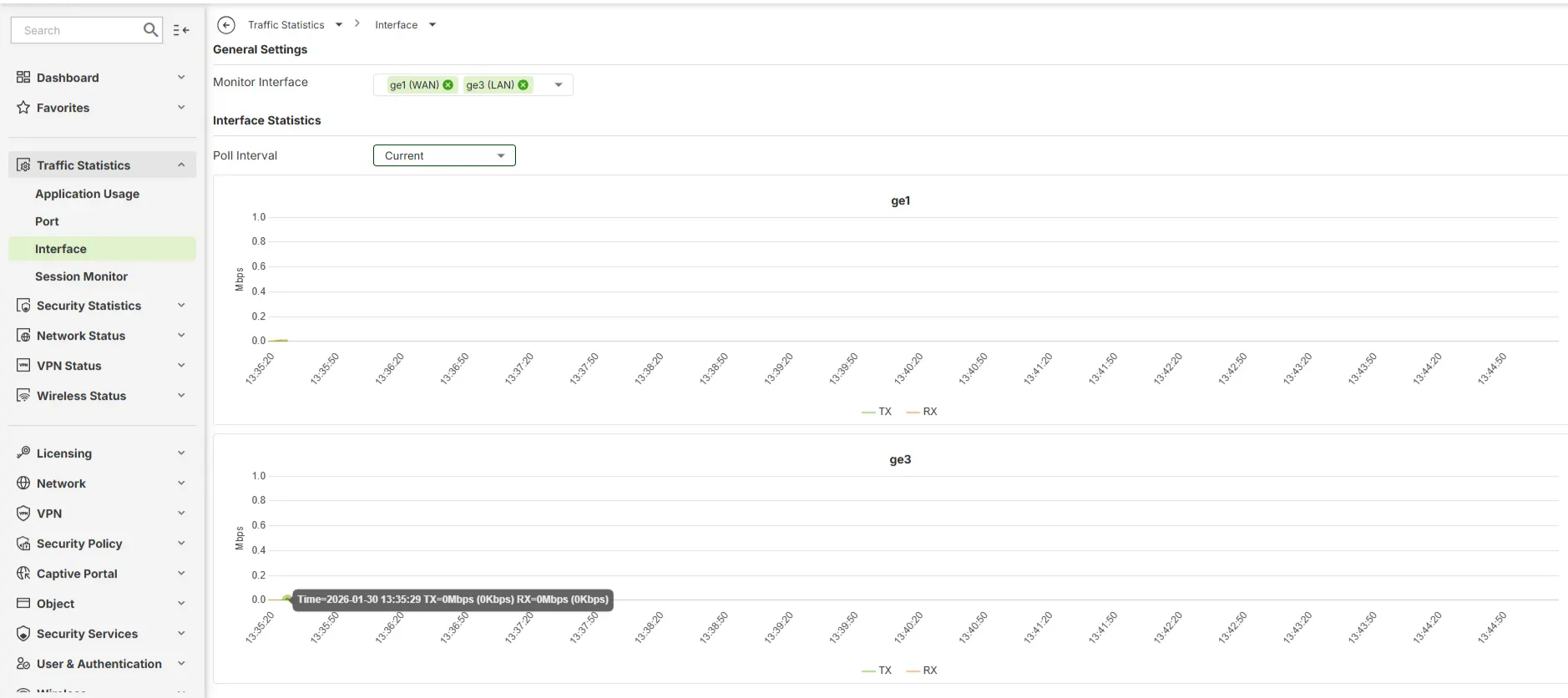
Local Web GUI for H Series Traffic Statistics: For H series firewalls, if the traffic statistics are not showing in NCC, you may need to log in to the device's local web GUI to check them. Navigate to
Traffic Statisticsto seeApplication Usage,Port,Interface, andSession Monitor.
Information Collection Guide
To help us investigate this discrepancy between your Flex 100 and Flex 100H, please provide the following details:
Screenshots:
- Screenshots of the "Devices/Firewall" page where you expect to see the applets for both the Flex 100 (where it's working) and the Flex 100H (where it's missing).
Zyxel Support Access: Please enable Zyxel Support Access for your organization via
Help > Support Requestin your Nebula console. This will allow our support team to directly view your cloud environment configuration, which can significantly shorten troubleshooting time.- Organization and Site Name: Please provide the name of your Nebula Organization and the specific Site where these devices are located.
This AI response aims to provide initial troubleshooting steps and identify information needed for further diagnosis. Feel free to share additional details based on the suggestions above — this will help community members offer more targeted assistance.
If you have feedback or idea about this AI assistant, share them in Community Feedback.0 -
Hi @MiroSevo,
Regarding checking network usage and connectivity on the FLEX 100H firewall, please go to Traffic Statistics > Interface in the device's local GUI to view the data.
Zyxel Tina
0

 Zyxel Community Virtual Assistant







Categories
- All Categories
- 442 Beta Program
- 3K Nebula
- 222 Nebula Ideas
- 129 Nebula Status and Incidents
- 6.5K Security
- 619 USG FLEX H Series
- 349 Security Ideas
- 1.7K Switch
- 84 Switch Ideas
- 1.4K Wireless
- 53 Wireless Ideas
- 7K Consumer Product
- 298 Service & License
- 485 News and Release
- 92 Security Advisories
- 31 Education Center
- 10 [Campaign] Zyxel Network Detective
- 4.8K FAQ
- 34 Documents
- 88 About Community
- 105 Security Highlight


