H series & SSL VPN - Download config button is green only On-Premise

 Guru Member



Hello everyone,
as you can see I have a grey button on Nebula:
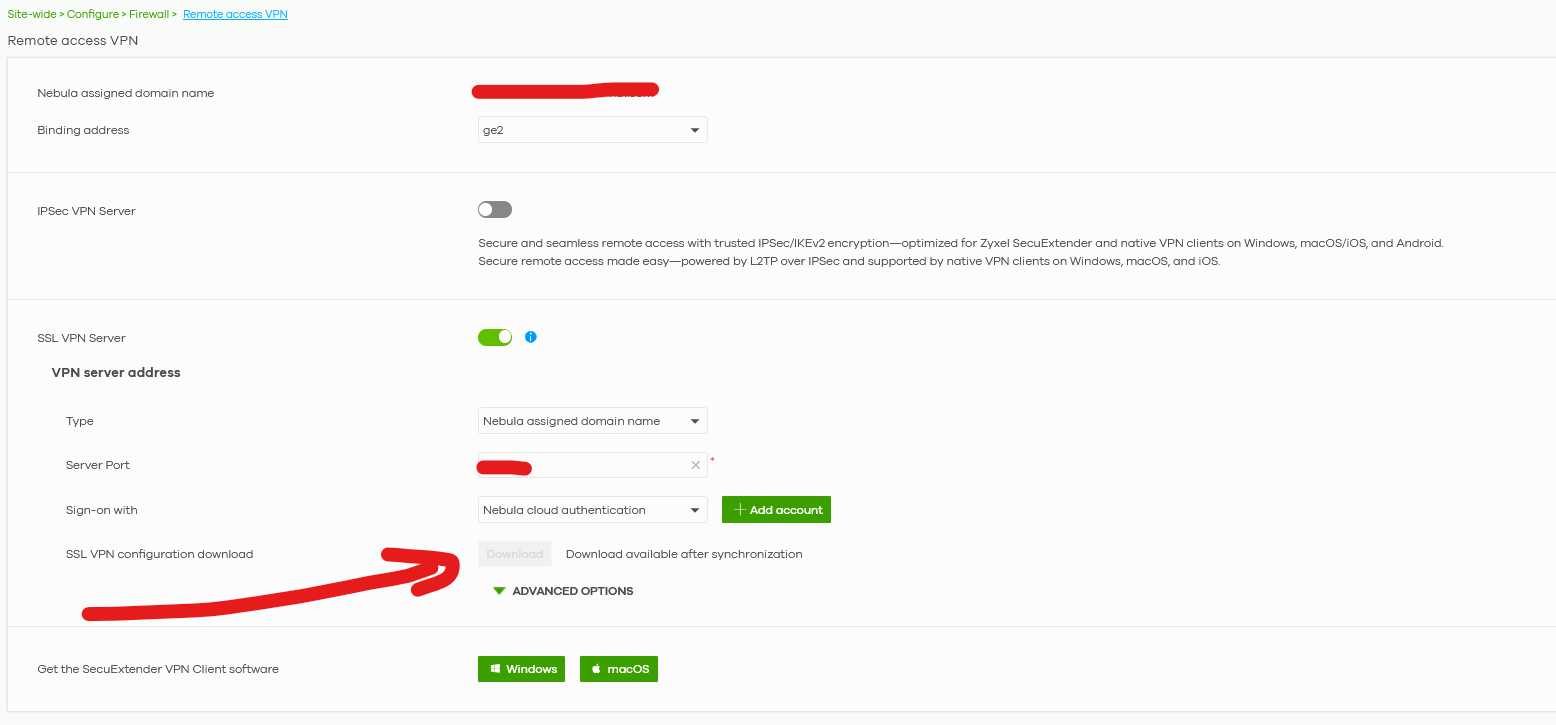
While I see it green On-Premise:
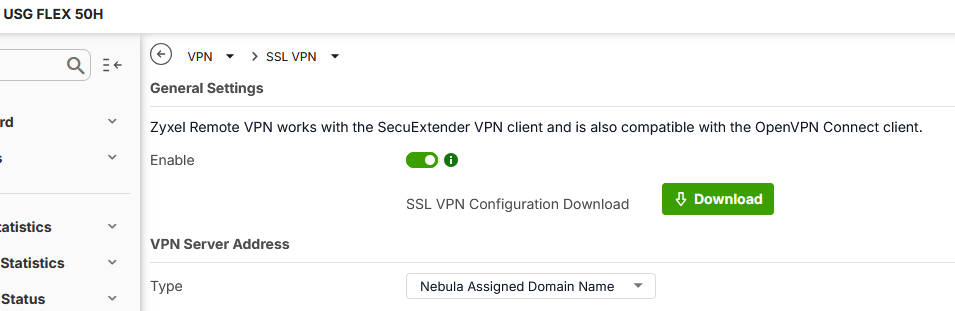
How is it possible?
Best Answers
-
Hi @GiuseppeR,
I've tested on my site and confirmed that right after setting up SSL VPN, the Download button is greyed out with the "Download available after synchronization" message (as you're seeing). It typically turns green shortly after the on-premise device syncs with the cloud.
For the button to enable:
- Ensure your Nebula device is online.
- Check Site-wide > Devices > Firewall and confirm Configuration status shows "Up to date."
If it's still unavailable after sync, please enable Zyxel Support Access and share the org/site name so we can check further.
Zyxel Tina
0 -
Hi @GiuseppeR,
Thank you for providing the info!
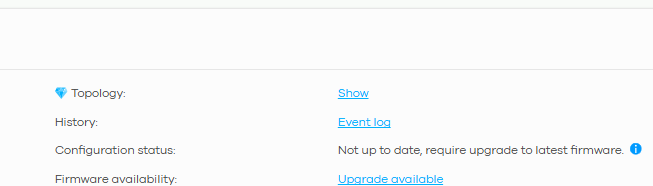
I've reviewed your device and confirmed its Configuration status is currently "Not up to date". Please go to Site-wide > Configure > Firmware management and click Upgrade Now to manually update the firmware for your firewall. Once the sync completes and the status shows "Up to date", the button should turn green and allow the download.
Zyxel Tina
0

 Zyxel Employee



All Replies
-
Hi @GiuseppeR,
I've tested on my site and confirmed that right after setting up SSL VPN, the Download button is greyed out with the "Download available after synchronization" message (as you're seeing). It typically turns green shortly after the on-premise device syncs with the cloud.
For the button to enable:
- Ensure your Nebula device is online.
- Check Site-wide > Devices > Firewall and confirm Configuration status shows "Up to date."
If it's still unavailable after sync, please enable Zyxel Support Access and share the org/site name so we can check further.
Zyxel Tina
0 -
Hi @Zyxel_Tina
it is still grey since the time when I shared this post. Sent you a PM with details.
0 -
Hi @GiuseppeR,
Thank you for providing the info!
I've reviewed your device and confirmed its Configuration status is currently "Not up to date". Please go to Site-wide > Configure > Firmware management and click Upgrade Now to manually update the firmware for your firewall. Once the sync completes and the status shows "Up to date", the button should turn green and allow the download.
Zyxel Tina
0 -
Hi @Zyxel_Tina
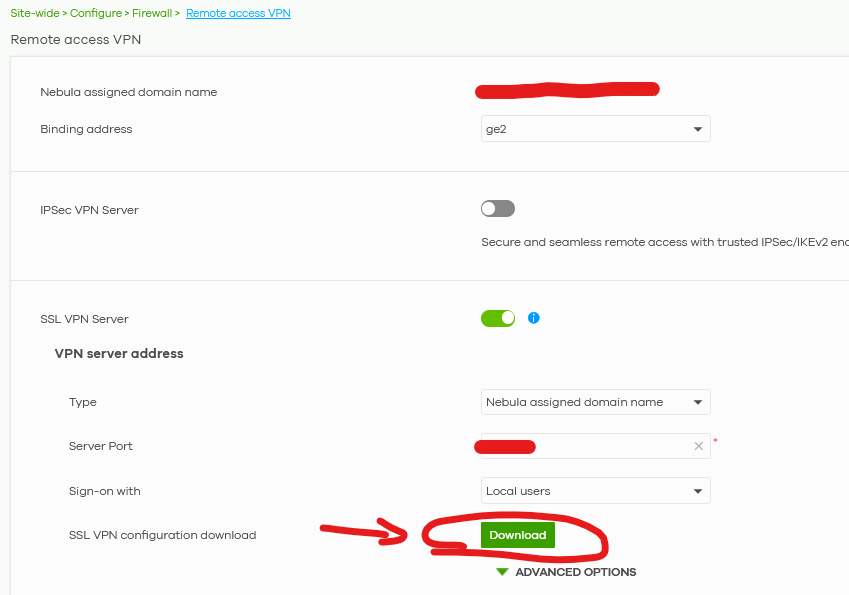
I can confirm that the firewall needed to be upgraded to 1.37 to let the button be clickable also on Nebula:
 0
0
Categories
- All Categories
- 442 Beta Program
- 3K Nebula
- 222 Nebula Ideas
- 129 Nebula Status and Incidents
- 6.5K Security
- 619 USG FLEX H Series
- 349 Security Ideas
- 1.7K Switch
- 84 Switch Ideas
- 1.4K Wireless
- 53 Wireless Ideas
- 7K Consumer Product
- 298 Service & License
- 486 News and Release
- 92 Security Advisories
- 31 Education Center
- 10 [Campaign] Zyxel Network Detective
- 4.8K FAQ
- 34 Documents
- 88 About Community
- 105 Security Highlight


