SSL-Inspection causes "Content Encoding Error"

 Freshman Member

Hello everyone,
We recently purchased a Zyxel USG Flex 100H, and most of the features are working well so far. However, we’ve run into an issue with SSL-Inspection.
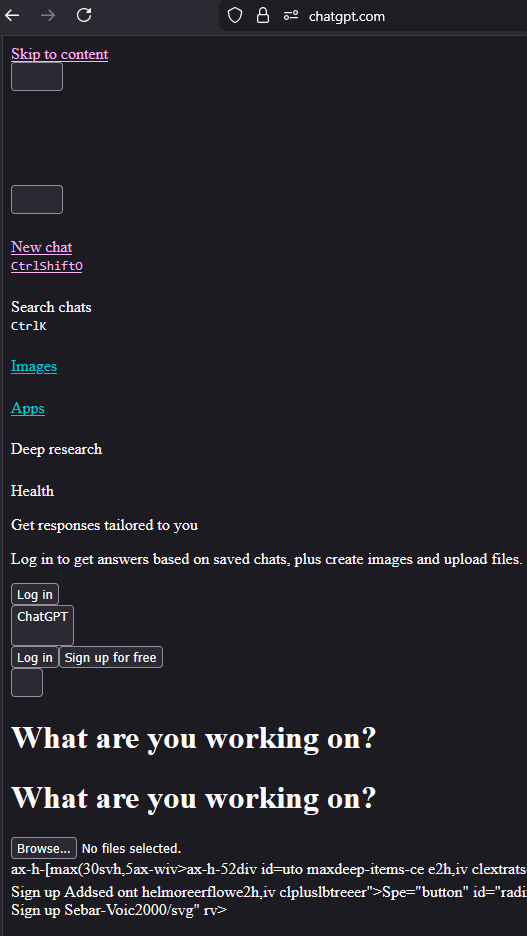
When SSL-Inspection is enabled, some websites (like YouTube) load normally, while others (like ChatGPT and Zyxel Support Forum) return a "Content Encoding Error" in Firefox. In a few cases, the page loads but the styling is completely broken. For example, ChatGPT loads like this:
Firefox then shows the "Content Encoding Error" when trying to ask a question. Also tried using other Browsers, but no luck there aswell.
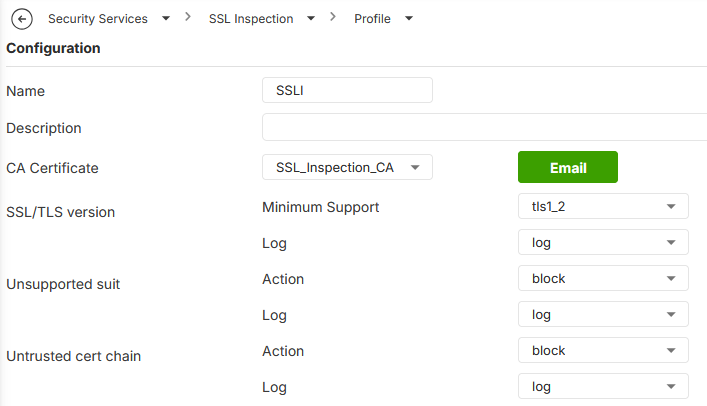
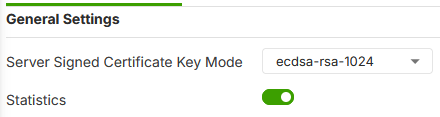
I’ve searched online for possible solutions but haven’t found anything helpful so far. I also tried adjusting various SSL-Inspection settings, but none of the changes resolved the issue. For reference, I’ve included screenshots of the current configuration.
SSL-Inspection gets applied to a policy, which only handles the HTTP and HTTPS traffic of end users.
Has anyone experienced something similar or knows what might be causing this? Any help would be greatly appreciated.
All Replies
-
Yes reported this many months back guess its still a problem not that I use it this was when I was testing when I had a License but I'm not sure if you need a License to use it? hope it gets fix for you
0 -
As far as I know, no license is needed for SSL-Inspection (we’re using the Gold Security Package).
Thanks for the reply though. I thought I was the only one having this issue, but good to know it’s not just me.
0 -
Hi @Mitz ,
Please assist us with the following two actions:
- Navigate to Security Services > SSL Inspection > Profile and set the Minimum Supported SSL/TLS Version to tls 1.0.
- Navigate to Security Service > SSL Inspection > Certificate Update and confirm that the Certificate Update reflects the version shown in the attached screenshot.
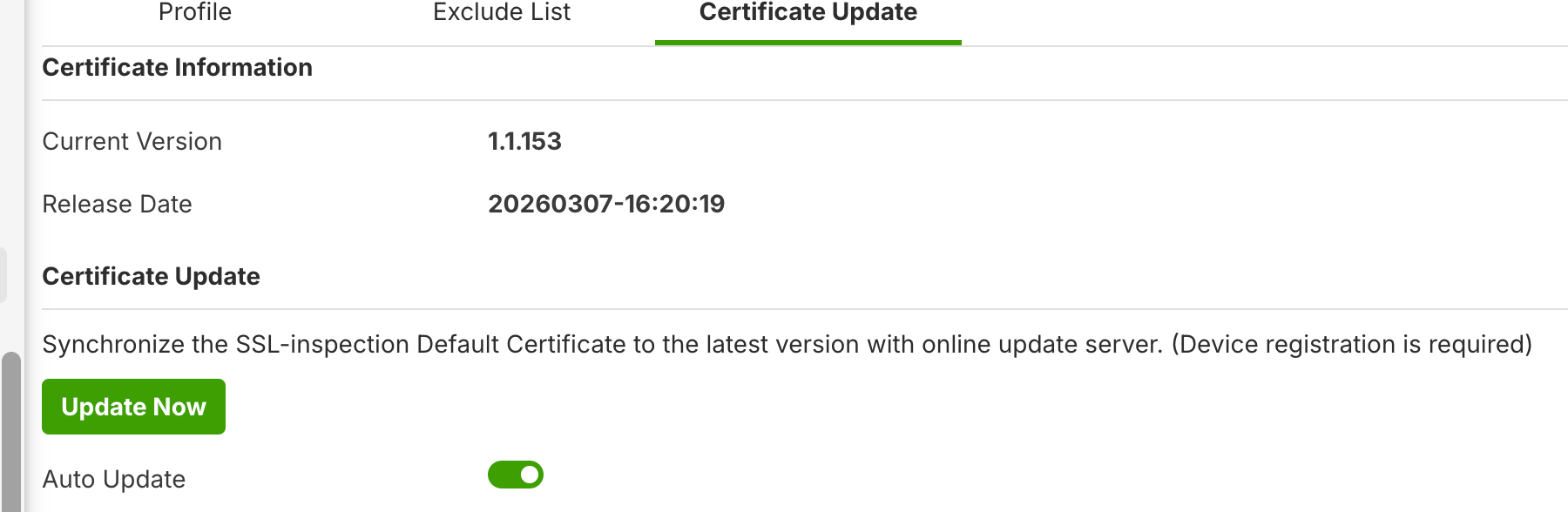
After completing both steps, if page load issues persist, please share your current configuration with us so we can investigate further.
Zyxel_Judy
 1
1 - Navigate to Security Services > SSL Inspection > Profile and set the Minimum Supported SSL/TLS Version to tls 1.0.
-
Hello @Zyxel_Judy,
apologies for the delayed response, I’ve had a busy few days.
I’m using a custom SSL certificate that I generated directly on the firewall, rather than the default one. I’ve set the SSL/TLS minimum version to 1.0, but the issue persists.
For the sake of thoroughness, I also tried using the default certificate and followed the steps you mentioned in your response, but that didn’t resolve the problem either.
Additionally, I performed a full reset of the firewall and only configured the SSL Inspection settings, but I’m still encountering the "Content Encoding Error." Given this, I’m not sure how much value my config file would add in troubleshooting.
0 -
Hi @Mitz ,
To better assist you, please download the configuration file and send it to us via private message by clicking on my account > Message.
Zyxel_Judy
0

 Guru Member



 Zyxel Employee



Categories
- All Categories
- 442 Beta Program
- 2.9K Nebula
- 221 Nebula Ideas
- 128 Nebula Status and Incidents
- 6.5K Security
- 609 USG FLEX H Series
- 347 Security Ideas
- 1.7K Switch
- 84 Switch Ideas
- 1.4K Wireless
- 53 Wireless Ideas
- 7K Consumer Product
- 299 Service & License
- 483 News and Release
- 92 Security Advisories
- 31 Education Center
- 10 [Campaign] Zyxel Network Detective
- 4.8K FAQ
- 34 Documents
- 88 About Community
- 105 Security Highlight