Possibily to disable local admins and log in everywhere with Nebula account




 Ally Member
Security idea: why is the local admin on firewalls still enabled after they are joined on Nebula?
Why not only allow to log in on Security appliances with Nebula account and maybelocal admin account as applied in site settings with password random generated per organization in Nebula?

I now always get warning to enable 2FA on my appliances, but if local admin would be disabled, it would be better.
Comments
-
To better discussing about this idea, please allow me to separate this to two part:
- Log in on Security appliances with Nebula account or site-wide admin with random password.
- Disable local admins.
Let me start part 2 first. If you are talking about H series (I think of course since USG FLEX/ATP series doesn't enable local admin when using Nebula mode), this is because H series not just allows to be configured on Nebula but also can be configured on local GUI. Since that, creating an admin account is available on local GUI. If you want to disable the default local admin account, you need to:
- Upgrade to V1.38.
- Create a new admin account.
- Access User & Authentication > User/Group > User > Local Administrator > edit admin.
- Disable it and save.
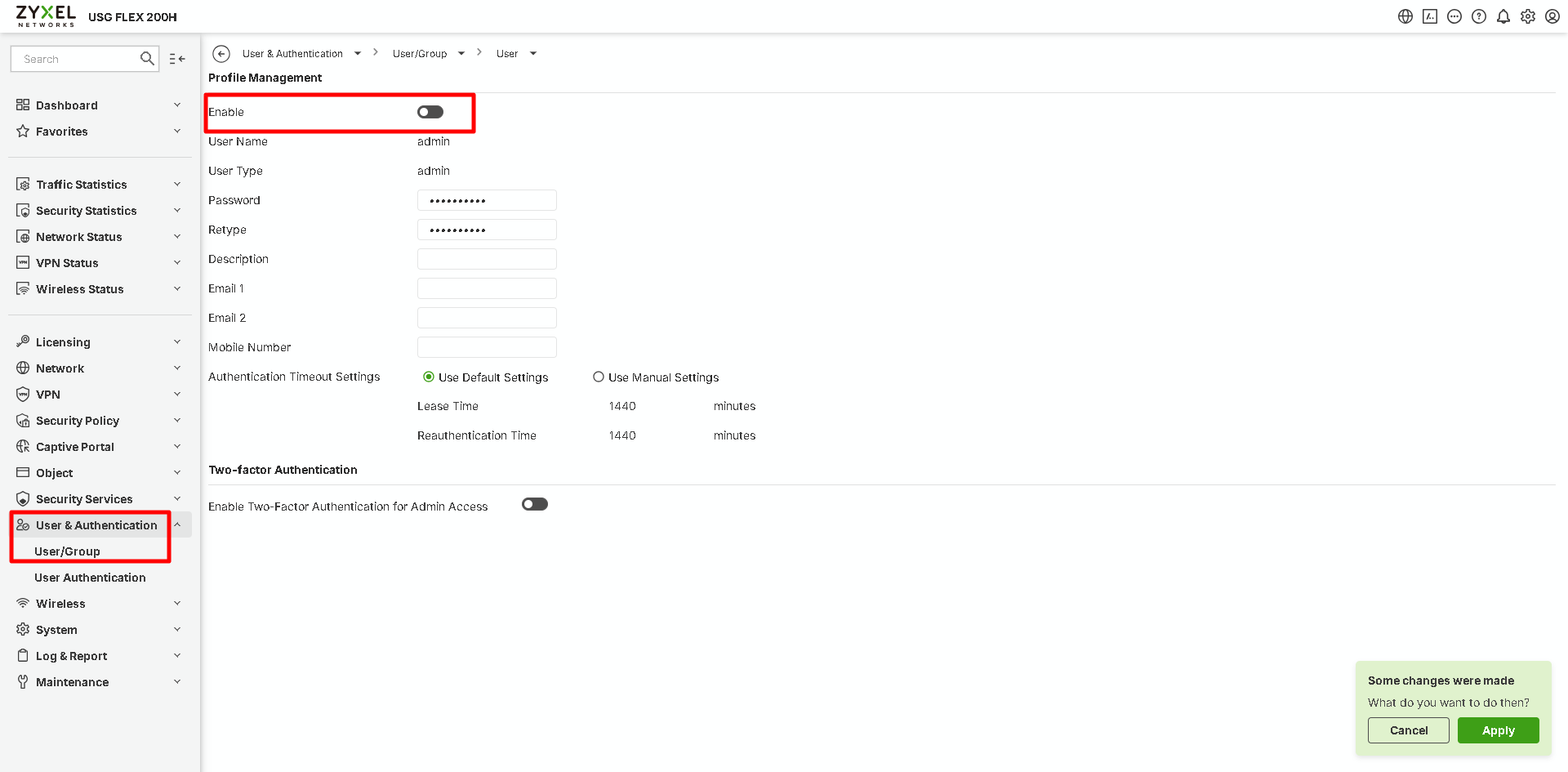
Additionally, if you select Nebula mode via start-up wizard, the local admin account will be applied in site settings with password random generated per site, which might match part 1 requirement.
Zyxel Melen0 -
Hello, thank you for your answer.
I always select Nebula mode via Start-up wizard, but afterwards I load in my custom ROM and then it uses the password I used in the previous ROM. I think I created that ROM with a Firewall default set up in Nebula Mode.
Is there a possibility to use Method 2 on a running firewall?
0 -
Thanks for sharing your use case!
May I know the
Method 2means the disabled default admin method that I mentioned?Zyxel Melen0 -
Yes I mean to disable the default admin. If I disable it, I get this message:
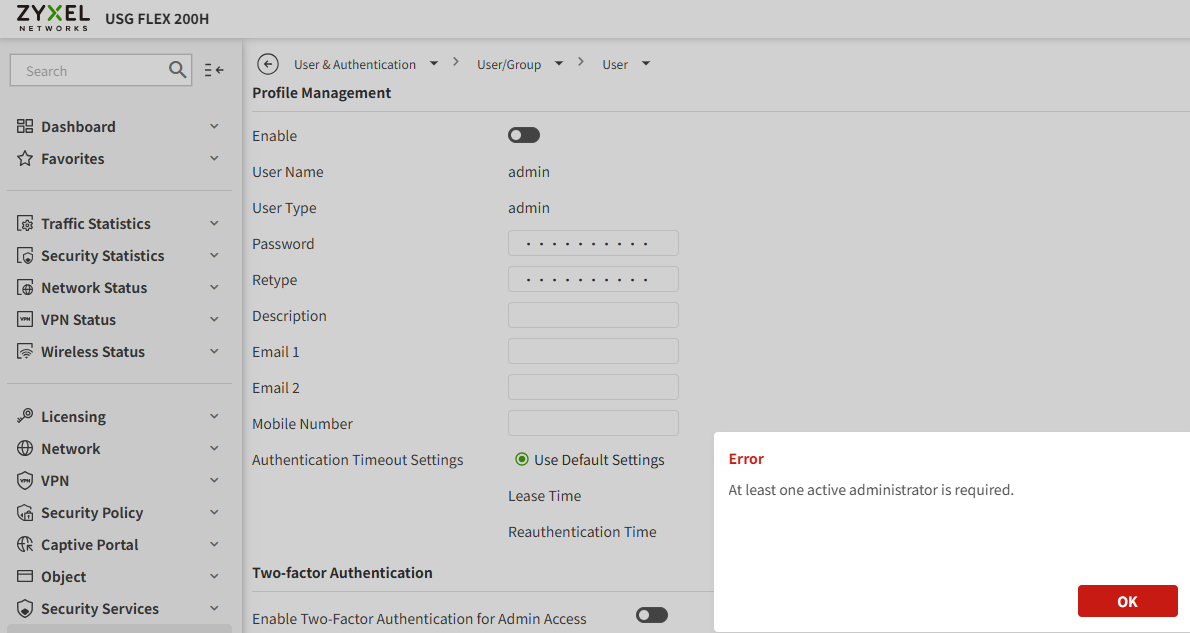
I only want to be able for example the "support" user locally with this random generated password per organization/site(I have 60 organizations):
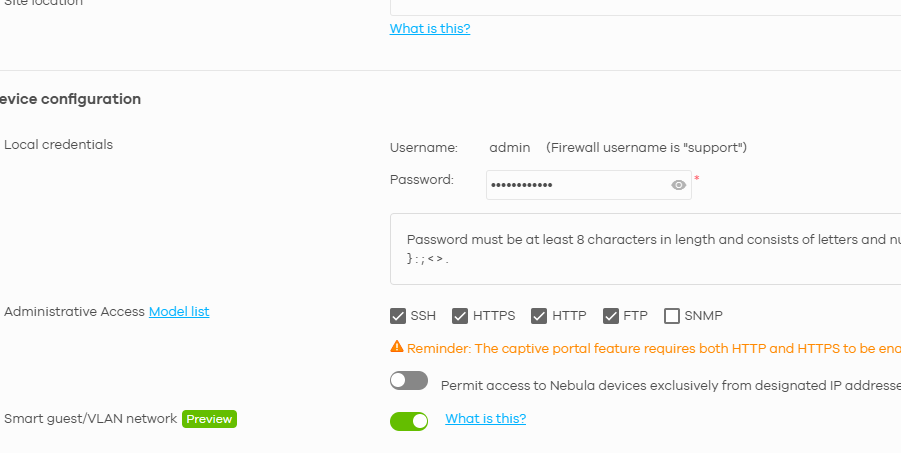
On Access Points I can use this password, but on firewall I get with both user support and admin, and the use of the Nebula password, a "Login denied"
0




 Zyxel Employee
Categories
- All Categories
- 442 Beta Program
- 3.1K Nebula
- 242 Nebula Ideas
- 6.8K Security
- 777 USG FLEX H Series
- 387 Security Ideas
- 1.8K Switch
- 87 Switch Ideas
- 1.5K Wireless
- 58 Wireless Ideas
- 7.2K Consumer Product
- 324 Service & License
- 526 News and Release
- 101 Security Advisories
- 31 Education Center
- 10 [Campaign] Zyxel Network Detective
- 5.3K FAQ
- 34 Documents
- 91 About Community
- 121 Security Highlight


