issues with XS1930-10 since updating firmware



 Freshman Member
I recently updated the firmware for my xs-1930-10.
which now shows
Boot Version | ZyNOS F/W Version |
|---|---|
V1.00 | 08/26/2019 | V4.80(ABQE.5) | 05/22/2026 |
ever since doing this my wifi clients keep getting blocked from accessing the web configurator - almost if they are being blocked by the switch…it works brifey then stops working.
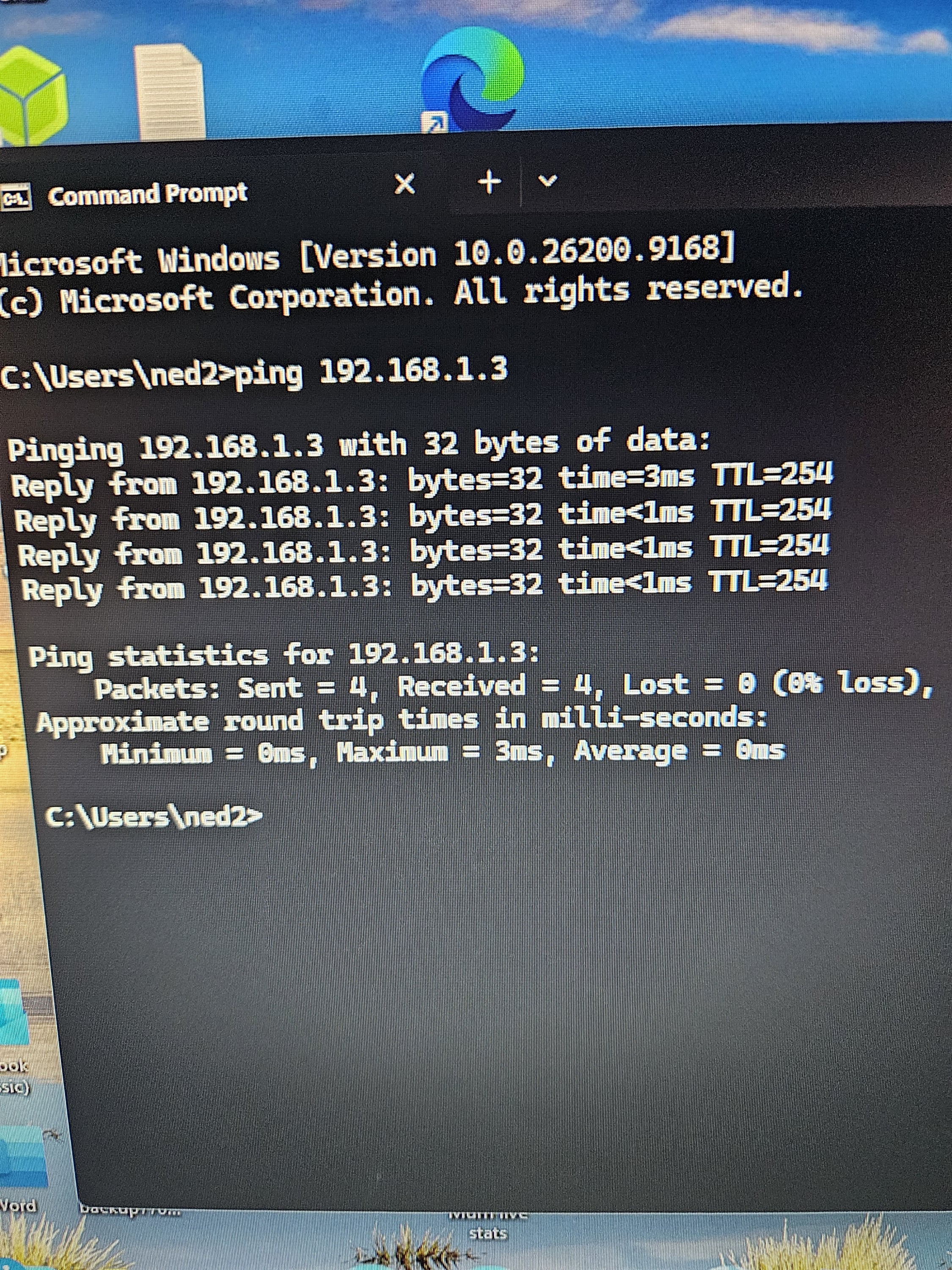
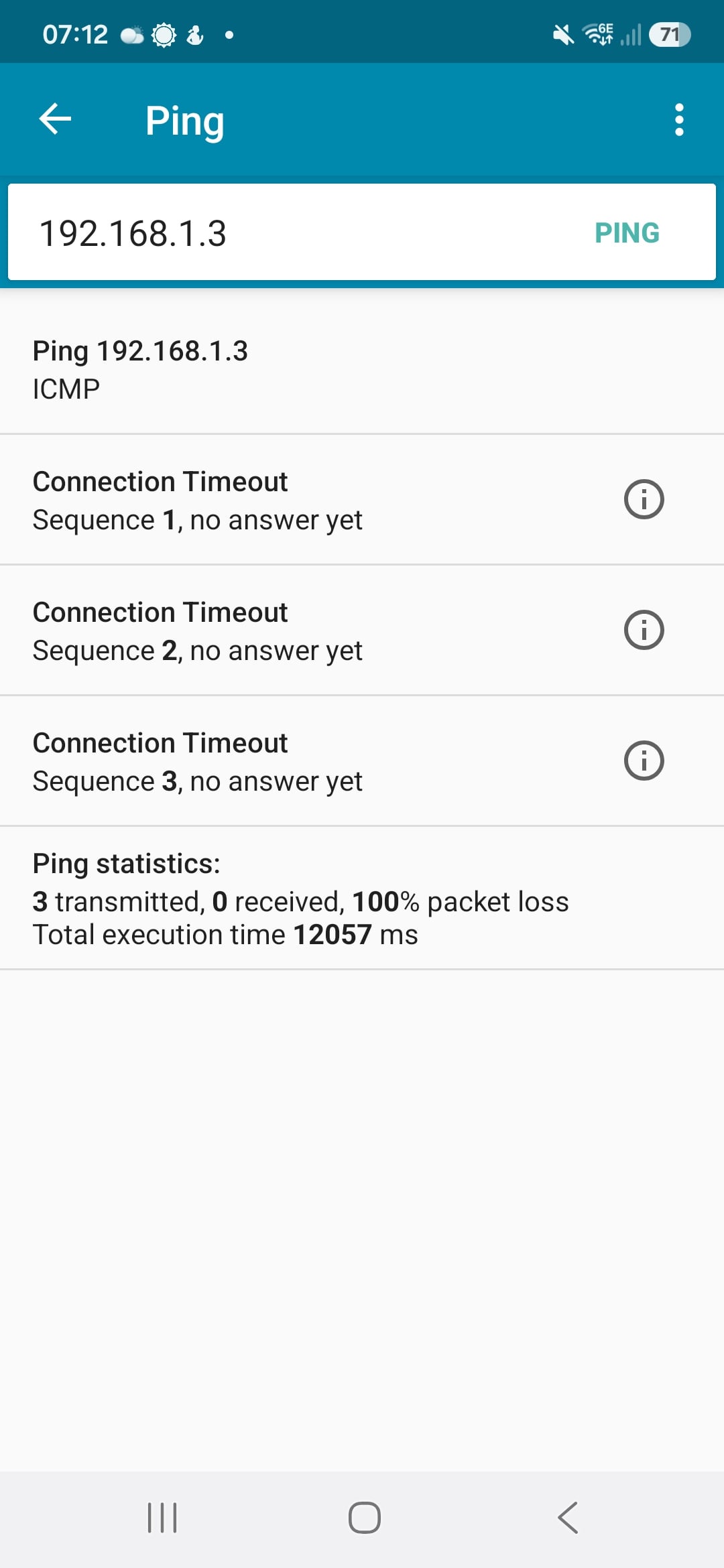
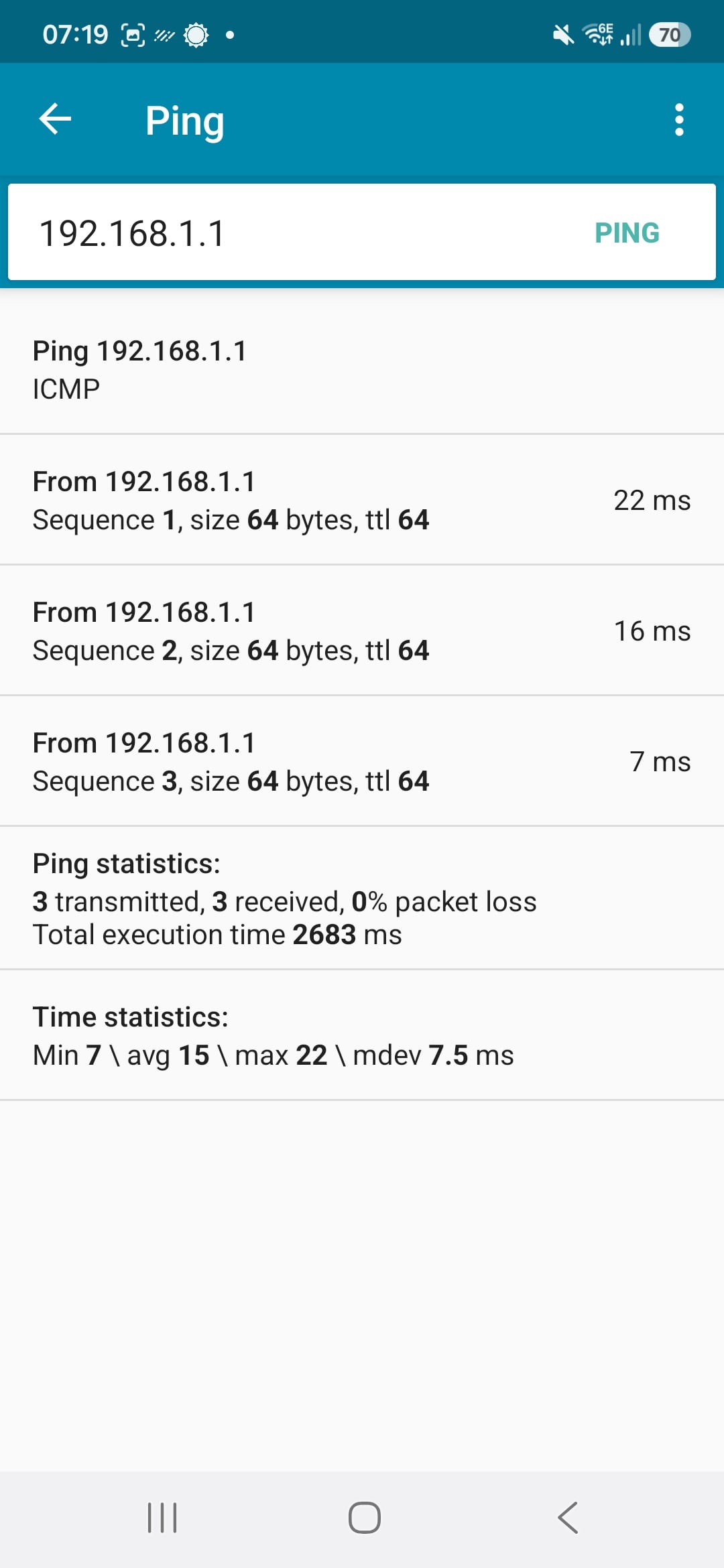
I cant ping the switch from my phone yet I can ping it from a pc and I can ping my vyos router from my phone no problem.
I have tried a couple of browsers on the phone (s23) and that doesnt work. However the nebula app does work even though I cant get access via the http method.
Any ideas whats going on?
Thanks
pc ping to switch all good
phone to switch = fail
phone to vyos router all good
All Replies
-
Hi @Skyeci26
It seems like your XS1930 is registered on Nebula. Please help to check your site-wide setting > Device configuration > Administrative Access.
If you disable HTTP(s) access, you will not able to access the device's web GUI. Please enable it first.
Zyxel Melen0 -
hi - I have checked and I dont see that menu or option anywhere
0 -
Hi @Skyeci26
If you didn't change these settings in site-wide > Configure > Site settings > Device configuration > Administrative Access,
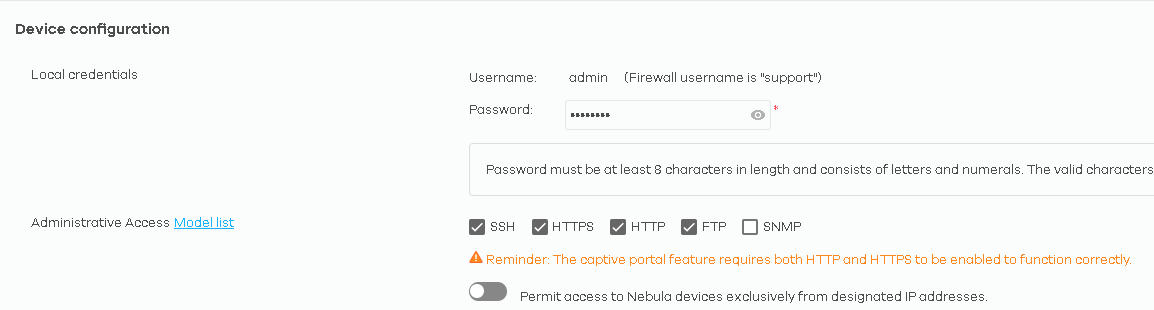
then the issue could be:
- IP incorrect. Please check your switch's management IP again.
- IP conflict. IP conflict could cause you can ping to this IP, but you can't access to its web GUI since the target is not correct (due to incorrect arp info). Please check the arp table (arp -a for windows) on your PC when you failed accessing the switch. Compare if the MAC address matches your switch's MAC address.
Hope this helps.
Zyxel Melen0 -
I did a full restore earlier. The device did come back so for good measure changed the internal ip address. I had access then it changed back by itself to the original ip! which was nothing to do with me. Did another restore/reset and changed the ip address again. This time its held the ip but making changes in the http configuration makes it unresponsive. After a while it comes back.
The unit has been fine with no changes for 2 years until I updated the firmware. Is it possible I can roll back to the previous version as this version is causing me issues.
Thanks
0 -
Hi @Skyeci26
You can roll back by uploading the previous firmware via ZON or FTP.
Reference FAQ:
Upgrade firmware via ZON:
Upgrade firmware via FTP:
However, this issue should not related with the firmware. Could you share what IP you can access and what IP you couldn't? With the IP address information you changed will help to investigate this issue.
Zyxel Melen0





 Zyxel Employee
Categories
- All Categories
- 442 Beta Program
- 3.1K Nebula
- 243 Nebula Ideas
- 6.8K Security
- 783 USG FLEX H Series
- 389 Security Ideas
- 1.8K Switch
- 87 Switch Ideas
- 1.5K Wireless
- 58 Wireless Ideas
- 7.2K Consumer Product
- 325 Service & License
- 527 News and Release
- 101 Security Advisories
- 31 Education Center
- 10 [Campaign] Zyxel Network Detective
- 5.3K FAQ
- 34 Documents
- 91 About Community
- 122 Security Highlight


