[USG Flex 500H] - New firmware 1.40 and port P2 DEAD
All Replies
-
I don't know; I don't never applied the .ri boot code.
Anyway the firmware update was successfully applied, the FW reboot normally.Then I discovered that the port was broken and revert to the old configuration using the standby partition (that it was used until the firmware upgrade —> 1.39 uOS).
Also in this case, the port P2 not working.
From this, I've tried to reset the configuration, so the FW reboot on 1.39 with the default config, but also in this case nothing to do.
Now, I've re-enabled the partition with 1.40 uOS.
0 -
Hi @Maverick87,
Please refer to the FAQ below to enable Zyxel Support Access:
[Nebula] How to turn on Zyxel Support Access? — Zyxel Community
Once enabled, please provide your Organization and Site name so we can further investigate and clarify the issue for you. Thank you for your cooperation.
0 -
Hi @Zyxel_Luna,
I've enabled it until 2026-11-10.Org: MyHouse
Site: MyHomeI've just raise a ticket: https://mysupport.zyxel.com/hc/en-us/requests/600312
Thank you
0 -
Hi @Maverick87,
We have forwarded the issue to the relevant team.
Currently, they have not been able to reproduce the issue/behavior you encountered.
We will continue to monitor this case and will update you if we have a further solution.
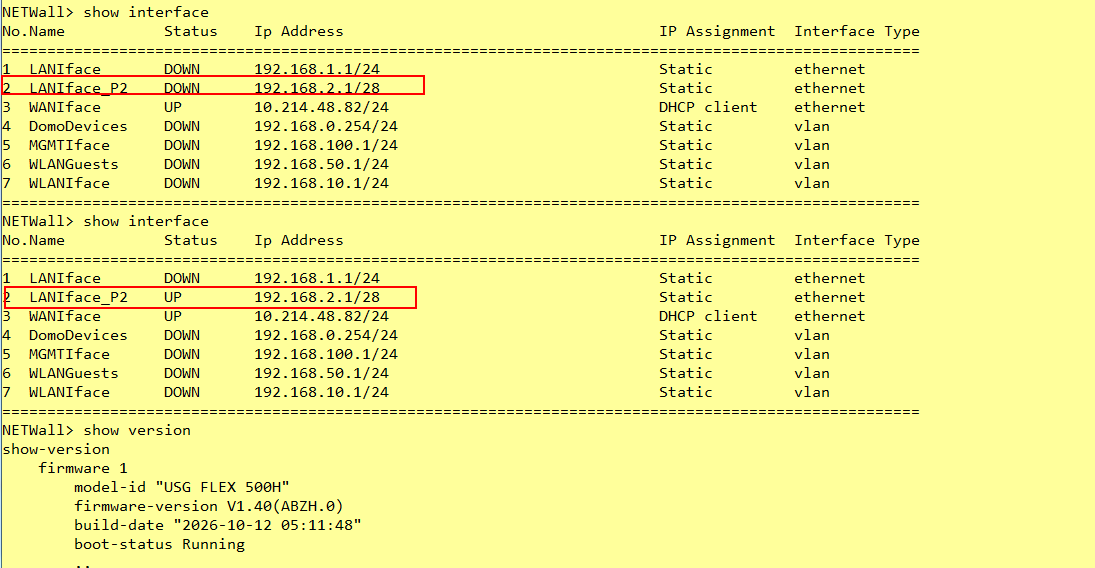
Zyxel Tina
0 -
Hi @Zyxel_Tina,
???On Nebula, I see now the port down
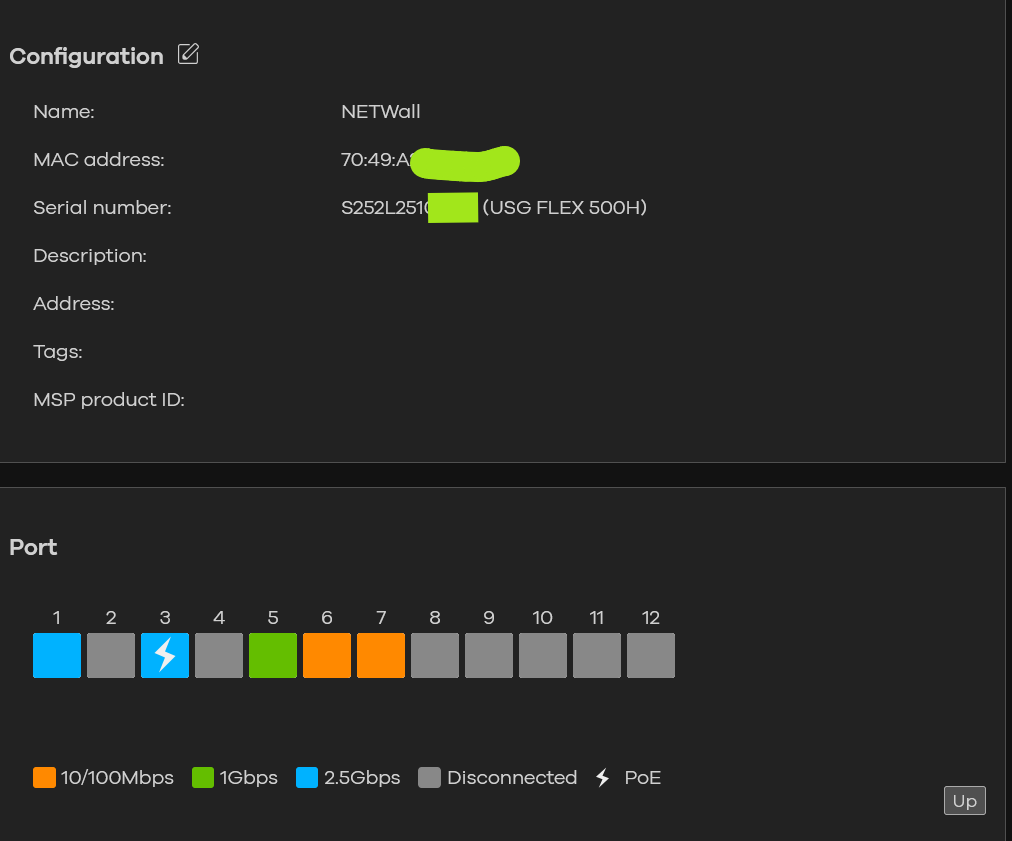
And also from the device:
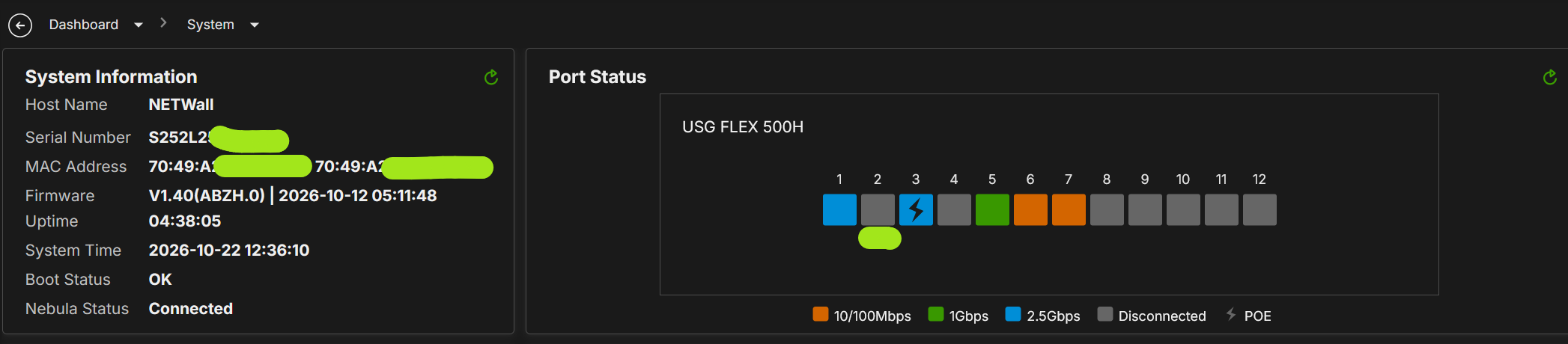
How is possible that you see the port up&running?
Also, I confirm that at the moment, the port P2 is connected to a switch that is up&running
0





 Master Member



 Zyxel Employee



Categories
- All Categories
- 442 Beta Program
- 3.1K Nebula
- 243 Nebula Ideas
- 6.8K Security
- 783 USG FLEX H Series
- 389 Security Ideas
- 1.8K Switch
- 87 Switch Ideas
- 1.5K Wireless
- 58 Wireless Ideas
- 7.2K Consumer Product
- 325 Service & License
- 527 News and Release
- 101 Security Advisories
- 31 Education Center
- 10 [Campaign] Zyxel Network Detective
- 5.3K FAQ
- 34 Documents
- 91 About Community
- 122 Security Highlight


