FWA505 needs reboot every night


 Freshman Member
I recently purchased a Zyxel FWA505, and while it works well most of the time, it loses its internet connection every night. In the morning, the router is still powered on, but no devices have internet access until I manually restart the router.
This is quite problematic since my surveillance system and several smart home functions depend on a stable connection.
I have already:
- Updated to the latest firmware (V1.19(ACKO.0)C0)
- Tested with and without SIM PIN
- Verified that the 4G/5G signal is stable in the area
What setting can I try, because this is driving me creazy
Accepted Solution
-
Hi @Baloudk
The help button is on the Nebula control center, not the FWA505's local GUI.😅
You may check this video guide to turn on Zyxel support access.
Zyxel Melen0





 Zyxel Employee
All Replies
-
Hi @Baloudk
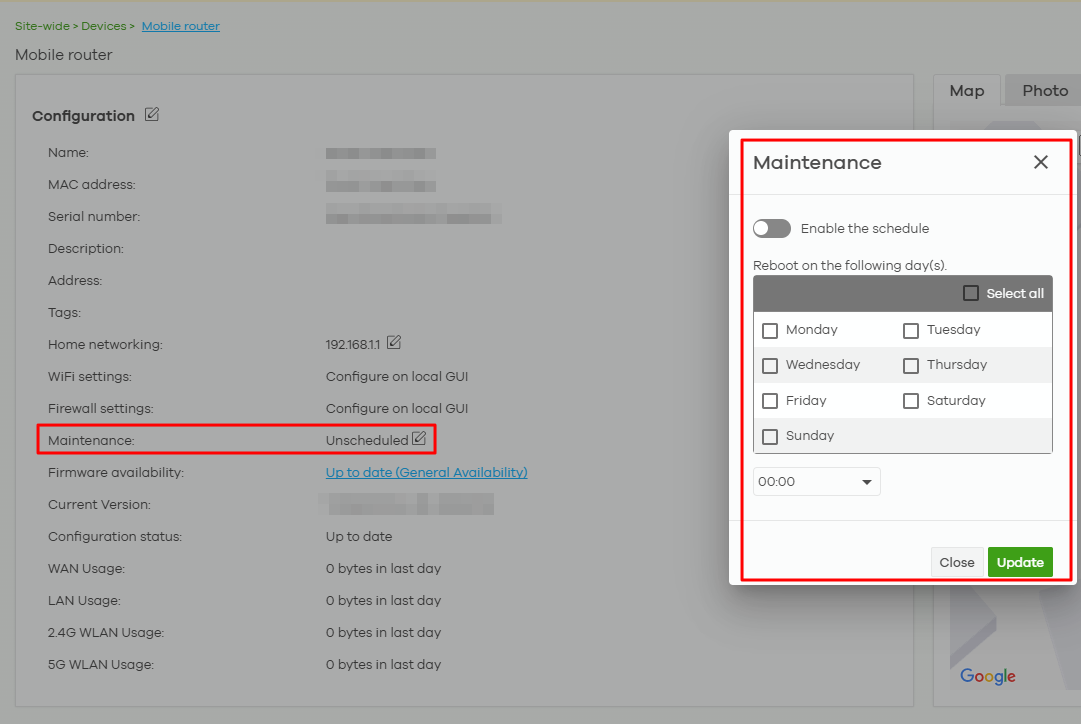
Could you enable Zyxel support access so we can access to your FWA505 to check this issue? And since this will take some time to monitor, we suggest setting the schedule reboot to ensure your device have internet access in the morning.
Enable Zyxel support access:
Schedule reboot:
Please navigate to Site-wide > Device > Mobile router to configure maintenance setting.
 Zyxel Melen0
 -
Hi Melen
Thanks for answer.
I can't find the "Please navigate to Site-wide > Device > Mobile router to configure maintenance setting."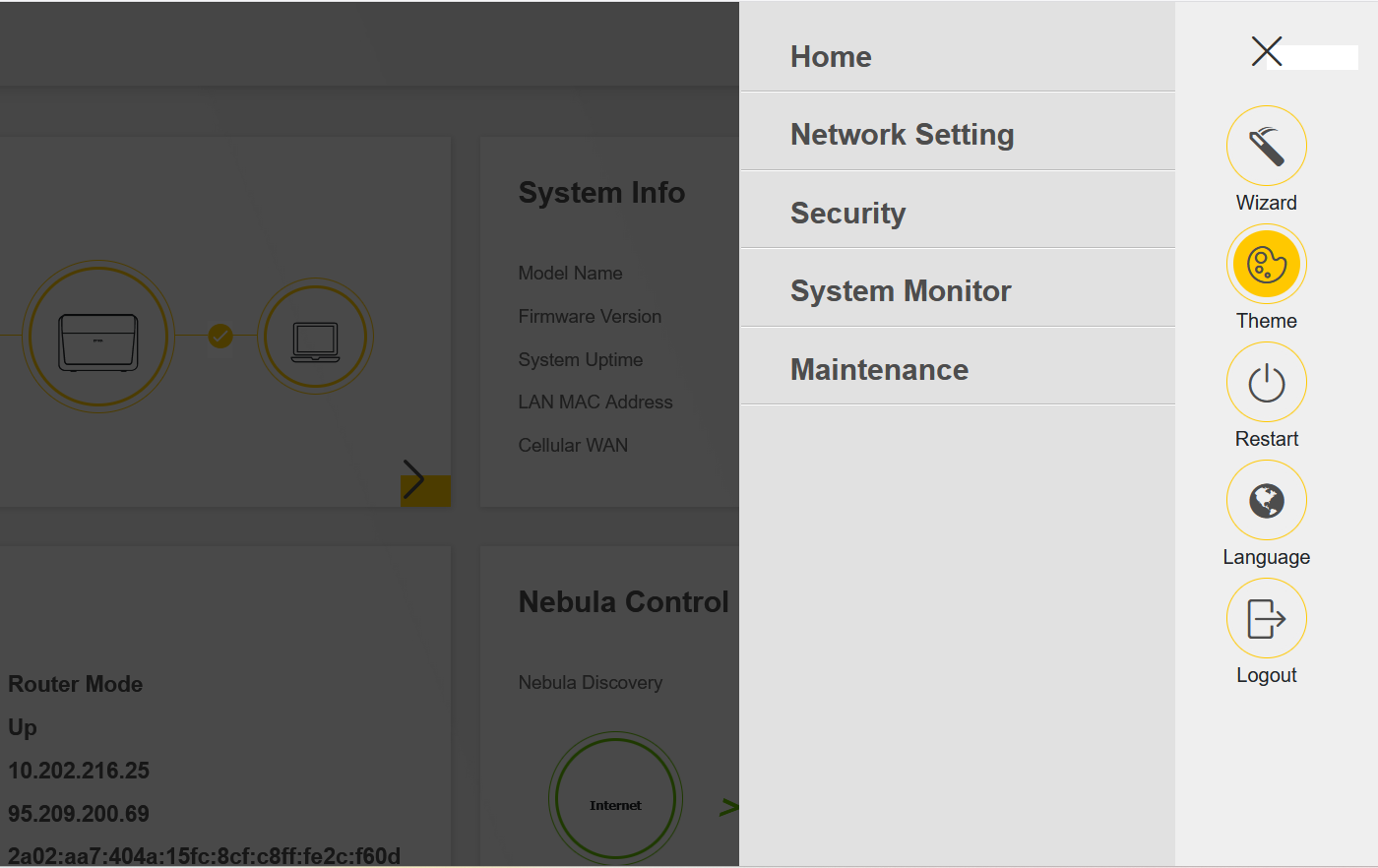
I also noticed that if I use only 4G, the router doesn’t lose signal. However, when I run a speed test, the internet speed is around 50–60 Mbps.
If I switch to NR5G Auto, the speed increases to about 200 Mbps, but then the connection sometimes drops during the night.
So right now, the setting that works best is 4G — it provides a stable internet connection, although not as fast.
Where do I find the - Invite Zyxel support as administrator - I Can't find the questions mark on the router to invite support.0 -
Hi @Baloudk
Thanks for your update. May I know your ISP info? It could help us to investigate the 5G disconnect at night.
I can't find the "Please navigate to Site-wide > Device > Mobile router to configure maintenance setting."
This path is on Nebula control center, not the device local GUI.
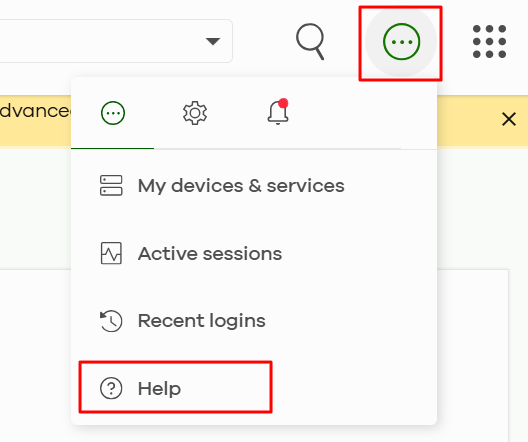
Where do I find the - Invite Zyxel support as administrator - I Can't find the questions mark on the router to invite support.
Please help to follow the below screenshot to find the help button.
 Zyxel Melen0
 -
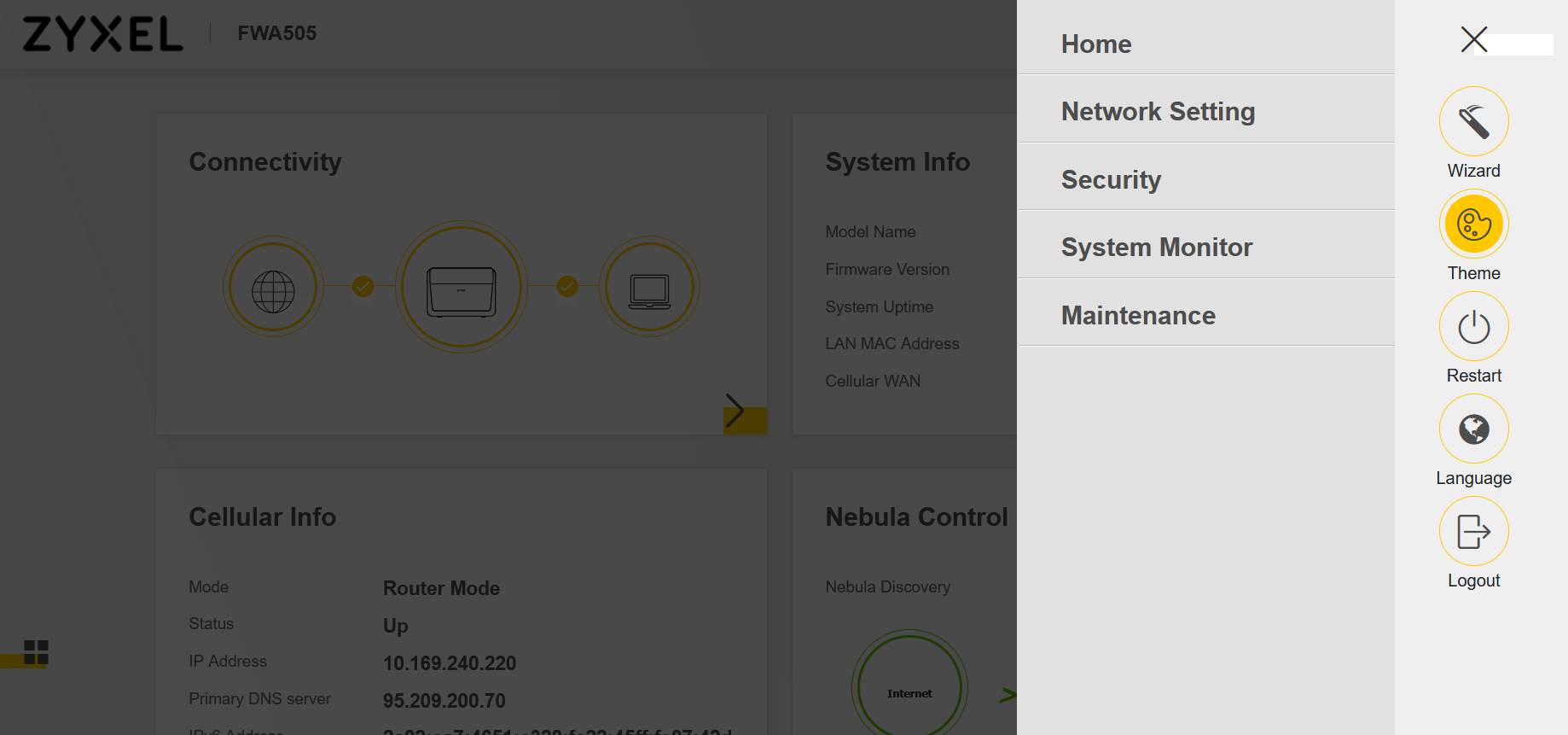
I am sorry, I can't find any place where the help button is. Please look at may attache file and tell me where to go to enable you to login in the router.
We use ISP: Oister that is a part of 30 -
Hi @Baloudk
I noticed that your FWA505 didn't register to Nebula. The setting path on device's GUI is "Maintenance > Reboot > Schedule Reboot".
However, to access your FWA505, we will need to use a function "Remote configurator" which is a Nebula live tool function (Free function). If you need our help to monitor the device and its logs, please help to register the FWA505 to Nebula and enable the Zyxel support access. Thanks.
- Create organization and register your FWA505.
- Enable Zyxel support access.
Zyxel Melen0 -
Hi
I have connected it to Nebula.But the "Help" button stills does not come on.
Is is possible to call you, so you can guide me?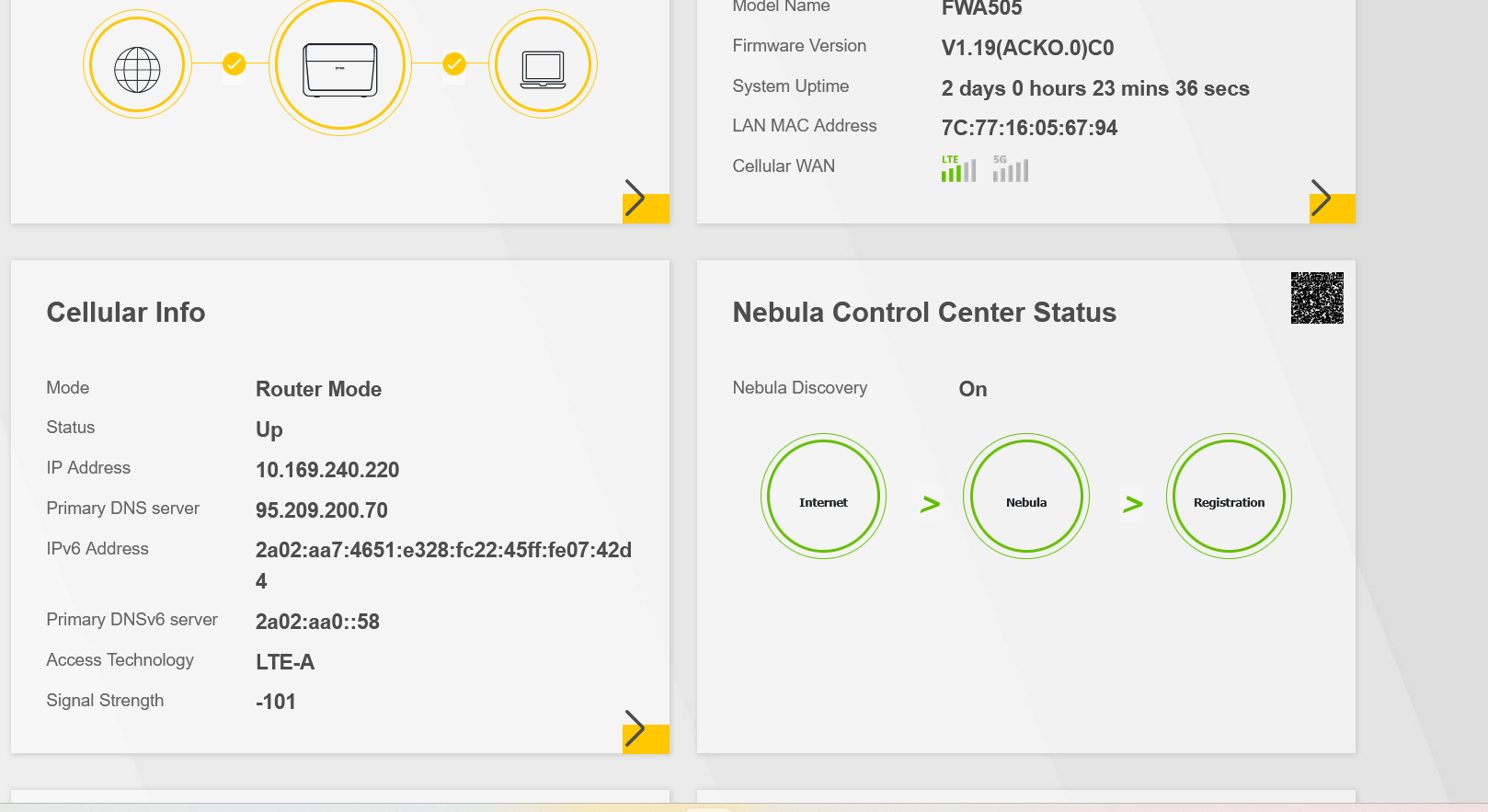 0
0 -
Hi @Baloudk
The help button is on the Nebula control center, not the FWA505's local GUI.😅
You may check this video guide to turn on Zyxel support access.
Zyxel Melen0 -
I have the same issue with only stable connection on 4G on FWA501 did you get it fixed somehow
0 -
Hi @mike79
Could you describe more details about your issue? And which model is you using? We don't have a mobile router model call "FWA 501".
If the mobile router can connect to 5G, but after specific time, it disconnected, you need to check:
- Is the 5G signal strength good? If the signal strength is poor, the mobile router will change to 4G to have stable connection.
- If it happens every night, you can try schedule reboot to ensure it connect to 5G every morning.
Set on Nebula (Recommended):
Set on device's GUI:
Path is Maintenance > Reboot > Schedule Reboot.
Zyxel Melen0

Categories
- All Categories
- 442 Beta Program
- 3.1K Nebula
- 243 Nebula Ideas
- 6.8K Security
- 781 USG FLEX H Series
- 387 Security Ideas
- 1.8K Switch
- 87 Switch Ideas
- 1.5K Wireless
- 58 Wireless Ideas
- 7.2K Consumer Product
- 324 Service & License
- 527 News and Release
- 101 Security Advisories
- 31 Education Center
- 10 [Campaign] Zyxel Network Detective
- 5.3K FAQ
- 34 Documents
- 91 About Community
- 121 Security Highlight
