Remote-AP function disabled despite correct license/hardware


 Freshman Member
Dear community,
I'm currently experiencing issues setting up remote APs. All access points are registered in Nebula and part of the same Nebula site.
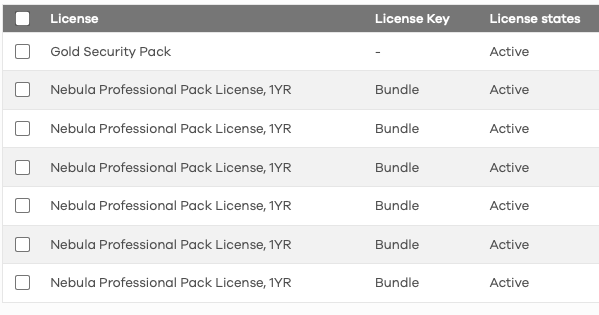
I have purchased the Gold Security Pack license, which includes Secure WiFi.
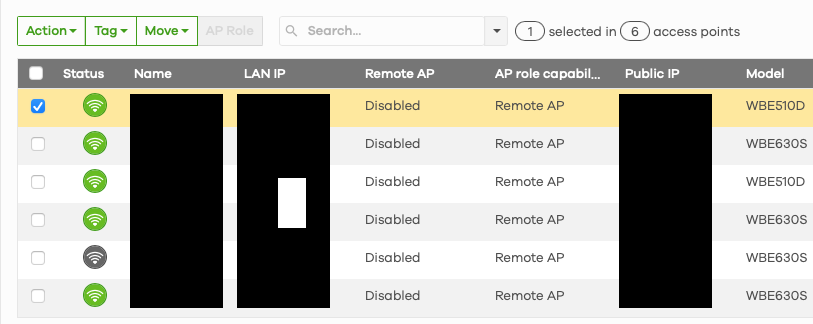
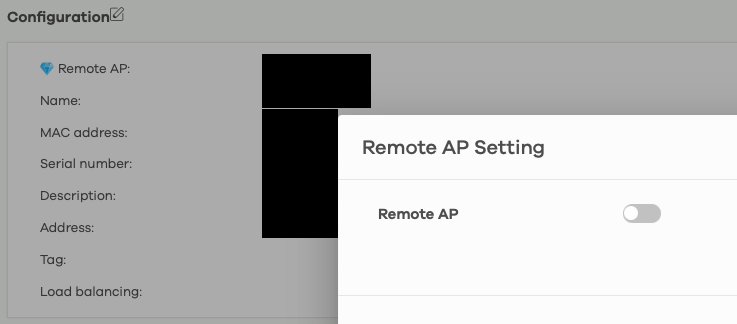
The Remote-AP capability is shown in the AP overview, however the function cannot be activated.
I'd greatly appreciate any ideas as how to resolve this issue. Screenshots attached.
Thank you so much!
All Replies
-
Hi @AHamers,
Welcome to the Zyxel Community!
Based on your screenshots and the symptoms described, the "Remote AP" toggle is likely disabled because certain prerequisite configurations or hardware requirements are not yet met in your Nebula site.
To help resolve this, please first share your firewall model. Then, check the following:
- Gateway Requirement: Remote AP (Secure WiFi) requires a compatible Zyxel Security Gateway (e.g., USG FLEX or ATP series) registered in the same Nebula site as your access points. The gateway serves as the VPN concentrator for the secure tunnel. Confirm if one is present and active in this site.
- License Assignment: Your screenshot shows an active Gold Security Pack, but ensure it's correctly assigned to the gateway in that site. Secure WiFi/Remote AP is a firewall-hosted service that APs connect to.
- Support Access: Enable Zyxel Support Access and provide your Organization and Site name for us to investigate.
Zyxel Tina
0 -
Thank you so much for the welcome and your follow up on the issue.
The firewall model is USG Flex 100 H, sorry that I went a bit overboard with the redacting of the screenshots.
All devices are within the same Nebula site.
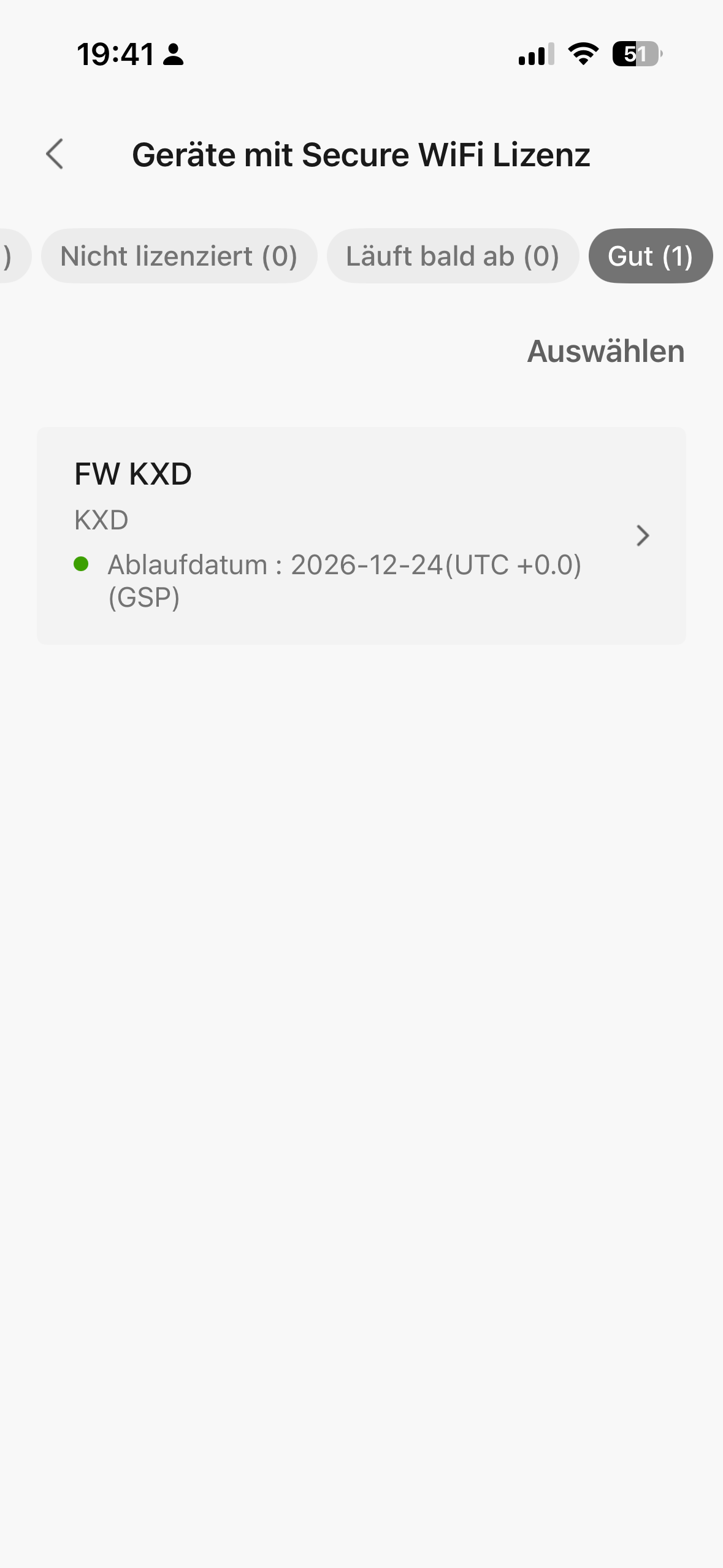
Please find attached a screenshot of the (hopefully correctly assigned) Secure WiFi license.
I’ll update this post once I’ve activated the remote support settings.
Kind regards!
0 -
Hi @AHamers,
Thank you for the information!
Please be aware that the issue you're encountering is due to an unsupported feature on USG FLEX H firewalls.
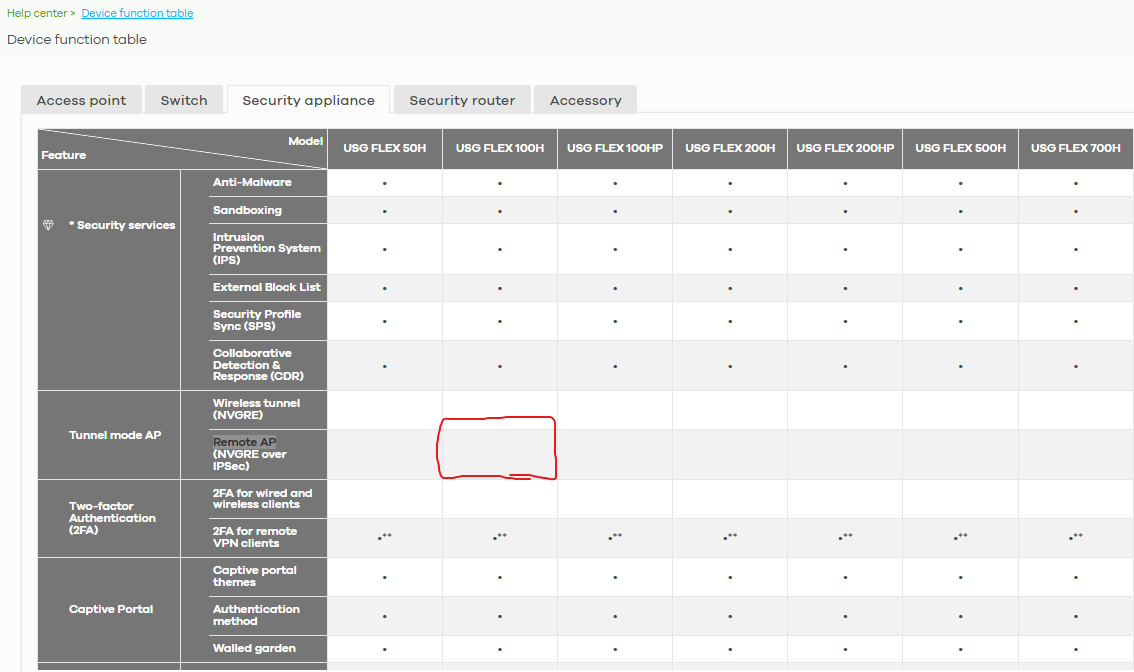
Could you please share the purpose for enabling/using remote AP functionality? This will help us better understand your scenario and usage.
Zyxel Tina
0 -
Hi Tina,
thanks for getting back to me so quickly. We plan to use the remote APs in two remote locations across Europe which need permanent access to the main site. Currently this is solved via VPN access on every device.
We were advised by a Zyxel representative to buy the hardware mentioned after having outlined our use case before switching to Zyxel products.
Best regards!
0 -
Hi @AHamers,
Thank you for your feedback!
Regarding your requirement for remote AP functionality on USG FLEX H‑series firewalls, we confirm that this feature is already included in our product roadmap. It is planned to be supported in a future firmware release within the next year.
Please stay tuned to our News & Release section when the firmware becomes available.
We appreciate your understanding and patience!
Zyxel Tina
0





 Zyxel Employee
Categories
- All Categories
- 442 Beta Program
- 3.1K Nebula
- 241 Nebula Ideas
- 6.8K Security
- 755 USG FLEX H Series
- 379 Security Ideas
- 1.8K Switch
- 87 Switch Ideas
- 1.5K Wireless
- 58 Wireless Ideas
- 7.2K Consumer Product
- 320 Service & License
- 512 News and Release
- 99 Security Advisories
- 31 Education Center
- 10 [Campaign] Zyxel Network Detective
- 5.3K FAQ
- 34 Documents
- 90 About Community
- 119 Security Highlight


