How to assign licenses to a device in device tab?
Options

Zyxel_Melen
Posts: 5,174




 Zyxel Employee
Zyxel Employee
Nebula user can assign Nebula licenses in the device or license tab. These two pages have a little difference. This FAQ will guide you on assigning licenses to a device in the device tab.
Make sure you have unused license

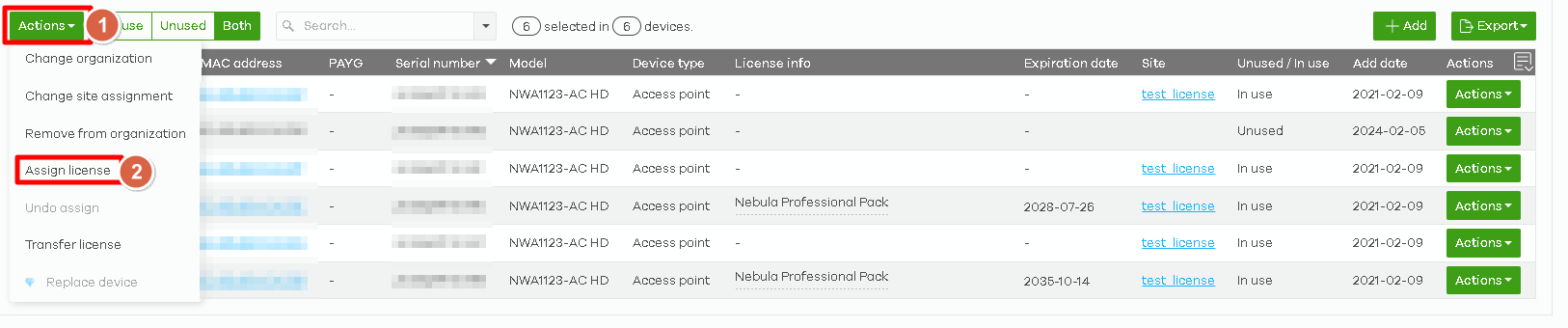
Navigate to the device tab. Click the action button on the device and then click the assign license.

If you have many devices, select the devices you want to assign and click "Action" > "Assign license".
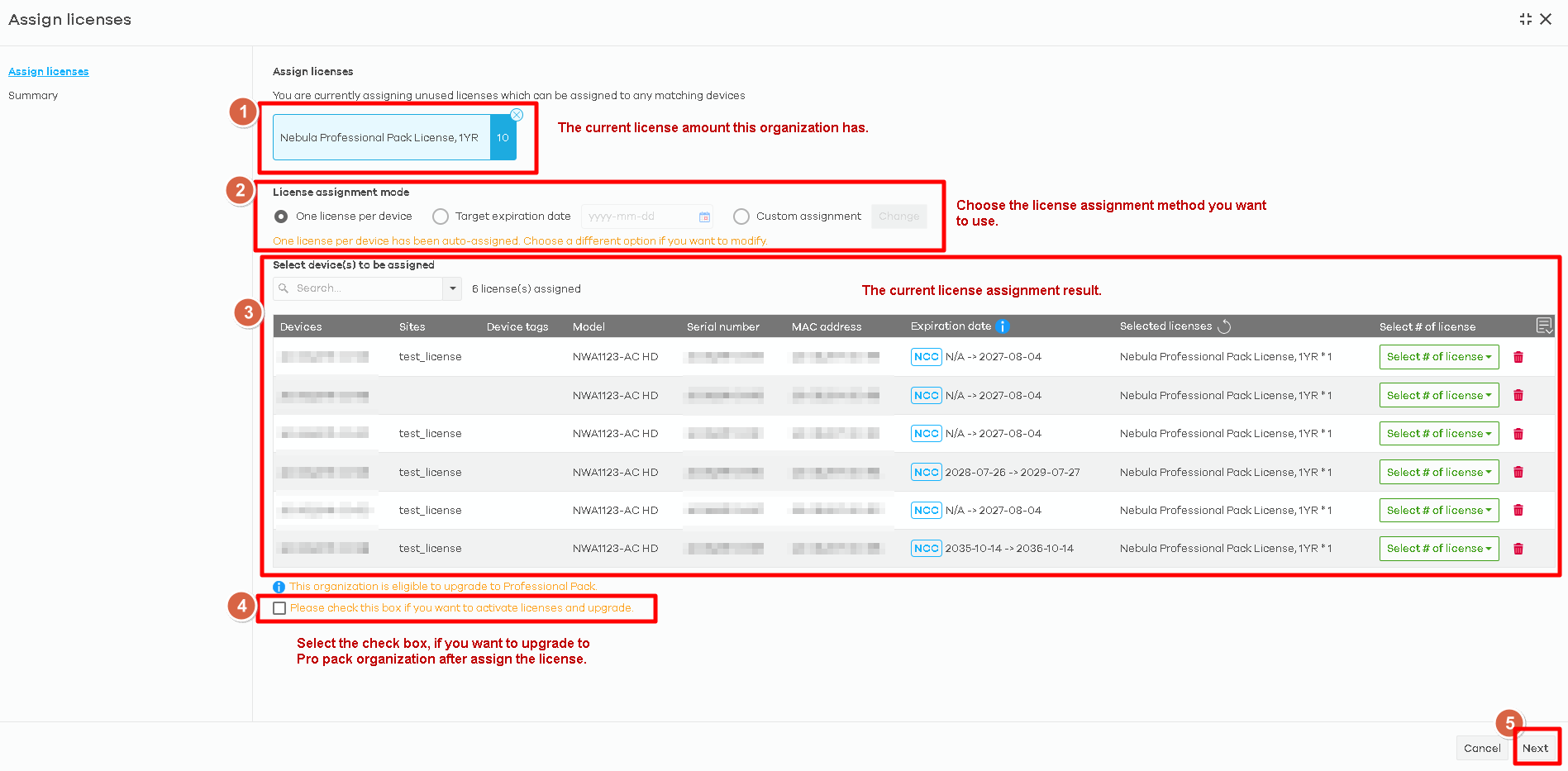
The assign license window will pop out.
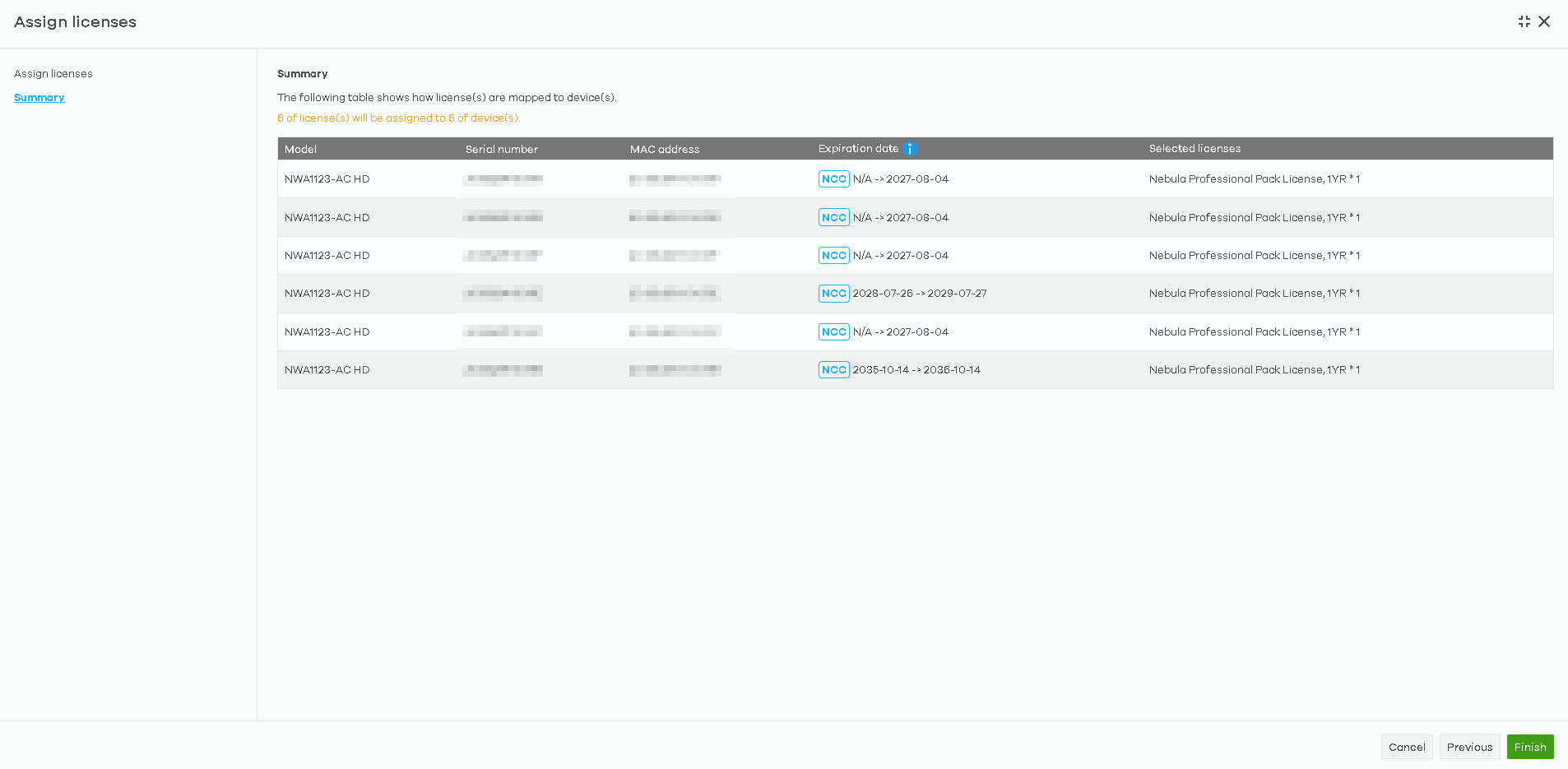
Double confirm the assignment result again and click the finish button.
For assign license to multiple devices, please reference this FAQ:
Zyxel Melen
Tagged:
0
Categories
- All Categories
- 442 Beta Program
- 3.1K Nebula
- 243 Nebula Ideas
- 6.8K Security
- 783 USG FLEX H Series
- 389 Security Ideas
- 1.8K Switch
- 87 Switch Ideas
- 1.5K Wireless
- 58 Wireless Ideas
- 7.2K Consumer Product
- 325 Service & License
- 527 News and Release
- 101 Security Advisories
- 31 Education Center
- 10 [Campaign] Zyxel Network Detective
- 5.3K FAQ
- 34 Documents
- 91 About Community
- 122 Security Highlight