Firewall scheduled reboot

 Freshman Member
Would it be possible to add the ability to schedule a reboot of the ATP, USGFLEX and USGFLEX H products?
Comments
-
Hi @martinwalter ,
Thank you for your suggestion.
We'll be monitoring the votes and comments as part of our evaluation process.
If anyone likes this idea, please show your support by leaving a comment or voting for it.
Additionally,Scheduled reboot is already available for these firewalls in on-premises mode:
1.ATP / USG FLEX: Go to Maintenance > Shutdown/Reboot and configure Schedule Reboot (daily, weekly, or monthly).
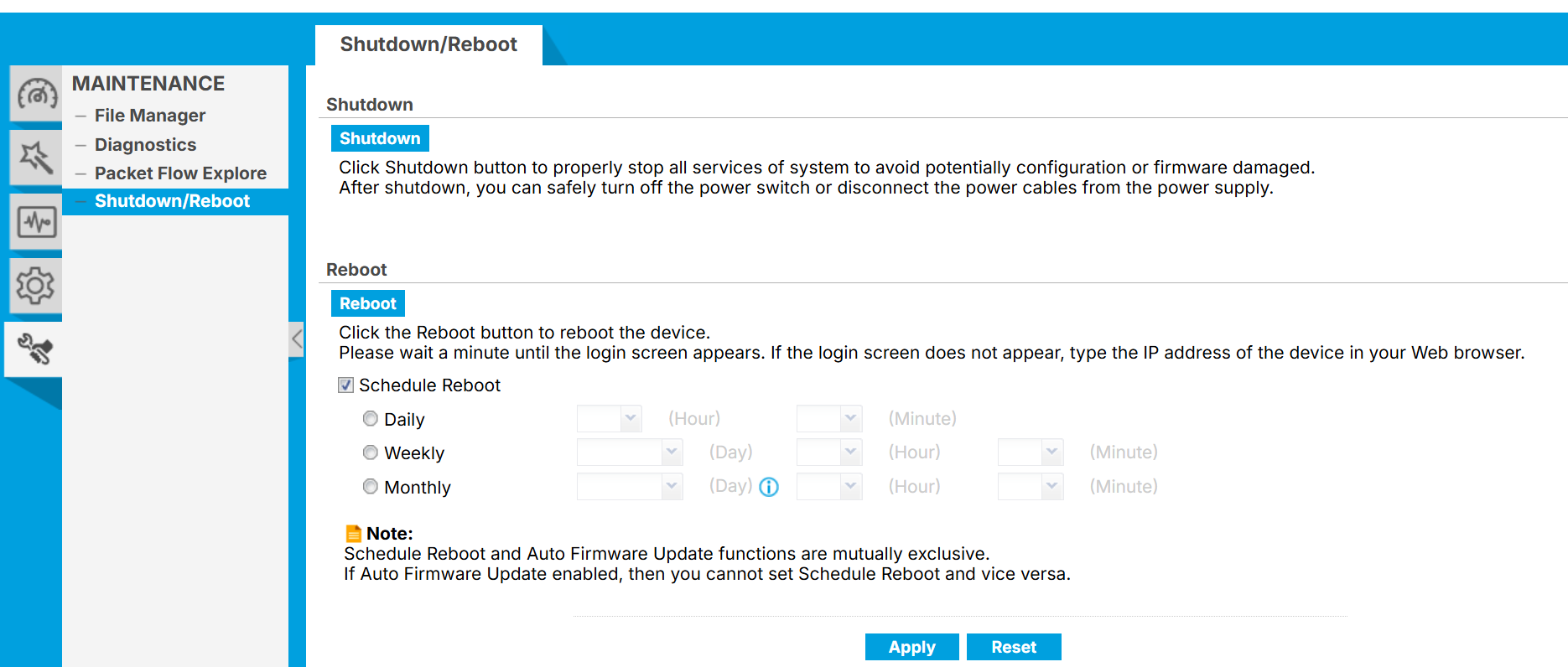
2.USG FLEX H: Go to the Reboot/Shutdown screen under Maintenance and configure Schedule Reboot (daily, weekly, or monthly).
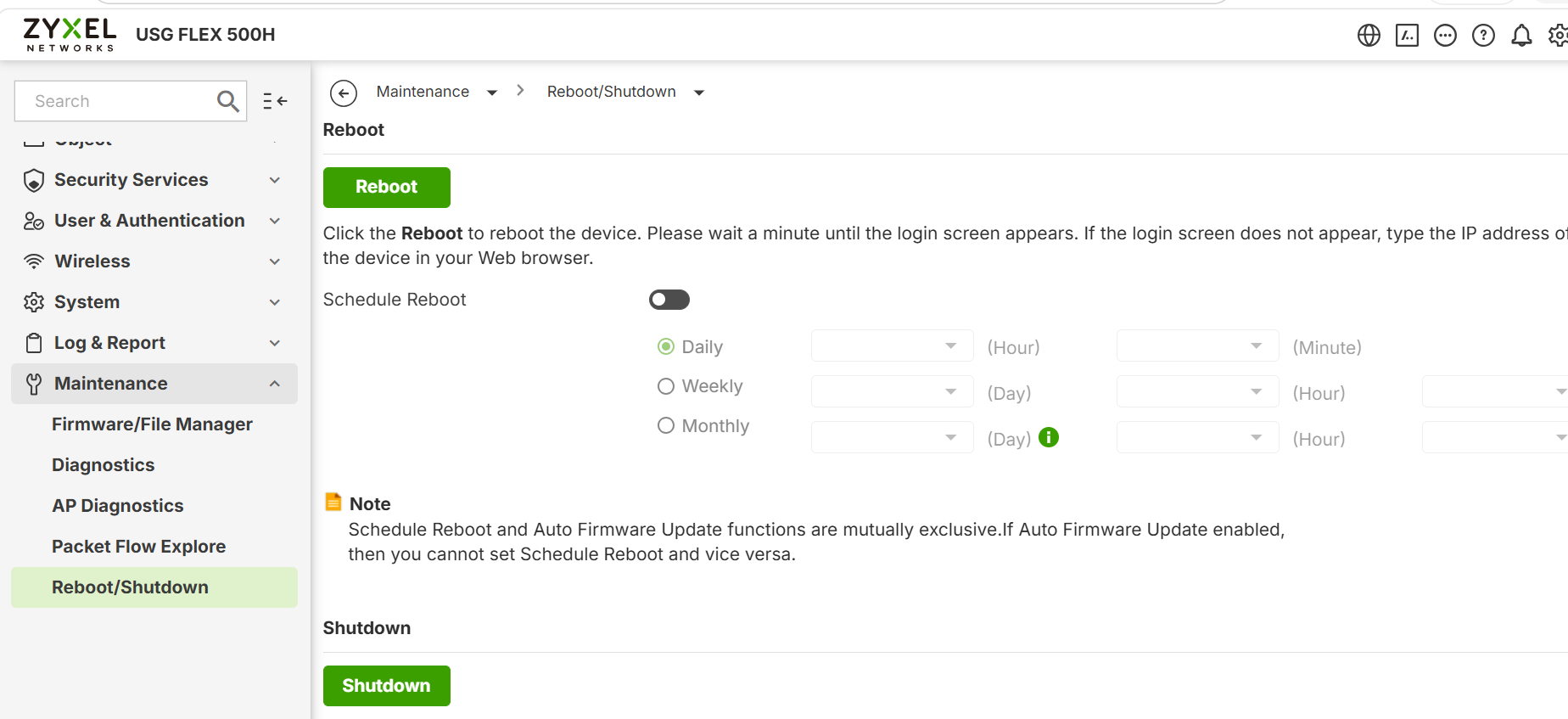
USG FLEX H Series - Scheduled Reboot — Zyxel Community
Note: Please note that Schedule Reboot cannot be enabled together with Auto Update in Firmware Management.
For ATP / USG FLEX in Nebula mode, you can schedule a reboot via CLI. Please refer to this FAQ:How can I schedule a reboot for ATP/USG FLEX firewall in Nebula mode? — Zyxel Community
0 -
Thats interesting you can't have both…I guess thats not to cause a reboot in the middle of a update? but surely the USG can check this before a reboot?
0




 Zyxel Employee



 Guru Member
Categories
- All Categories
- 442 Beta Program
- 3.1K Nebula
- 242 Nebula Ideas
- 6.8K Security
- 777 USG FLEX H Series
- 387 Security Ideas
- 1.8K Switch
- 87 Switch Ideas
- 1.5K Wireless
- 58 Wireless Ideas
- 7.2K Consumer Product
- 324 Service & License
- 526 News and Release
- 101 Security Advisories
- 31 Education Center
- 10 [Campaign] Zyxel Network Detective
- 5.3K FAQ
- 34 Documents
- 91 About Community
- 121 Security Highlight


