Nebula - The SNMP is not working on the new device
All Replies
-
Hi @nubira,
Regarding your question, this is due to a configuration adjustment in Nebula at the beginning of this year.
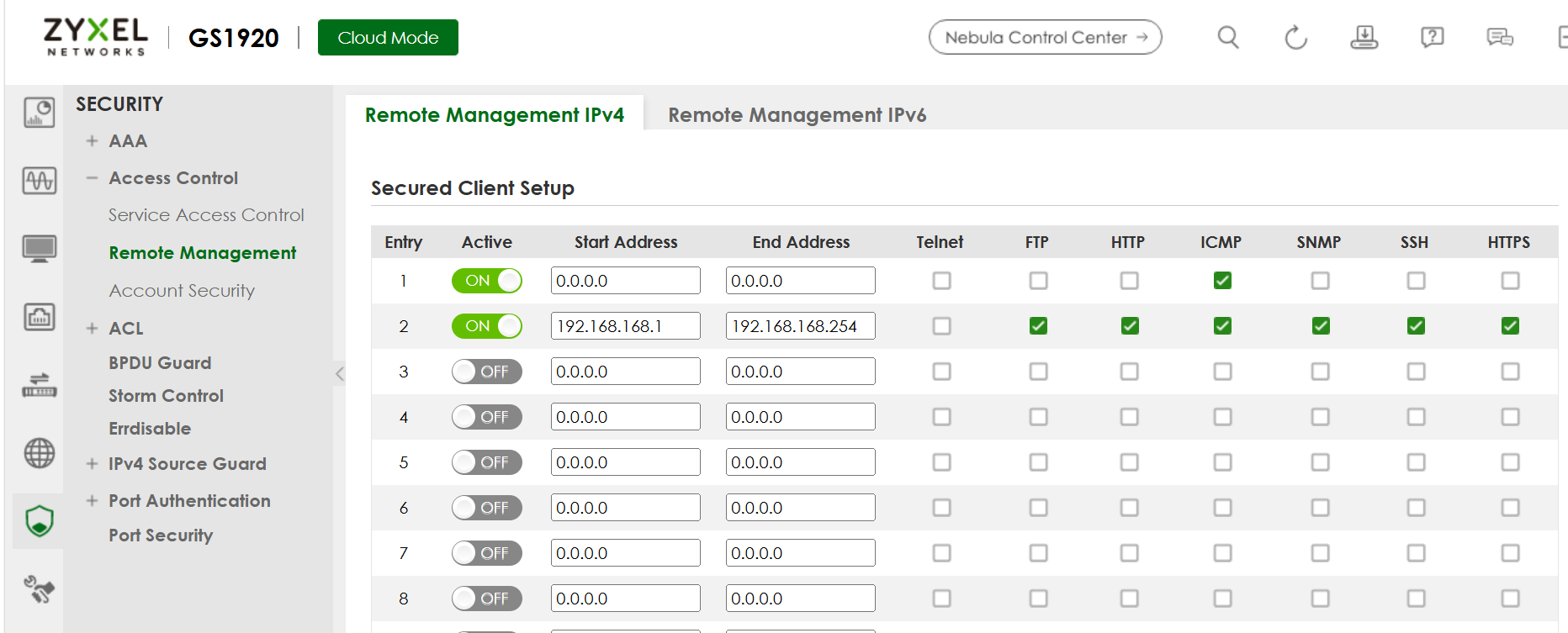
Previously, when enabling "Permit access to Nebula devices exclusively from designated IP addresses" and configuring the permitted IP ranges, the system would by default add a rule allowing both ICMP and SNMP traffic from source IP 0.0.0.0 (any / all IPv4 addresses), as shown in the screenshot you provided.
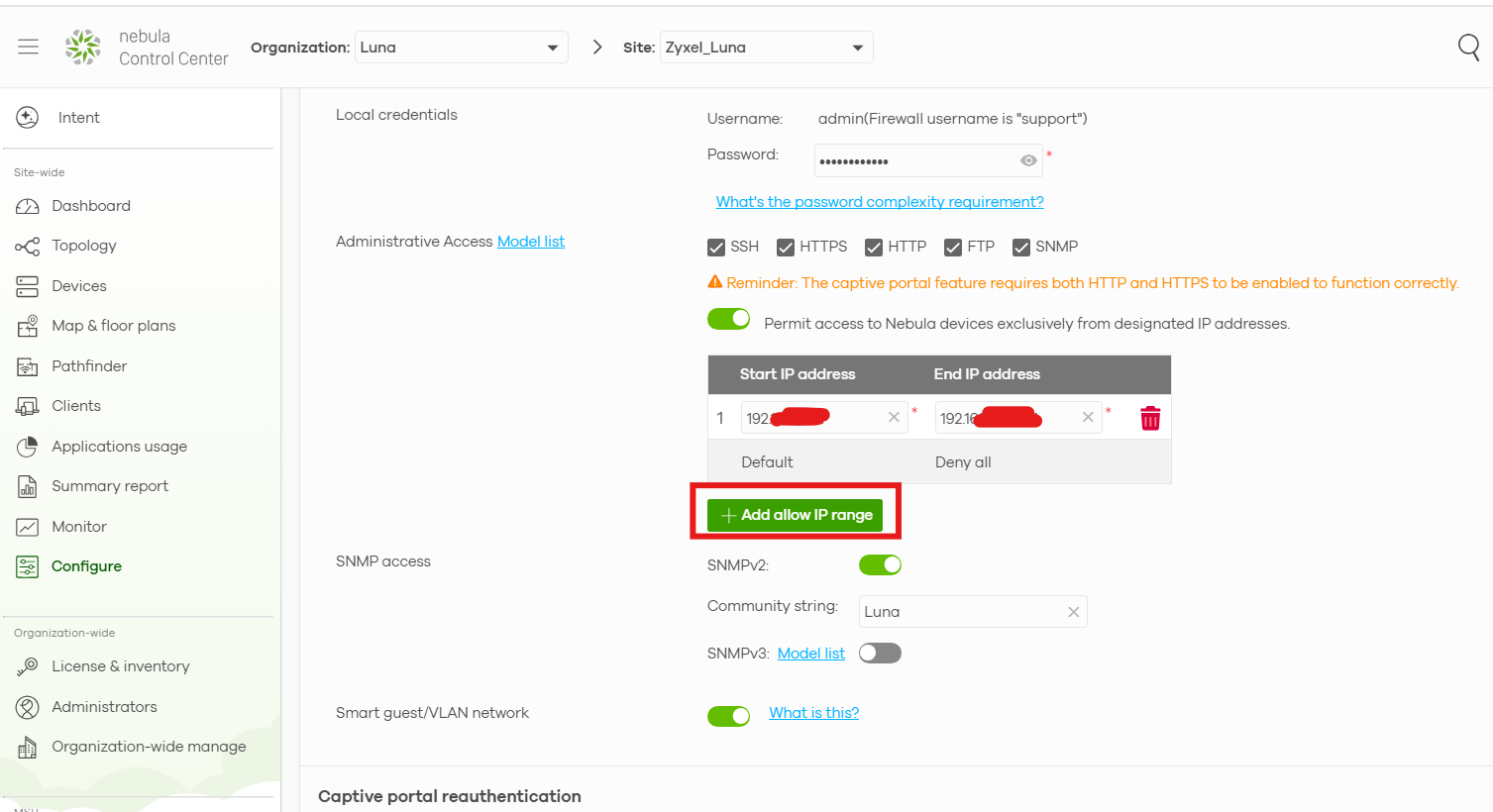
Following customer feedback, this was updated earlier this year: after enabling "Permit access to Nebula devices exclusively from designated IP addresses", the rule added by default only permits ICMP traffic from any IP (0.0.0.0), and SNMP is no longer allowed by default, as shown in the screenshot below:
Therefore, if "Permit access to Nebula devices exclusively from designated IP addresses" was enabled in Nebula without adding the SNMP server IP to the [Allow IP range], this is likely why your new switch could not be monitored initially. We recommend adding the SNMP server's IP address under "Add allow IP range" in Nebula to resolve this issue, thank you.
 0
-
Hi @Zyxel_Luna!
Thank you for the suggestion, I did it earlier. Could you please tell me how to remove the IP address 0.0.0.0 with SNMP configuration from the old switches?
Thanks!
0 -
Hi @nubira,
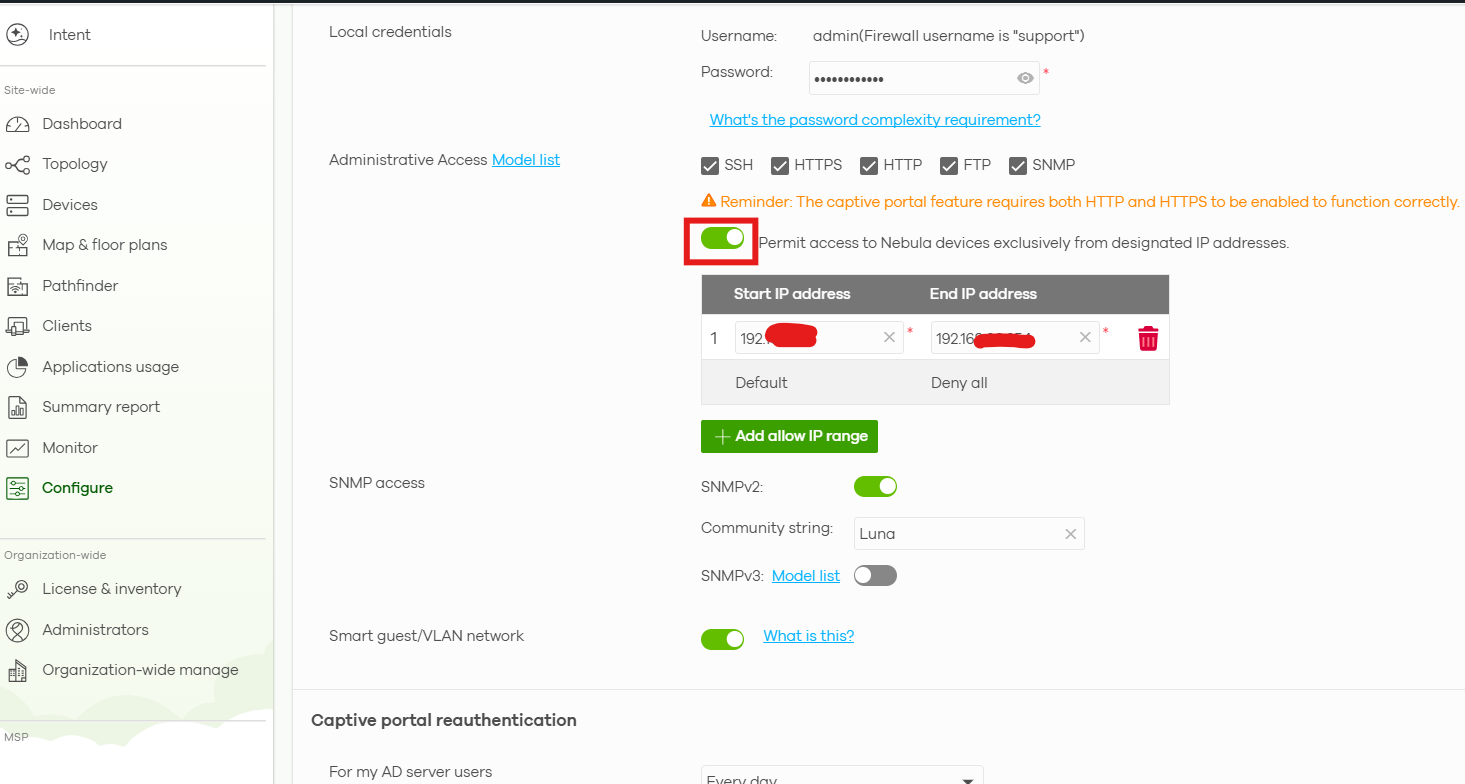
You can try toggling the "Permit access to Nebula devices exclusively from designated IP addresses" setting on NCC (uncheck it -> Save -> wait for one minute -> check it again -> Save). Once NCC pushes the configuration to the online devices, the old switch should also retrieve the updated settings (aside from the allowed IP ranges and services, the default rule only allows ICMP traffic from 0.0.0.0 (any)).
Thank you.
0 -
Hi @Zyxel_Luna!
After switching off and then on the "Permit access to Nebula devices exclusively from designated IP addresses" option, the configuration of the switches was OK.

Thank you for your support!
0




 Zyxel Employee


 Freshman Member
Categories
- All Categories
- 442 Beta Program
- 3.1K Nebula
- 243 Nebula Ideas
- 6.9K Security
- 792 USG FLEX H Series
- 391 Security Ideas
- 1.8K Switch
- 88 Switch Ideas
- 1.5K Wireless
- 59 Wireless Ideas
- 7.3K Consumer Product
- 327 Service & License
- 530 News and Release
- 104 Security Advisories
- 31 Education Center
- 10 [Campaign] Zyxel Network Detective
- 5.4K FAQ
- 34 Documents
- 91 About Community
- 122 Security Highlight