WAX640S-6E: which standard PoE is needed?

 Guru Member



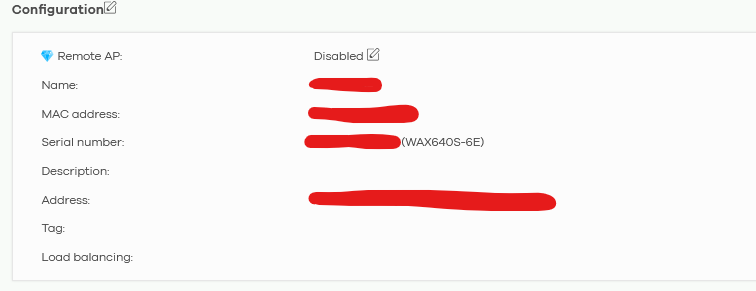
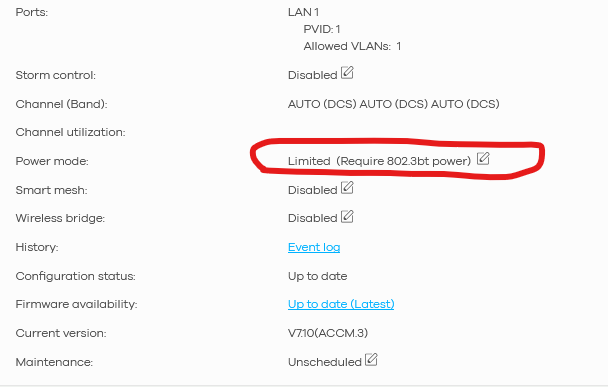
Accepted Solution
-
Hi @GiuseppeR,
After discussion, the "Limit mode" you saw earlier with the non-Zyxel switch was likely due to conservative or incomplete PoE capability reporting/LLDP negotiation from the third-party device. This caused the AP to default to 802.3af (PoE) standards, restricting power delivery.
In addition, switching to the Zyxel GS1915-8EP properly negotiates 802.3at (PoE+), delivering full power as shown in the NCC "Full (Power by PoE)". This is the expected behavior and matches the AP's datasheet specs for unrestricted operation. Therefore, no WiFi functionalities or antennas will be disabled.
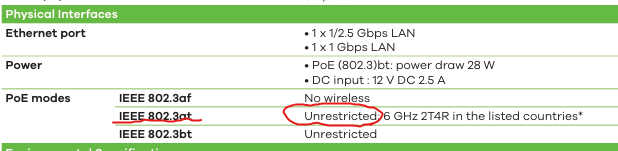
Zyxel Tina
0

 Zyxel Employee



All Replies
-
Hi @GiuseppeR,
I understand you're experiencing a power mode issue with your WAX640S-6E Access Point, where Nebula indicates it requires PoE++ (802.3bt) despite being powered by a PoE+ switch.
Here's how to address this:
- Understand Power Requirements: The WAX640S-6E, like several other Zyxel APs, can operate with PoE+ (802.3at) but will enter a "limited power mode." This means some functionalities, such as Wi-Fi performance, might be reduced. To ensure full functionality and optimal performance, the WAX640S-6E requires PoE++ (802.3bt) power.
- Upgrade PoE Source: To resolve the "Limited (Require 802.3bt power)" message in Nebula and ensure full functionality of your WAX640S-6E, you will need to power it with a PoE++ (802.3bt) compliant switch or PoE injector. This will provide the necessary wattage for the AP to operate in full power mode.
To help us further investigate and provide more specific guidance, please provide the following information:
- Device Model: WAX640S-6E (already provided)
- Firmware Version: Please provide the current firmware version of your WAX640S-6E.
- Network Topology Map: A simple diagram showing how your WAX640S-6E is connected to your PoE switch and the rest of your network.
- Zyxel Support Access: If your device is managed by Nebula, please enable Zyxel Support Access via
Help > Support Requestin your Nebula console. This allows our support team to view your cloud environment configuration directly. - Organization/Site Name: Please provide the Organization and Site name from your Nebula control center.
This AI response aims to provide initial troubleshooting steps and identify information needed for further diagnosis. Feel free to share additional details based on the suggestions above — this will help community members offer more targeted assistance.
If you have feedback or idea about this AI assistant, share them in Community Feedback.0 -
Dear @Zyxel_Barry
you are a very very very nice AI assistant but for this reason you should also understand that a post made by @Zyxel_Judy is telling me something different from what Nebula is telling me. I would like to have a clear confirmation of which PoE hardware is needed.
0 -
Looks like you need a 90W budget for that AP can your switch do that?
0 -
90W for an AP?
Should i go online with WiFi to the Moon?
0 -
Or it might be 60W?
0 -
Yes, I can change the switch, but the one that I have is a PoE+ one as written in the post.
0 -
The datasheet seems wrong for that model
PoE (802.3)bt: power draw 28 W
or maybe its correct Power available at PD for 802.3at is 25W meaning you have to go 802.3bt
0 -
Yes, it seems so.
For this reason I would like to have a confirmation from the Company.
I knew that PoE+ was 30W max.
I knew that PoE++ was 60W max.
If you consider the loss too for PoE+ it should go to 25,5 W per device.
If so, I need to have the confirmation that the power draw for this AP is really close to 30W to avoid to install the wrong switch (as it happened and it caused this post)
Also to fix that wrong info, to avoid time/cost loss for others 😁
0 -
Hi @GiuseppeR,
After checking, we confirm that the WAX640S-6E AP requires PoE++ (802.3bt) power. Therefore, the "Limited (Require 802.3bt power)" warning in Nebula is expected behavior.
Regarding the FAQ you mentioned, we've updated it to correctly include the WAX640S-6E as a PoE++-required model. We apologize for any confusion caused and thank you for pointing that out. 😉
Zyxel Tina
0 -
Hi @Zyxel_Tina
I had some Zyxel PoE+ switches in my warehouse, so I decided to test the PoE power with this AP.
I went onsite and linked this AP:

To these switches:
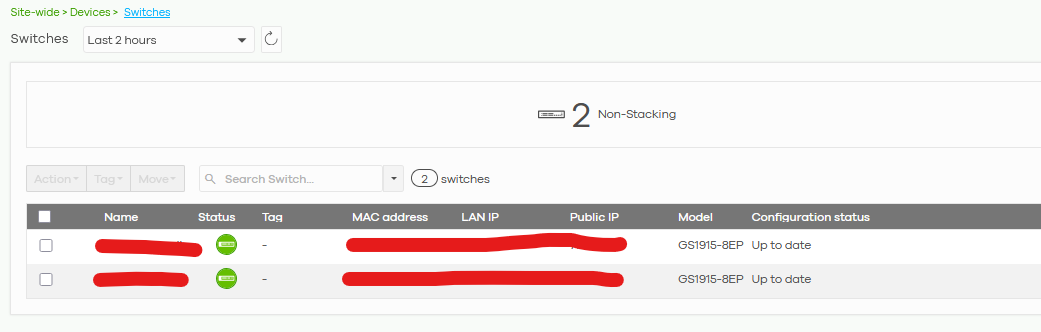
I see a power draw of MAX 12W:

Is it compatible with the AP's specs, considering that it shows Full power mode:
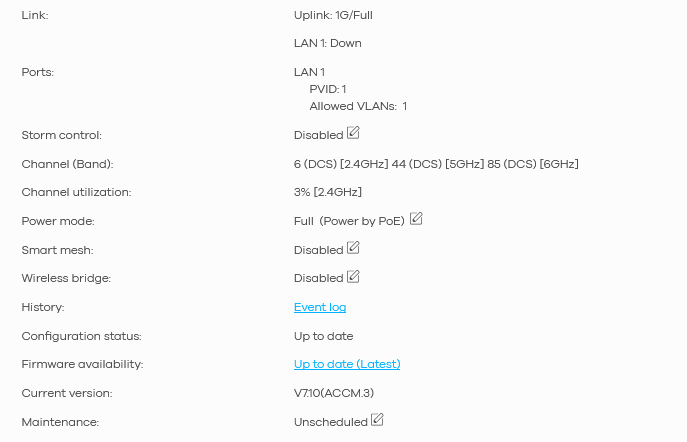
OR I have to consider the risk of having some WiFi functionalities/antennas disabled?
0





Categories
- All Categories
- 442 Beta Program
- 3K Nebula
- 222 Nebula Ideas
- 129 Nebula Status and Incidents
- 6.5K Security
- 619 USG FLEX H Series
- 349 Security Ideas
- 1.7K Switch
- 84 Switch Ideas
- 1.4K Wireless
- 53 Wireless Ideas
- 7K Consumer Product
- 298 Service & License
- 485 News and Release
- 92 Security Advisories
- 31 Education Center
- 10 [Campaign] Zyxel Network Detective
- 4.8K FAQ
- 34 Documents
- 88 About Community
- 105 Security Highlight


