Zyxel NR7302 modem

 Freshman Member
I've now spent some hours working with my new Zyxel NR7302 modem.
I can't get devices online via Wi-Fi connected to the NR7203.<<
Signal LED blinking green = 4G
Status LED orange = Wi-Fi on
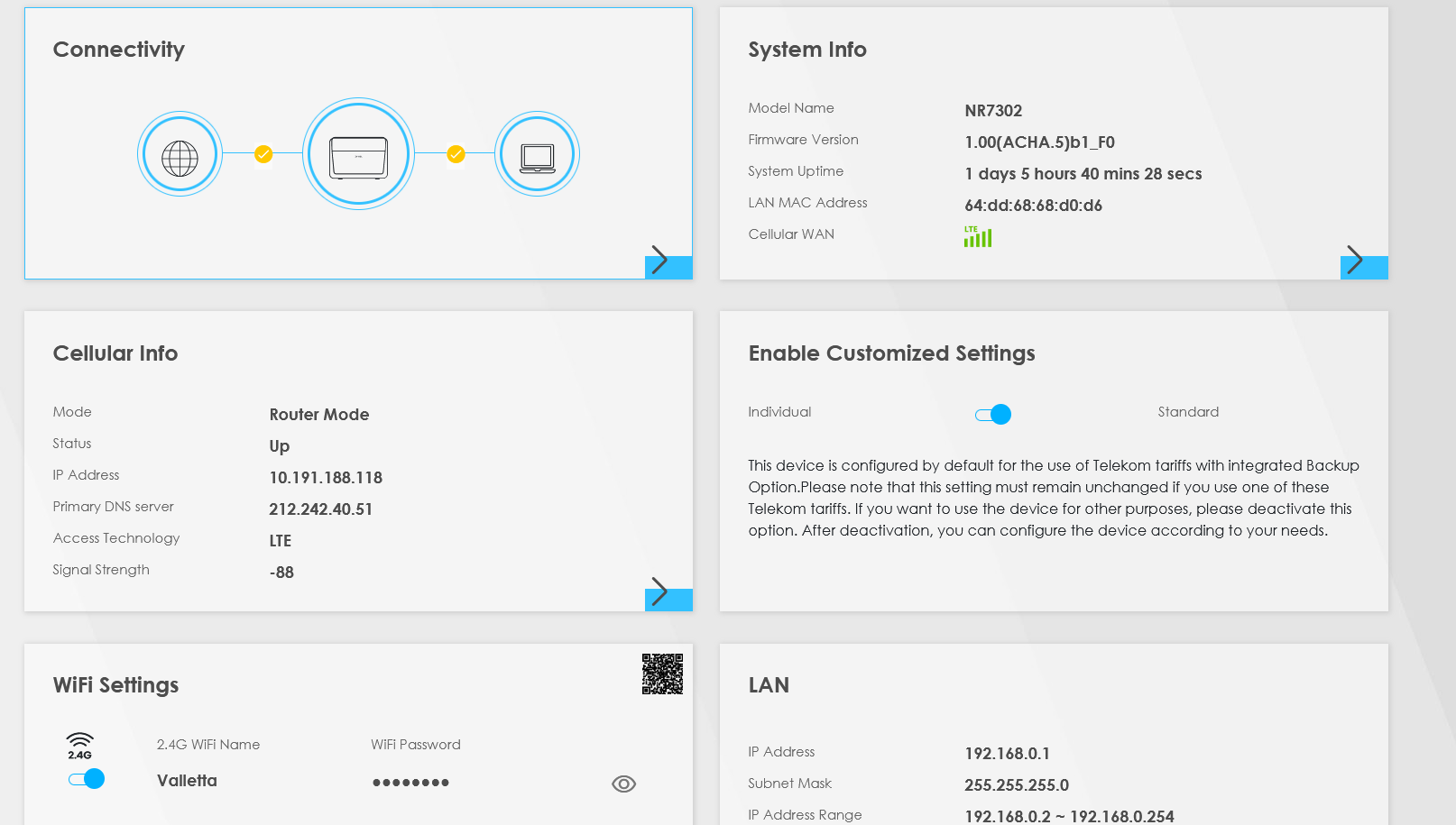
There are two OK checkmarks in the "Connectivity" screen.
I can log-in to the 7302 from my iPad, but no internet connection.
I can log-in to the 7302 AND browse the internet with my computer (ethernet cable connected).
The SIM card works perfectly in my old Huawei router. The firmware is the latest ACHA.5 b1_F0.
Help appreciated.
All Replies
-
Hi @Regamoks2,
The Zyxel NR7302 is an outdoor 5G router designed primarily to provide internet connectivity via its Ethernet port to an indoor router or access point, which then distributes Wi-Fi. The Wi-Fi functionality on the NR7302 itself is generally intended for local management and configuration purposes only, not for providing internet access to client devices.
Based on your description, it appears your NR7302 is functioning as designed:
- You can log in to the NR7302 from your iPad via Wi-Fi, but you don't have internet access on the iPad. This is consistent with the device's design.
- You can log in to the NR7302 and browse the internet with your computer when connected via an Ethernet cable. This confirms the device has a working internet connection.
To get your devices online via Wi-Fi, you should connect the LAN port of your NR7302 to an indoor gateway/router or an access point using an RJ45 Ethernet cable. This indoor device will then provide Wi-Fi internet access to your devices.
To help us better understand your current setup and provide further assistance, please provide the following information:
- Network Topology Map: A simple diagram or description of how your NR7302 is currently connected (e.g., directly to a PC, connected to another router, etc.).
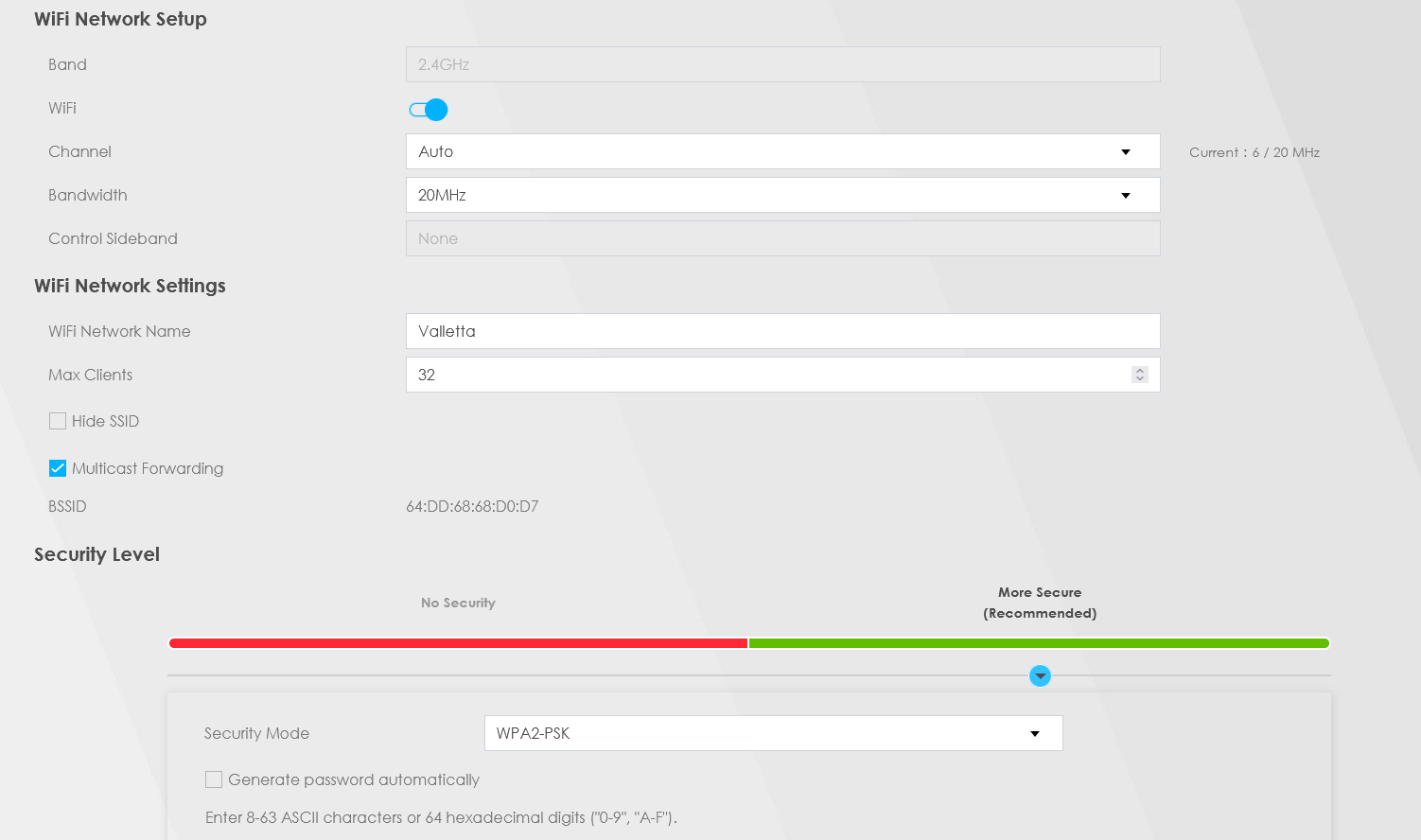
- Screenshots of relevant configuration pages from the NR7302's web interface, particularly any Wi-Fi or network settings you have configured.
This AI response aims to provide initial troubleshooting steps and identify information needed for further diagnosis. Feel free to share additional details based on the suggestions above — this will help community members offer more targeted assistance.
If you have feedback or idea about this AI assistant, share them in Community Feedback.0 -
Network Topology - as you mention Laptop w. ethernet cable to the NR7302 and an Ipad connected to the NR7302 via Wifi (generated by the NR7302)
You are basically saying the NR7302 is not intended to act as Wifi acces point. BUT should i be able to use it as such? If yes why can't the iPad connect to the internet?
The Wifi turns off after about 30 min.?
2 screendumps attached.
0

 Zyxel Community Virtual Assistant

Categories
- All Categories
- 442 Beta Program
- 3K Nebula
- 222 Nebula Ideas
- 129 Nebula Status and Incidents
- 6.5K Security
- 619 USG FLEX H Series
- 349 Security Ideas
- 1.7K Switch
- 84 Switch Ideas
- 1.4K Wireless
- 53 Wireless Ideas
- 7K Consumer Product
- 298 Service & License
- 485 News and Release
- 92 Security Advisories
- 31 Education Center
- 10 [Campaign] Zyxel Network Detective
- 4.8K FAQ
- 34 Documents
- 88 About Community
- 105 Security Highlight