Nebula 19.30 unable to update a Flex 200H with 1.37

 Guru Member





All Replies
-
Hi @GiuseppeR
Please help to enable zyxel support access and share org's name for us to identify this issue.
Zyxel Melen0 -
Hi @Zyxel_Melen
I have the same issue also with 50Hs, same planned update the past night…:

Sent a PM with these ORGs.
0 -
Hi @GiuseppeR
After checking, this is because our team postponed the auto firmware upgrade date before your scheduled job start, which is because we will release a new patch this month. Since we want to avoid firmware upgrades many times in a short time, we postponed.
If you want to upgrade first, you may process the upgrade now.
Zyxel Melen0 -
Hi @Zyxel_Melen
is this valid for all the H series?
0 -
-
Hi @Zyxel_Melen
I see this post:
Is this the patch that you were mentioning?
So now I can manually update all my H series' firewalls?
0 -
Hello everyone,
when forcing the update from Nebula, not all the H series firewalls go for the update:
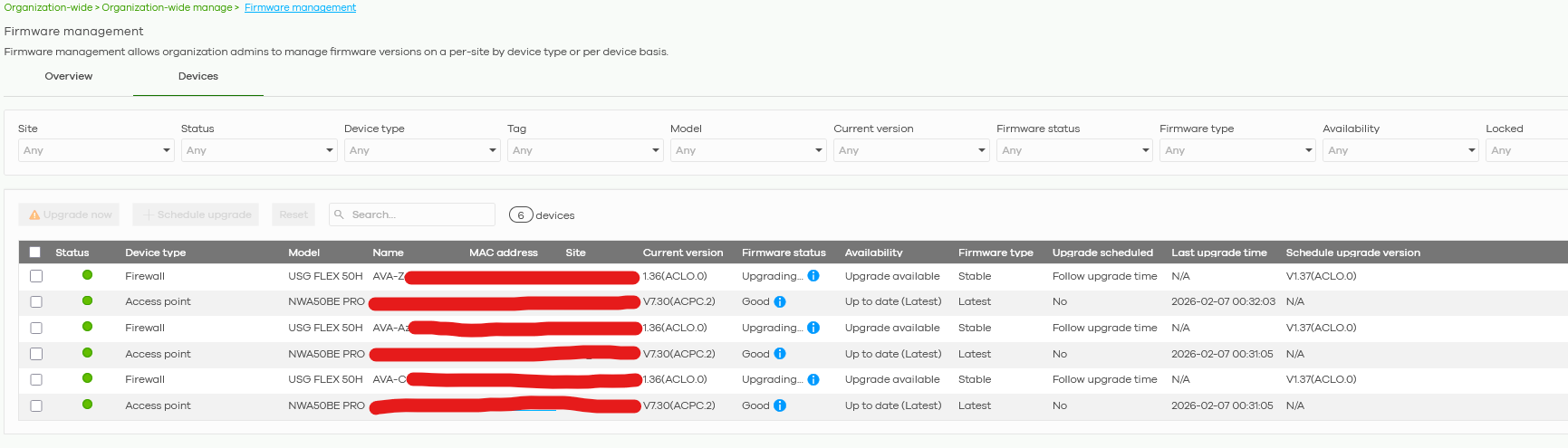
So I used also Nebula App to push the update.
No positive results for all the devices I was "Upgrading" looking at the Nebula web UI.
As you can see this one:
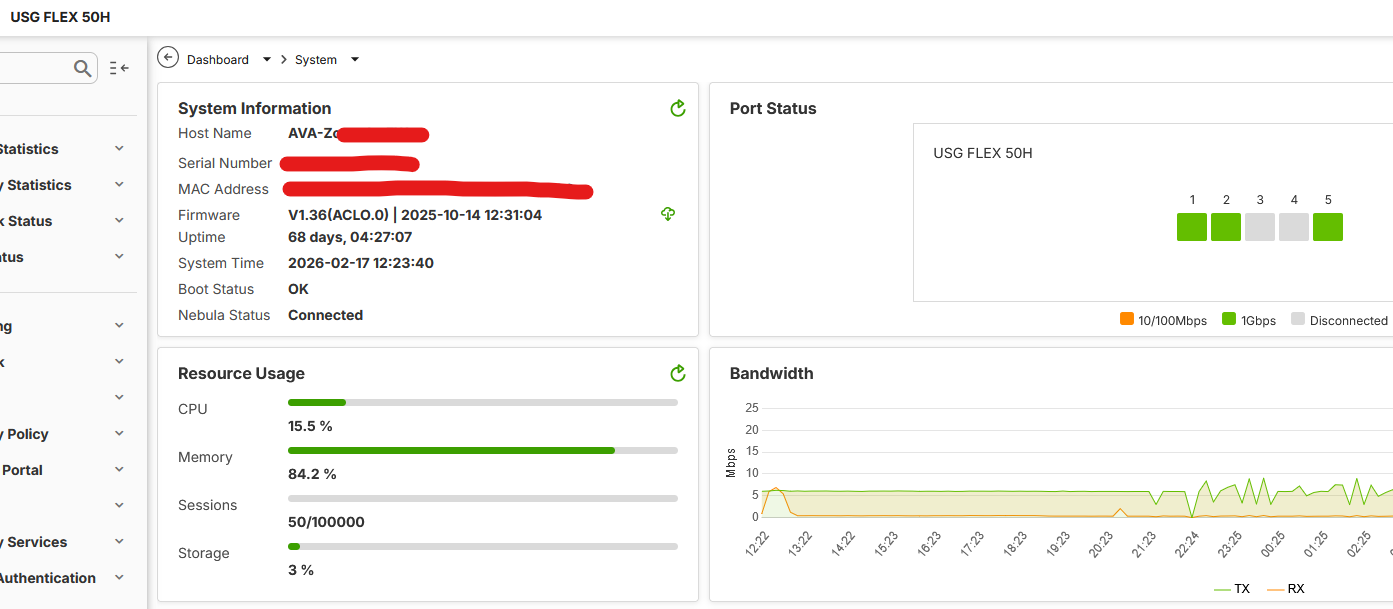
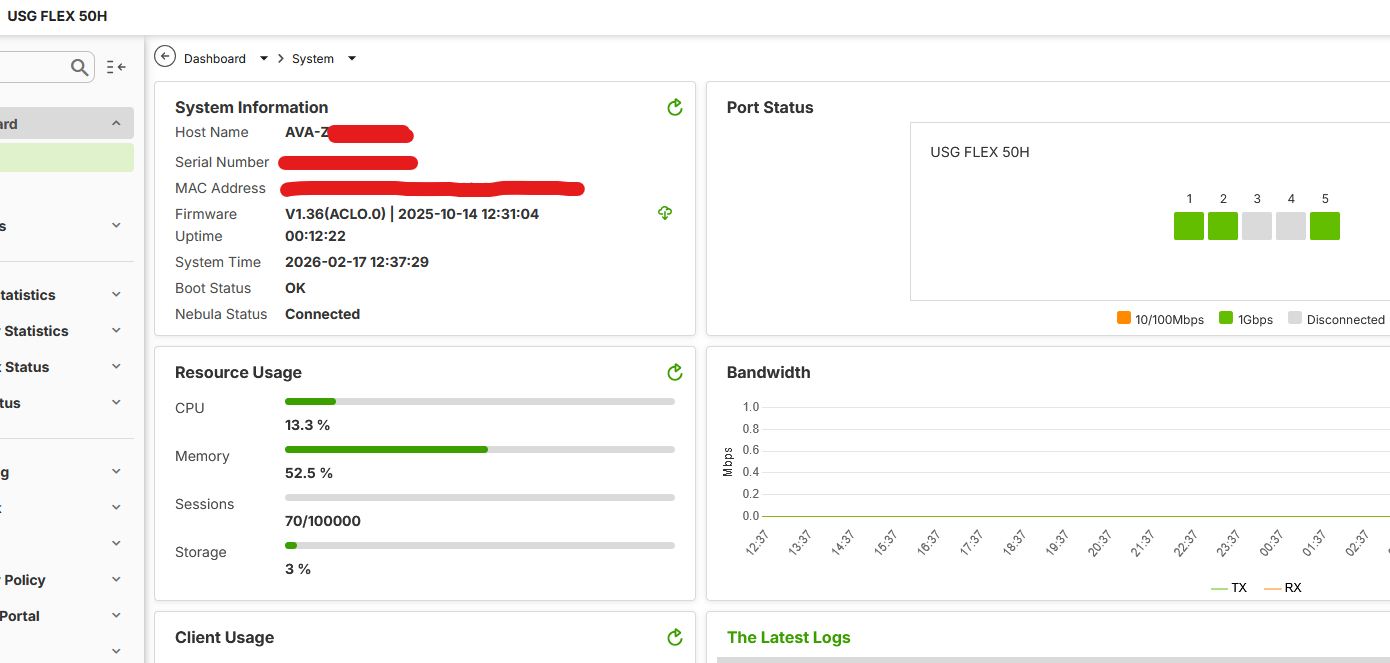
Needed a manual reboot before the update to 1.37:
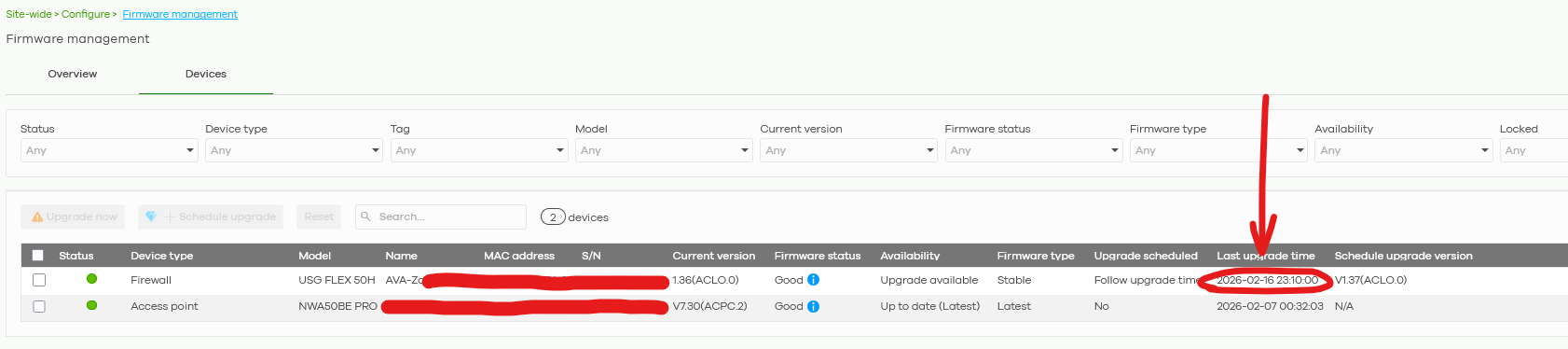
As you can see on Nebula there is the wrong timestamp for the last update (that timestamp is the last attempt made via Nebula App with NO success…):
Then I went to the Nebula area where to push the update:
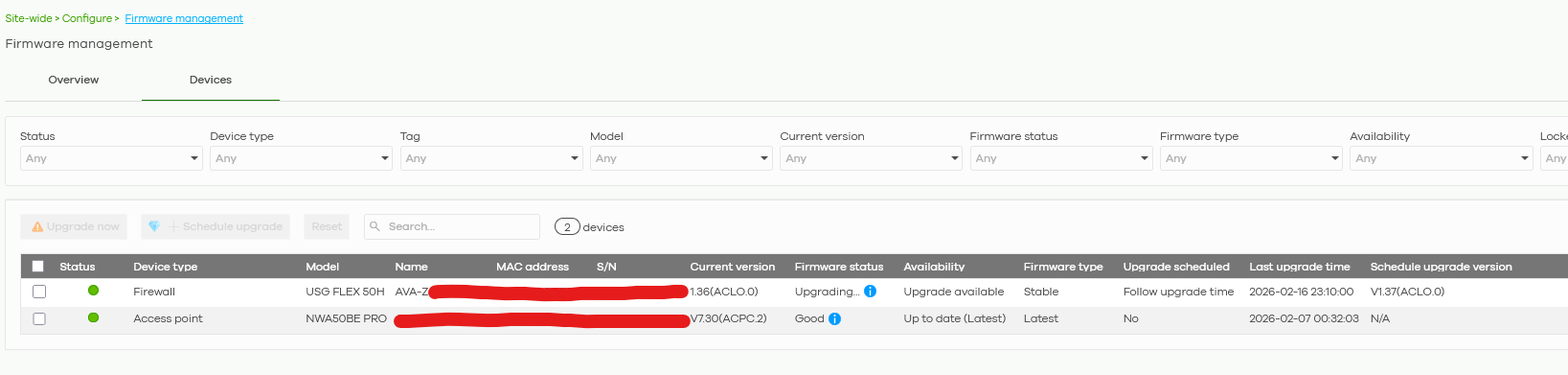
And then FINALLY I have the firewall updated:
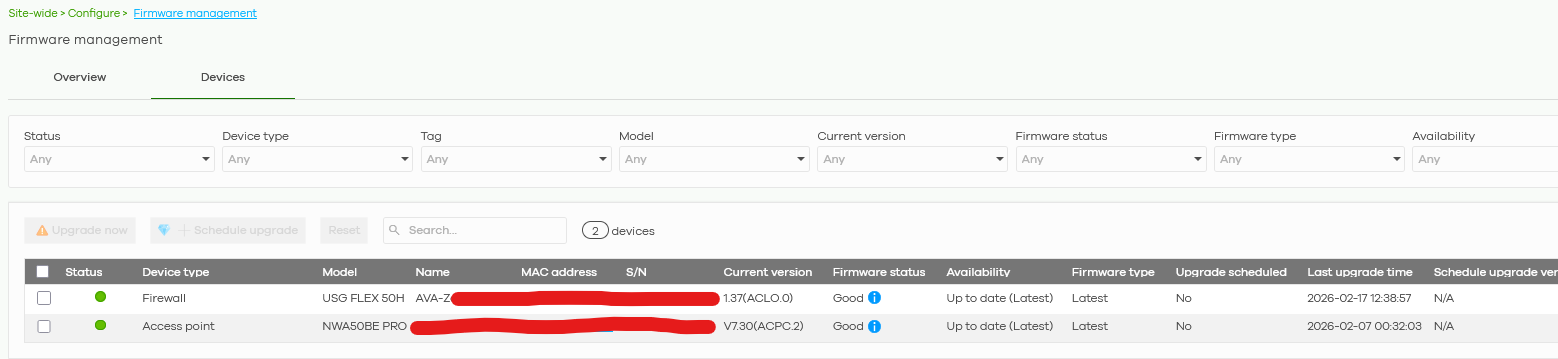
How can I solve all these issues when upgrading?
0 -
Hi @GiuseppeR
No, the firmware I mentioned is V1.37 patch1.
About the firmware upgrade issue you encountered, I have checked the event log, which shows "[Nebula] Automatic firmware update was unsuccessful. Please reboot the device first,….". This issue is more likely due to the firewall not having enough storage to hold the firmware file and process the firmware upgrade. Rebooting the firewall can help clear the temp and free up storage.
Zyxel Melen0 -
Hi @Zyxel_Melen
I see this issue (reboot before upgrade) more often lately.
It happened for various items from H series to budget routers like SCR50AXE (last time on 2026-02-24 19:27:22) that I tried to update. I understood that because I saw the upgrade failing, then I reboot, then I upgrade the hardware and then the job was done.
It is time consuming and frustrating because it is an operation you cannot schedule.
Considering the fact that on some ORGs there is an automatic update schedule and considering that when you press the button for the upgrade on Nebula you know you want that upgrade…. could be possible to set Nebula to make quick tests if there is enough room to complete the update and, if not, run an automatic reboot with automatic upgrade without asking the MSP to wait for all those actions?
Also because doing these steps during night time could be useful and not frustrating instead of doing that calling the Client, stop the office and accomplish that maintenance operation during office time because you are forced to do it manually.
0
 Zyxel Employee


Categories
- All Categories
- 442 Beta Program
- 3K Nebula
- 222 Nebula Ideas
- 129 Nebula Status and Incidents
- 6.5K Security
- 619 USG FLEX H Series
- 349 Security Ideas
- 1.7K Switch
- 84 Switch Ideas
- 1.4K Wireless
- 53 Wireless Ideas
- 7K Consumer Product
- 298 Service & License
- 486 News and Release
- 92 Security Advisories
- 31 Education Center
- 10 [Campaign] Zyxel Network Detective
- 4.8K FAQ
- 34 Documents
- 88 About Community
- 105 Security Highlight


