[Nebula 20.00] Port Advisor Alerts

 Freshman Member



After the latest Nebula update, we started receiving a large number of Port Advisor alerts especially poor cable quality, but it’s not clear what criteria are being used to trigger them.
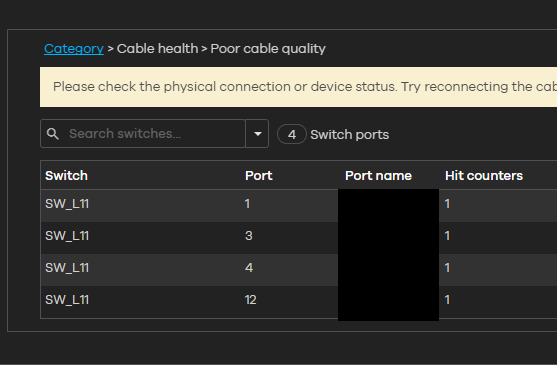
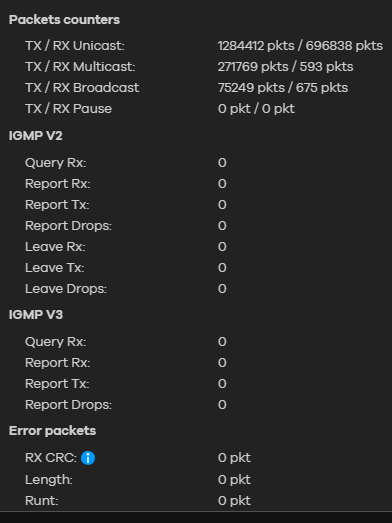
When I check the ports directly on the switch, I don’t see any anomalies.
All Replies
-
Hi @Dylan96,
To investigate further, could you please enable Zyxel Support Access and provide us your org/site name?
Zyxel Tina
0 -
@Zyxel_Tina PM'd
0 -
We are seeing the same things for multiple clients. And it says issue and 60 seconds later it resolves. Zyxel any further info on this. We are on up to date firmware (stable) but not latest. Is it possible latest has this resolved?
0 -
@EliteITGuy no, all my switches are on latest fw
0 -
[Update]
This incident was caused by a known issue and is currently being addressed. We will keep you informed with further updates as soon as they are available.
We appreciate your understanding and patience!
Hi @EliteITGuy,
"And it says issue and 60 seconds later it resolves." → Just to double-confirm, do you mean it also shows poor cable quality? If not, feel free to share a screenshot and your org/site name with us and enable Zyxel Support Access.
Additionally, could you please confirm which switch models are affected by this issue and what their firmware versions are?
Zyxel Tina
0 -
Hi @Dylan96 and @EliteITGuy,
We released a hotfix firmware update to address this issue. Could you please double-check if you have not received notifications in recent days?
Zyxel Tina
0 -
@Zyxel_Tina Do we have to manually update to the new firmware? The issue is still present.
0 -
any updates?
0 -
Hi @Dylan96,
Thank you for your feedback!
After investigation, we confirm that the recent Port Advisor alerts you’re encountering are triggered by a flapping detection mechanism. Specifically, the system detected that the port status changed between UP and DOWN 5 times within a 1-minute interval.
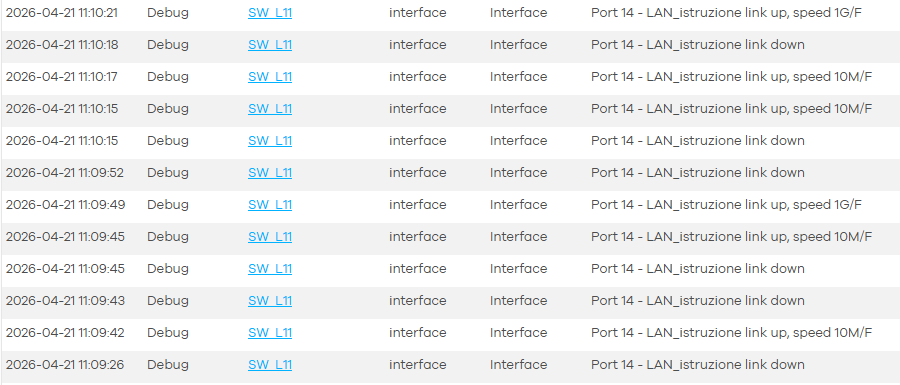
We recommend starting your initial troubleshooting with the following steps:
- Check the Physical Cable: Inspect the cable for any signs of damage or loose connection. Furthermore, try swapping it with other cables or connecting the device to a different port to see if the issue persists.
- Verify the Client Device: Check if the connected client is experiencing power issues or network interface instability that could cause frequent link toggling.
- Check PoE Power Budget: If the connected device is PoE-powered, please ensure the switch has sufficient power budget.
Zyxel Tina
0 -
Hi @Zyxel_Tina
I’m receiving similar alerts from different sites.
Please could you confirm me that the bugfix (for the switches) is in rollout availability so I can accelerate the updates to check if I see the same amount of “poor cable quality” cables is going to zero also for us?
Thanks in advance
0

 Zyxel Employee



 Guru Member


Categories
- All Categories
- 442 Beta Program
- 3K Nebula
- 224 Nebula Ideas
- 130 Nebula Status and Incidents
- 6.6K Security
- 640 USG FLEX H Series
- 357 Security Ideas
- 1.8K Switch
- 86 Switch Ideas
- 1.4K Wireless
- 54 Wireless Ideas
- 7K Consumer Product
- 303 Service & License
- 495 News and Release
- 93 Security Advisories
- 31 Education Center
- 10 [Campaign] Zyxel Network Detective
- 4.8K FAQ
- 34 Documents
- 88 About Community
- 109 Security Highlight


