[Release Note] Nebula Control Center - 20.10 software Release!
Options

Zyxel_CSO
Posts: 535




 Zyxel Employee
Zyxel Employee
Zyxel Nebula Control Center Release Note
Common NCC (Organization,Site-wide,etc.):
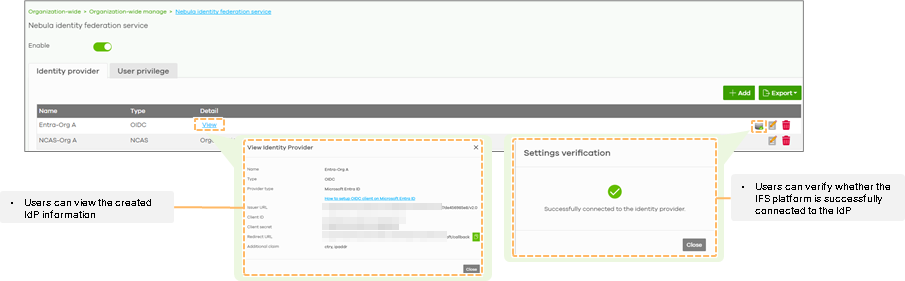
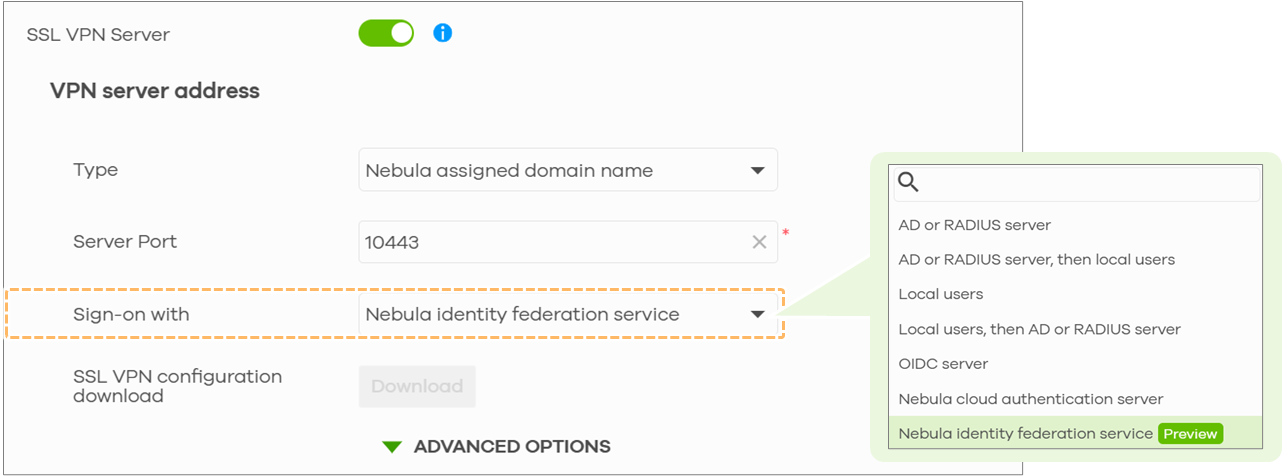
- Introduced Nebula Identity Federation Service (NID FS), enabling federated login through multiple identity providers, including Microsoft Entra ID and Google Workspace, using industry-standard OIDC for device-initiated authentication flows. (Nebula Pro Pack license is required)
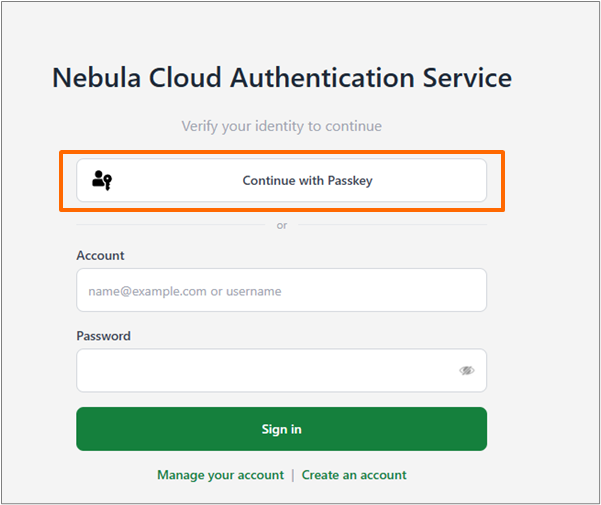
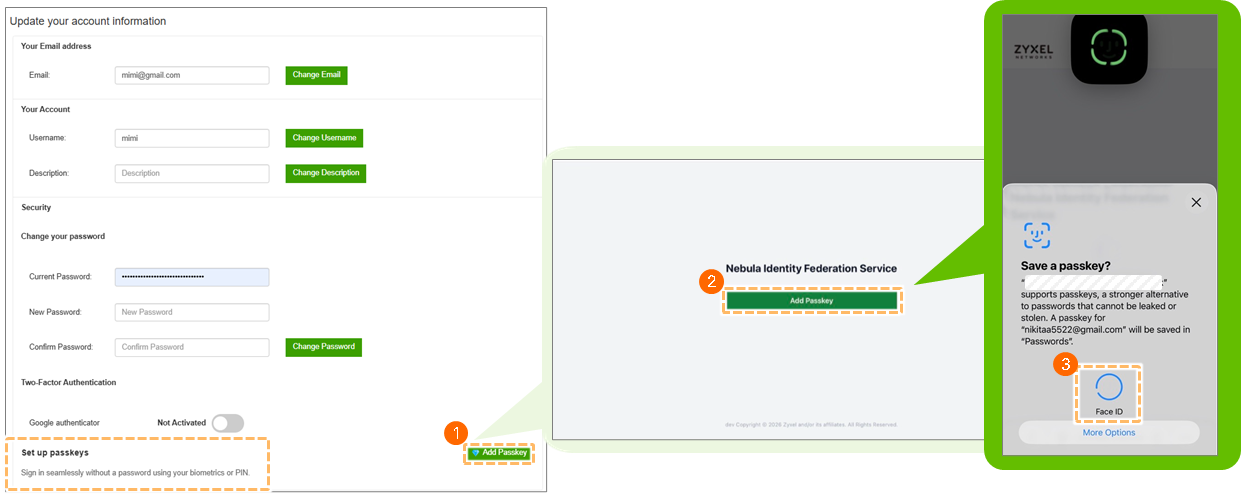
- Added Passkey support to Nebula Cloud Authentication Server (NCAS), enabling passwordless sign-in for supported authentication scenarios. (Nebula Pro Pack license is required)
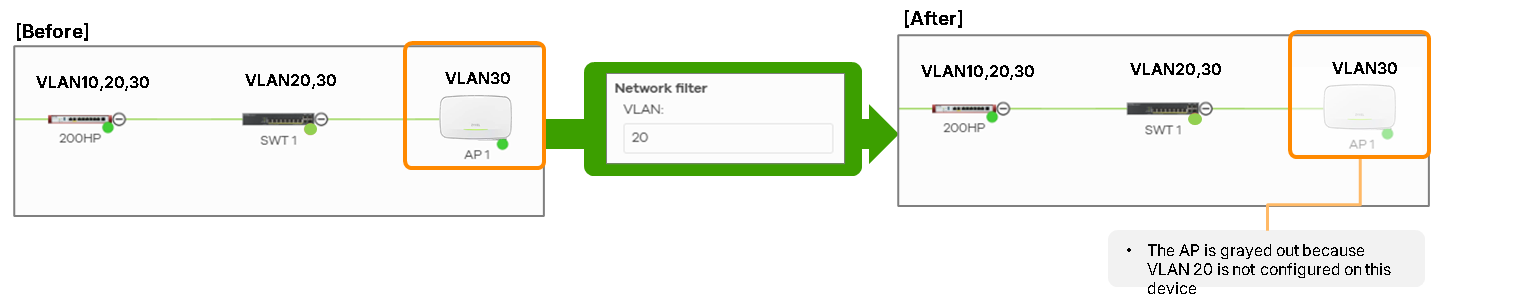
- Added VLAN-based Topology views to better visualize network segmentation. (Nebula Pro Pack license is required)
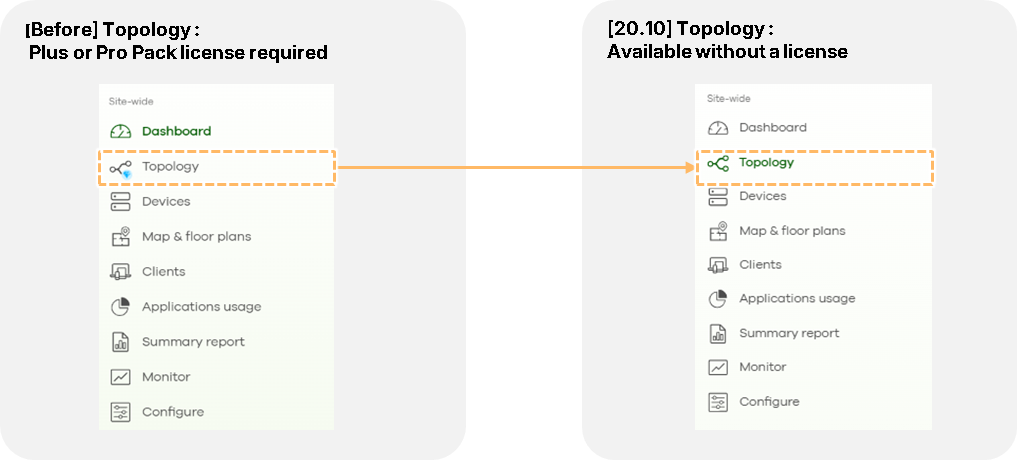
- Enabled select Topology features for Base Pack organizations.
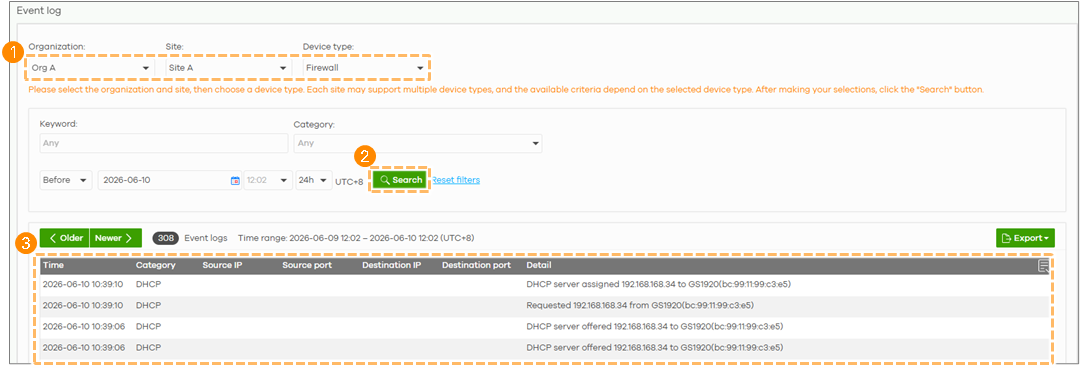
- Enhanced MSP admin operations with centralized access to device event logs. (Nebula MSP Pack license is required)
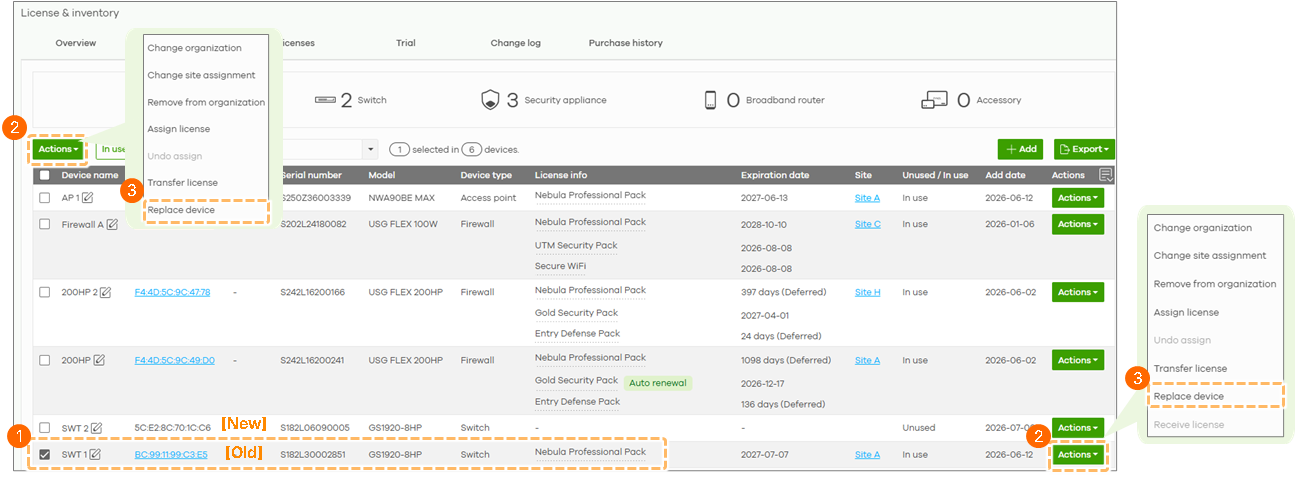
- Introduced a one-click Replace Device feature for seamless hardware replacement. (Nebula MSP Pack or Pro Pack license is required)
- Gain instant insight into service health with our new Status Page.
- Enabled PAYG management for Delegated Admins.
- Refined the License Assignment UI/UX.
- Refined the license change log UI/UX for USG FLEX H series. (Nebula Pro Pack license is required)
- Refined the Trial license banner UI/UX for improved clarity.
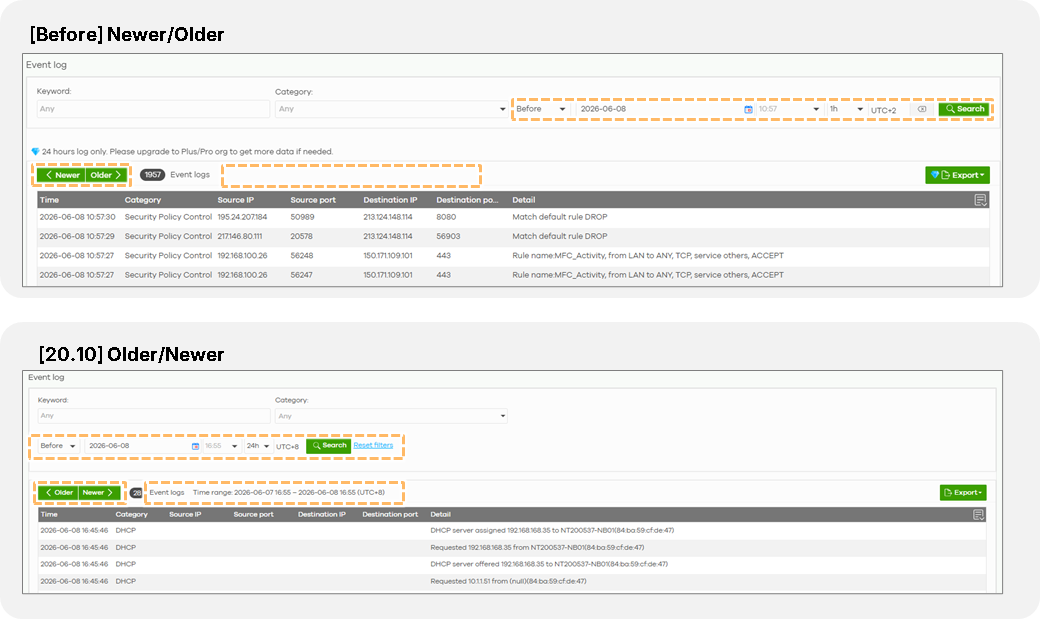
- Refined the Device Event Log UI/UX
Wireless LAN (WLAN):
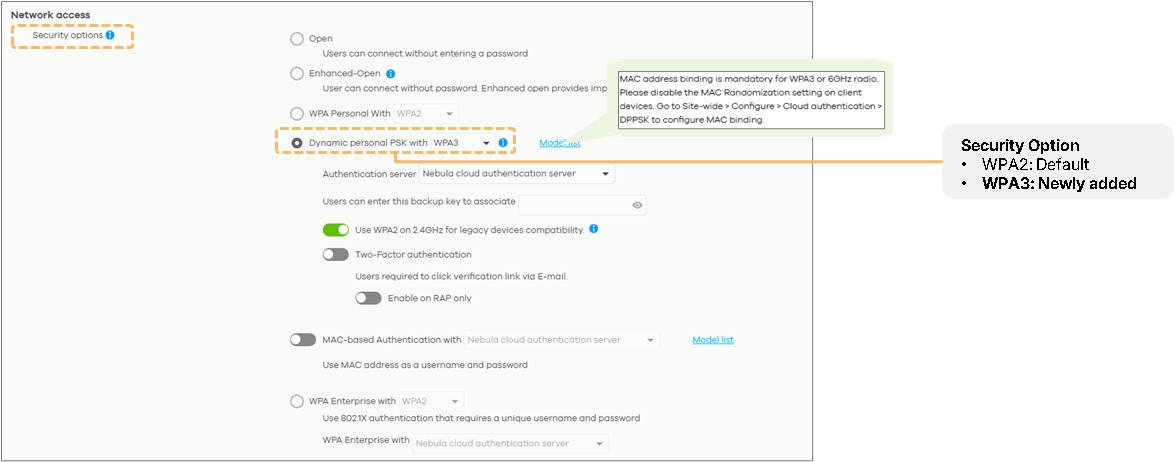
Important: To provide a more secure and reliable wireless service, Nebula have enhanced the Captive Portal Theme Profile security design. Updating the Captive Portal Theme Profile may invalidate existing user sessions. As a result, connected users, including those using mobile devices, may be required to log in again after the update is completed.- DPPSK is now supported on WPA3 SSIDs, combining personalized security keys with the latest encryption standards. (Nebula Pro Pack license is required)
- Users can now sign in Captive Portal seamlessly with Nebula Identity Federation Service (NID FS) or use modern passwordless Passkeys for NCAS logins. (Nebula Pro Pack license is required)
- The brand-new Roaming Dashboard provides real-time visibility into client transitions between supported APs, helping you optimize wireless coverage. (Nebula Pro Pack license is required)

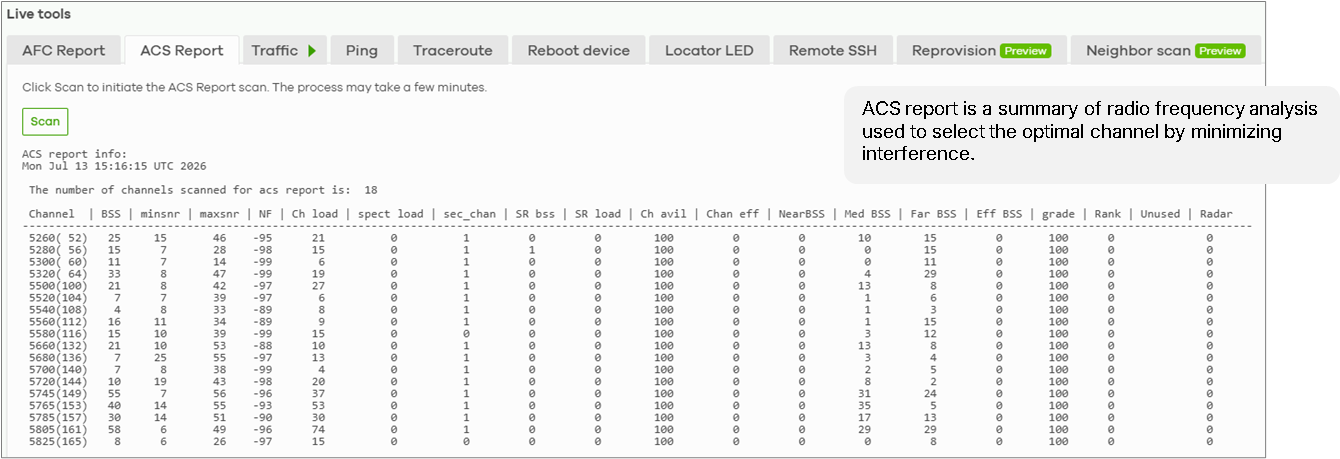
- Real-time AFC and ACS reports are now available in Live Tools, helping you optimize spectrum usage and minimize interference. (FWA7 Root plus and leaf plus support only)
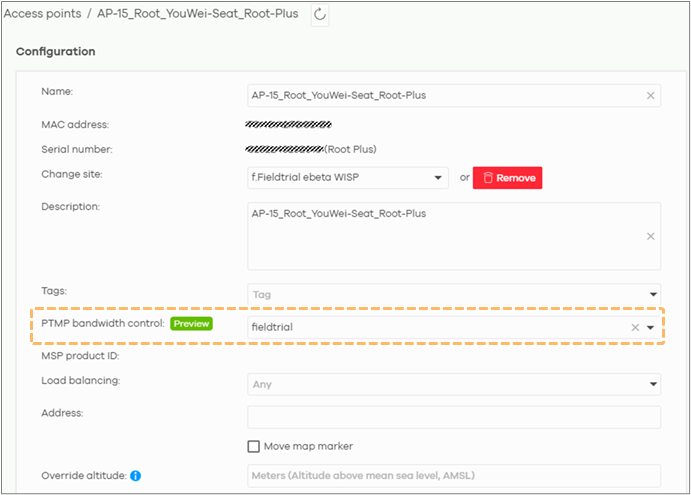
- PTMP Device-Level Bandwidth Control lets you set precise bandwidth limits on WISP devices to help prevent congestion and maintain a stable shared network.
Switching:
- Add power input source (Adapter/PoE-In) to Hardware Monitor.
- Add support for “Auto, SFP28, QSFP28, DAC25G, and DAC100G” options in Media Type.
Security Firewall:
- For USG FLEX H series, users can now sign in Captive Portal seamlessly with Nebula Identity Federation Service (NID FS) or use modern passwordless Passkeys for NCAS logins (Nebula Pro Pack license is required)
- For USG FLEX H series, remote access VPN users can now sign in via NID FS. (Nebula Pro Pack license is required)
- Expanded USG FLEX H Series VPN PSK supported characters for Manual-Link, improving compatibility with on-premises models.
- Added API-driven DDNS integration with Cloudflare DNS for USG FLEX H series.
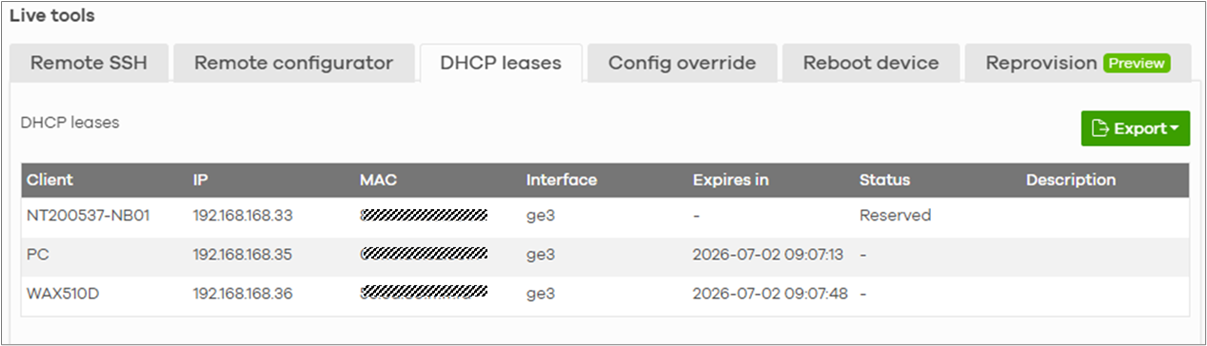
- Added DHCP lease table to Live tools.
Security Router:
- N/A
Broadband Router:
- N/A
Accessory:
- N/A
Zyxel Nebula Support
0
Comments
-
"DPPSK is now supported on WPA3 SSIDs, combining personalized security keys with the latest encryption standards. "
Could this be clarified since (as far as I know) WPA3 does not support DPPSK
1 -
Hi @dukisha016
The WPA3 DPPSK needs to use different authentication process with WPA2 DPPSK. In the new firmware, we implement the standard flow to support WPA3 DPPSK.
Zyxel Melen0

 Freshman Member



Categories
- All Categories
- 442 Beta Program
- 3.1K Nebula
- 243 Nebula Ideas
- 6.8K Security
- 783 USG FLEX H Series
- 389 Security Ideas
- 1.8K Switch
- 87 Switch Ideas
- 1.5K Wireless
- 58 Wireless Ideas
- 7.2K Consumer Product
- 325 Service & License
- 527 News and Release
- 101 Security Advisories
- 31 Education Center
- 10 [Campaign] Zyxel Network Detective
- 5.3K FAQ
- 34 Documents
- 91 About Community
- 122 Security Highlight