H series upgrade to 1.39 fails when memory usage is high





 Guru Member
Hello everyone,
I triggered an update via Nebula for 2 APs and a FW (100HP).
APs updated.
FW failed.
I saw this situation:
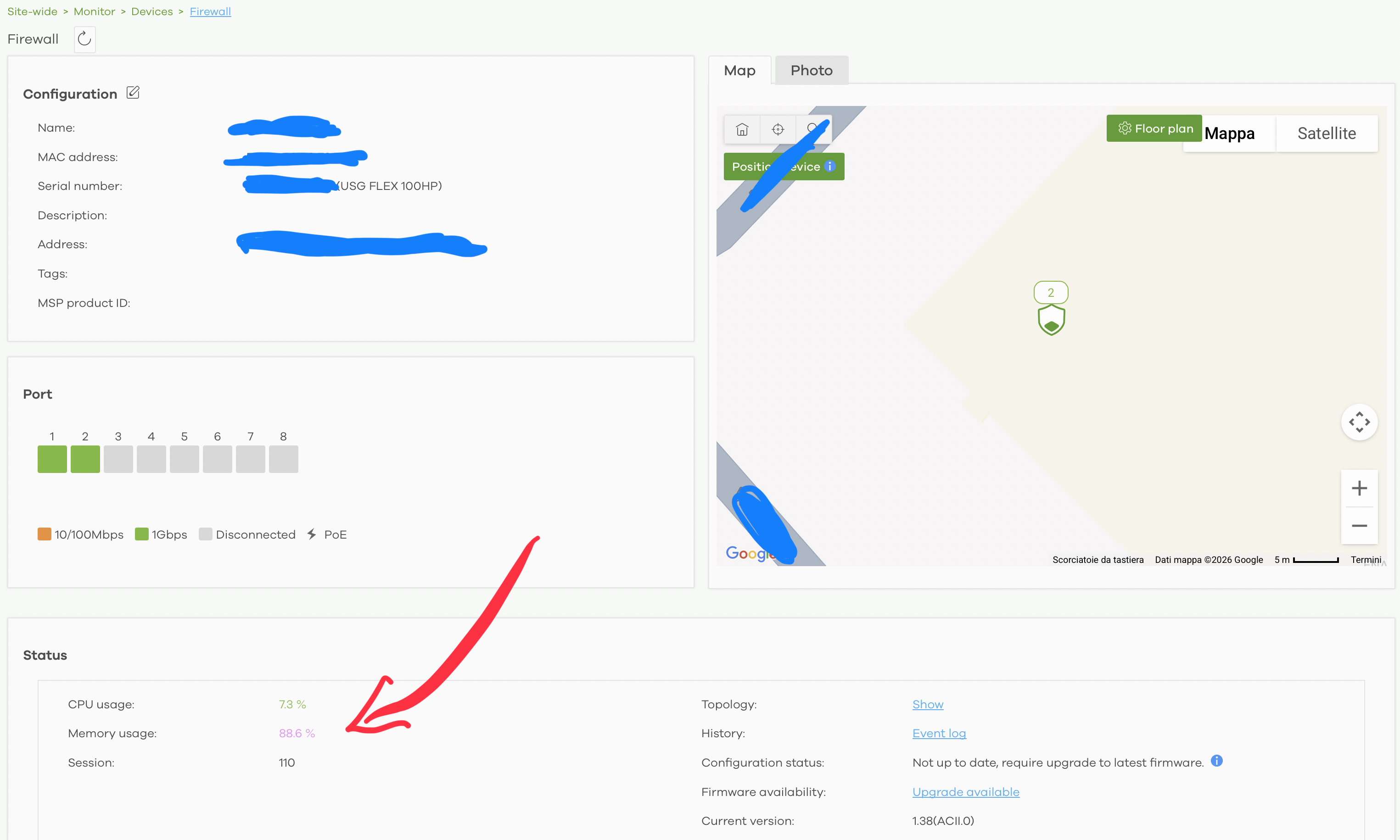
Is it possible to schedule an automatic reboot, with a notification, when you trigger a manual update from Nebula and the device has memory usage above a certain value?
All Replies
-
Hi @GiuseppeR ,
To better assist you in checking the firmware upgrade failure symptom and its root cause, please provide the Nebula organization and site, and enable Zyxel Support access.
Zyxel_Judy
0 -
Hi @GiuseppeR ,
There's a directory used to store system cache and temporary files. When the firewall downloads firmware from Nebula, the firmware file is also temporarily stored in this directory. If there isn't enough available space in this directory, the system displays a notification recommending that the user reboot the firewall to clear the temporary cache and free up space.
In your case, it appears that cache or temporary files had accumulated in this directory, leaving insufficient space for the firmware download and generating the log entry as "[Nebula] Automatic firmware update was unsuccessful. Please reboot the device first, then do the firmware update."

Zyxel_Judy
0 -
As for your suggestion of scheduling an automatic reboot with a notification when a manual or automatic update is triggered from Nebula and the device's memory usage is above a certain threshold — we'll evaluate this carefully.
Zyxel_Judy
0 -
Hi @GiuseppeR ,
Regarding your suggestion to schedule an automatic reboot with a notification when a manual or automatic update is triggered from Nebula and the device's memory usage is above a certain threshold, we think an automatic reboot may cause confusion for users. For example, the user may assume the firmware upgrade has already started / interpret the reboot as an upgrade failure or an unexpected system restart.
Therefore, we believe the current behavior is safer and clearer. When the system detects insufficient resources or temporary storage for the firmware download, it generates an event log asking the user to reboot the device first. After the reboot, the system releases temporary resources and cleans up temporary data, and the user can then retry the firmware upgrade.
For this reason, we currently prefer to keep the manual reboot behavior.
Zyxel_Judy
0



 Zyxel Employee
Categories
- All Categories
- 442 Beta Program
- 3.1K Nebula
- 243 Nebula Ideas
- 6.8K Security
- 783 USG FLEX H Series
- 389 Security Ideas
- 1.8K Switch
- 87 Switch Ideas
- 1.5K Wireless
- 58 Wireless Ideas
- 7.2K Consumer Product
- 325 Service & License
- 527 News and Release
- 101 Security Advisories
- 31 Education Center
- 10 [Campaign] Zyxel Network Detective
- 5.3K FAQ
- 34 Documents
- 91 About Community
- 122 Security Highlight


