FWA515 - MLO / stability issues 4-key handshake



 Freshman Member
Hi!
I noticed that MLO is very buggy and constantly does handshakes with my MLO clients. They lose connection and most of the time, they show "No internet" - I've checked logs and saw that 7990@ERROR.PROTO, rai0, Peer_Vendor_Spec_Action(): frame len check error occurs very often.. also saw logs like "disconnected from 6GHz radio" although the router doesn't even support 6GHz. Well, technically, it should but it's probably just disabled.
All MLO clients I use are affected. Some devices stay connected for a long time, some of them frequently disconnect.
Clients:
- Honor Magic8 Pro - latest OS version, MagicOS 11 (beta, but same behavior on stable MagicOS 10)
- OnePlus 12 - latest OxygenOS 16 version.
- Acer Predator Triton 500 - Killer BE1750x WiFi 7 - latest Intel Killer driver
- Xiaomi Pad 8 Pro - latest HyperOS 3
- Some ESP32 devices like a smart power strip, my mobile AC lose connection as well.
Thanks.
Regards,
Emre
All Replies
-
ML: SPA[76:d5:58:...:6b] use ml addr[74:d5:58:...:e5]
rai0: STA 76:d5:58:...:6b WPA:
group key handshake failed (RSN) after 4 tries
rai0: AP-STA-DISCONNECTED 76:d5:58:...:6b
Happens all the time.. group key handshake failed (RSN) after 4 tries. Doesn't matter if I use WPA2/WPA3 mixed SAE, WPA2 only, or WPA3 only, PMF disabled/capable/requires doesn't help too. I've tested it in EVERY possible way you could think of, incl. changing radio settings even down to n-only mode. Nothing helps. That's why I think it's a bug.
I can provide the last log if needed.
0 -
7990@ERROR.PROTO
Peer_Vendor_Spec_Action(): frame len check error
MULI_LINK_PS_EVENT
bitmap_len:131
FORCE NULL Frame
ap_send_mlme_pkt: FORCE NULL Frame
ML: Add Mac/GTK into EAPOL-Key rekey
group key handshake failed (RSN) after 4 tries
AP-STA-DISCONNECTED
ML: new STA
dot11MultiLinkActivated(1)
EAPOL-4WAY-HS-COMPLETED
MT7990 is the WiFi chip as far as I know and it's constantly spamming frame len check errors, causing MLO clients to disconnect all time. That needs to be fixed for sure.
0 -
Hi @NoTurner,
Thank you for providing the detailed information.
Before proceeding with further investigation, we would like to clarify a few points regarding your testing. Based on our previous discussion, we understood that the device was running firmware version 1.70. However, the most recently provided logs indicate that the device is currently running a different firmware.
Could you please confirm whether you have also tested for the MLO disconnection/unstable connectivity issue while using firmware version 1.70? We tested version 1.70 with a Windows Wi‑Fi 7 laptop but were unable to reproduce the same issue.
In addition, as some information is not visible in the screenshot provided, could you please back up the device configuration and share it with us via PM?
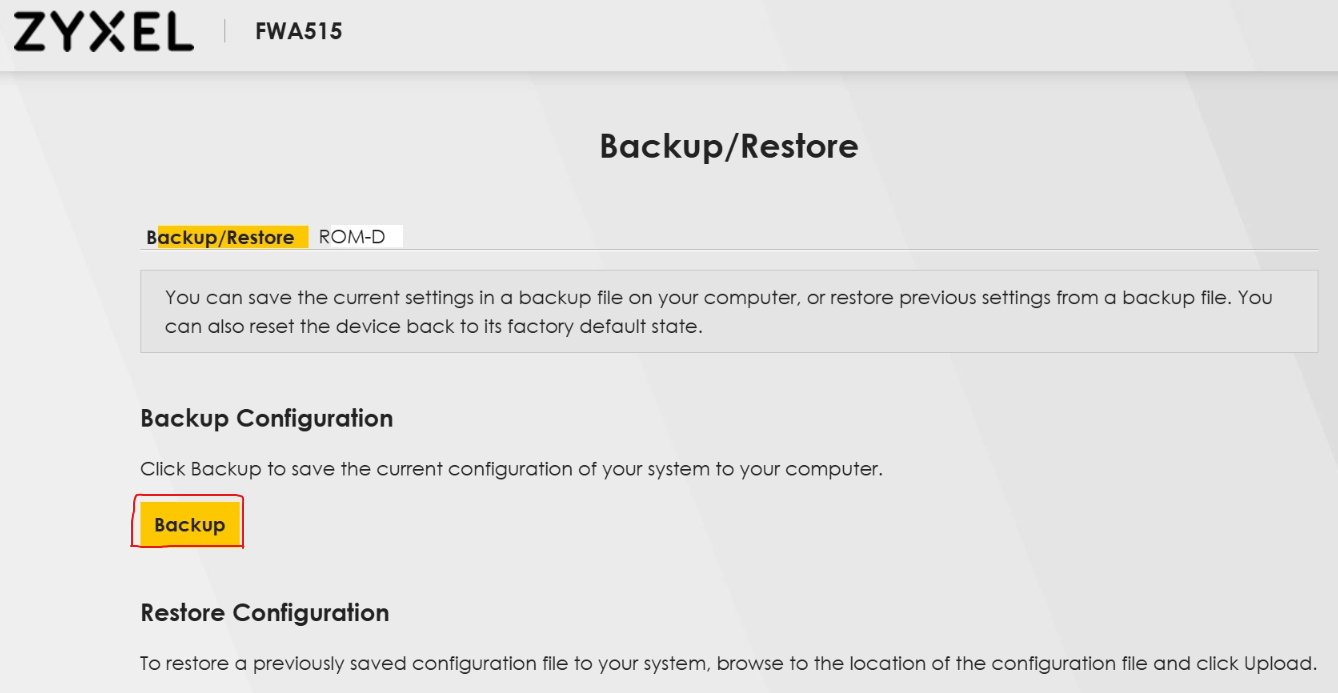
Additionally, does the disconnection occur regardless of distance/signal strength, or only when the affected client is farther from the device?
Zyxel Tina
0 -
Hi, I've tried V2.00 ACJT (NR5307 ZCOM based device) and V1.70 (official FWA515) - the Zyxel FWA515 definitely has issues with WiFi management, BUT only with some devices. I was wrong. My Windows laptop with the Killer 1750x does NOT have that problem. But all other listed devices lose connection.
And yes, signal strength is always excellent. 5G signal is also great, I've never had such good 5G signal parameters on any other 5G FWA I've tested.
My Ecovacs X11 PRO OMNI, which apparently uses a FN-Link WiFi module, also loses connection with the same GTK-key handshake failure. AX-only mode, ac-only mode, n-only mode didn't help too. I've tried every single WiFi config we could think of.
I'm 100% sure that this bug is related to MediaTek MT7990 firmware as I've had the same issue on a ZTE G5 Ultra MC8512 with the same chipset (MediaTek T830 5G SoC, MT7990 WiFi module) - and no, it's not related to my devices as they work well with other routers except, Zyxel FWA515 and ZTE MC8512 excluded.
Thank you.
Config is sent via PM.
0 -
And now I cannot connect at all. No device can connect to it and tell me that the network is "disabled".
Really don't know what to do at this point.
0 -
Uploaded file as .rar - sent via PM.
0 -
This is what's happening in the background:
One of the MLO clients which lost connection:
Today, 06:06 AM:
06:06:27
7990@ERROR.PROTO,rai0,Peer_Vendor_Spec_Action():
frame len check error
42 sec later:
06:07:06
7990@ERROR.AP,ra0,RtmpEnqueueForceNullFrame():
send FORCE NULL Frame @54 Mbps to AID#3
06:07:08
ra0: STA 76:d5:xxxx:xxxx
disassociated
rai0: STA 76:d5:xxxxx:xxxx
disassociated
AP-STA-DISCONNECTED
Then it spammed
06:24:37
WiFi@ERROR.MLO,parse_tid_to_link_map_ie(): error -1
while trying to reconnect
mtk_wsys_unregister_mld_sta_entry()
CLIENT_DISCONNECTED
wapp_fill_client_mlo_info(): mld_entry = NULL
Constant FORCE NULL frame and frame len check errors in-between.
That could only be a bug in the firmware.
0 -
Hi @NoTurner,
Thank you for providing the details.
We have received your information and will carefully review it to better understand the issue. If we need any further details during our investigation, we will reach out to you.
We appreciate your cooperation and patience.
Zyxel Tina
1





 Zyxel Employee
Categories
- All Categories
- 442 Beta Program
- 3.1K Nebula
- 243 Nebula Ideas
- 6.8K Security
- 783 USG FLEX H Series
- 389 Security Ideas
- 1.8K Switch
- 87 Switch Ideas
- 1.5K Wireless
- 58 Wireless Ideas
- 7.2K Consumer Product
- 325 Service & License
- 527 News and Release
- 101 Security Advisories
- 31 Education Center
- 10 [Campaign] Zyxel Network Detective
- 5.3K FAQ
- 34 Documents
- 91 About Community
- 122 Security Highlight


