monitoring firewall in nebula



 Freshman Member
One of our clients is experiencing issues with their internet connection, and we would like to monitor it via Nebula.
The firewall (USG FLEX 200) has been added to Nebula in Monitor Mode, but it does not appear in the monitoring view. Only the switch and the access point are visible.
Where can we monitor the firewall in Nebula?
If this is not possible, where can we check the relevant information directly on the device?
Thank you for your assistance.
Best Answers
-
Hi @AdminSys,
Thank you for granting the access. Our team will look into this and keep you posted once we have any updates. :)
Zyxel Tina
1 -
Hi @AdminSys,
After confirming with our team, we would like to clarify that the behavior you are seeing is expected. When a USG FLEX firewall is added to Nebula in Cloud Monitoring Mode, only a limited set of features is available in the Nebula.
You may find more details here:
[2023 July Tips & Tricks] What is Nebula Cloud Monitoring Mode? — Zyxel Community
We recommend using the Remote Configurator feature to establish a secure tunnel and access the device’s local GUI to check its status directly.
Zyxel Tina
0



 Zyxel Employee
All Replies
-
Hi @AdminSys,
Could you first confirm whether the customer has followed this guide to set up Nebula Monitor Mode?
[ATP/FLEX] How to set up Nebula Monitor Mode? — Zyxel Community
If you have followed it and the firewall still doesn’t show up in the monitoring view, please share screenshots of the current setup, (similar to those in the guide - settings and status). That will help us see where the process is getting stuck and what to check next.
Thank you, and we look forward to your reply.
Zyxel Tina
0 -
Hi Tina,
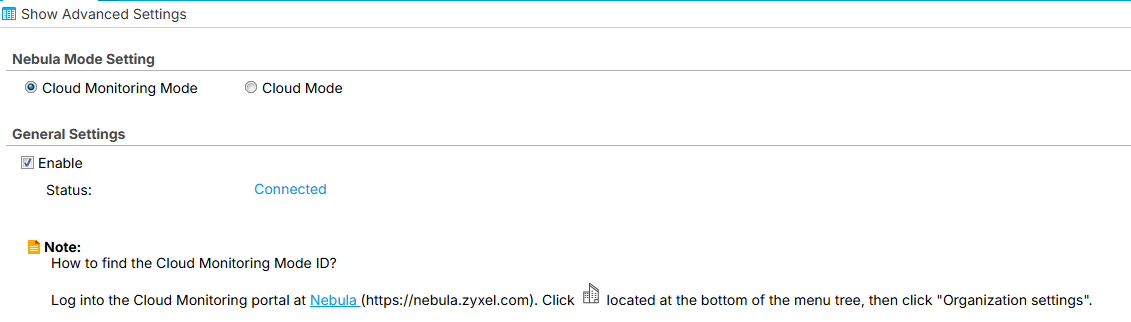
The device is connected to neblula in monitoring mode.
(For security reason, this pic has been removed by Zyxel agent.)The device is visible in the nebula.
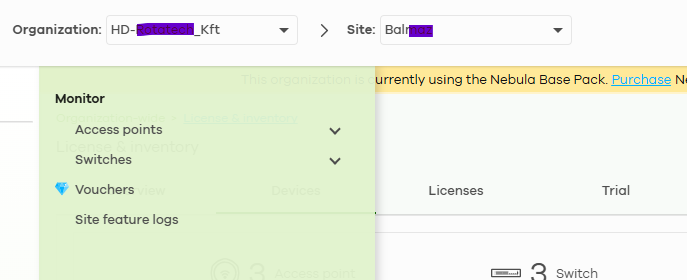
but not is monitoring feature.
0 -
Hi @AdminSys,
To help us investigate further, could you please enable Zyxel Support Access?
Zyxel Tina
0 -
Tina, I’ve sent the invitation.
0 -
Hi @AdminSys,
Thank you for granting the access. Our team will look into this and keep you posted once we have any updates. :)
Zyxel Tina
1 -
Hi @AdminSys,
After confirming with our team, we would like to clarify that the behavior you are seeing is expected. When a USG FLEX firewall is added to Nebula in Cloud Monitoring Mode, only a limited set of features is available in the Nebula.
You may find more details here:
[2023 July Tips & Tricks] What is Nebula Cloud Monitoring Mode? — Zyxel Community
We recommend using the Remote Configurator feature to establish a secure tunnel and access the device’s local GUI to check its status directly.
Zyxel Tina
0
Categories
- All Categories
- 442 Beta Program
- 3.1K Nebula
- 244 Nebula Ideas
- 6.9K Security
- 807 USG FLEX H Series
- 392 Security Ideas
- 1.8K Switch
- 88 Switch Ideas
- 1.5K Wireless
- 60 Wireless Ideas
- 7.3K Consumer Product
- 333 Service & License
- 540 News and Release
- 106 Security Advisories
- 31 Education Center
- 10 [Campaign] Zyxel Network Detective
- 5.5K FAQ
- 34 Documents
- 89 About Community
- 124 Security Highlight