[Important Announcement] End of FTP Service Support for Home NAS Series
Comments
-
Hi @Zsolesz
Before upgrading the firmware, please make sure the file on the NAS disk has been backed up.
You can find the firmware link below
https://download.zyxel.com/NAS326/firmware/NAS326_V5.21(AAZF.18)C0.zip
After upgrade it, please follow the steps to complete the set up.
https://community.zyxel.com/en/discussion/29667/important-announcement-end-of-ftp-service-support-for-home-nas-series/p10 -
Hi @crataegus
Please make sure you are on the latest firmware.
You can find the firmware below:
https://download.zyxel.com/NAS542/firmware/521ABAG15C0.zip
After make sure the firmware upgraded.
Please follow the steps below to proceed the set upplease follow the steps to complete the set up.
https://community.zyxel.com/en/discussion/29667/important-announcement-end-of-ftp-service-support-for-home-nas-series/p1
0 -
Hi @danko
Could you please provide the configuration steps you have completed on the NAS?
Additionally, please share the firmware version of your NAS model.The procedure described in this topic should be available on the NAS as long as no manual modifications or third-party packages have been installed.
Our SOP was tested using the NAS’s default configuration, and the process should work without issues. We have verified it on NAS firmware versions V15 and V18.
If you can share the steps you followed, we may be able to identify why the App Center is unable to synchronize.
1 -
the frimmer is on the nas326, which does not work, the app center list download failed. a more detailed guide is needed
0 -
OK.
Step by step…
Firmware is:
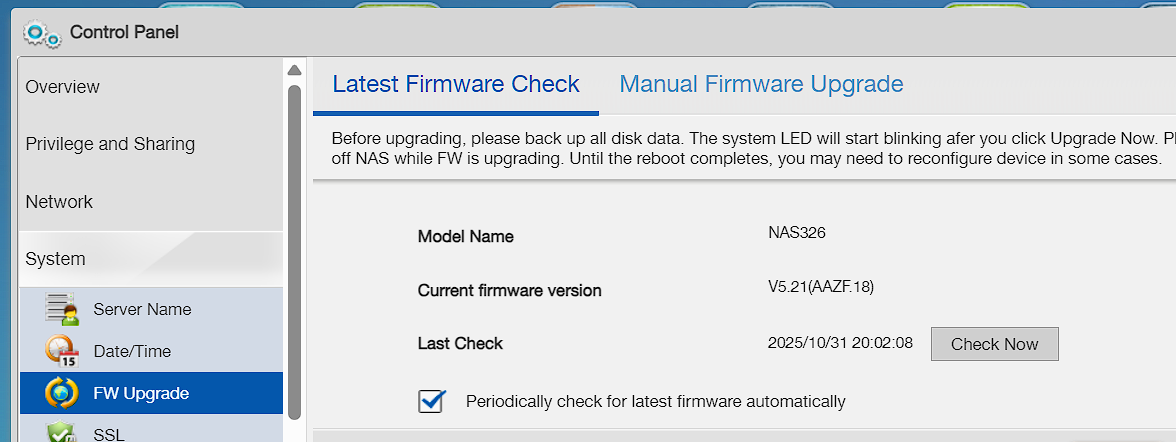
- First, I do this:
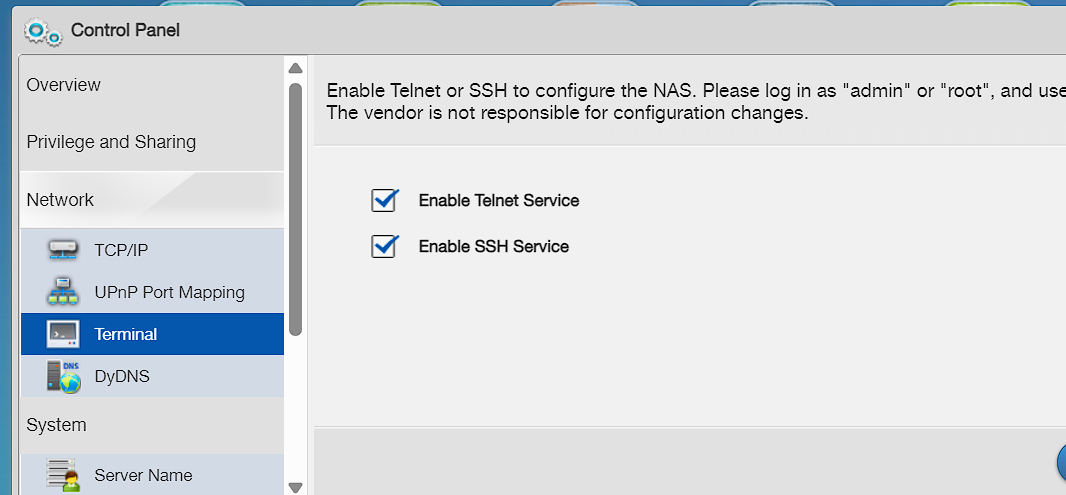
2.Then:
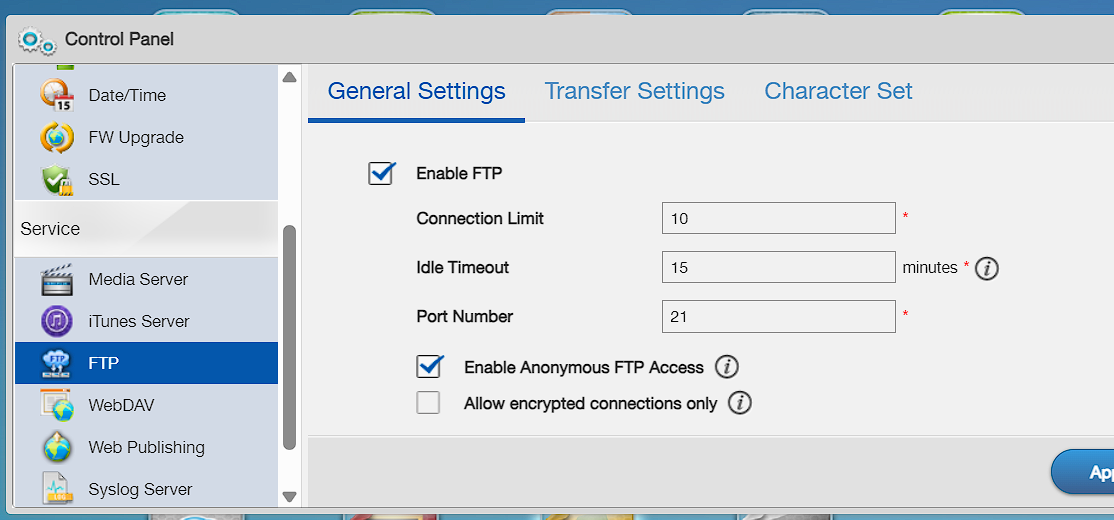
3. Download file: NAS326_zypkg_5.21.zip
4. Extract zip file and got folder NAS326_zypkg_5.21 with subfolder 5.21 (there are 18 files in 5.21 folder)
5. Create folder NAS326 on the NAS and put folder 5.21 in folder NAS326
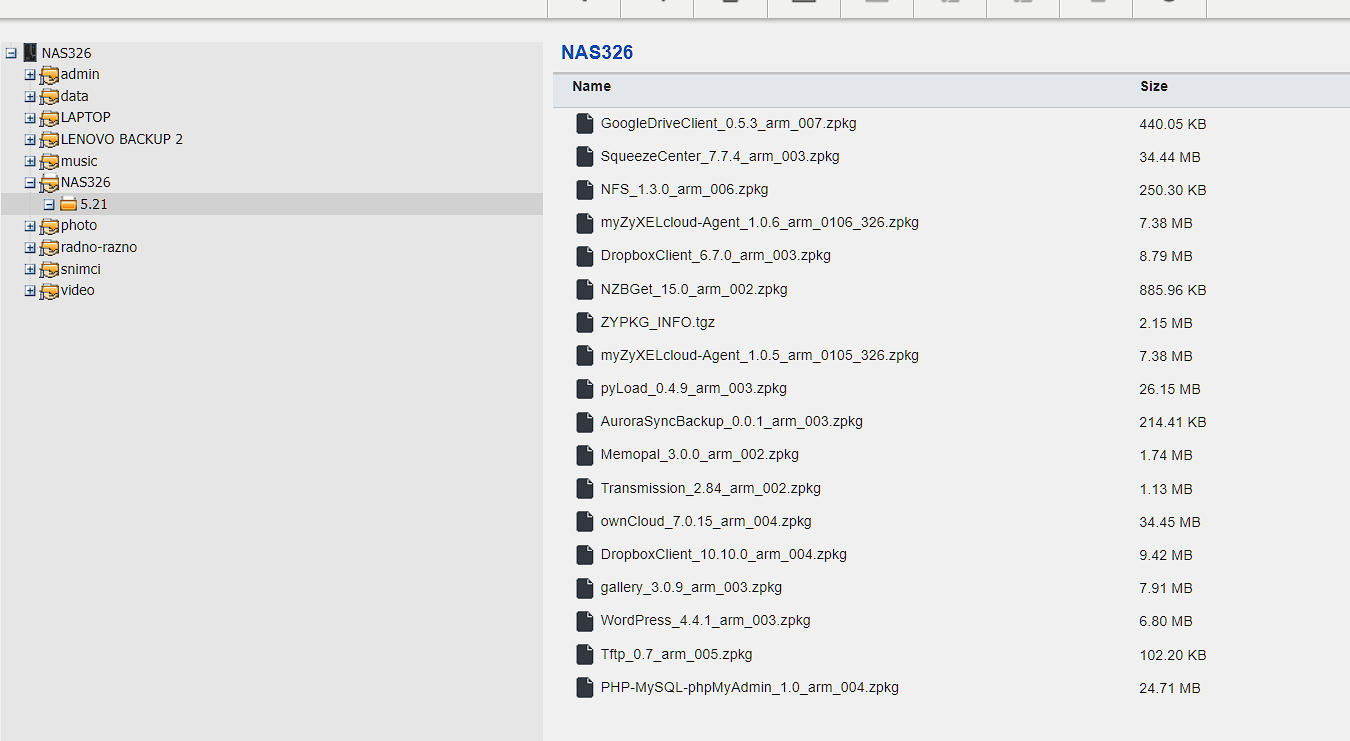
6. Connect to NAS (192.168.1.99) with Tera Term 5 with user=root and password same like NAS admin password
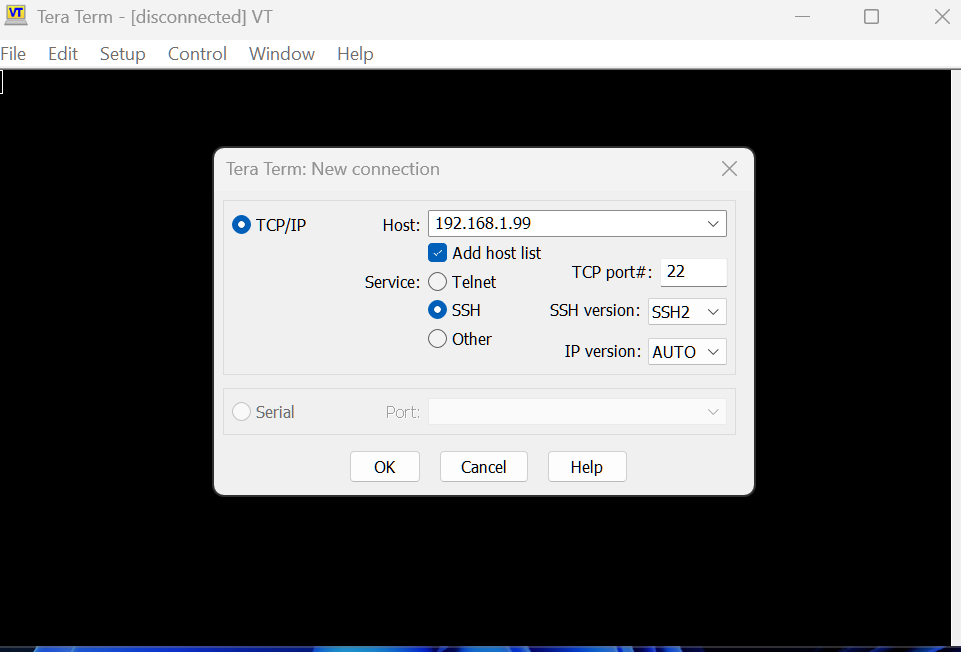
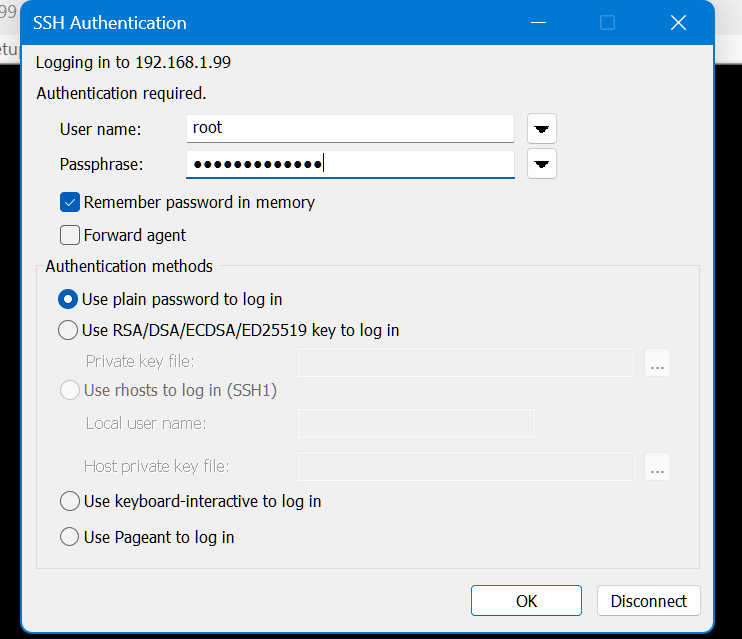
7. Making folder zypkg in admin folder:
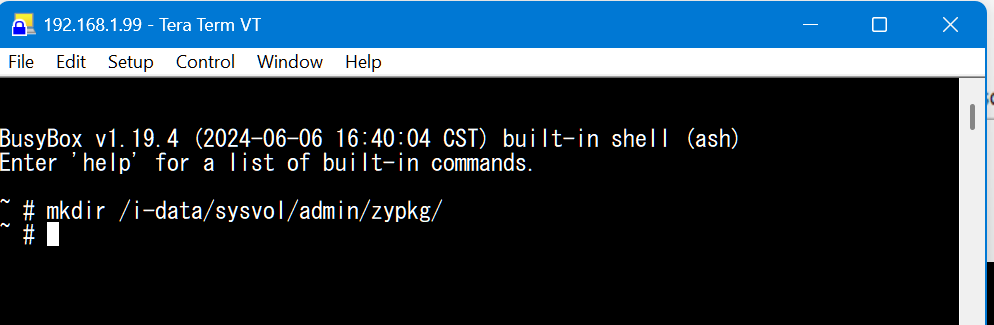
8. Create 5.21 folder in folder zypkg
9. Copy all files from folder NAS326/zypkg/5.21 in folder admin/zypkg
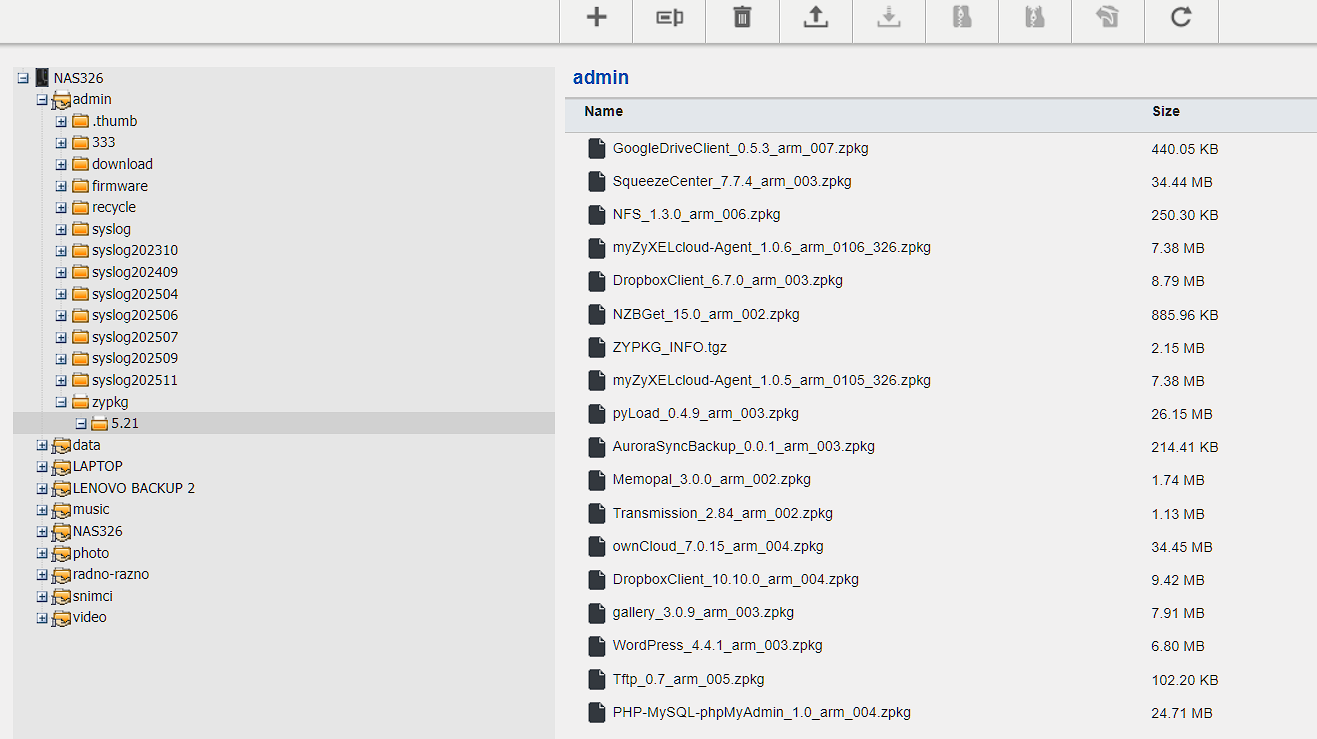
10.Then echo command:
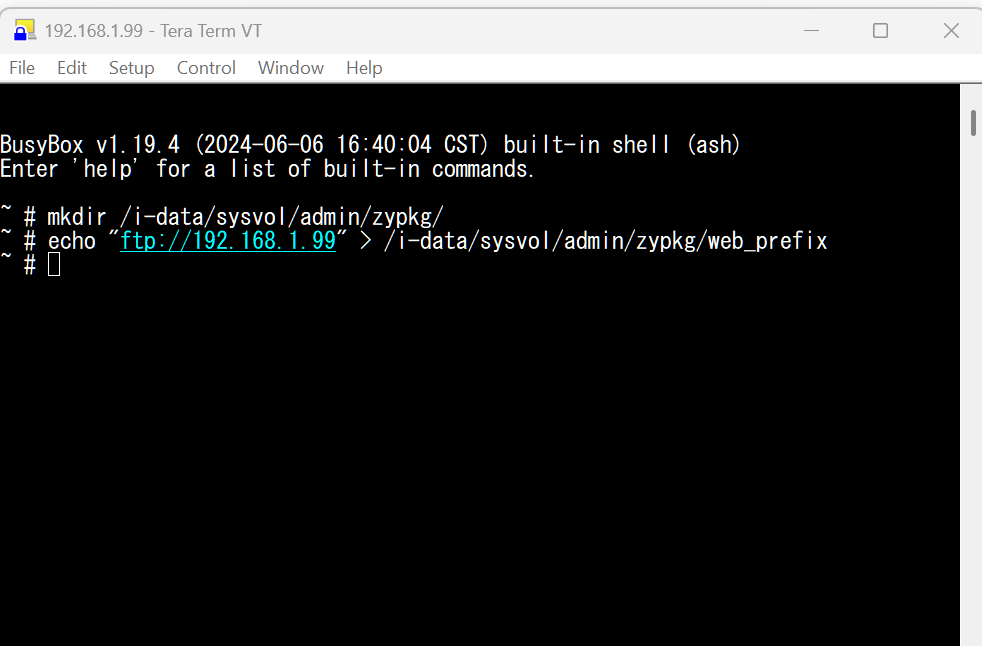
11.Then cat:
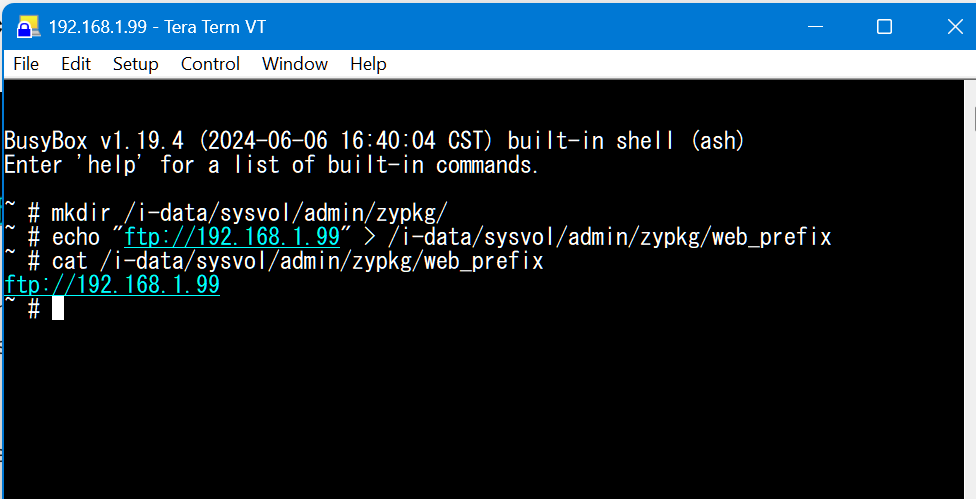
12 Then disconect Tera termfrom NAS
13. Finaly, go to the App centar and try to update all apps…
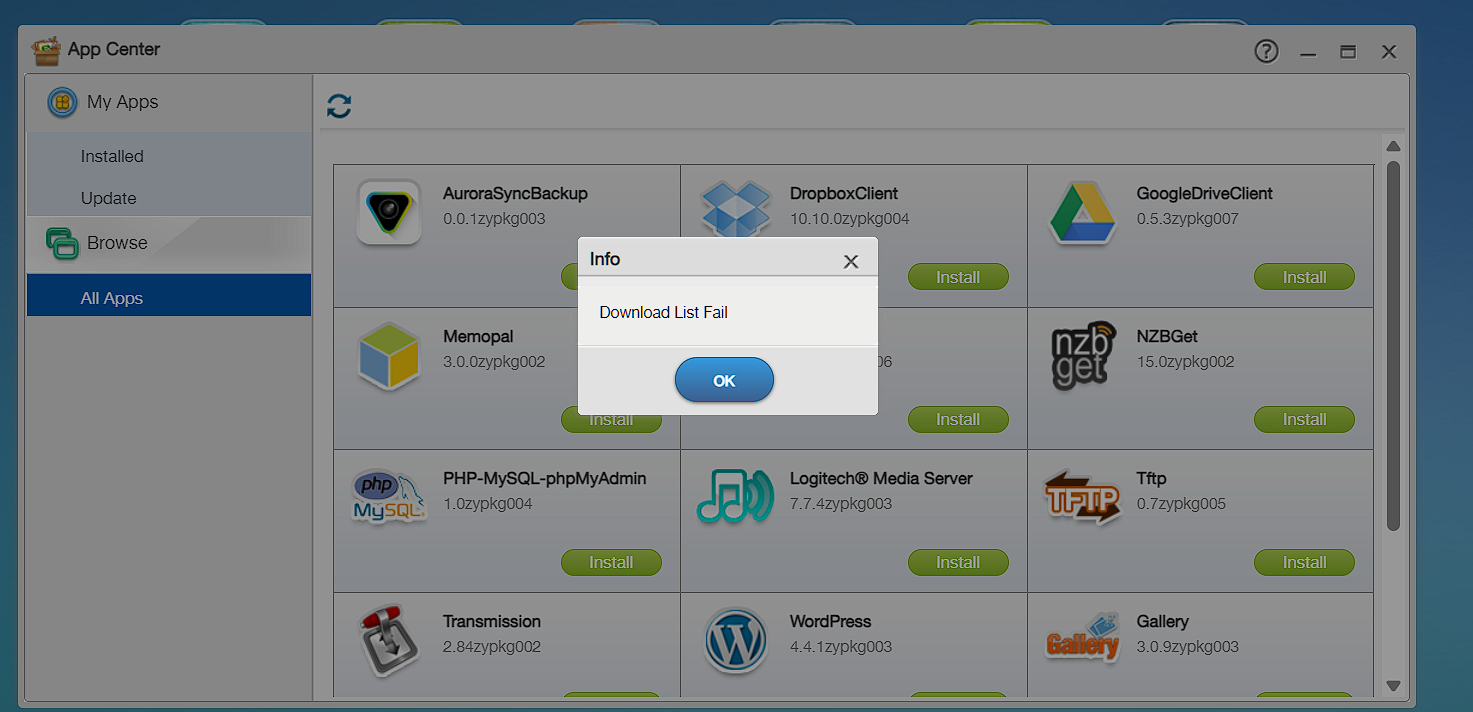
Which step is wrong?
0 -
Have you tried create the "zy-pkgs" directory? (note the added 's')
"/i-data/sysvol/admin/zy-pkgs/web_prefix"
0 -
In step 10, have you tried the mkdir /i-data/sysvol/admin/zy-pkgs/web_prefix ? (notice the 'zy-pkgs' instead of 'zypkg')
0 -

No….thats dont work…
Mabye, web_prefix is wrong on the end?
Are you shure?
0 -
Absolutely does notwork on NAS326. Both directories zypkg and zy-pkg make no good. "List download failed" forever. All is done strict according to instructions, nothing helps.
0 -
User Zyxel_Jerry hel me with explanations….
And I made success operation.
I done this (step by step):
1.Check is it last Firmware - NAS326_V5.21(AAZF.18)C0
2. I am logging as admin on NAS web-interface from local PC
3. I deleted all files and folders from previous attempts (NAS 326, zyzpkg, zy-pkgs,5.21, web_prefix)
4. I enabled Telnet and SSH in NAS Control panel
5.I enabled annonymys FTP in NAS Control panel
6. I am logging as admin on NAS web-interface from local PC
7. From „Control panel – shared folders“ I am creating folder NAS326 in same path as admin folder and give read/write access to all users
8. From „NAS File Browser“ I create folder zypkg under NAS326 folder
9. I download zip file from NAS326 link from forum
10. From „NAS File Browser“ I upload zip file to zypkg folder
11. From „NAS File Browser“ I decompress zip folder and got folder „NAS326_zypkg_5.21“ with subfolder 5.21 under zypkg folder
12. From „NAS File Browser“ I move 5.21 folder to zypkg folder
13. I am delete zip file and „NAS326_zypkg_5.21“ folder and situation is: In folder NAS326 is folder zypkg. In zypkg folder is 5.21 folder with 18 files (17 zpkg files and 1 tgz file)
14. Then, I start Tera Term VT, on my server 192.168.1.99, username=root, password=same like admin password
15. I executed command: mkdir /i-data/sysvol/admin/zy-pkgs
16. I executed command: echo "ftp://192.168.1.99" > /i-data/sysvol/admin/zy-pkgs/web_prefix
17. Then, disconnect from Tera Term VT
18. I check from „NAS File Browser“ and I saw in admin folder there is folder zy-pkgs with file web_prefix
19.In web_prefix file is text ftp://192.168.1.99
20. In the App centar try to update all apps…and finaly I got „Download list success“!!!
BINGO!
0

 Zyxel Employee




 Freshman Member




Categories
- All Categories
- 442 Beta Program
- 2.9K Nebula
- 222 Nebula Ideas
- 129 Nebula Status and Incidents
- 6.5K Security
- 616 USG FLEX H Series
- 347 Security Ideas
- 1.7K Switch
- 84 Switch Ideas
- 1.4K Wireless
- 53 Wireless Ideas
- 7K Consumer Product
- 298 Service & License
- 485 News and Release
- 92 Security Advisories
- 31 Education Center
- 10 [Campaign] Zyxel Network Detective
- 4.8K FAQ
- 34 Documents
- 88 About Community
- 105 Security Highlight