[NWA130BE] Since 7.20, iPhone 16 toggles between WiFi and Celluar
All Replies
-
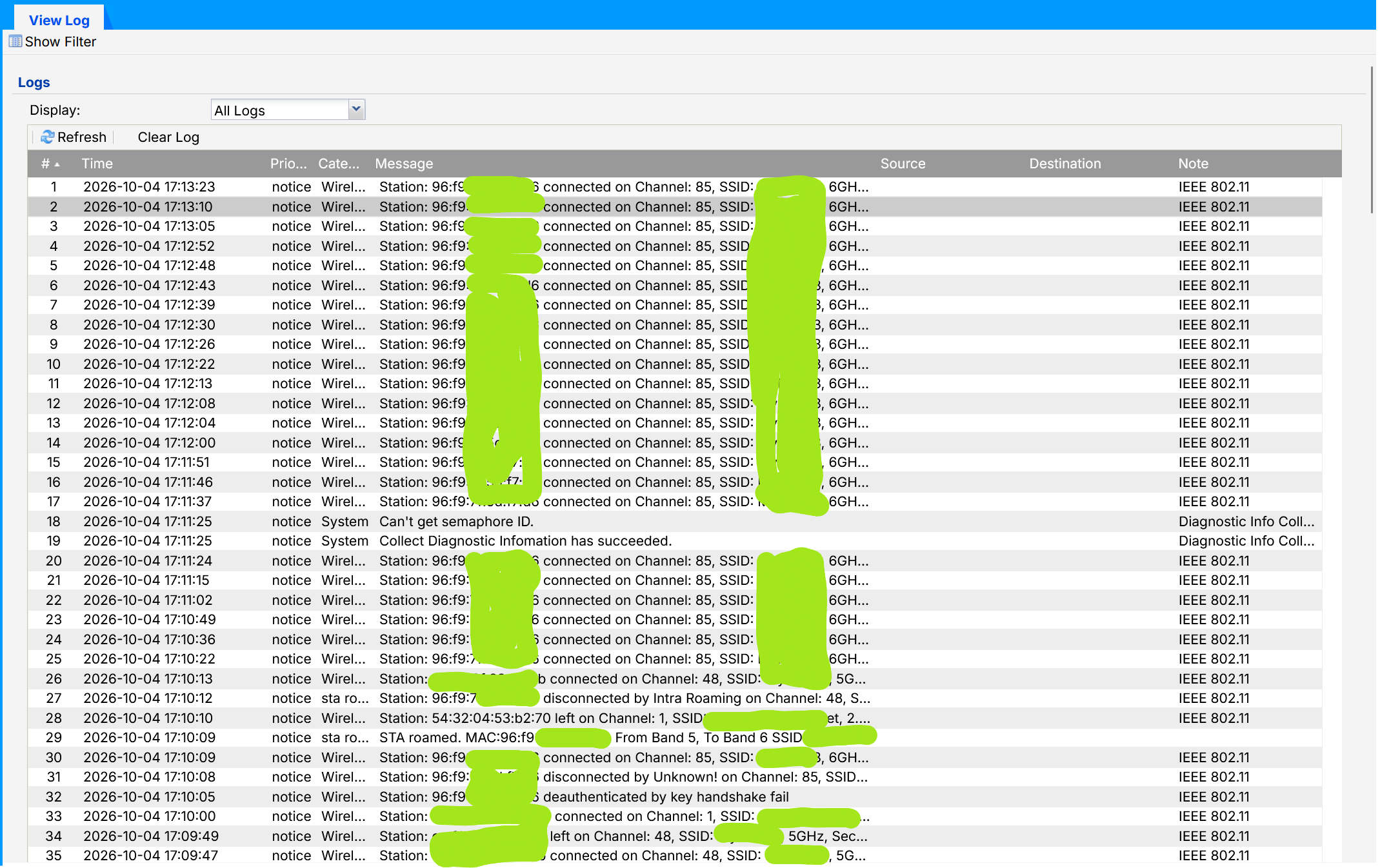
Nowadays, after a max. of 5 minutes the iphone switches to wifi 5G band only because it notices issues with the 6G band. This makes it also a bit tricky to capture wifi traffic because you only have limited time.
The workaround so far was disabling 6G in the APs. Then you don't have issues at all.0 -
Thanks for the firmware. I’ve had it enabled since yesterday evening and will be testing it.
However, I’d like to make it clear once again that this fault isn’t limited to iPhones. Android phones are affected too!
And, as several users here have found, the fault disappears when you disable the 6 GHz band!
0 -
The fault described in detail here is also present in this test firmware.
As soon as the 6 GHz band is activated, the fault occurs after a few hours.
0 -
Issue also occured here yesterday evening with the test firmware
0 -
Hi @Zyxel_Melen,
some days ago, I've updated my NWA130BE to the last test firmware (V7.40(1)-DF-2026-10-01, it correct also a NTP retry problem) that was supposed to fix this problem (if you see in the PM, I asked you to also have the corrective version for this problem). However, it seems the problem is also present with this version.If you want, I can send you the diagnostics.
Thank you
0 -
Hi @Flachzange @matradix @Maverick87
Thanks for all your update.
I will send a new private message to you separately to provide some steps to collect the diagnostic file.
Zyxel Melen0 -
It’s now been a whole year since this fault was reported here! A year has gone by in which Zyxel has done next to nothing to seriously rectify this fault! Now customers are expected to sacrifice their time and help with troubleshooting using complicated instructions!
All in all, what’s going on here is an unbelievable imposition!
I’ve since taken the NWA130BE out of service and replaced it with a product from a different manufacturer.
That was my first Zyxel device – and it’ll be my last!
All the best to you all.
0 -
Hi @Zyxel_Melen,
I've now the problem, I send to you a PM with a screenshot and the collected diag.
0 -
Question Matradix: what device did you choose as a replacement and are you having the same issue with it? Asking because I'm running into the same issue on a set of Zyxel WiFi 7 Mesh network devices from my ISP and may be pushing for a replacement.
0




 Freshman Member





 Master Member


 Zyxel Employee
Categories
- All Categories
- 442 Beta Program
- 3.1K Nebula
- 242 Nebula Ideas
- 6.8K Security
- 762 USG FLEX H Series
- 384 Security Ideas
- 1.8K Switch
- 87 Switch Ideas
- 1.5K Wireless
- 58 Wireless Ideas
- 7.2K Consumer Product
- 323 Service & License
- 522 News and Release
- 100 Security Advisories
- 31 Education Center
- 10 [Campaign] Zyxel Network Detective
- 5.3K FAQ
- 34 Documents
- 91 About Community
- 120 Security Highlight


